Huawei B612 VS Huawei B618

Since more and more Huawei LTE WiFi routers are available in the market, sometimes they had the similar name which may confuse the customer. At the beginning of 2018, Huawei presented a new 4G modem router Huawei B612, following the Huawei B618 router. As you can see, the Huawei B612 and Huawei B618 router names are very similar. For those who are unfamiliar with Huawei routers, they may don’t know what the difference is between the Huawei B618 and B612 LTE router. If they want to buy one of the two routers, they may be in trouble to make the decision which one to buy. Today, we will compare the two routers specs and features so the customers may get some reference.

Huawei B612 VS B618 Appearance and Interfaces

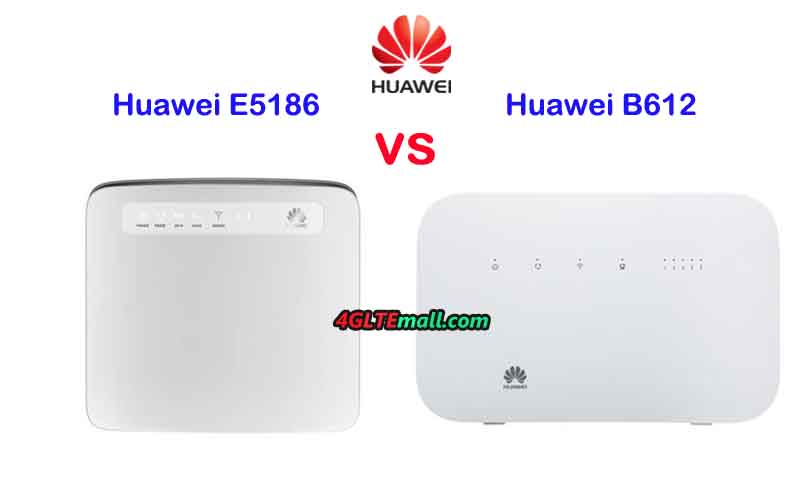
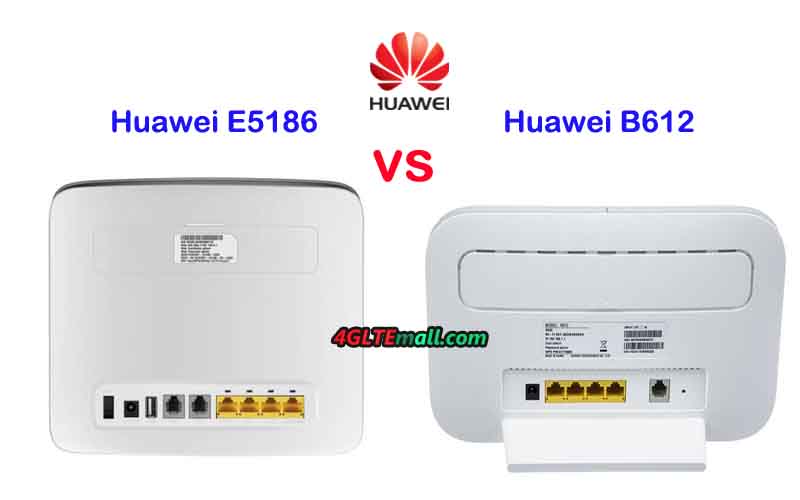
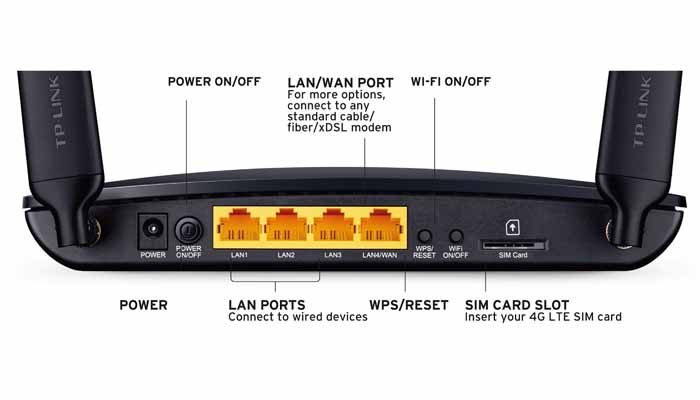
Simply from the router name, it may not be easy to identify the two routers, but if you see them, it would be easy to recognize. The Huawei B612 4G LTE Modem is in a traditional router shape, on the front, there are indicators for Power, Mode, WiFi, LAN and Signal. On the back, there are 3 LAN ports and One port for both LAN & WAN. And there is also a telephone port with the Ethernet ports. Like other Huawei 4G wireless routers, there are two SMA-male connectors at the back of the router and the connectors are covered by a long cap. The special design of the Huawei B612 router has an angled backrest for stand stability.


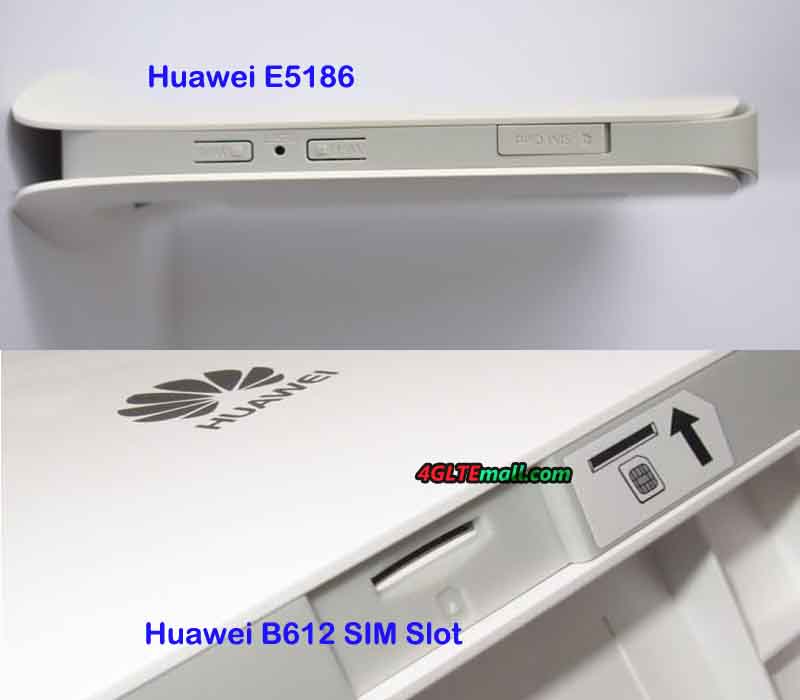
Huawei B618 LTE is not in a usual router design. It’s in a shape of cube, which looks cool like home furniture. Like Huawei B612, Huawei B618 Cube is also in white color. On the front face, there are indicators for Power, Status, Lan, WiFi, Mode and Signal. The WPS button is in the middle of the indicators. On the back of Huawei B618 WiFi router, there is One USB port, one LAN port, one telephone port and One WAN/LAN port. The power button is above the USB port. And there are also two connectors are for external antennas. The connectors are TS-9, not the common SMA connectors. The SIM card slot is at the bottom of the router.


Huawei B618 VS B612 Specs and Features

The appearance of Huawei B618 and Huawei B612 are very different, then let’s have a comparison of the Huawei B618 specs and Huawei B612 specs:

Model Huawei B612 Huawei B618
Product type Huawei WiFi Router with Ethernet port Huawei WiFi Router with Ethernet port
Category LTE Cat.6 LTE Cat.9/ Cat.11
Chipset HiSilicon LTE Cat6 Chipset HiSilicon Balong 750
Data rates DL 300Mbps/UL 50Mbps DL 600Mbps/UL 100Mbps
Supported 4G LTE frequency bands Huawei B612s-25d:  B1/B3/B7/B8/B20/B38/B40/B41/B42/B43
Huawei B612s-51d: B2/B4/B5/B7/B41
Huawei B618s-22d: Band 1/3/7/8/20/38
Huawei B618s-65d: 1/3/5/7/8/28/40
WLAN 802.11 b/g/n/ac, single-band 2.4GHz 802.11a/b/g/n/ac, dual-band 2.4GHz & 5GHz
Max supported users 32 users 64 users
MIMO 4 x 4 MIMO 4 X 4 MIMO
Connector for external antenna Two, SMA-female jacks Two, TS-9 jacks
Buy Antenna Huawei B612 external antenna Huawei B618 external Antenna
App management Huawei Hilink APP Huawei Hilink APP
SIM Size Micro SIM Micro SIM
Battery NO NO
Dimensions 240 × 155 × 78 mm 95 × 95 × 208mm
Interfaces * 3 x LAN port(RJ45)
* 1 x LAN/WAN port (RJ45)
* 1 x telephone port(RJ11)
* Two external LTE antenna ports (SMA-female)
* One micro-SIM card slot
* 1 x USB 2.0 port
* 1 x LAN port(45)
* 1 x LAN/WAN port (45)
* 1 x telephone port(RJ11)
* 1 x USB 2.0 port* Two external LTE antenna ports (TS-9)
Datasheet Huawei B612 Datasheet(PDF) Huawei B618 Datasheet
User Manual Huawei B612 User Manual(PDF) Huawei B618 User Manual
Other features  Firewall, CS Voice, VoIP, VoLTE, IPv6/IPv4 dual stack, NAT, DHCP, VPN, DMZ, UPnP, ALG, DHCP Server, DNS RELAY and NAT, VoLTE, IPv4 /IPv6 dual stack
Firmware download Huawei B612 firmware Huawei B618 firmware
Driver Huawei B612 driver Huawei B618 driver
Reviews Huawei B612 Review Huawei B618s-22d Review
Price/USD 399.00USD 449.00USD

Summary

From the specs table, we can see the new Huawei B612 is just a 4G+ Cat6 router, the Huawei B618 LTE is with more advanced technology, which could achieve download speed up to 600mbps and upload speed to 100Mbps. The Huawei B612 could support only LTE Cat6 up to 300Mbps. They both have two variant models for difference LTE frequency bands. Huawei B618 seems to be more suitable for home use but Huawei B612s-25d supports LTE B42 and B43, which are usually for industrial applications. Huawei B618 supports up to 64 wireless users while Huawei B612 support only half to 32 users. But they both use 4 X 4 MIMO technologies. Of course, the more advanced Huawei B618 price is higher than Huawei B612 price. Considering the LTE frequency bands at your location and your network providers, and the price & interfaces, you can easily make the decision which one to buy now.

QAM

What is QAM?

Quadrature amplitude modulation (QAM) is the name of a family of digital modulation methods and a related family of analog modulation methods widely used in modern telecommunications to transmit information. QAM is both an analog and a digital modulation scheme. It conveys two analog message signals, or two digital bit streams, by changing (modulating) the amplitudes of two carrier waves, using the amplitude-shift keying (ASK) digital modulation scheme or amplitude modulation (AM) analog modulation scheme. A variety of forms of QAM are available and some of the more common forms include 16QAM, 32QAM, 64QAM, 128QAM, 256QAM, 512QAM, 1024QAM, 2048QAM and 4096QAM.


Why are higher QAM levels used?

The various flavors of QAM may be used when data-rates beyond those offered by 8-PSK are required by a radio communications system. This is because QAM achieves a greater distance between adjacent points in the I-Q plane by distributing the points more evenly. And in this way, the points on the constellation are more distinct and data errors are reduced. While it is possible to transmit more bits per symbol if the energy of the constellation is to remain the same, the points on the constellation must be closer together and the transmission becomes more susceptible to noise. This results in a higher bit error rate than for the lower order QAM variants. In this way there is a balance between obtaining the higher data rates and maintaining an acceptable bit error rate for any radio communications system.

Modern wireless networks often demand and require higher capacities. For a fixed channel size, increasing QAM modulation level increases the link capacity. Note that incremental capacity gain at low-QAM levels is significant; but at high QAM, the capacity gain is much smaller. For example, increasing

  • From 1024QAM to 2048QAM gives a 10.83% capacity gain.
  • From 2048QAM to 4096QAM gives a 9.77% capacity gain.
QAM Increase Capacity Table


Understanding QAM Modulation

Let’s start with the QAM modulation process at the transmitter to receiver in the wireless baseband (i.e. Physical Layer) chain. We will use the example of 64-QAM to illustrate the process. Each symbol in the QAM constellation represents a unique amplitude and phase. Hence they can be distinguished from the other points at the receiver.

64QAM Quadrature Amplitude Modulation
  • As shown in the figure above, 64-QAM or any other modulation is applied on the input binary bits.
  • The QAM modulation converts input bits into complex symbols which represent bits by variation in amplitude/phase of the time domain waveform. Using 64QAM converts 6 bits into one symbol at transmitter.
  • The bits to symbols conversion take place at the transmitter while reverse (i.e. symbols to bits) take place at the receiver. At receiver, one symbol gives 6 bits as output of demapper.
  • Figure depicts position of QAM mapper and QAM demapper in the baseband transmitter and receiver respectively. The demapping is done after front end synchronization i.e. after channel and other impairments are corrected from the received impaired baseband symbols.
  • Data mapping or modulation process is done before the RF upconversion (U/C) in the transmitter and PA. Due to this, higher order modulation necessitates use of highly linear PA (Power Amplifier) at the transmit end.


QAM Mapping Process

64QAM Mapping Modulation


In 64-QAM, the number 64 refers to 2^6.

Here 6 represents number of bits/symbol which is 6 in 64-QAM.

Similarly, it can be applied to other modulation types such as 512-QAM, 1024-QAM, 2048-QAM and 4096-QAM as described below.


Following table mentions 64-QAM encoding rule. Check the encoding rule in the respective wireless standard. KMOD value for 64-QAM is 1/SQRT(42).

Input bits (b5, b4, b3) I-Out Input bits (b2, b1, b0) Q-Out
011 7 011 7
010 5 010 5
000 3 000 3
001 1 001 1
101 -1 101 -1
100 -3 100 -3
110 -5 110 -5
111 -7 111 -7

QAM mapper Input parameters: Binary Bits
QAM mapper Output parameters: Complex data (I, Q)

The 64-QAM mapper takes binary input and generates complex data symbols as output. It uses above mentioned encoding table to do the conversion process. Before the coversion process, data is grouped into 6 bits pair. Here, (b5, b4, b3) determines the I value and (b2, b1, b0) determines the Q value.

Example: Binary Input: (b5, b4, b3, b2, b1, b0) = (011011)

Complex Output: (1/SQRT(42))* (7+j*7)

512-QAM modulation

512QAM Modulation


The above figure shows 512-QAM constellation diagram. Note that 16 points do not exist in each of the four quadrants to make total 512 points with 128 points in each quadrant in this modulation type. It is possible to have 9 bits per symbol in 512-QAM also. 512QAM increases capacity by 50% compares to 64-QAM modulation type.


1024-QAM modulation

1024QAM Modulation Constellation


The figure shows a 1024-QAM constellation diagram.

  • Number of bits per symbol: 10
  • Symbol rate: 1/10 of bit rate
  • Increase in capacity compare to 64-QAM: About 66.66%


2048-QAM modulation

2048QAM Modulation Constellation


Following are the characteristics of 2048-QAM modulation.

  • Number of bits per symbol: 11
  • Symbol rate: 1/11 of bit rate
  • Increase in capacity from 64-QAM to 1024QAM: 83.33% gain
  • Increase in capacity from 1024QAM to 2048QAM: 10.83% gain
  • Total constellation points in one quadrant: 512


4096-QAM modulation

4096QAM Modulation Constellation


Following are the characteristics of 4096-QAM modulation.

  • Number of bits per symbol: 12
  • Symbol rate: 1/12 of bit rate
  • Increase in capacity from 64-QAM to 409QAM: 100% gain
  • Increase in capacity from 2048QAM to 4096QAM 9.77% gain
  • Total constellation points in one quadrant: 1024


Advantages of QAM over other modulation types

Following are the advantages of QAM modulation:

  • Helps achieve high data rate as more number of bits are carried by one carrier. Due to this it has become popular in modern wireless communication system such as LTE, LTE-Advanced etc. It is also used in latest WLAN technologies such as 802.11n 802.11 ac, 802.11 ad and others.


Disadvantages of QAM over other modulation types


  • Following are the disadvantages of QAM modulation:
  • Though data rate has been increased by mapping more than 1 bits on a single carrier, it requires high SNR in order to decode the bits at the receiver.
  • Needs high linearity PA (Power Amplifier) in the Transmitter.
  • In addition to high SNR, higher modulation techniques need very robust front-end algorithms (time, frequency and channel) to decode the symbols without errors.


Samsung SFG-D0100 5G Home Router Pass through FCC Approval

The Federal Communications Commission (FCC) of the United States has recently completed compatibility testing of the first 5G router, which will be used by customers using the wireless Internet connection. The Samsung router with the designation SFG-D0100 will be available in the offer of the American operator Verizon. This equipment works in the 5G mmWave 28 GHz millimeter. The 5G terminal “SFG-D0100” made by Samsung Electronics (Samsung Electronics) passed the Federal Communications Commission (FCC) on April 30, 2018. FCC ID is A3LSFG-D0100.

The frequency of the mobile network is certified at 27.50 to 28.35 GHz. Radio waves from the 28 GHz millimeter range have the same strong propagation suppression. This means that the range of the base station is small. However, engineers working on 5G solved this problem using beamforming technologies. This means that both the base station and the client’s device can form, by means of the antenna system, a directional antenna radiation pattern aimed at the direction chosen by the system. The Samsung 5G router uses for this purpose 2 antenna systems, of which each of them consists of 32 small antennas. Each system radiates on a different polarity, so data transmission takes place in 2 × 2 MIMO mode. On the other hand, the very high frequency allows us to occupy the 800 MHz wide channel (here we aggregate 8 blocks of 100 MHz each). Samsung SFG-D0100 is the model number of the unreleased terminal.

It is customer premises Equipment (customer premises equipment: hereinafter referred to as CPE) for indoor use. It corresponds to the millimeter wave (mm Wave) of the 28 GHz band which is considered as the leading candidate frequency band of the fifth generation mobile communication system (5G) from the frequency certified by FCC.


In the United States, Verizon Wireless plans to commercialize 5G for Fixed Wireless Access (FWA) in 2018, and Samsung Electronics has decided to deliver communication equipment to Verizon Wireless in 2018.

The SFG-D0100 is likely to be a 5G indoor CPE provided by Verizon Wireless’ 5G. In FCC, labels and terminal diagrams are released. From the label we know to manufacture in South Korea (South Korea), China, Vietnam factory.


5G Frequency Bands Allocation Globally

5G Spectrum Allocation Globally
Country Low Frequency Band High Frequency Band
Finland 3.4 – 3.8 GHz 26.5 – 27.5 GHz
France 3.46 – 3.8 GHz 26 GHz
Germany 3.4 – 3.8 GHz 26 – 27.5 GHz
Ireland 3.4 – 3.8 GHz 26 GHz
Italy 3.6 – 3.8 GHz 26.5 – 27.5 GHz
Russia 3.4 – 3.8 GHz 26 GHz
Spain 3.4 – 3.8 GHz 26.5 – 27.5 GHz
United Kingdom 3.4 – 3.6 GHz, 3.6 to 3.8 GHz (in 2019) 26.5 – 27.5 GHz
USA 600 MHz (2 x 35 MHz) 27.5 – 28.35 GHz
3100 – 3550 MHz 37 – 40 GHz
3700 – 4200 MHz
Japan 3600 – 4200 MHz 27.5 – 28.28 GHz
4400 – 4900 MHz
China 3300 – 3600 MHz 24.25 – 27.5 GHz
4400 – 4500 MHz 37 – 43.5 GHz
Korea 26.5 – 29.5 GHz
Canada 600 MHz (2 x 35 MHz) 27.5 – 28.35 GHz
64 – 71 GHz 37 – 37.6 GHz
37.6 – 40 GHz
Australia 3.4 – 3.7 GHz 24.5 – 27.5 GHz
39 GHz

Huawei 5G Router

More and more countries are starting the 5G trial since 2018, even though 5G commercial networks have not yet been launched, many people are keen to know the latest new 5G routers and some network carriers want to get 5G routers for network test purpose. Huawei, as the 5G standard maker and the top network equipment vendor for worldwide network providers and end-users, is, of course, dominating the 5G trend. Based on the success on 4G Router, Huawei 5G router is also attracting many potential users.

Huawei had presented the world’s first 5G chipset to the public since the beginning of 2018 at MWC and based on this 5G platform, Huawei released two new 5G CPEs: Huawei 5G CPE mmWave and 5G CPE sub6GHz. Just like the Huawei 4G Routers, the two Huawei 5G Routers also support difference 5G frequency bands. Actually, Huawei also released a new Huawei 5G Router named Huawei B818 on official site. Here now we can’t tell which one is the best 5G router because the details specifications about the three Huawei 5G routers are very limited. We list the general specs of the three Huawei 5G routers as below.

  1. Huawei B818 5G Router

* LTE Category 19 CPE

* Chipset: Hisilicon Balong 765

* LTE Download Speed to 2Gbit/s

* Supports all sub-6 GHz

* 8 x 8 MIMO


Check more details about Huawei B818 Router 5G: https://www.4gltemall.com/huawei-b818-lte-cat19-gigabit-cpe.html


  1. Huawei 5G Router mmWave

* World’s first 3GPP Commercial CPE

* Chipset: Huawei Balong 5G01

* Peak rate 2Gbps

* Supports mmWave multi-frequency

* 4G/5G dual connectivity

* Supports Power Over Ethernet(POE)

Check more details about Huawei 5G Router mmWave: https://www.4gltemall.com/huawei-5g-cpe-mmwave.html


  1. Huawei 5G Router sub6GHz

* World’s first 3GPP Commercial CPE

* Peak rate 2Gbps

* Supports Sub6GHz multi-frequency

* 4G/5G Dual connectivity

Check more details about Huawei Router 5G sub6GHz: https://www.4gltemall.com/huawei-5g-cpe-sub6ghz.html


We suppose there will be more Huawei 5G routers available as time goes and we will keep updating the list for your reference about the latest 5G routers and 5G development news.

Huawei 4G+ Cat6 Routers

As the top network equipment supplier from China, Huawei had presented many Cat6 routers to the market for worldwide network providers. The Huawei Cat6 routers include stationary WiFi router and 4G+ Cat6 MiFi. The stationary WiFi routers usually have Ethernet ports to connect PC for desktop use and SIM card slot so as to connect with WAN networks. They usually don’t have a built-in or exchangeable battery and get power supply from the adapter. The 4G+ Cat6 MiFi are usually in small size which could be easily put in pocket or handbag for outdoor use. They usually have a built-in battery or removable battery like the smartphone, and the battery usually could be rechargeable. Then what is cat6 router?

What is Cat6 router?

Cat6 router is a kind of wireless terminals with LTE advanced standard, bringing higher speeds and more capacity to LTE networks around the world. As the typical Cat6 feature, multiple LTE carriers can be combined to achieve greater total bandwidth in a process called carrier aggregation (CA). Carrier aggregation plays a fundamental role in particular when the mobile device operates in a congested network and therefore the available band is shared among many devices. With CA, the 4G+ Cat6 router could reach a maximum speed of 300Mbps. The Cat6 router LTE with this technology could help user to achieve faster speed and better surfing experience.


We list the Huawei 4G+ Cat6 Router and Huawei 4G+ Cat6 MiFi with their specs and features. From the comparison, you may find the best Cat6 Router.


Huawei 4G+ Cat6 Router list for Desktop use:

Model Huawei B612 Huawei B525 Huawei E5186
Product type Huawei WiFiRouter with Ethernet port Huawei WiFi Router with Ethernet port LTE WiFi Router
Category LTE Cat6 Router LTE Cat6 router LTE Cat6 Router
Chipset HiSilicon LTE Cat6 Chipset HiSilicon LTE Cat6 Chipset HiSilicon LTE Cat6 Chipset
Data rates DL 300Mbps/UL 50Mbps DL 300Mbps/UL 50Mbps DL 300Mbps/UL 50Mbps
Supported 4G LTE frequency bands Huawei B612s-25d:  B1/B3/B7/B8/B20/B38/B40/B41/B42/B43
Huawei B612s-51d: B2/B4/B5/B7/B41
Huawei B525s-23a: Band  1/3/7/8/20/32/38
Huawei B525s-65a: Band  1/3/4/5/7/8/20/19/26/28/32/38/40/41
Huawei E5186s-22a: Band 1/3/7/8/20/38
Huawei E5186s-61a: Band  3/7/28/40
WLAN 802.11 b/g/n/ac, single-band 2.4GHz 802.11a/b/g/n/ac, dual-band 2.4GHz & 5GHz 802.11a/b/g/n/ac, dual-band 2.4GHz & 5GHz
Max supported users 32 users 64 users 64 users
MIMO 4 x 4 MIMO 2 x 2 MIMO 2 x 2 MIMO
Connector for external antenna Two, SMA-female jacks Two, SMA-female jacks Two, SMA-female jacks
Buy Antenna Huawei B612 external antenna Huawei B525 external antenna Huawei E5186 external antenna
App management Huawei Hilink APP Huawei Hilink APP Huawei Hilink APP
SIM Size Micro SIM Micro SIM Micro SIM
Battery NO NO NO
Dimensions 240 × 155 × 78 mm 163 x 52 x 226 mm 190 mm × 200 mm × 32 mm
Interfaces * 3 x LAN port(RJ45)
* 1 x LAN/WAN port (RJ45)
* 1 x telephone port(RJ11)
* Two external LTE antenna ports (SMA-female)
* One micro-SIM card slot
* 1 x USB 2.0 port
* 3 x LAN port(45)
* 1 x LAN/WAN port (45)
* 1 x telephone port(RJ11)
* Two external LTE antenna ports(SMA-female)
* One micro-SIM card slot
* 1 x USB 2.0 port
* 3 x LAN port(45)
* 1 x LAN/WAN port (45)
* 2 x telephone port(RJ11)
* Two external LTE antenna ports (SMA-J1.5)
* One micro-SIM card slot
* 1 x USB 2.0 port
Datasheet Huawei B612 Datasheet(PDF) Huawei B525 Datasheet(PDF) Huawei E5186 Datasheet(PDF)
User Manual Huawei B612 User Manual(PDF) Huawei B525 User Manual(PDF) Huawei E5186 User Manual(PDF)
Other features  Firewall, CS Voice, VoIP, VoLTE, IPv6/IPv4 dual stack, NAT, DHCP, VPN, DMZ, UPnP, ALG,  Firewall, CS Voice, VoIP, TR069 Remote Management, HTTP Online Upgrade, QoS, USB Share, UPnP, IPV6, DLNA, Fax, Print, VPN  Firewall, CS Voice, VoIP, TR069 Remote Management, HTTP Online Upgrade, QoS, USB Share, UPnP, IPV6, DLNA, Fax, Print, VPN
Firmware download Huawei B612 firmware Huawei B525 firmware Huawei E5186 firmware
Driver Huawei B612 driver Huawei B525 driver Huawei E5186 driver
Reviews Huawei B612 Review Huawei B525 Review Huawei E5186 Review
Price/USD 399.00USD 259.00USD 259.00USD


Huawei also present the Cat6 WiFi router in the shape of Cube, they look cool in design like fashion furniture:

Model Huawei B529s-23a Huawei B528s-23a
Product type LTE WiFi Cube LTE WiFi Cube
Category LTE Cat.6 WiFi Router LTE Cat.6 WiFi Router
Chipset HiSilicon LTE Cat6 Chipset HiSilicon Balong 722
Data rates DL 300Mbps/UL 50Mbps DL 300Mbps/UL 50Mbps
Supported 4G LTE frequency bands Band 1/3/7/8/20/32/38 LTE B1, B3, B7, B8, B20, B32, B38
WLAN 802.11a/b/g/n/ac, dual-band 2.4GHz & 5GHz 802.11a/b/g/n/ac, dual-band 2.4GHz & 5GHz
Max supported users 64 users 64 users
MIMO 2 x 2 MIMO 2 x 2 MIMO
Connector for external antenna Two, TS-9 jacks Two, TS-9 jacks
Buy Antenna Huawei B529 External antenna Huawei B528 External Antenna
App management Huawei Hilink APP Huawei Hilink APP
SIM Size Micro SIM Micro SIM
Battery Yes, non-removable 3000mAh battery NO
Dimensions 120 x 120 x 125mm 105 mm x 90mm x 181 mm
Interfaces * 1 x power adapter port
* 1 x LAN port(45)
* Two external LTE antenna ports (TS-9)
* One micro-SIM card slot
* 1 x Gigabit LAN (RJ45)
* 1 x RJ11 (VoIP)
Datasheet Huawei B529 Datasheet Huawei B528 Datasheet
User Manual Huawei B529 Manual Huawei B528 Manual
Other features  DHCP Server, DNS RELAY and NAT IPv4 /IPv6 dual stack
Firmware download Huawei B529s-23a firmware Huawei B528 firmware
Driver Huawei B529s-23a driver Huawei B528 Driver
Reviews Huawei B529 Review Huawei B528s-23a Review
Price/USD 299.00 399.00


Huawei 4G+ Cat6 MiFi list:

Model Huawei E5885Ls-93a Huawei E5787 Huawei E5786
Product type LTE Mobile Hotspot with Ethernet port LTE Mobile Hotspot LTE Mobile Hotspot
Category 4G+ Cat.6 MiFi 4G+ Cat.6 MiFi 4G+ Cat.6 MiFi
Chipset Hisilicon LTE Cat6 chipset  HiSilicon LTE Cat6 Chipset (Cortex A9 Processor)  HiSilicon LTE Cat6 Chipset
Data rates DL 300Mbps/UL 50Mbps DL 300Mbps/UL 50Mbps DL 300Mbps/UL 50Mbps
Supported 4G LTE frequency bands * FDD-LTE Band 1/2/3/4/5/7/8/19/20/28
* TDD-LTE: Band 38/40/41/42
* Huawei E5787s-33a: Band 1/3/5/7/8/20
* Huawei E5787Ph-67a: Band 1/3/5/7/8/28
* Huawei E5786s-32a: Band 1/3/5/7/8/20/38
* Huawei E5786s-62a:
Band 1/3/8/28
* Huawei E5786s-63a
Band 1/3/7/8/28/40
WLAN 802.11a/b/g/n/ac, dual-band 2.4GHz & 5GHz 802.11a/b/g/n/ac, dual-band 2.4GHz & 5GHz 802.11a/b/g/n/ac, dual-band 2.4GHz & 5GHz
Max support users 32 users 10 users 10 users
MIMO 2 X 2 MIMO 2 X 2 MIMO 2 X 2 MIMO
Connector for external antenna No connector Two, TS-9 jacks Two, TS-9 jacks
Buy Antenna N/A Huawei E5787 external Antenna Huawei E5786 external Antenna
App management Huawei Hilink APP 3.0 Huawei Hilink APP Huawei Hilink APP
SIM type Micro SIM Micro SIM Micro SIM
Battery Non-removable, 6400mAh Removable, 3000mAh 3000mAh
Dimensions  112.00 x 69.20 x 23.00mm 109.00 x 58.00 x 7.50mm 106 x 66 x 15.90mm
Ethernet Port On port for WAN/LAN port(RJ-45) No No
Datasheet download Huawei E5885 Datasheet Huawei E5787 Datasheet Huawei E5786 Datasheet
User Manual Huawei E5885 Manual Huawei E5787 Manual Huawei E5786 Manual
Other features Power bank, CA, NFC 2 band CA 2 band CA
Firmware download Huawei E5885 Firmware Huawei E5787 Firmware Huawei E5786 Firmware
Drivers Huawei E5885 driver Huawei E5787 drivers Huawei E5786 drivers
Reviews Huawei E5885 Review Huawei E5787 Review Huawei E5786 Review
Price 279.00USD 269.00USD 179.00USD


Huawei B612 VS Huawei B525

As we had introduced few Huawei 4G Cat.6 routers such as Huawei B525, B528, B529 and E5186, Huawei released a new LTE Cat.6 modem named Huawei B612. Like Huawei B525 4G Router, the Huawei B612 router cat.6 was firstly available in some countries for specific network providers. Somebody may ask: What the difference between the Huawei B525 and Huawei B612 Router? What has been improved on this new 4G Cat.6 router? We will compare the Huawei B612 Specs & features with Huawei B525 specs & features to let you know more about the two Huawei 4G Router Cat.6.

Huawei B612 VS Huawei B525 Appearance and Interfaces

If you have read our blog about Huawei B525, you may be familiar with the appearance of Huawei B525, it’s in a traditional router design. On the front, there are five indicators to show the power, mode, WiFi, LAN and signal status. On the back of Huawei B525 4G, there are two connectors for external LTE antennas which are covered by a long cap. Four Ethernet ports are available, among which 3 is for LAN and one is for both LAN and WAN. One RJ11 telephone port and one USB port is at the side of the Ethernet ports. The SIM card slot is at the bottom of the Huawei B525 modem with the label showing the model number and other corresponding information about the router.


Like the Huawei B525, Huawei B612 router also has five LED indicators to show the power, internet, WiFi, LAN/WAN and signal status, and they both have the power button and WPS on the top edge side. The Huawei B612 also uses Micro SIM card and the SIM card slot is at the bottom. It also has two connectors for external antennas. Four Ethernet ports are available, in them, 3 are for LAN and one for both LAN & WAN. And it also has one telephone port. But there is no USB port in the Huawei B612 Router. The total appearance and interfaces are very similar to Huawei B525. The difference is Huawei B612 4G has an angled backrest, where the SSID and WiFi key are printed.


Huawei B525 VS Huawei B612 Specs and Features

With similar appearance, we can’t tell what the real difference is. Then let’s compare the Huawei B525 Specs and Huawei B612 Specs for more details:


Model Huawei B612 Huawei B525
Product type Huawei WiFi Router with Ethernet port Huawei WiFi Router with Ethernet port
Category LTE Cat.6 LTE Cat.6
Chipset HiSilicon LTE Cat6 Chipset HiSilicon LTE Cat6 Chipset
Data rates DL 300Mbps/UL 50Mbps DL 300Mbps/UL 50Mbps
Supported 4G LTE frequency bands Huawei B612s-25d:  B1/B3/B7/B8/B20/B38/B40/B41/B42/B43
Huawei B612s-51d: B2/B4/B5/B7/B41
Huawei B525s-23a: Band  1/3/7/8/20/32/38
Huawei B525s-65a: Band  1/3/4/5/7/8/20/19/26/28/32/38/40/41
WLAN 802.11 b/g/n/ac, single-band 2.4GHz 802.11a/b/g/n/ac, dual-band 2.4GHz & 5GHz
Max supported users 32 users 64 users
MIMO 4 x 4 MIMO 2 x 2 MIMO
Connector for external antenna Two, SMA-female jacks Two, SMA-female jacks
Buy Antenna Huawei B612 external antenna Huawei B525 external antenna
App management Huawei Hilink APP Huawei Hilink APP
SIM Size Micro SIM Micro SIM
Battery NO NO
Dimensions 240 × 155 × 78 mm 163 x 52 x 226 mm
Interfaces * 3 x LAN port(RJ45)
* 1 x LAN/WAN port (RJ45)
* 1 x telephone port(RJ11)
* Two external LTE antenna ports (SMA-female)
* One micro-SIM card slot
* 1 x USB 2.0 port
* 3 x LAN port(45)
* 1 x LAN/WAN port (45)
* 1 x telephone port(RJ11)
* Two external LTE antenna ports(SMA-female)
* One micro-SIM card slot
* 1 x USB 2.0 port
Datasheet Huawei B612 Datasheet(PDF) Huawei B525 Datasheet(PDF)
User Manual Huawei B612 User Manual(PDF) Huawei B525 User Manual(PDF)
Other features  Firewall, CS Voice, VoIP, VoLTE, IPv6/IPv4 dual stack, NAT, DHCP, VPN, DMZ, UPnP, ALG  Firewall, CS Voice, VoIP, TR069 Remote Management, HTTP Online Upgrade, QoS, USB Share, UPnP, IPV6, DLNA, Fax, Print, VPN
Firmware download Huawei B612 firmware Huawei B525 firmware
Driver Huawei B612 driver Huawei B525 driver
Reviews Huawei B612 Review Huawei B525 Review
Price/USD 399.00USD 259.00USD


Summary

From the specs, we can see Huawei B612 and B525 are both 4G Cat.6 routers, which could achieve download speed up to 300mbps and upload speed to 50Mbps. The difference is Huawei B612 supports single WiFi band 2.4GHz while B525 supports dual-band WiFi. Huawei B525 4G modem could support up to 64 wireless devices while Huawei B612 router supports only half devices to 32 units. However, Huawei B612 adopts 4 X 4 MIMO technologies for wireless data transmission while Huawei B525 uses 2 X 2 MIMO. Other features of the two Huawei 4G LTE Cat.6 routers are very similar. Perhaps because the Huawei B612 is newly released, the price is higher than Huawei B525 price. But we suppose the Huawei B612 price would be adjusted down because the Huawei B612 specs are not better than Huawei B525 to some extent.


The Huawei B525 and B612 routers both have two variant models for difference LTE frequency bands. If you would buy one router, you’d better check the which one is compatible with your network provider. Based on the difference, we think it’s not hard to buy a Huawei LTE Cat.6 router from the two 4G LTE WiFi Routers.

TP-Link M7450 VS Netgear Aircard 790s

We had introduced the Best Buy LTE Cat.6 Portable 4G Routers, but more LTE Cat.6 routers are available in the market now. TP-link M7450 is the new Cat.6 router for pocket use. Many people may know the world’s first LTE Cat.6 mobile router Netgear Aircard 790s, but may not know the features of the new TP-link M7450. Somebody may ask: what’s the difference between Netgear AC790S and TP-link M7450? Which one is better to buy? We will compare the two mobile WiFi hotspots to conclude answers for you.

TP-Link M7450 VS Netgear AC790S Appearance and Interfaces

As the world’s first 4G LTE Mobile WiFi hotspot with LTE Cat.6, the Netgear AC790S is also the world’s first LTE Pocket WiFi with a touchscreen. Users can see the connection status and do some basic settings through the screen. Like other Netgear LTE mobile hotspot router, Aircard 790s has two connectors for external antennas. The USB port is in the middle of the two antenna connector. The power button is at the opposite side. Like the latest ATT Nighthawk Hotspot, the back cover of Netgear 790s could be removable and the battery is also removable for changing or inserting the SIM card.

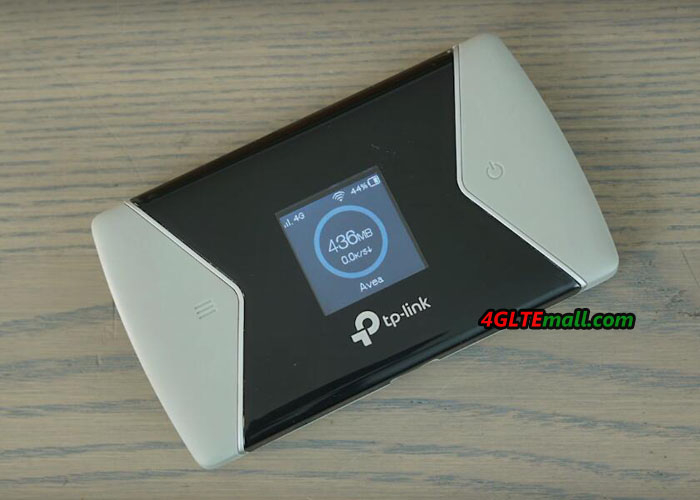
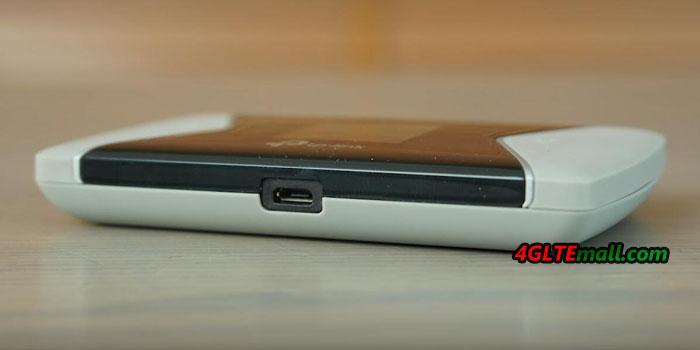
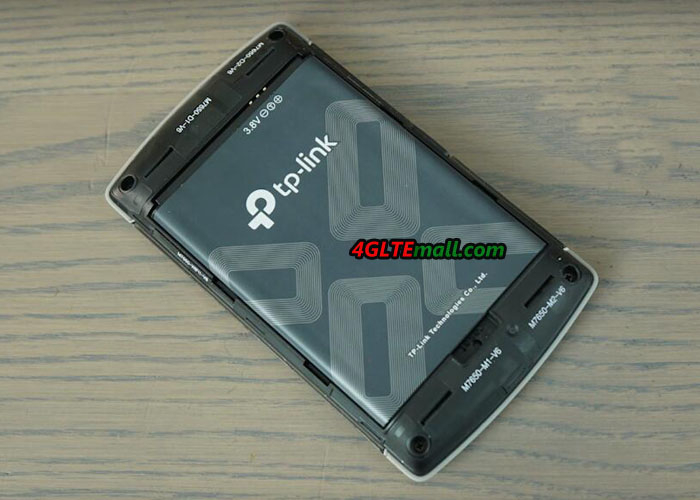
The latest TP-link M7450 doesn’t have a touchscreen, there is a home button and power button at the two sides of the screen. Users can do the settings through the two buttons. Frankly speaking, the feature is not as good as Netgear Aircard 790s touchscreen. Like other TP-link 4G mobile WiFi, there is one USB port at the edge side but no connector for external antennas, which is not good for users who are located at areas with weak signals. The back cover of TP-link Pocket WiFi M7450 could be removed, so as the battery.


Netgear Aircard 790s VS TP-Link M7450 Specifications and Features

From the appearance, we can see the Netgear AC790S is more user-friendly, the touchscreen and the connectors for external antennas are highlighted. Then let’s have a comparison of Netgear AC790S specs and TP-link M7450 Specs:


Model Netgear Aircard 790s TP-Link M7450
Product type LTE Mobile Hotspot LTE Mobile Hotspot
Category LTE Cat.6 LTE Cat.6
Chipset Qualcomm MDM9230 Qualcomm
Data rates DL 300Mbps/UL 50Mbps DL 300Mbps/UL 50Mbps
Supported 4G LTE frequency bands B1, B3, B7, B8, B28 B1, B3, B7, B8, B20, B38, B40, B41
WLAN 802.11a/b/g/n/ac, dual-band 2.4GHz & 5GHz 802.11a/b/g/n/ac, dual-band 2.4GHz & 5GHz
Max support users 15 users 32 users
MIMO 2 x 2 MIMO 2 x 2 MIMO
Connector for external antenna Two, TS-9 jacks No
Buy Antenna Netgear AC790s External Antenna No
App management Netgear Aircard APP tpMiFi APP
SIM type Micro SIM Micro SIM
Battery Removable, 2930 mAh Removable, 3000 mAh
Dimensions 110 x 68 x 15 mm 112.5 x 66.5 x 16mm
Ethernet Port No No
Datasheet download Netgear AC790S Datasheet TP-link M7450 Datasheet
User Manual Netgear Aircard 790s manual TP-link M7450 User Manual
Other features 2 band CA 2 band CA
Firmware download Netgear AC790S Firmware TP-link M7450 Firmware
Drivers Netgear AC790S driver TP-link M7450 driver
Reviews Netgear AC790s review TP-link M7450 review
Price 179.00USD 289.00USD

Summary

From the specs table, we can see the TP-link Pocket WiFi M7450 and Netgear AC790S are both LTE Cat.6 router with Qualcomm chipset. They can both support download speed up to 300mbps. Netgear Aircard 790s is more user-friendly with the touch screen but they both could be managed through the APP. TP-link M7450 supports more WiFi users up to 32 while Aircard 790s supports only 15 users. TP-Link M7450 supports more LTE frequency bands which makes it work with more network providers’ SIM card. Other features of TP-link M7450 and Netgear 790S are very similar: similar size, similar battery feature. However, the TP-link M7450 price is very high compared with similar 4G LTE Cat.6 Mobile WiFi routers such as  Huawei E5786 and ZTE MF970, perhaps because it’s a new model. The old model Netgear AC790s price is almost only the half of M7450 price. So the Netgear AC790S mobile hotspot is highly recommended considering the performance, user experience and price.

Huawei E5787 VS E5878, Which Huawei Mobile WiFi is Better?

More and more Huawei 4G mobile WiFi routers are available in the market as time goes, they may have the similar names which make them very hard to identify, no mention that what the difference between the 4G LTE WiFi routers. Huawei E5787 and Huawei E5878 are the typical mobile WiFi hotspot router with the similar name. If you are unfamiliar with Huawei wireless router 4G, you may not know what’s the difference between the Huawei E5878 and E5787 and it’s of course very hard to buy one from the two Huawei mobile WiFi. We will compare the appearance, interfaces, specs, and other features to let you know more about the two mobile WiFi. So that when you want to buy a Huawei mobile WiFi 4G, it would be not difficult to make the decision.

Huawei E5787 VS E5878 Appearance and Interfaces

Huawei E5787 4G+ mobile hotspot is a latest released LTE pocket WiFi hotspot, which has a touchscreen on the front where users can read the connection status and do simple setting for internet connection. The power button is on the top edge side while the USB 3.0 port and two antenna connectors are located at the opposite side. The back cover could be removed to exchange the battery or insert the SIM card. It’s a typical Huawei mobile WiFi with a touchscreen and two connectors for external antennas.

If you have read our blog of Huawei E5878 review, you might be attracted by the appearance of Huawei E5878. It looks very similar to an iPhone with very cool design. As an LTE pocket WiFi hotspot, it has only a small LED screen, not touchable, to show the internet connection status. The power button is on the right edge side with the sim card slot. The SIM card slot design is like iPhone. You have to press the hole to let the slot pop out and then insert the SIM card the press it into the device. The battery of Huawei E5878 is built-in and non-removable. A Mini USB port is available for charging. Unlike other Huawei mobile WiFi, it has no the connector for external antennas.
Huawei E5878 VS E5787 Specs and Features

The appearance of the Huawei E5787 and E5878 are different and it’s not that hard to identify like their names. Then let’s have a review of the Huawei E5787 specs and Huawei E5878 specs:

Model Huawei E5878s-32 Huawei E5787
Product type LTE Mobile Hotspot LTE Mobile Hotspot
Category LTE Cat.4 LTE Cat.6
Chipset  HiSilicon LTE Cat4 Chipset  HiSilicon LTE Cat6 Chipset (Cortex A9 Processor)
Data rates DL 150Mbps/UL 50Mbps DL 300Mbps/UL 50Mbps
Supported 4G LTE frequency bands * Huawei E5878s-32: Band 1/3/5/7/8/20 * Huawei E5787s-33a: Band 1/3/5/7/8/20
* Huawei E5787Ph-67a: Band 1/3/5/7/8/28
WLAN 802.11 b/g/n, single-band 2.4GHz 802.11a/b/g/n/ac, dual-band 2.4GHz & 5GHz
Max support users 10 users 10 users
MIMO 2 X 2 MIMO 2 X 2 MIMO
Connector for external antenna No connector Two, TS-9 jacks
Buy Antenna N/A Huawei E5787 external Antenna
App management Huawei Hilink APP Huawei Hilink APP
SIM type Standard SIM Micro SIM
Battery 1900mAh Removable, 3000mAh
Dimensions 109.5 x 58 x 7.5 mm 109.00 x 58.00 x 7.50mm
Ethernet Port No No
Datasheet download Huawei E5878 Datasheet Huawei E5787 Datasheet
User Manual Huawei E5878 Manual Huawei E5787 Manual
Other features   2 band CA
Firmware download Huawei E5878 Firmware Huawei E5787 Firmware
Drivers Huawei E5878 drivers Huawei E5787 drivers
Reviews Huawei E5878 Review Huawei E5787 Review
Price 159.00USD 269.00USD


Summary

From the specs table, we can see that Huawei E5787 4G+ mobile WiFi is more advanced supporting LTE Cat.6 which could achieve download speed up to 300Mbps and upload speed to 50Mpbs. The Huawei E5878 could only reach peak download speed to 150mbps on LTE Category 4. Huawei E5787 has two variant models available now but Huawei E5878 only has one E5878s-32 model. The Huawei E5787 has two connectors for external LTE antennas but E5878s-32 has no antenna connector. And Huawei E5787 has the touchscreen and more advanced WLAN features which should be more user-friendly than E5878. So if you want to buy a good Huawei mobile WiFi with good experience, the Huawei E5787 would be better to consider.


However, since the Huawei E5878 is available few year ago, now the Huawei Prime E5878 price is very attractive now. With the cool classical design, it’s still a good one to consider. The download speed of 150Mbps is actually enough for daily use. And Huawei E5787 price is not cheap now because it’s a new model. If you want a budget mobile WiFi, Huawei Prime E5878 is good to buy.


TP-Link M7650 VS Huawei E5788

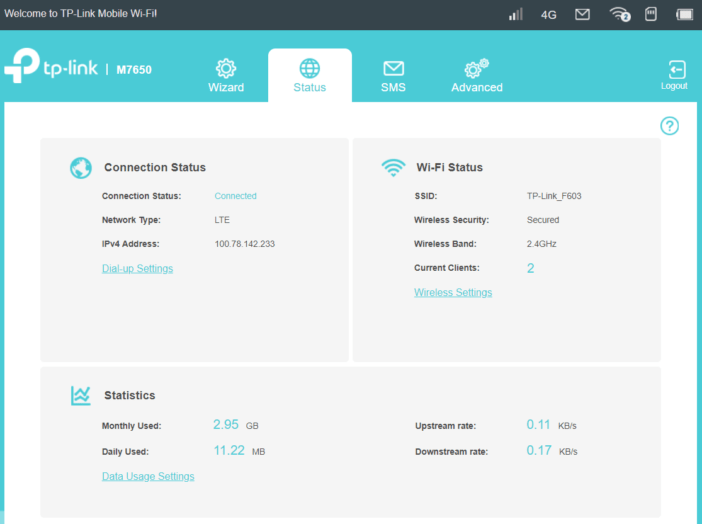
More and more network carriers worldwide are upgrading their LTE networks to LTE advanced or LTE-A pro. To enjoy fast internet speed and better surfing experience, customers are demanding the latest LTE advanced or LTE Advanced Pro devices so as to get possible fastest speeds. TP-link M7650 mobile WiFi and Huawei E5788 mobile WiFi hotspot are two latest new LTE hotspots for global users. But what’s the difference between Huawei E5788 and TP-link M7650, many people may don’t quite know. We will compare the TP-link M7650 with Huawei E5788 from the aspects of appearance, interfaces, specs, prices and other features. You will get the answer which LTE MiFi is better to buy.

TP-link M7650 VS Huawei E5788 Appearance and Interfaces


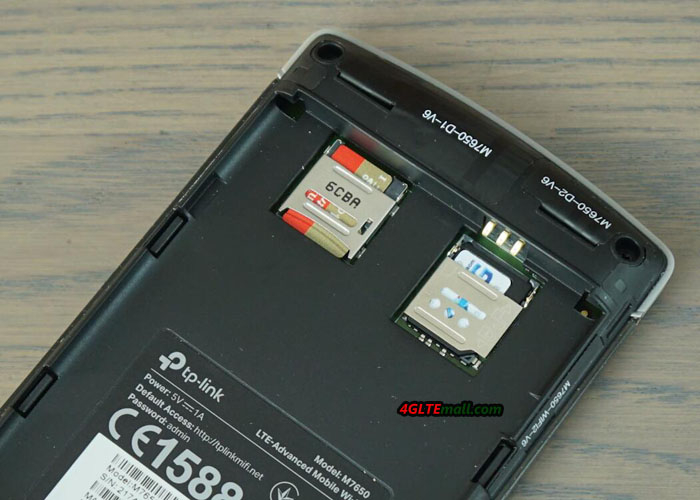
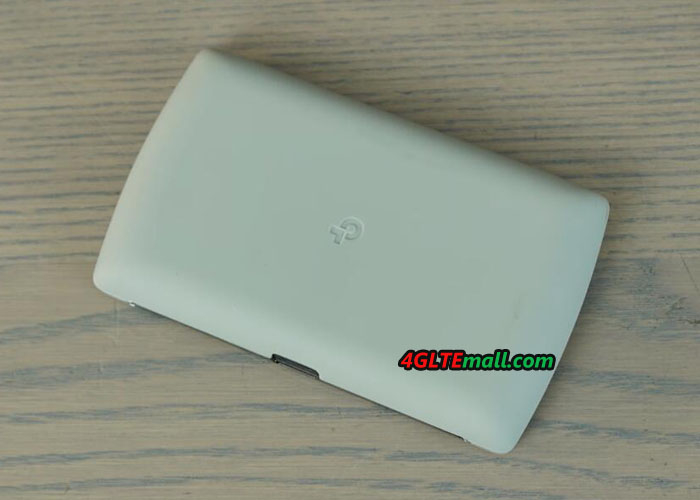
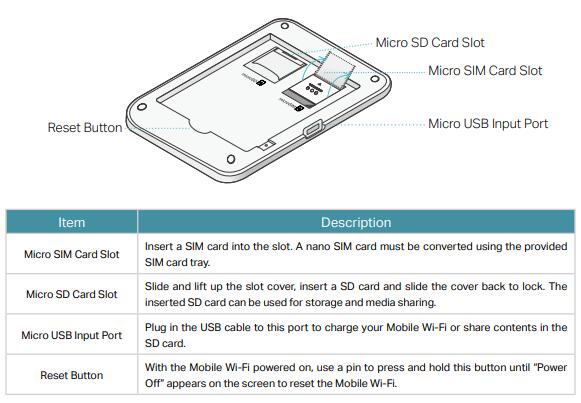
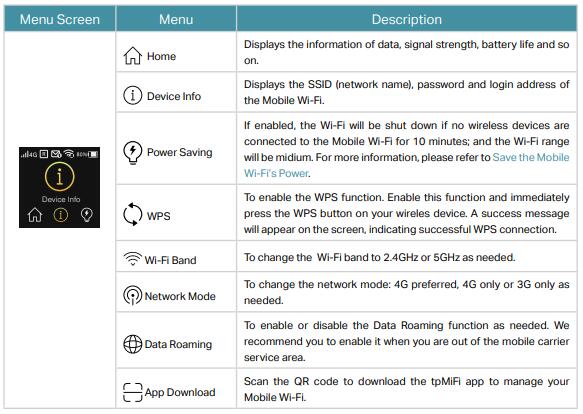
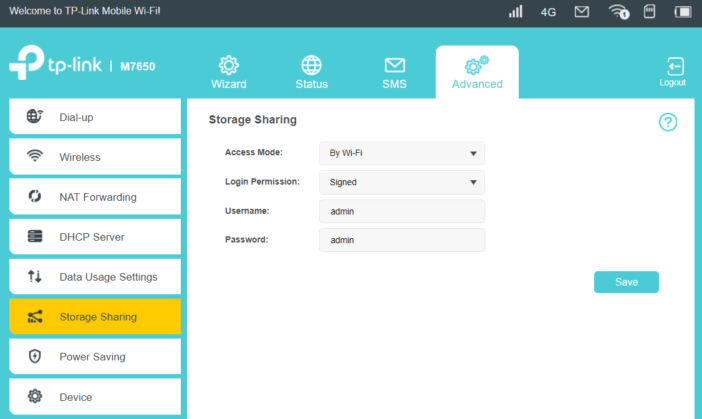
If you had read the review for TP-link M7650, you may know the appearance feature of M7650. It has a display on the front, but as a TP-link LTE advanced mobile WiFi, it’s a pity that it’s not a touch screen. The home button and power button are at the two sides of the display. There are also no connectors for external LTE antennas. In other similar 4G LTE mobile WiFi hotspots such as Netgear Aircard 810s and Huawei E5787, the touch screen and two antenna connectors are the basic configurations. The back cover of TP-link M7650 Mobile WiFi could be opened and the battery is removable.

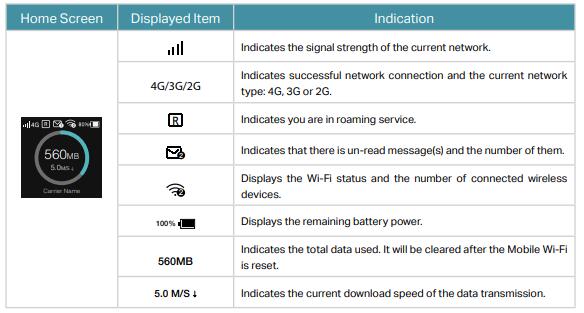
As the latest Huawei LTE pocket WiFi, Huawei E5788 has a touch screen, where users can see the connection status and do simple settings. The Huawei logo is at the side of the display. The power button is at the top edge side while the opposite side locates the USB 4.0 Port. However, the Huawei E5788 also doesn’t configure the antenna connectors. Unlike TP-link M7650, Huawei E5788 battery is built-in and non-removable. The SIM card slot is at the side of the USB port, not below the back cover. From the appearance, we can see the two high-end LTE mobile WiFi hotspot both don’t have the connector for the external antenna. However, the Huawei E5788 has a touch screen, which seems to be more user-friendly.
 

Huawei E5788 VS TP-link M7650 Specs and Features

The appearance may not tell the core difference of the Huawei MiFi VS TP-link MiFi. Then let’s have a comparison of TP-link M7650 specs and Huawei E5788 specs, and other features that matter the applications of TP-link VS Huawei MiFi.

Model TP-Link M7650 Huawei E5788u-96a
Product type LTE Mobile Hotspot LTE Mobile Hotspot
Category LTE Cat.11 LTE Cat.16
Chipset Qualcomm MDM9240 Qualcomm MDM9250
Data rates DL 600Mbps/UL 50Mbps DL 1Gbps/UL 100Mbps
Supported 4G LTE frequency bands B1, B3, B7, B8, B20, B38, B40, B41 * FDD-LTE: Band 1/2/3/4/5/7/8/19/20/28
* TDD-LTE: Band 38/40/41/42
WLAN 802.11a/b/g/n/ac, dual-band 2.4GHz & 5GHz 802.11a/b/g/n/ac, dual-band 2.4GHz & 5GHz
Max support users 32 users 32 users
MIMO 2 x 2 MIMO 4 X 4 MIMO
Connector for external antenna No No connector
Buy Antenna No N/A
App management tpMiFi APP Huawei Hilink APP
SIM type Micro SIM Micro SIM
Battery Removable, 3000 mAh Non-removable, 3000mAh
Dimensions 112.5 x 66.5 x 16mm 129 x 65 x 13.5mm
Ethernet Port No No
Datasheet download TP-link M7650 Datasheet Huawei E5788 Datasheet
User Manual TP-link M7650 User Manual Huawei E5788 Manual
Other features 3 band CA 4CC CA
Firmware download TP-link M7650 Firmware Huawei E5788 Firmware
Drivers TP-link M7650 driver Huawei E5788 Driver
Reviews TP-link M7650 review Huawei E5788 Review
Price 469.00USD 499.00USD


Summary

From the specs table, we can see the Huawei E5788 is technically more advanced than TP-link M7650. Huawei Mobile WiFi E5788 hotspot could support LTE Cat.16 and capable of download speed up to 1Gigabit/s while the TP-Link M7650 is capable of LTE Cat.11 and could achieve download speed to 600Mbps. They both don’t have variant models now. Huawei E5788 supports 4 X 4 MIMO and 4CC CA LTE technologies. However, they both don’t have the external antenna connectors, which are very common in LTE advanced mobile WiFi hotspots. They are both configured with 3000mAh battery, but TP-link M7650 battery is removable while the Huawei E5788 is non-removable. And the two mobile hotspots both could be managed via an APP, which could be downloaded from Google Play or Apple store and installed in a smartphone.

As TP-link and Huawei most advanced 4G WiFi Router, the TP-link M7650 price and Huawei E5788 price are not cheap now. However, comparing with the similar LTE pocket WiFi hotspot Netgear AC810S, TP-link M7650 price is a little bit expensive (See Netgear AC810 VS TP-link M7650). Huawei E5788 price is also not cheap, but on the advanced feature, it’s worth the price. If you want a lower price, you have to wait for the price down.