Samsung Galaxy S9 Will be Launched on February 2018

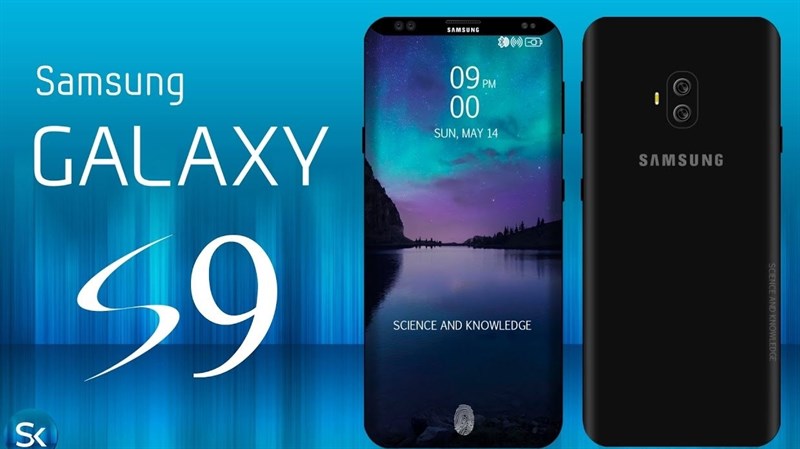
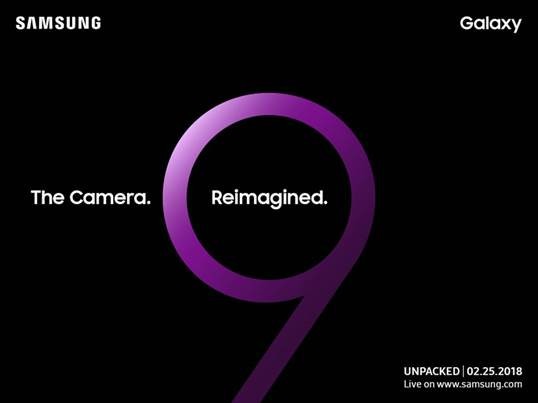
Samsung will introduce the Galaxy S9 on February 25, 2018 ahead of the MWC in Barcelona. The successor to the Samsung Galaxy S8 will probably have a much improved camera installed, it suggests “The Camera. Reimaged!” on the invitation at least the saying. For the first time since the Galaxy S6, Samsung is using the Mobile World Congress to introduce a flagship S-Series smartphone. Galaxy S7 and Galaxy S8 were then presented a few weeks after the important mobile phone trade fair.

Galaxy S9 and Galaxy S9 Plus

Publicly, there are still no indications of the appearance and technical features of the Samsung Galaxy S9, but the rumors generally assume that this year there will again be two different sizes of the flagship model: the Galaxy S9 and the Galaxy S9 Plus. Both models are to get a better camera with faster autofocus, the plus model comes probably in addition with a second lens (dual-camera system). The case design is unlikely to change in comparison to the Galaxy S8, but Samsung has probably reconsidered the much-criticized positioning of the fingerprint scanner.


In addition to an improved camera you may of course expect an updated chipset, ie there will be a new Exynos processor including a new LTE modem. 5G will not dominate the Samsung Galaxy S9, but the technology is not yet mature enough. According to an alleged packaging for the Galaxy S9, which has recently surfaced , the device will be equipped with 64 GB of internal memory.


Mobile World Congress 2018

The Mobile World Congress is the world’s largest mobile phone trade show and takes place in Barcelona at the end of February each year. This year the fair starts on the 26th of February and ends on the 1st of March. In addition to Samsung, many other mobile phone manufacturers will hold press conferences and introduce new devices. Usually, in addition to new smartphones, but above all, details on new network technology, the subject of 5G will certainly be back on the agenda and even with the current generation of mobile radio LTE, the final stage is far from reached.


We will keep focus on the news about the Samsung Galaxy S9 and Galaxy S9 Plus and update the information on www.4gltemall.com/blog.


Huawei B2368 LTE Cat.12 Router Released

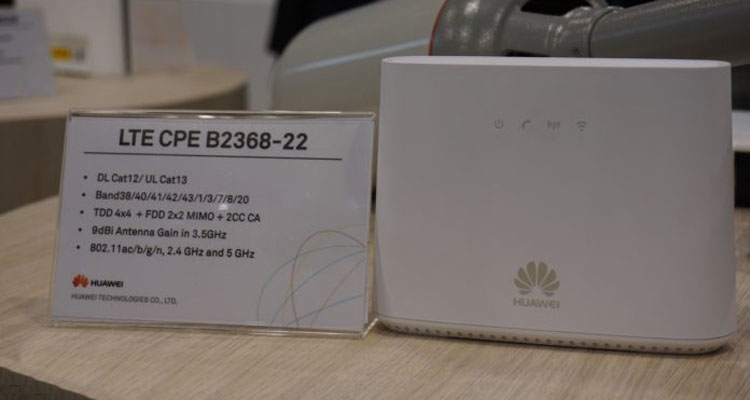
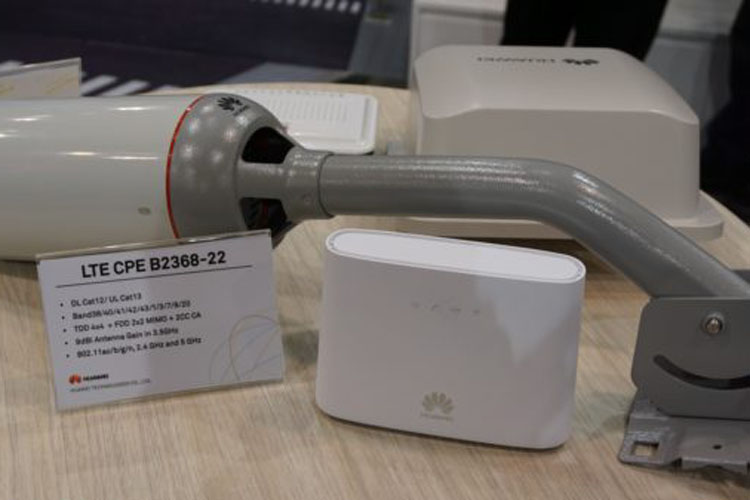
LTE routers with connections for an external mobile antenna are plentiful. An external antenna with the LTE router may have advantages, but a long cable between the antenna and the router can cause poor data rates. Huawei has now shown an interesting device Huawei B2368 LTE router-modem combination, which should solve this problem. The LTE modem is located directly in the external antenna and is accordingly mounted outdoors. The router with WLAN, RJ45 Ethernet LAN connections and telephone connection, however, is positioned in the house at a convenient location. The power supply of the modem is regulated via Power over Ethernet (PoE). Theoretically, the combination is also ideally suited for the next generation of mobile communications 5G.

The advantage of the separation of router and modem is obvious: the modem and antenna can be positioned in a place outside with very good wireless reception, the router with WLAN function, however, ideally positioned in the house so that all devices got a good internet connection. A separate power supply from the antenna and modem is not necessary; it is only a LAN cable between the two devices to be laid. Even a complicated alignment of the antenna is not necessary, because it is not a directional antenna. Operation without direct line of sight to the transmitting mast is possible.


LTE Category 12 router

The modem of the Huawei B2368 allows speeds of up to 600 Mbit/s in the downlink and up to 150 Mbit/s in the uplink – depending on the network technology used and the network expansion of the mobile service provider used. In addition to the FDD LTE, which is primarily used in Europe, TDD LTE is also supported. The B2368 may use the frequency bands 38, 40, 41, 42, 43, 1, 3, 7, 8 and 20. The integrated WLAN module operates both in the frequency range around 2.4 GHz and 5 GHz, a telephone function is also available.


Ideal for 5G mobile communications

According to Huawei, it is also conceivable that there will be a later 5G capable version. Here, the design would be quite useful, because the frequency range around 3.5 GHz, which is to be used at the beginning for 5G , penetrates even worse in buildings than the previously used at LTE frequency bands. The data rates should be much higher with the B2368 modem-router combination than with a router that is hidden behind several building walls.


Availability

According to Huawei, the B2368 LTE CPE is not yet available and a market launch is not planned for the time being. At the 2017 Global Mobile Broadband Forum in London, particular mention was made of Eastern Europe as an interesting market for the Huawei B2368.


Huawei B2338 Outdoor LTE CPE Review

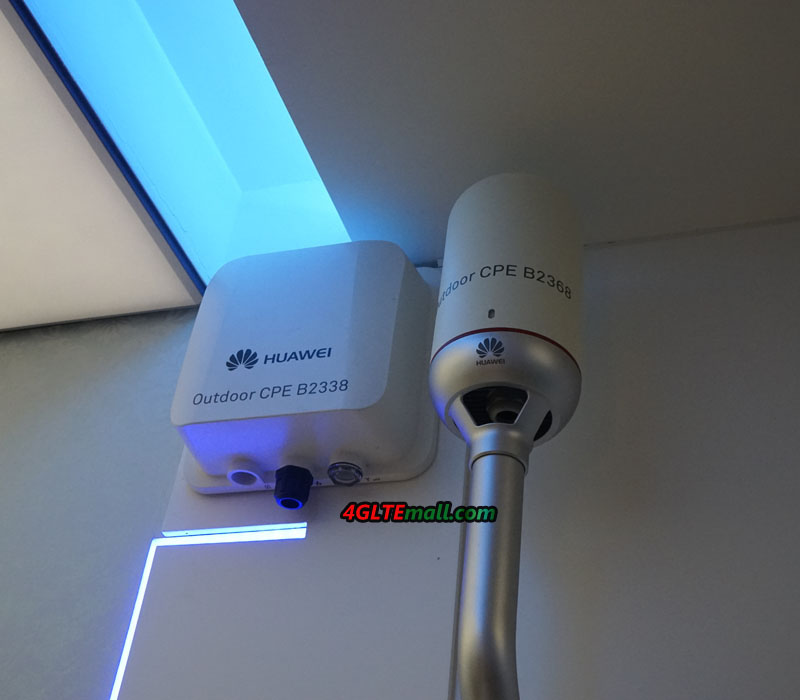
In regions with poor LTE reception, if you wanted to use LTE as a DSL replacement, you had to rely on a combination of an LTE router and an external mobile antenna. The Chinese network specialist Huawei now offers the new LTE outdoor CPE B2338, an interesting combination of LTE modem, external antenna and router unit, which promises significantly better performance in poorly served regions. Technically, there is a strong similarity to the recently introduced on Huawei B2368, but the B2338 has a directional antenna instead of an Omni-directional antenna.

LTE modem with directional antenna

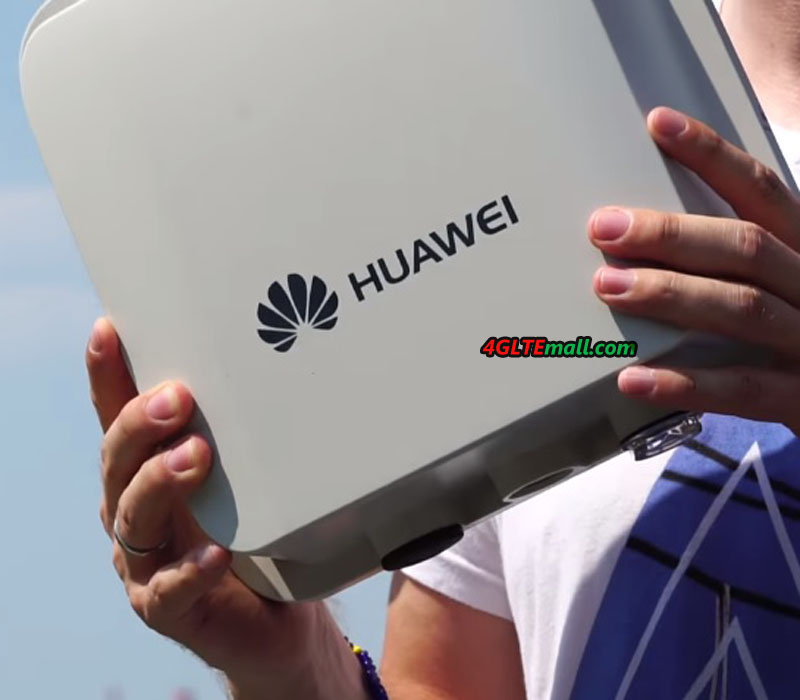
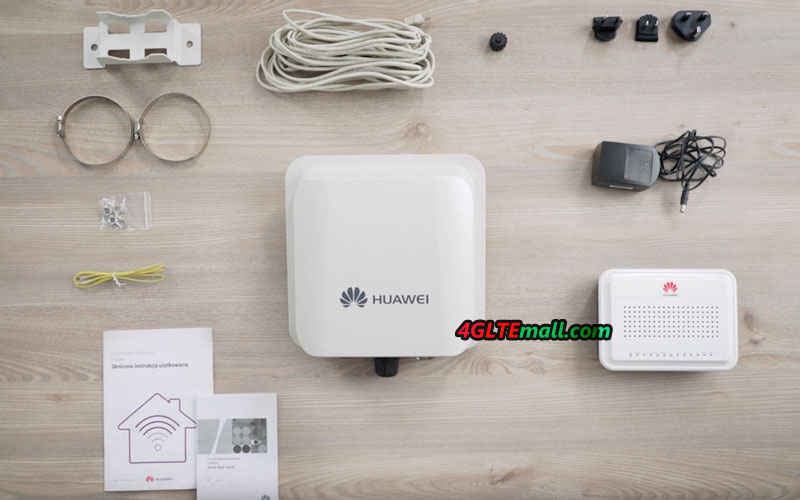
The Huawei B2338 consists of two parts: there is an outdoor mobile phone antenna with integrated LTE modem and a router unit with wireless and external device connections. The mobile antenna is mounted outside of the building and should ideally be aligned directly with the cell towers. Wind and weather can not affect the technology if installed correctly.


The Huawei B2338 CPE supports LTE Cat12 in the downlink and LTE Cat13 in the uplink, ie depending on the network up to 600 MBit/s in the download and up to 150 MBit/s in the uplink can be achieved. In addition, the outdoor LTE CPE supports not only FDD LTE, but also TDD LTE and can use up to 4 × 4 MIMO antenna technology, depending on the operating mode. Various LTE frequency bands are supported, including the bands B1, B3, B7 and B20, which are common in Europe and Aisa.


The advantage of the modem is the integrated directional antenna, which can not cause losses due to an antenna cable that is too long. The gain of the antenna is at 9 dBi in the 3.5 GHz range according to Huawei.


The power supply and the connection to the router unit are via RJ45 Ethernet LAN cable (Power over Ethernet, PoE). The SIM card is plugged directly into the antenna unit, and you will also find some small LEDs on the bottom, which indicates the operating status.


Router with PoE function

In addition to the modem-antenna combination, the router unit is the second important part of the Huawei B2338. The small box has an integrated WLAN radio module, so ideally it should be positioned in the house where most WLAN users are expected. The WLAN works on 2.4 GHz and 5 GHz and supports the standards 802.11b/g/n/ac. On the back there is a WPS button for fast and secure Wi-Fi encryption. You will also find on the back of the connection for the power supply and a small toggle switch for switching on and off the device. On the front, various LEDs signal the device status.

The Huawei B2338 has two RJ45 Gigabit LAN ports for connecting computers and other network devices. A third RJ45 LAN port is equipped with PoE function, so has an integrated power supply. This port is for connection to the modem or external antenna.


Telephone function and possible applications

In addition to two RJ45 Gigabit Ethernet ports, the Huawei B2338 also offers two RJ11 phone ports to which analog telephones or fax machines can be connected. This makes the B2338 Modem Router combination ideal for a remote office or home office. It would be conceivable, for example, the use of the device in a mountain hut or in a national park office, where you cannot get on with ordinary LTE router technology. In general, the B2338 will probably be used more in the business customer area, because the antenna must be professionally mounted outdoors and aligned as well as possible – for most residential customers, this is too complicated without an experienced fitter.


Market launch and availability

In the market, the Huawei B2338 outdoor LTE CPE is currently not available, the market launch is uncertain. The main sales market, according to Huawei Product Manager in Europe, is mainly the sparsely populated eastern states. For example, T-Mobile in the Czech Republic offers the device. We will keep updating the news about Huawei B2338.


If you need similar LTE outdoor CPE, we have the Huawei B2268S LTE CPE now with almost same functions.


Huawei E5788 Mobile WiFi 2 Prime Highlights

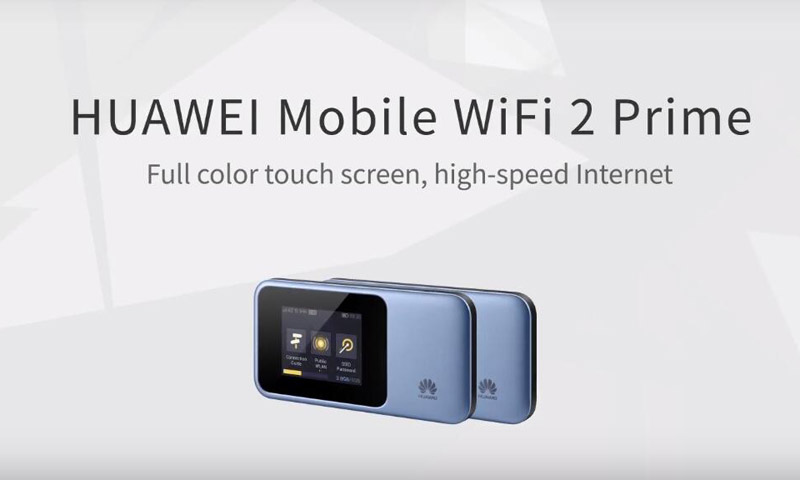
As the latest Huawei Mobile WiFi Hotspot, Huawei E5788 attracts focus worldwide. With advanced technical specification for LTE-A Pro networks, Huawei E5788 is said to be the best pocket WiFi router. But many people may not know what the features of this high-level mobile router are. Today, we will have a look at the highlights of Huawei E5788.

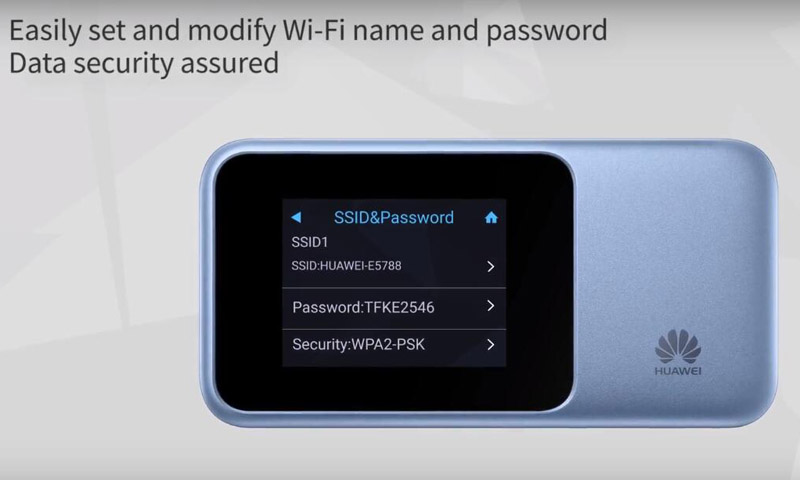
The obvious feature of the Huawei E5788 is the 2.4 inch touch screen, where users can do almost all the setting for internet like operating a smartphone. In this way, users save much time and it makes settings easy. User can easily set and modify WiFi name and password.


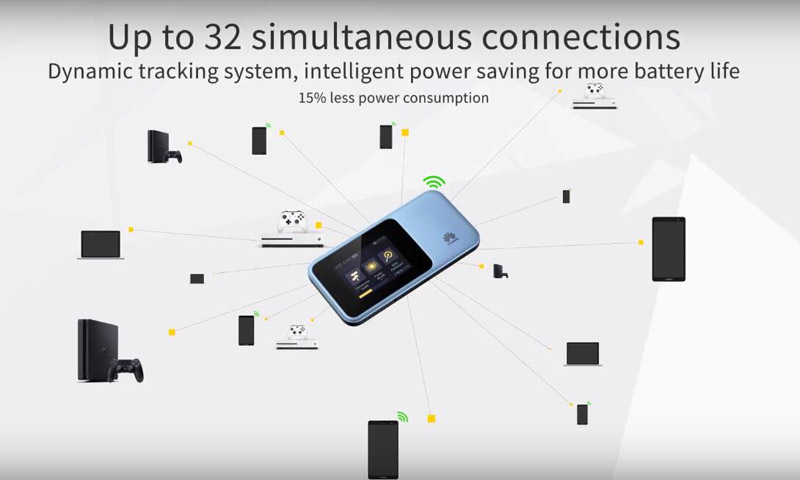
As a mobile pocket WiFi, the most important function is to provide wireless network coverage for the people around to access internet. The Huawei E5788 could support maximum up to 32 wireless devices to surfing simultaneously. After optimization, huawei E5788 can provide intelligent power saving for more battery life with the dynamic tracking system. It can save 15% power consumption on same condition.


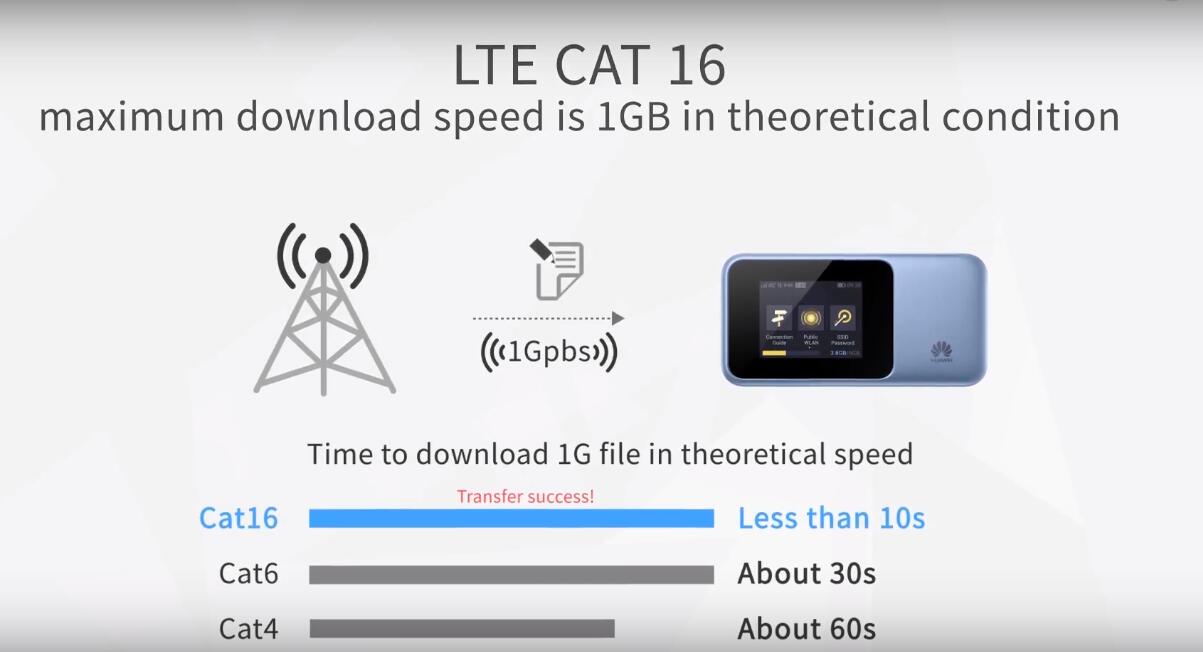
As a high-level mobile router, the internet speed must be as faster as possible. With support of LTE Cat.16, Huawei E5788 could provide up to 1Gigabit/s download speed, which is almost the triple times of that of Huawei E5787, which is a LTE cat6 mobile hotspot. So user don’t need worry about the multiple user may drag the internet speed slow. With the high speed, user can play video games at home, share internet with friends on the go, broadcast live in the outside world and enjoy in-car WiFi anytime freely. Actually, you can watch 4K HD online videos seamlessly.

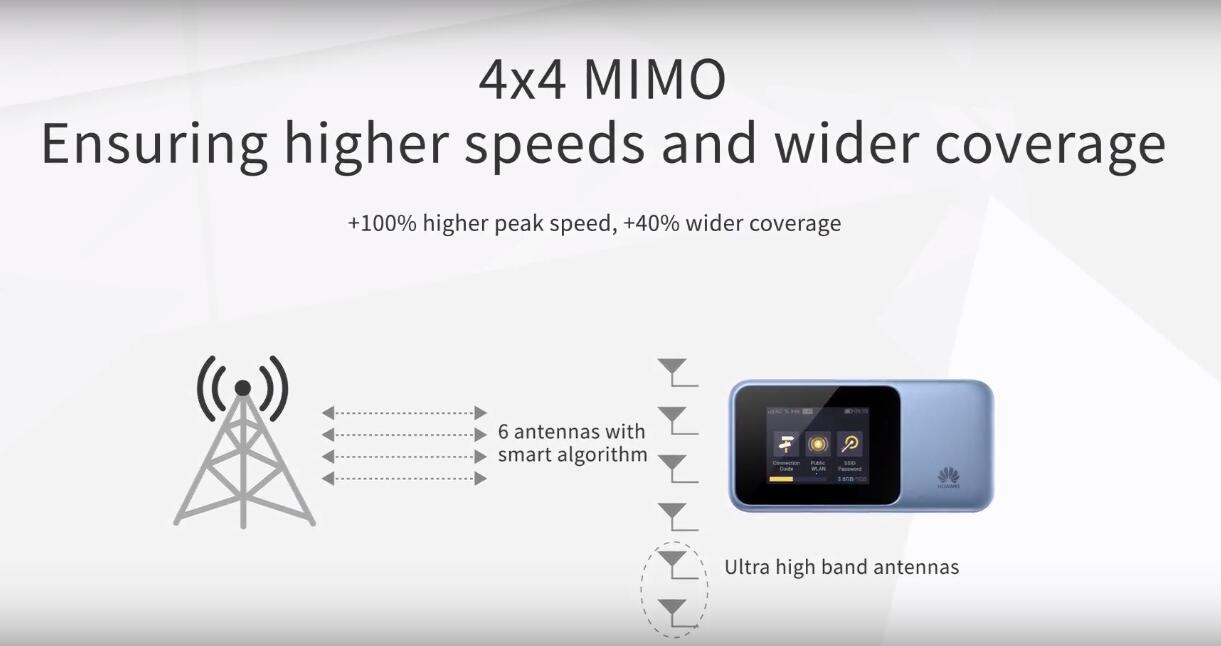
What’s more, comparing with the predecessor mobile hotspots such as Huawei E5787 or E5885, the Huawei E5788 provides +40% wider coverage with +100% higher peak speed based on the 4 x 4 MIMO technology.


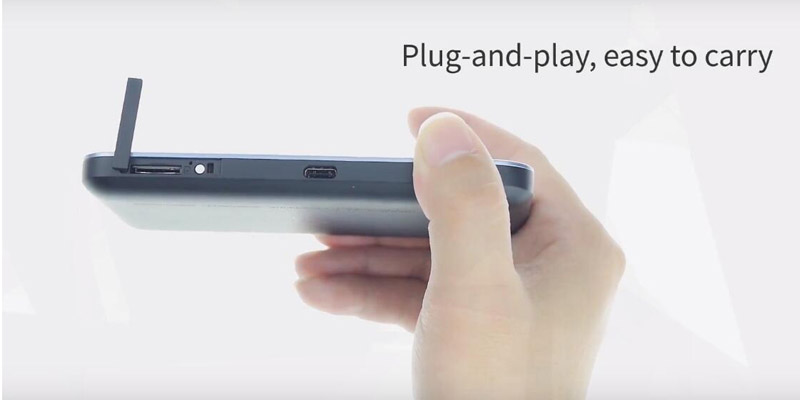
Some people may worry they don’t know how to use this high-level mobile router. Actually, the operation is Huawei E5788 is very easy to use, you just need plug a valid SIM card into the router, it would automatically connect the WLAN networks and provide the WiFi network. You don’t need to be a professional to use this pocket WiFi. The small size makes it also easy to carry in pocket.


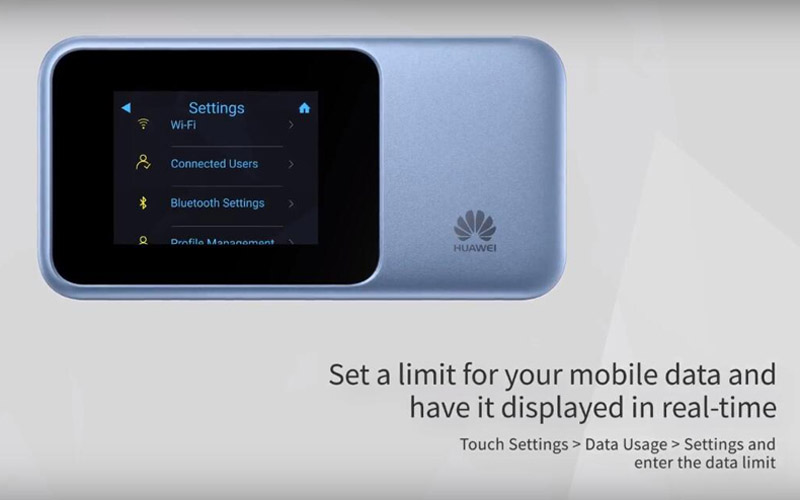
The Huawei E5788 also provides the setting options for data usage in case of over-consumed. Users just need to setup the max data usage through the screen. And when data usage reaches the limit, the Huawei E5788 would automatically cut off the internet connection. This would be displayed in real-time on the screen. So you don’t need worry the over-use of data.


In summary, we can see the Huawei E5788 is becoming much smarter than its predecessors. With the advanced features and specs, we think Huawei E5788 would be a hot-seller in 2018.

Huawei E5788u-96a Gigabit LTE Mobile Hotspot Review and Unboxing

Last weekend, we get the latest new Huawei New LTE Mobile Router – Huawei E5788u-96a Gigabit LTE hotspot(Huawei names it “Huawei Mobile WiFi 2 Prime”). After around two month waiting, the Huawei E5788u-96a is finally available on the market.

Huawei E5788 E5788u-96a Gigabit LTE Hotspot

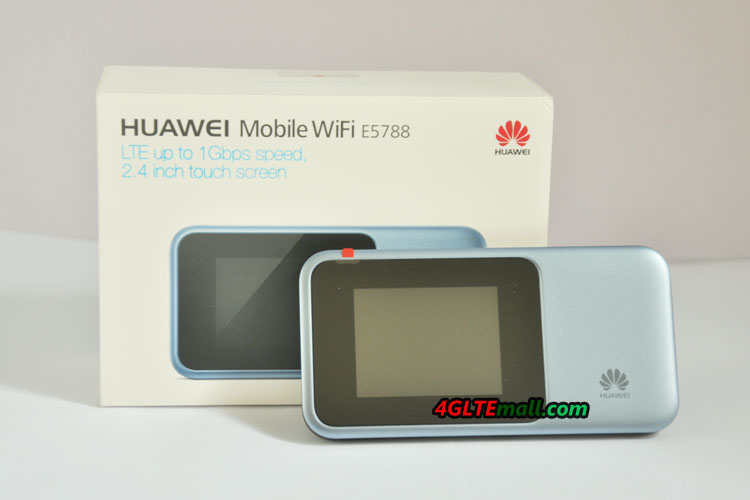
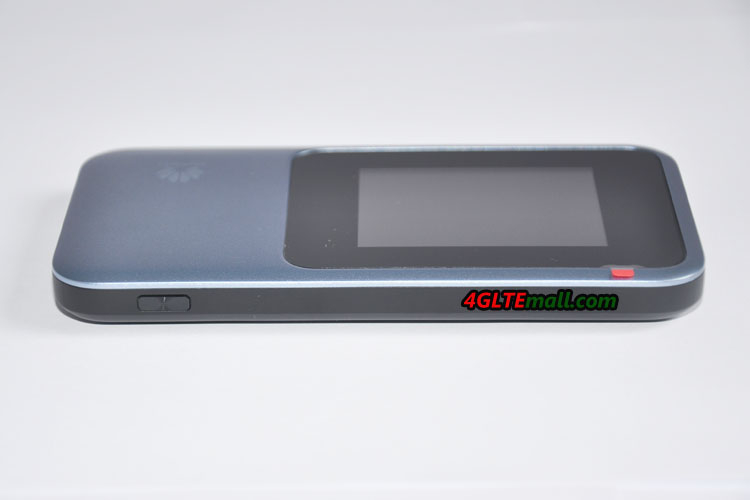
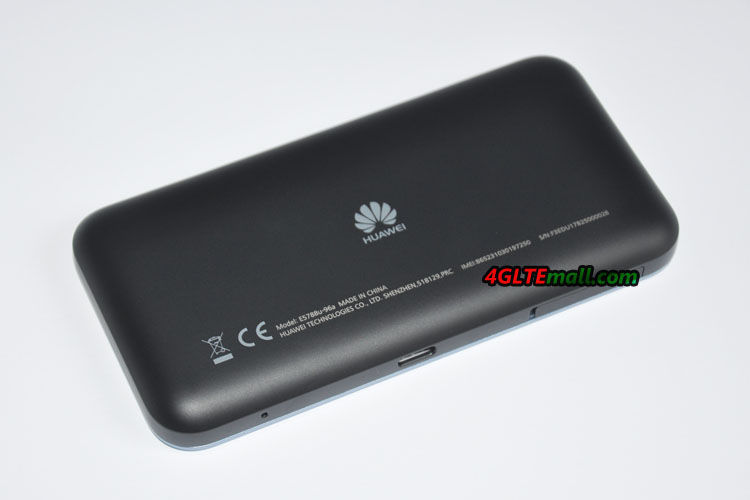
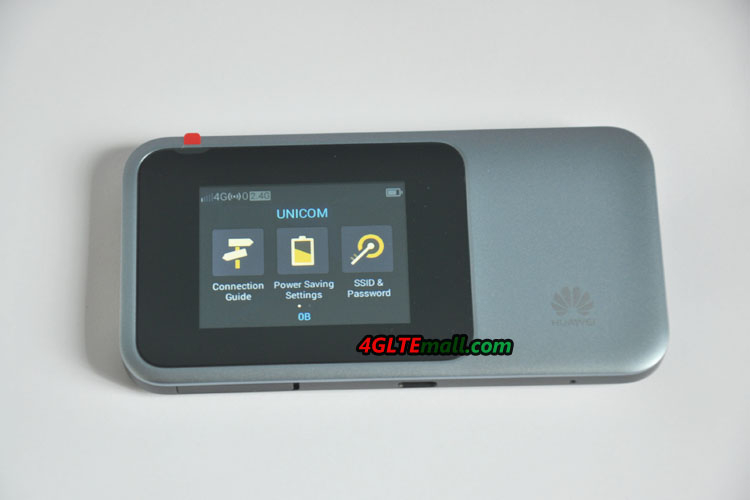
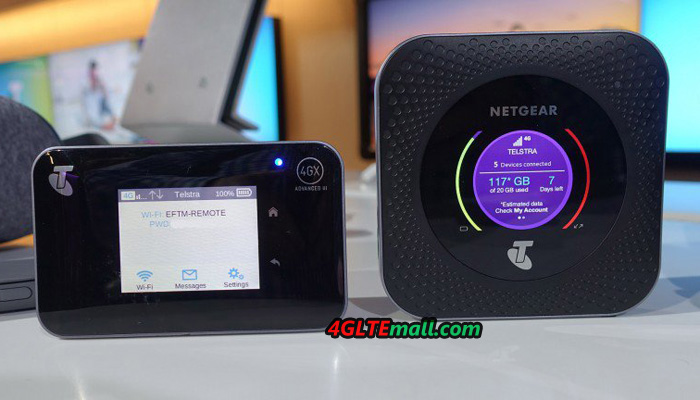
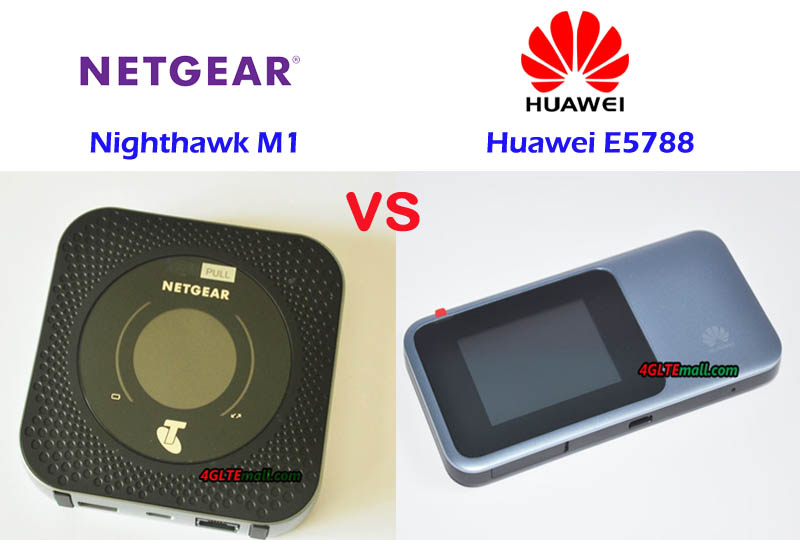
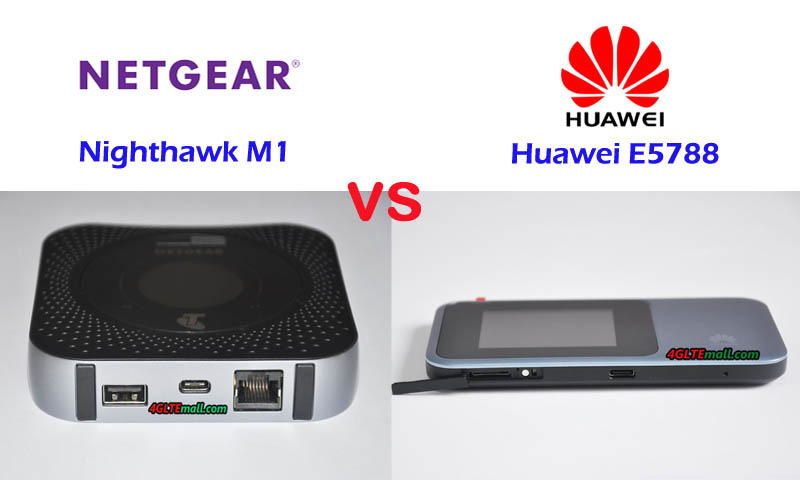
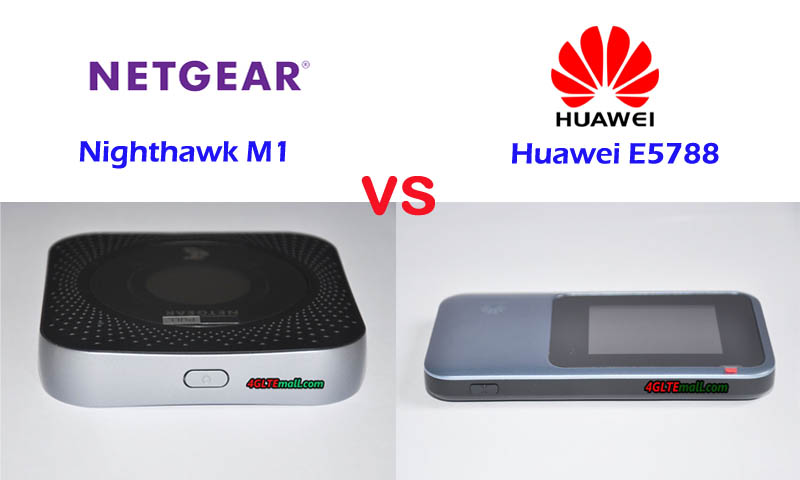
We get the Huawei E5788 in blue & black color(see below the images). The package box is in white, which shows the highlights & selling points of the Huawei E5788: LTE up to 1Gbps speed with 2.4inch touch screen. Unlike the competitor Nighthawk M1 from Netgear in squre shape, the Huawei E5788u-96a is in rectangle shape. And the screen is in left part on the front, where the Netgear Nighthawk M1 has round screen in the middle of the front.

Huawei E5788 E5788u-96a Gigabit LTE Hotspot

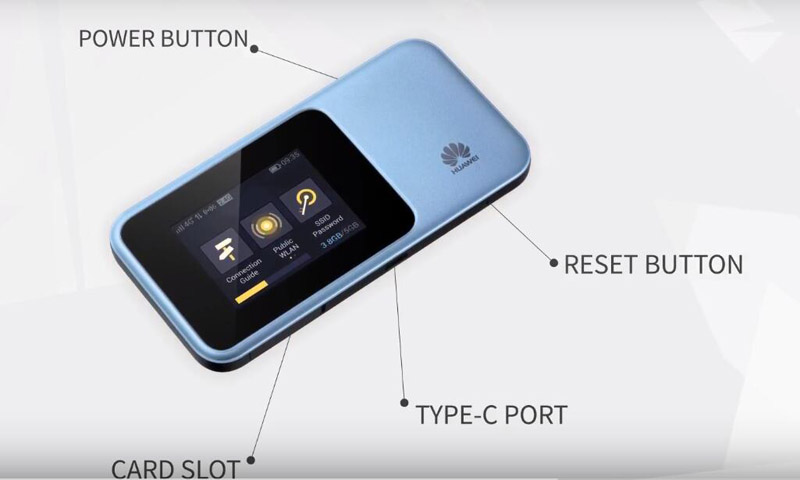
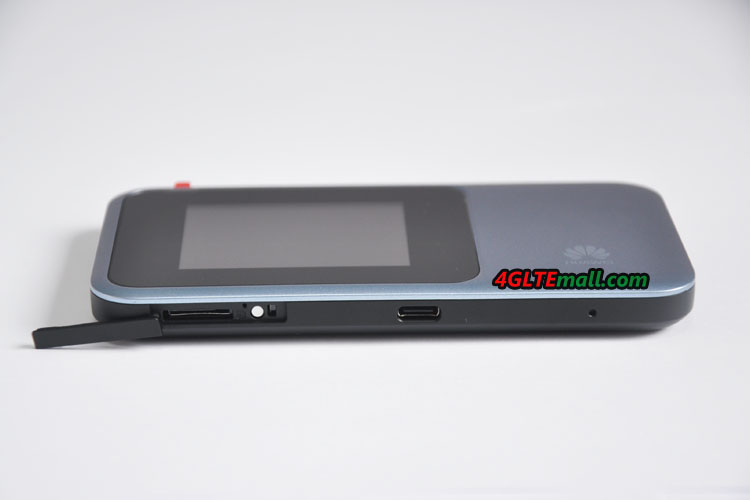
The body of Huawei E5788 is made of plastic like the predecessor Huawei E5786 and E5787. The top side is the power button and the USB port is on the opposite side. Beside the USB 3.0 port, it’s the place for inserting the SIM card. Huawei E5788u-96a uses Micro SIM card. The slot is covered by a small cap. However, we didn’t find the connector for external antenna. Usually, the Huawei LTE mobile hotspots have the interface for external antennas, we don’t know why Huawei didn’t offer the external antenna connector. At the other side of the USB port, it’s a small hole for reset the router. The size of Huawei E5788 is not big, one hand operation is possible.

Huawei E5788 E5788u-96a Gigabit LTE Hotspot

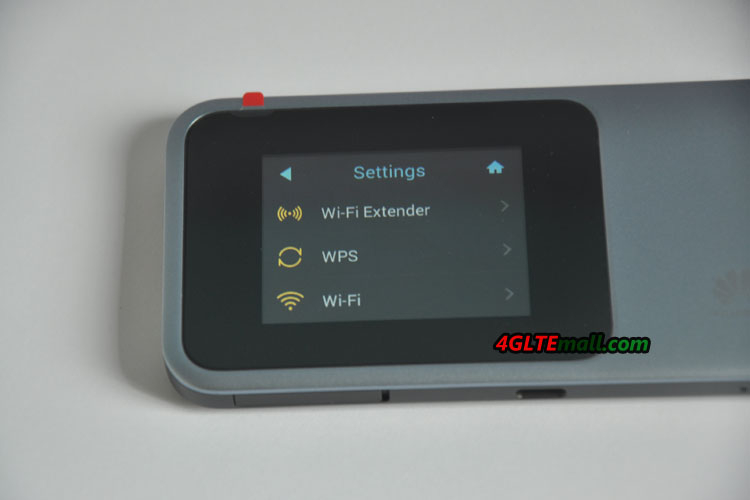
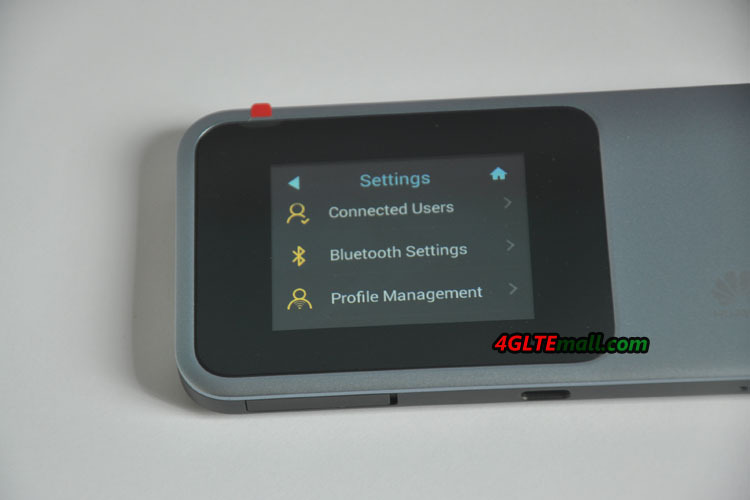
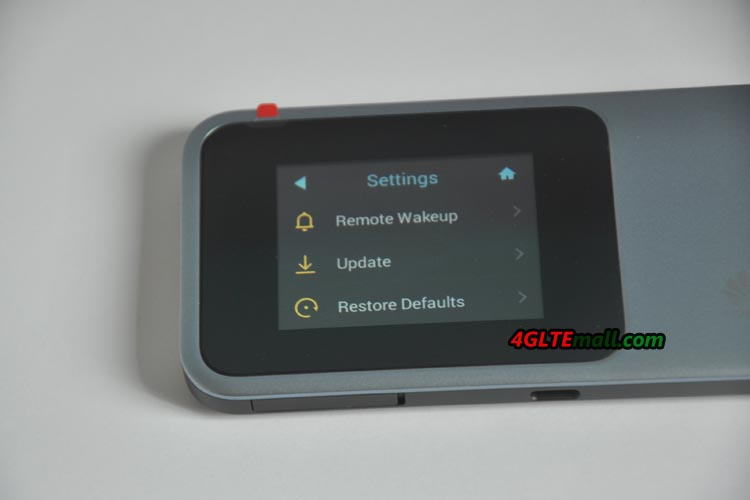
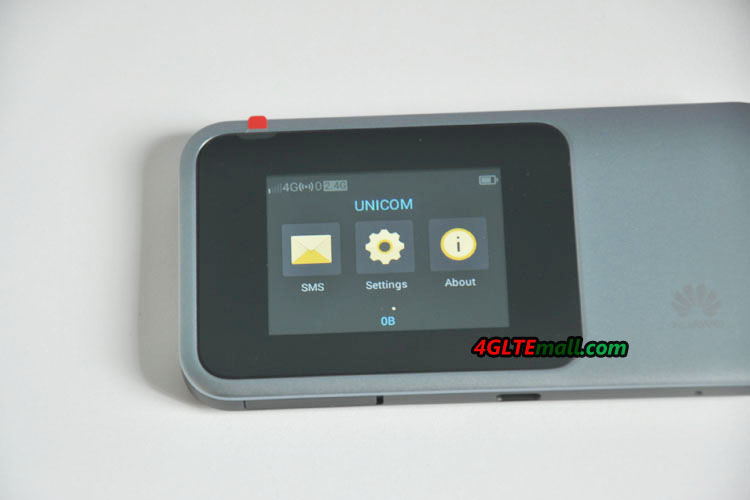
The battery of Huawei E5788u-96a is non-removable like the Huawei E5786, but the Huawei E5788 is very slimmer than E5786 and feels good. Press the power button, the screen would be bright and Huawei logo in red will appear, and few seconds, it showed “Welcome”. Then the screen shows some information. If you had already put a valid SIM card in, the Huawei E5788 would automatically detect the SIM card and setup the profile. In seconds, you can see the SIM card’s network provider’s name on the screen. And the signal strength, WiFi band, WiFi connected users, battery status are shown on the screen. The screen also indicates “Slide to unlock”. The touch screen is very similar to the Huawei E5787s-33a mobile hotspot, which also had a touch screen. On the screen, user can check the connection status, SMS, about the device. The most important is that users can do settings through the screen like operating a smarpthone.

Huawei E5788 E5788u-96a Gigabit LTE Hotspot

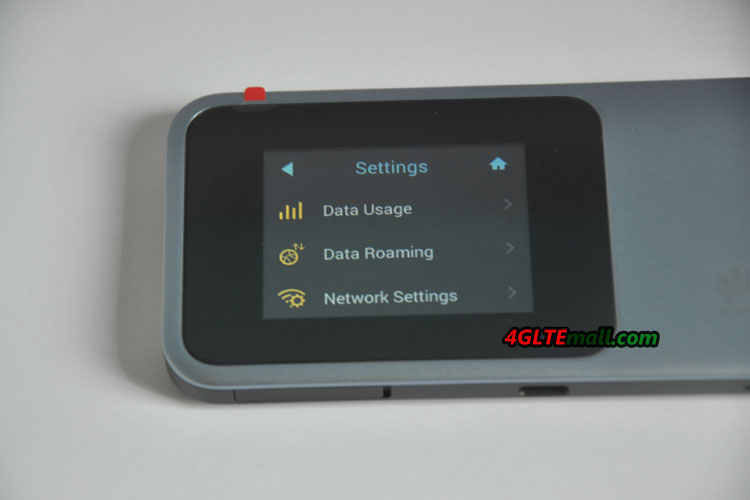
In the setting menu, there are settings for Connected Users, Bluetooth, Profile Mangement, WiFi Extender, WPN, WiFi, Data usage, Data roaming, Network Settings, Pin Management, Password lock, Language, Remote Wake, Update and Restore Defaults. It includes almost all the settings for the Huawei E5788 mobile WiFi hotspot. Of course, user can also do the settings through the web interface 192.168.8.1 or download the Huawei Hilink APP from Google Play or Apple Store to setup the router.

Huawei E5788 E5788u-96a Gigabit LTE Hotspot

With the Huawei E5788u-96a 4G hotspot, Huawei provides a USB cable and power adapter in EN standard, which may not be good for users who are located at American or Europe. The warranty card and user manual are also included in the package box.

Huawei E5788 E5788u-96a Gigabit LTE Hotspot

We would take full test of this new LTE advanced Pro mobile hotspot E5788. So the potential user would see the performance of the Huawei E5788 and whether it’s better than other competitors.

Huawei E5788 E5788u-96a Gigabit LTE Hotspot

Netgear MR1100 Nighthawk M1 Will be Available in Europe

The mobile LTE hotspot Netgear Nighthawk M1 will be available in Europe around a year after the official launch. According to information from the online magazine, the Netgear Nighthawk M1 with the model number MR1100 is expected to appear in March. So far, the router is available only for Telstra in Australia and AT&T in the US. With speeds of up to 1 Gbps over LTE Cat16, the Netgear Nighthawk M1 is one of the fastest mobile LTE routers available today.

For the first time, the Netgear Nighthawk M1 router was shown in February 2017 at the Mobile World Congress in Barcelona, ​​shortly after the device was available from Telstra in Australia. Regarding the market launch planned in Europe, it was not known. Currently, the Netgear flagship model the AirCard 810 hotspot with up to 600 MBit/s downlink is available in many European countries. At the CES electronics trade fair in Las Vegas, it’s said that the MR1100 Nighthawk M1 will be available in Germany in March 2018, and it’s probably without network operator branding and therefore without a SIM lock.

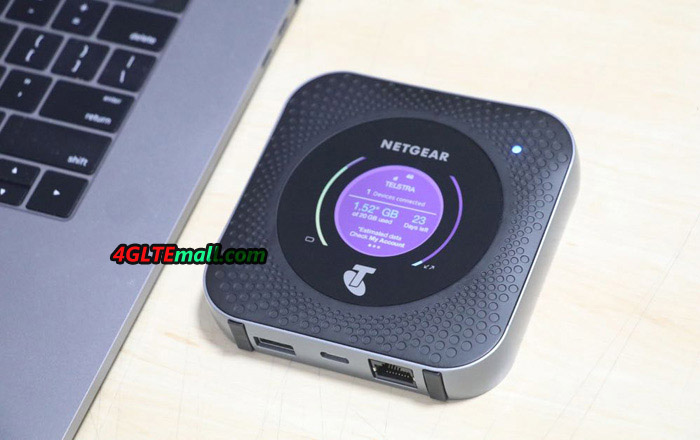
Netgear Nighthawk M1 MR1100 4GX Gigabit LTE Mobile Router

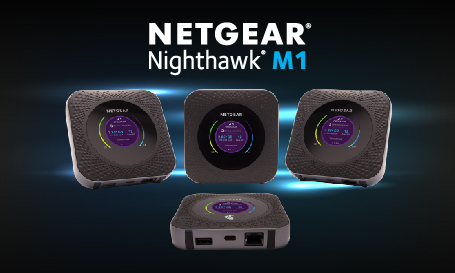
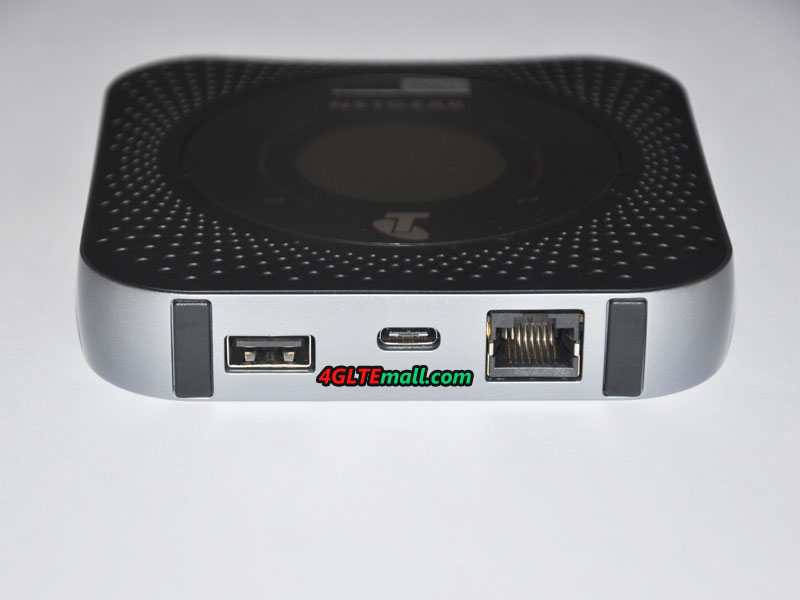
Although the mobile LTE hotspot is available in the market for more than one year, the equipment is still very competitive. Only the latest Huawei E5788 can come up with an equally fast LTE Cat16 modem (up to 1 GBit/s in the downlink). However, the Huawei device has significantly fewer interfaces than the Netgear router. The Netgear Nighthawk M1 features an RJ45 Ethernet LAN interface, a USB Type C port and a full-size USB port. The built-in Netgear battery provides 5040 mAh with a very large capacity and is about 24 hours of continuous operation. On the front there is a round touchscreen display for operation. The Wi-Fi wireless module in the Nighthawk M1 operates at both 2.4 GHz and 5 GHz. Which LTE frequency bands will support the MR1100 in Germany, is still unclear at the present time. We will update the information if we get more specs for the EU version Netgear Nighthawk M1.

Netgear Nighthawk M1 MR1100 4GX Gigabit LTE Mobile Router

Actually, if you don’t mind the Telstra logo, the Telstra version Netgear Nighthawk M1 could work well in almost all the European countries based on the support of the LTE frequency bands. However, user must make sure the Netgear Nighthawk M1 is SIM unlocked from Telstra. Here now, we www. 4gltemall.com could provide the unlocked Nighthawk Nighthawk M1 for global use. If you usually travel to overseas, Nighthawk M1 is really a great partner for wireless network.

Netgear Nighthawk M1 output input ethernet ports

Difference between Huawei E5788 and Netgear Nighthawk M1

Till the November 2017, Netgear Nighthawk M1 was always the fastest 4G LTE Pocket WiFi in the market. With the support of download speed of 1Gigabit per second and 150Mbps for upload, Netgear Nighthawk M1 is very popular in the users who are looking for high-speed terminals to work with LTE advanced Pro networks. With the release of a new 4G LTE Mobile Hotspot Huawei E5788, Netgear Nighthawk M1 has a challenging competitor.

Huawei E5 mobile hotspots are always the most popular wireless routers all over the world. Now the most advanced Huawei E5788 comes with Huawei advanced LTE technology. Today we will have a look at what the new LTE hotspot bring to us and what’s the difference between the two Gigabit LTE mobile routers.

Netgear Nighthawk M1 VS Huawei E5788 Appearance and interfaces

If you already have known the Netgear Nighthawk M1 mobile hotspot router, you may know the Netgear Nighthawk M1 is in a square shape with LAN port. The Huawei E5788 doesn’t have the LAN port, it seems to be upgraded from the Huawei E5786 LTE cat6 mobile hotspot. Huawei E5788 has a 2.4-inch color touchscreen to show the information about the connection in square shape while Netgear Nighthawk M1 has also same size screen but in round shape. The power button of Netgear Nighthawk M1 is to switch the menu.

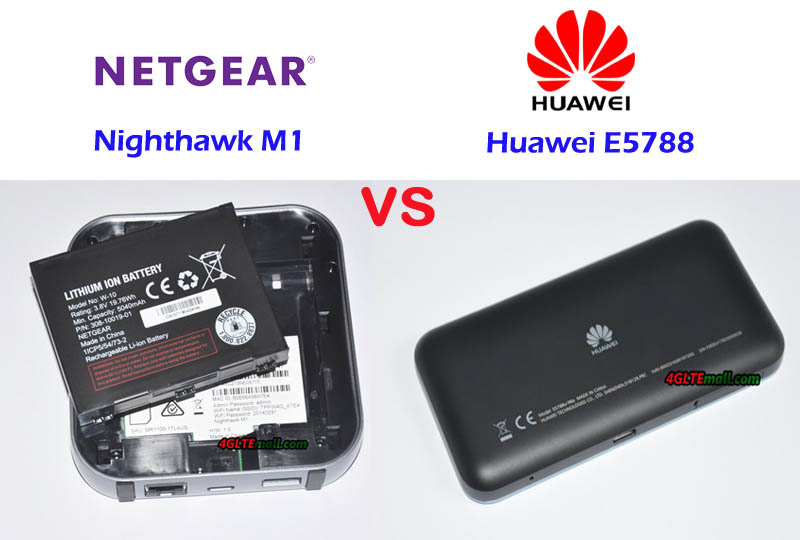
The SIM card slot of Huawei E5788 is at the side of the device while the Nighthawk M1 design the SIM card slot in the inner part under the battery, which is similar to the predecessor Netgear Aircard 810s. They both have two TS-9 connectors for external 4G LTE antenna in case of use in weak signal areas.


Huawei E5788 VS MR1100 Battery

The Huawei E5788 has a built-in battery of 3000mAh while the Netgear Nighthawk M1 has a removable battery of 5040mAh. What’s more, the Nighthawk M1 can charge other electric devices on the large battery. Whether the Huawei E5788 has the same function is not mentioned by the official sayings.

Huawei E5788 VS Nighthawk M1 Technical Specifications

We summarize the main technical features of the two high-level LTE mobile routers as below:


Model Huawei E5788u-96a Netgear Nighthawk M1
Product type LTE Mobile Hotspot LTE Mobile Hotspot
Category LTE Cat.16 LTE Cat.16
Chipset Qualcomm MDM9250 Qualcomm MDM9x50
Data rates DL 1Gbps/UL 100Mbps DL 1Gbps/UL 100Mbps
Supported 4G LTE frequency bands * FDD-LTE: Band 1/2/3/4/5/7/8/19/20/28
* TDD-LTE: Band 38/40/41/42
Telstra Nighthawk M1: Band 1/3/7/8/28
AT&T Nighthawk M1: Band 1/2/3/4/5/7/12/29/30/66
Hong Kong Nighthawk M1: Band 1/3/7/8/20/28/29/30/38/40/41
WLAN 802.11a/b/g/n/ac, dual-band 2.4GHz & 5GHz 802.11a/b/g/n/ac, dual-band 2.4GHz & 5GHz
Max support users 32 users 20 users
MIMO 4 X 4 MIMO 4 X 4 MIMO
Connector for external antenna No connector Two, TS-9 jacks
Buy Antenna N/A Netgear Nighthawk M1 Antenna
App management Huawei Hilink APP Netgear Aircard APP
SIM type Micro SIM Micro SIM
Battery Non-removable, 3000mAh Removable, 5040 mAh
Dimensions 129 x 65 x 13.5mm 105.5  x 105.5  x 20.35 mm
Ethernet Port No On port for LAN port(RJ-45)
Datasheet download Huawei E5788 Datahseet Netgear Nighthawk M1 Datasheet
User Manual Huawei E5788 Manual Netgear Nighthawk M1 Manual
Other features 4CC CA 4 band CA, JumpBoost
Firmware download Huawei E5788 Firmware Nighthawk M1 Firmware
Drivers Huawei E5788 Driver Nighthawk M1 Driver
Reviews Huawei E5788 Review Netgear Nighthawk M1 AT&T Review
Price 499.00USD 459.00USD

Summary

From the technical specifications, we can see the two Gigabit LTE routers have very similar functions. The supported LTE frequency bands are different for various LTE networks in different areas. Here now, the Netgear Nighthawk M1 is available in the market and has gained a very good reputation. The Huawei E5788u-96a(first released model) is now available at https://www.4gltemall.com/huawei-e5788-gigabit-lte-cat-16-mobile-hotspot.html. But who will be the winner, the market will tell.

Qualcomm Snapdragon 845 chipset will Be Available in 2018

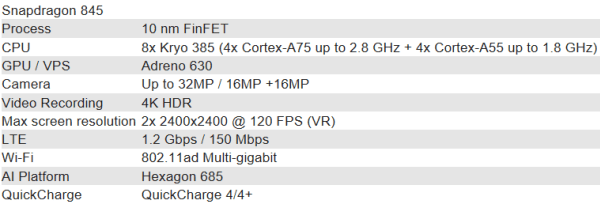
Qualcomm has announced the Snapdragon 845, a new high-end chipset for smartphones, tablets, notebooks and other mobile devices. The successor to the Snapdragon 835 comes with improved processor performance, a faster modem and a better graphics unit. It is expected that the Snapdragon 845 will be used in various flagship smartphones with Android OS from 2018, for example, in devices such as the LG G7 or the Samsung Galaxy S9.

Octa-core processor

The heart of the Qualcomm Snapdragon 845 is an octa-core processor. This consists of two quad-core processors, each with up to 1.8 GHz or 2.8 GHz clock power. The associated main memory is clocked up to 1866 MHz (Dual Channel LPDDR4x). The performance should be well above that of the predecessor Snapdragon 835, so the chipset now supports, for example, the encoding or decoding of videos with 2160p resolution at 60 fps and 10-bit color depth in H.265 format.


LTE Cat18: Modem for up to 1.2 GBit/s

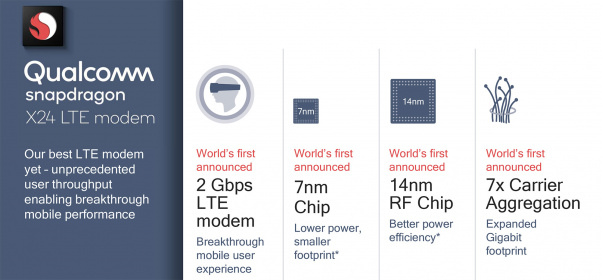
Of course, the Qualcomm Snapdragon 845 also has an integrated modem. While the predecessor Snapdragon X16 modem with LTE Cat16 installed, the Snapdragon 845 is now the Snapdragon X20 modem with LTE Cat18 on board. The maximum LTE speed is 1.2 Gigabit per second in the downlink and 150 MBit/s in the uplink (UL Cat13). The downlink supports 5CC CA, which is a fivefold channel bundling. In addition, the modem can downlink the 256QAM modulation as well as 4 × 4 MIMO on up to three carriers simultaneously. A maximum of 2CC carrier aggregation is possible in the uplink, and 64QAM modulation is also available here.


Of course, the speeds that can be reached on the end device depend not only on the modem but also on the mobile network. In many countries, few providers currently offer 1.2 GBit/s in its LTE network.

Snapdragon 845: more features

Other features of the Qualcomm Snapdragon 845 include display resolutions of up to 4K Ultra HD, both on the integrated display and on a possible external display. As a graphics processor, an Adreno 630 is used, compared to the Adreno 540 from the Snapdragon 835. In addition, the chipset offers native support for biometric authentication as well as secure mobile payment.


Huawei E5785 LTE Mobile Hotspot Test

Huawei has launched the new E5785 LTE hotspot on the market. With not-high price, it still offers good facilities. The Huawei E5785 has an LTE Cat6 modem for speeds up to 300 Mbps in the downlink and presents information about the device and the Internet connection via a small display on the front. There is dual-band Wi-Fi and the battery should allow about 10 hours of operation. Today, we would take a test on this new LTE hotspot.

Appearance

Huawei presented the E5785 as a successor to hotspots like the Huawei E5377 or the Huawei E5577. Visually, the E5785 differs little from the aforementioned predecessors, technically LTE Advanced Cat6 but now arrived in the middle class. With the battery, a quick-start manual and an extremely short micro-USB cable are packed with the E5785 device. To charge, you have to choose an existing USB power adapter or any USB port on your PC or laptop.

The first impression of Huawei E5785 is good. For the test, the white version of the E5785 was available, but there is also a variant with black color to buy. The device is small and light and has two buttons: a power button on the front and a menu button on the side. The battery is replaceable; under the battery is the slot for the MicroSIM card. Good to know: Even NanoSIM cards with adapters work well when used with care. On the front there is a small rectangular display, which is easy to read and clearly displays important information.

Technical specifications

The Huawei E5785 offers the following specifications. Importantly: the exact model number E5785Lh-22c would work without any trouble in Europe. If you buy a device with a different model number, other frequency ranges may be supported.

Manufacturer & Model: Huawei E5785Lh-22c
technologies: LTE / 4G (Cat6) | UMTS / 3G | GSM / 2G
Frequency ranges: LTE FDD: B1 / B3 / B5 / B7 / B8 / B20 / B32
LTE TDD: B38
UMTS: B1 / B2 / B5 / B8
GSM: B2 / B3 / B5 / B8
CA combinations: Intra-band: B3 / B7 / B38
Inter-band: B3 + B5 / B3 + B7 / B3 + B8 / B3 + B20 / B7 + B8 / B7 + B20
Maximum speeds: LTE: 300 Mbit/s down, 50Mbit/s up | UMTS: 42.2 Mbps down, 5.76 Mbps up (using DC-HSPA+) | GSM: 236 kbps (when using EDGE)
WIRELESS INTERNET ACCESS 802.11a/b/g/n/ac to 867 Mbps | 2 × 2 MIMO | 2.4 GHz or 5 GHz | Up to 10 devices at the same time
Software in the test: Firmware Version:
Others: 2 x connection for external antenna (type TS-9) | Replaceable battery 3,000 mAh | MicroUSB connection

Configuration and software

Confirguration is simple and easy. After power on the device, you have to connect via WLAN with the Huawei E5785, then you can enter the SIM pin and set up by Huawei HiLink App (available for Android and iOS) or via the browser web interface (IP: 192.168.8.1). An assistant leads through the most important settings, so that even less experienced users should be able to cope quickly. The used provider is recognized automatically via the SIM card, and normally the APN does not have to be entered.

Further settings can be made in the web interface, for example, roaming for the use of the device abroad can be activated or the mobile network technology can be selected manually. You can store a data plan in the statistics menu and it is possible to send and receive text messages.


Huawei E5785: modem in the test

The modem of the Huawei E5785 left an ambiguous impression in the test. If the reception was good, the LTE hotspot delivered excellent data rates – in an LTE 800 cell (Volume 20) almost 70 MBit/s in the downlink and around 25 MBit/s in the uplink were possible. However, the reception was not always satisfactory overall and with poor reception, the modem also provided comparatively bad values: a Netgear Nighthawk M1 provides almost double times fast while a Huawei B618 LTE router even three times as fast. The mobile hotspot showed no weaknesses over UMTS, in this case the speeds were often even higher than the comparison devices.

To achieve the maximum possible speed, Huawei E5785 bundles different channels in the same or in different frequency ranges (see table above, “CA combinations”). In the test, the maximum data rate was about 200 MBit/s – significantly more will probably reach only very rarely, because the LTE networks of the providers are now often well utilized.


If required, an external LTE MIMO antenna can be connected to the Huawei E5785. For this purpose, two TS-9 connectors are available under a cover at the side. In the test, the use of a 40dBi LTE MIMO antenna with two TS-9 pigtails worked flawlessly.


WLAN with extender function

The WLAN of the Huawei E5785 operates either in the frequency range around 2.4 GHz or in the range around 5 GHz. The 802.11a/b/g/n/ac standards are supported with 2 × 2 MIMO antenna technology. Over 2.4 GHz are possible up to 300 MBit/s, on 5 GHz up to 867 MBit/s. In the test, the maximum connection speed was reached with an Apple MacBook Pro even at about 4m distance (line of sight), but as soon as objects or even a wall between hotspot and terminal are, the speed drops significantly. Overall, the range was neat, not better or worse than other mobile Wi-Fi hotspots. What was conspicuous: when using 5 GHz WLAN, the Huawei E5785 always needed about a minute after power-up to perform the DFS scan. During this time the WLAN connection was not usable.

Huawei has again integrated the WLAN Extender function on the E5785, as with many previous models. The function allows using an existing WLAN connection as Internet access, as soon as it is within reach. This saves data volume at the data tariff. The WLAN Extender must be configured once via the web interface or the Huawei HiLink App, but can then be switched on and off on the device itself via the menu and the power button. In the test it was noticeable that the speed was limited to about 15 MBit/s when using the WLAN Extender function. However, this is not only the case with the E5785, the sister model Huawei E5885 also had this restriction.

Battery and others

The battery of the Huawei E5785 is to allow about 10 hours of operation according to the manufacturer. In the test this was approximately achieved, with the operating time varies slightly depending on the application scenario. If you use the LTE hotspot in a train or in a car, where cell changes often have to be carried out, the battery life is slightly lower than for stationary use. The number of connected WLAN devices also has an impact on the runtime.


The Huawei E5785 does not have a MicroSD memory card slot. The site has a micro-USB port for charging and connecting to the computer. Even if no device is connected via WLAN and the Internet connection is exclusively used via USB: you can not completely switch off the WLAN.


Conclusion

Overall, the Huawei E5785 left a good impression in the test. The battery life is good, the setup was fast and the operation is very easy. Wi-Fi and modem worked perfectly in the test, the LTE speeds with weak reception but could be improved.


The Huawei E5785 has to fend off competition, especially from its own home: the LTE hotspots Huawei E5577C and Huawei E5377 are a bit slower and have a shorter battery life. A slightly more expensive alternative is the Huawei E5787 with a large touch screen and the Huawei E5885 with LAN connection on. Recently, Huawei released a new Gigabit LTE hotspot Huawei E5788, we suppose the price of Huawei E5785 would drop soon after the new model available on the market.


Huawei MS2372 — LTE Stick for the Industry

USB surf sticks with LTE modem were the first devices for the first LTE networks in 2011, with which you could use the new mobile network of the fourth generation. In Europe, for example, the Samsung GT-B3740, Huawei E392u-12 and the Huawei E398 were widely used. In the meantime, at the end of 2017, LTE surf sticks in the end customer sector hardly play a role anymore. Most customers want to use a LTE hotspot with WLAN and battery for mobile use and a “real” LTE router with LAN and WLAN function for stationary use as a DSL replacement. For industrial applications, Huawei now presents a new LTE stick: Huawei MS2372.


Huawei MS2372 Applications

According to the manufacturer, the Huawei MS2372 LTE USB dongle can be used, for example, in mobile sales terminals, in vending machines, in consumption meters or in medical device. These devices require a connection to the Internet for a variety of reasons and can be upgraded with the LTE Stick as needed. For example, a remote update of certain devices is possible or a vending machine can report transactions in real time to the central office. The Huawei MS2372 seems to replace the previous old model Huawei E220 modem, which was widely used in various terminals.

To support different LTE frequency bands from various network carriers, Huawei also presents many sub-models like the Huawei E3276 LTE Stick to support these networks:


Huawei MS2372h-517:

* LTE FDD B1/B2/B4/B5/B7/B12/B28

* UMTS B1/B2/B4/B5

* GSM:850/900/1800/1900


Huawei MS2372h-153:

* LTE FDD B1/B3/B7/B8/B20

* UMTS B1/B8. GSM 850/900/1800/1900


Huawei MS2372h-607:

* LTE FDD B1/B3/B7/B8/B19/B28 and LTE TDD B40

* UMTS B1/B6/B8/B19

* GSM 850/900/1800/1900


Extended temperature range

For the consumer market, usual LTE modems work only in a quite limited temperature range. For the MS2372, Huawei has significantly extended this temperature range, the stick works between -20 and +55 degrees Celsius. The Huawei 4G dongle requires a power supply of 5V / 700mA for operation and is quite compact at 88mm x 28mm x 11.5mm. The weight is just under 50 grams.


LTE Cat4 with 150 MBit/s

The maximum speed in the LTE network is around 150 MBit/s in the downlink and 50 MBit/s in the uplink. This corresponds to LTE category 4. In addition, the stick is backwards compatible with 3G/UMTS and 2G/GSM, including the data accelerators DC-HSPA+ and EDGE. The following frequency bands are supported by the model MS2372h-153 designed for the European market:


  • LTE: B1/B3/B7/ B8/B20
  • UMTS: B1 / B8
  • GSM: Quadband (50/900/1800/1900 MHz)

On the side of the USB stick, there are two connections for external antennas under one cover.


Control via AT commands

The Huawei MS2372 LTE stick can be controlled via AT commands, in addition to the 3GPP TS 27.007 and 27.005 standards, extended Huawei AT commands are also supported.

Availability

The Huawei MS2372 would be available soon around the beginning of 2018. We would take test for this new Huawei 4G dongle and show our report on www.4gltemall.com.