Four High Gain 4G Outdoor LTE Antennas to Recommend

More and more 4G LTE Routers and 4G USB modems are available in the market; many users would expect faster speed on 4G networks than that from 3G networks. However, due to far from the cell tower deployed by the network providers, the 4G/LTE signal coverage is very weak. Before the network providers do something to change the situation, users can connect an external 4G antenna to the wireless device to improve the signal so as to speed up the data transmission. And it’s better to use a high gain outdoor antenna rather than indoor 4G antenna.


To select a 4G external antenna, you need check how many antenna connectors there is on your device and the connector type. For example, if you are using Huawei E5186 4G LTE Router, open the cover on the back, you will find the connector for external 4G antenna. The connector type is SMA-female. In the 4G data transmission, two connectors are for the application MIMO technology. So you’d better choose an LTE Antenna with two connectors. To connect to the SMA-female, the right connector at the cable end of the antenna is SMA-male.


One more thing to consider is how long the distance between the router and the location where to install the antenna. The distance determines the length of the antenna extend cable. For example, if your Huawei E5186 router is near the window and you will install the outdoor LTE antenna just outside the window less than 10 meters. So you can select the extend cable of 10 meters. Somebody may suppose the longer the cable, the better to use. However, consider the longer of the cable, the gain would lose more. So the antenna cable is better in short. If your device is far from the installation point, you’d better select to use high-quality material in the cable so as to reduce the gain loss.


The good news is that the extend cable for the outdoor LTE antenna could be customized on www.4gltemall.com. So you don’t need worry about the cable. Below are recommended Outdoor LTE External antenna to use with 4G LTE Gadgets:


  1. 4G High Gain 24dBi LTE Panel Flat Outdoor Antenna(With Two connectors)

Technical Specifications:


* Frequency Range: 698-806MHZ/824-894mhz/ 925-960mhz/1710-1885MHZ/1920-1980MHZ/2110-2170MHZ/2500-2690MHZ

* Gain: 24dbi

* Polarization Type: Vertical

* Radiation: Omni directional

* VSWR:≤1.5

* Impedance: 50Ω

* Max Power: 50w

* Connector Type: customization (The extend cable can be with SMA, TS-9, CRC or other connectors.)

* Cable Type: RG58 (best) 100% cooper

* Cable Length: for customization

* Dimensions: 9.85x 18.5x 1.2inches

* Weight: 2.58 Pound


See compatible 4G LTE devices and buy this high gain antenna here: https://www.4gltemall.com/4g-high-gain-lte-panel-flat-outdoor-antenna.html


  1. 18dBi High Gain Flat Panel 4G Outdoor Antenna(With Two connectors)


Technical Specifications:


* Frequency Range: 698-806MHZ/824-894mhz/ 925-960mhz/1710-1885MHZ/1920-1980MHZ/2110-2170MHZ/2500-2690MHZ

* Gain: 18dbi

* Polarization Type:Vertical

* Radiation: Omni

* VSWR: ≤1.5

* Impedance: 50Ω

* Max Power: 50w

* Connector Type: options (SMA, TS-9, CRC-9 connectors)

* Cable Type: RG58(best)100% cooper

* Cable Length: customization

* Color: White(default), Black

* Dimensions: 8.27x 8.27x 1 inches

* Weight: 1.32 Pound


See compatible 4G LTE devices and buy this high gain antenna here: https://www.4gltemall.com/high-gain-flat-panel-4g-outdoor-antenna.html


  1. 28dBi High Gain 4G Outdoor Yagi Directional Antenna(With only one connector)

28dBi High Gain 4G Outdoor Yagi Directional Antenna

Technical Specifications:


* Frequency Range: 698-806MHZ/824-894mhz/ 925-960mhz/1710-1885MHZ/1920-1980MHZ/2110-2170MHZ/2500-2690MHZ

* VSWR: ≤ 2.5

* Gain: 28dBi

* Polarization Type: Vertical

* Radiation: Directional

* Input Power: 50W

* Input Impedance: 50 Ohms

* Connector Type: SMA/TS-9/CRC-9

* Connector Quantity: one

* Cable Type: RG58 (best) 100% cooper

* Cable Length: 1.5m (more options for extend cable available.)

* Dimensions: 22.8x 2.7 x 0.8inches

* Weight: 0.42 Pound


See compatible 4G LTE devices and buy this high gain antenna here:

https://www.4gltemall.com/28dbi-high-gain-4g-outdoor-yagi-directional-antenna.html


  1. 15dBi 4G LPDA LTE Outdoor Antenna(With only one connector)

Technical specifications:

* Antenna type: LPDA

* Frequency Range (MHz): 698-960/1710-2700 MHz

* Bandwidth: 262/990 MHz

* Gain: 15 dBi

* beam width: H:90°/70° V:60°/55°

* VSWR: ≤1.5

* Input Impedance: 50Ω

* Polarization: Vertical or Horizontal

* Front to Back Ratio: 18dB

* Max, power: 50W

* Connector Qty: 1

* Connector Type on Antenna: SMA-Male/TS-9/CRC-9

* Cable: 10 meters/15 meters/20 meters (RG58)

* Radome material: protected ABS

* Lightning Protection: DC ground

* Working Temperature: -40~60℃

* Rated Wind Velocity: 60m/s

* Color: white

* Mounting way: hold in the pole

* Pole diameter: ¢35-50

* Dimension (mm): 410*215*65mm

* Antenna weight: 750g

* Package content:

– 1 x LPDA Antenna

– Extend cable

– Accessories to mount the antenna


See compatible 4G LTE devices and buy this high gain antenna here:

https://www.4gltemall.com/wide-band-log-periodic-yagi-lte-outdoor-antenna.html


TP-Link Archer MR400 AC1350 4G LTE Router Review

Sometimes 3G/4G networks will broadcast a better connection than those from the ADSL network. TP-Link presents the new Archer router MR400, which is upgrading from the predecessor Archer MR200 AC750  Router, when ADSL access is not possible at home or on the move, the TP-Link Archer MR400 Router can take over to distribute the connection of 3G/4G mobile networks via WiFi.

With the MR400 Router, there is an Ethernet cable packed that can be used to wired one to four PCs via the dedicated ports. The 4G LTE router has a power button, reset or access to WPS for a fast connection and a button that allows to enable or disable the Wifi connection only. The location of the SIM card is easily accessible. Two adapters for Micro-SIM or Nano-SIM are provided; one click shows that everything is well engaged.

The MR400 Archer is light and rather pleasant at the design level. However, the black body seems to be a little textured and not glossy. It acts like a dust magnet and even with clean hands fingerprints appear from the first manipulation.


Interface connection

Once the SIM inserted and the router MR400 connected to the wireless network, the LEDs give the status on the connection of the device and the availability of the wifi. They are however quite discreet. The manual prompts you to first connect to the wireless network whose name (SSID) and password are listed under the router.

It is then necessary to access the interface of the router via an internet browser by entering the IP address 192.168.0.1 or tplinkmodem.net. Here it is possible to enter the default identifiers (admin / admin) to enter the interface. The password can be changed to the one per user’s preference. To configure from a smartphone or tablet is more easily, TP-Link also offers applications for iOS (download from Apple store)or Android(Download from Google Play).


Features and connection

A small assistant helps the user to configure the router in 3 simple steps, it was enough to leave the information by default. Before that you have to enter the PIN code of the SIM card. The interface indicates the path to follow to access it. Once the connection is tested and the wizard finished, we connect to the interface.

It is well designed and easy to handle if you speak English. The “Basic” tab contains a graphic representation of the network and the devices connected to the routers, the possibility of modifying the Wifi parameters, activating a guest network or a parental control function.

The “Advanced” tab contains everything that can be expected from a conventional router: NAT rules, security settings, bandwidth control to avoid eating too quickly his package or even what to connect to a VPN. An SMS section allows to send text messages without leaving the interface, it worked without difficulty.


The bandwidth test was very convincing with an excellent bit rate that makes us forget that we are connecting to a mobile network and not to ADSL. Of course the quality of connection depends on the presence of 3G or 4G antennas from the operator, but the result is more fluid than using the modem of the smartphone.

Below are the general specs for TP-link Archer MR400:


  • 4G LTE maximum network speed of 150 Mbit/s
  • 4G LTE maximum speed per network 50 Mbit/s
  • 4G: FDD-LTE Cat4 (800/900/1800/2100/2600MHz)
  • TDD-LTE (1900/2300/2500/2600MHz)
  • 3G: DC-HSPA+ / HSPA+ / HSPA / UMTS (900/2100MHz)
  • 2G: EDGE / GPRS / GSM (850/900/1800 / 1900MHz)
  • WiFi with up to 450 Mbps speed at 2.4 GHz
  • WiFi with up to 867 Mbps speed at 5.0 GHz
  • Dual-band – both frequencies can be simultaneously enabled, with WiFi speed up to 1350 Mbps.
  • Fully compatible with 802.11b/g/n/ac standards.
  • Two external antennas for reception and three internal WiFi networks. External antennas can be replaced with more powerful antennas with SMA connection.
  • Ethernet WAN – One LAN port can be used as a WAN port, allowing the device to work as a wireless router.
  • The Wi-Fi Protected Setup (WPS) feature enables wireless network encryption and devices to be connected at the touch of a button.
  • DynDns, NO-IP support
  • The DoS / SPI firewall protects the network.
  • Multiple SSIDs (up to two separate networks)
  • The Quality of Service provides more bandwidth for speed-demanding activities such as games, VoIP calls, and videos.
  • IPv6 Support: IPv6 is a new network capability that will in future replace the IPv4 protocol used by all devices. Networking IPv6 support therefore enables the device to work with future technology.
  • VPN Support: IPSec Pass-Throuth, PPTP Pass-Through, L2TP Pass-Through
  • Operating system idle – management with a web browser
  • A separate power switch as well as a button from which the wireless network can be closed and started.
  • Interfaces: LAN x 3 RJ-45 10/100, LAN / WAN x 1 RJ-45 10/100, MiniSIM (normal size)
  • Dimensions: 202 x 141 x 33.6 mm
  • Sales Package Contents: Modem, AC Power Adapter, Ethernet Cable, 2 Antenna (SMA), MicroSIM MiniSIM Adapter, NanoSIM MiniSIM Adapter


Conclusion

TP-Link regularly offers new firmware for the Archer MR400 Router on the support pages of its site. For now only English is available, on the other hand it is a pity to have chosen a body material that is certainly very flattering visually, but also very messy.

However, the TP-Link Archer MR400 router is doing the job well, and the configuration is very easy. The interface is quite simple to handle, even for those who do not speak English fluently and the application also allows some settings from a smartphone. In all, TP-link Archer MR400 is a good router for home or office.


If you like this router, welcome to buy from here: https://www.4gltemall.com/tp-link-archer-mr400-ac1350-4g-lte-router.html

Huawei E5788 VS ZTE MF980

With the development of LTE technology, LTE networks are evolving from basic to advanced, or LTE advanced Pro. To support the high-level LTE networks, many manufacturers are presenting their new LTE-A products to accomplishing the data transmission. Huawei, as the top telecom equipment supplier, had recently released the latest new LTE mobile hotspot E5788, the model number is E5788u-96a. The other Chinese competitor ZTE also has its own LTE advanced mobile hotspots named ZTE UFi MF980. You may ask what the difference between Huawei E5788 and ZTE MF980 is. And you want to select one between the two mobile routers, which one is better. In this article, you will find the answers.

Appearance

ZTE MF980 is earlier released than Huawei E5788. But the shape of the two LTE gadgets looks very similar. They are both in cuboids shape, but very thin. The Huawei E5788 has a 2.44-inch color touchscreen, where the user can easily set up the router on the screen. The screen of ZTE MF980 is 1.44 inch TFT screen, and the user can’t do settings on the screen. The Huawei E5788 screen is at the left part of the front while the ZTE MF980 has the screen in the middle.

The USB interface of ZTE MF980 is in Micro USB format while the Huawei E5788 using the USB 2.0 Type-C Interface. The MF980 has two connectors for external antennas while Huawei E5788 has no external antenna connector, which feature is a great disadvantage for the LTE Advanced Pro mobile hotspot. They both use SIM in Micro SIM size.


The batteries of both the two LTE mobile routers are non-removable. We think this feature is also not good comparing with another LTE-A pro mobile router Netgear Nighthawk M1, which has large battery capacity and could be removed for changing to spare battery.

As we know, the Huawei E5788 has many colors such as gold, black, blue etc. And the ZTE MF980 also has white, black colors which could be chosen for the customer’s preference. It’s good.


Specs

As the LTE advanced mobile hotspots, they both support high wireless download speed. ZTE MF980 supports LTE category 9 which could achieve download speed up to 450Mbps and upload speed to 50mbps while Huawei E5788 could support LTE Cat16 and could achieve download speed to 1Gigabit per second & upload speed more than 100mbps. They are both with WLAN standard on 802.11b/g/n/ac dual band (2.4Ghz & 5Ghz) and support maximum up to 32 wireless users. ZTE MF980 is with 2 x 2 MIMO technology while Huawei E5788 has 4 x 4 MIMO feature.

Below you will see the details for the Huawei E5788 Specs and ZTE MF980 Specs:


Model Huawei E5788u-96a ZTE MF980 Ufi
Product type LTE Mobile Hotspot LTE Mobile Hotspot
Category LTE Cat.16 LTE Cat.9
Chipset Qualcomm MDM9250 Qualcomm Cortex-A7 1.2GHz
Data rates DL 1Gbps/UL 100Mbps DL 450Mbps/UL 50Mbps
Supported 4G LTE frequency bands * FDD-LTE: Band 1/2/3/4/5/7/8/19/20/28
* TDD-LTE: Band 38/40/41/42
* FDD-LTE: B1/B3/B5(26)/B7/B8/B20/B28/B32
* TDD-LTE: B40(or B38 or B41)
WiFi 802.11a/b/g/n/ac, dual-band 2.4GHz & 5GHz 802.11a/b/g/n/ac, dual-band 2.4GHz & 5GHz
Max support users 32 users 32 users
MIMO 4 X 4 MIMO 2 x 2 MIMO
Connector for external antenna No connector Two, TS-9 jacks
App management Huawei Hilink APP ZTELINK APP
SIM type Micro SIM Micro SIM
Battery 3000mAh 2200mAh
Dimensions 129 x 65 x 13.5mm  122 * 65 * 10.6mm
Other features 3CC+256QAM
Price 499.00USD 259.00USD


From the above, it’s no doubt that Huawei E5788 is more advanced than ZTE MF980 technically. However, the Huawei E5788 doesn’t have the connector for external antenna, which may not be a good news for the users who are located at the areas of weak signal. With the advanced features, Huawei E5788 price is much higher than the ZTE MF980. So if you just need a decent LTE pocket WiFi with high speed, ZTE MF980 is comparably budget one for most users. But we believe the price of Huawei E5788 would be down when 5G devices coming out.

Netgear Nighthawk M1 LTE Cat16 Gigabit Mobile 4G Router

Netgear has confirmed the distribution of the Netgear Nighthawk M1(MR1100) in Europe from mid-2017. It is obvious that many European operators are not yet ready to deliver Gigabit on their networks, but as time goes, things are moving forward. Nevertheless, the Netgear M1 has many advantages for aggregated carrier networks that deliver high speeds for up to 1 Gbps download.

The Nighthawk M1 is world’s first 4G LTE router offering download data rate of up to 1 Gbps. It is equipped with the Qualcomm X16 LTE modem announced in 2016. The Netgear M1 implements several technologies, starting with the aggregation of 4 carriers, a technology of 4 x 4 MIMO, and QAM-256 modulation. Here now, the Netgear Nighthawk M1 is only available for Australian network provider Telstra. And the US network carrier AT&T also introduced this LTE advanced Pro mobile router, but we haven’t gotten the AT&T Nighthawk M1. Of course, this equipment will be distributed in other regions as soon as the operator networks are well prepared for Gigabit transmission.


Technical Specs

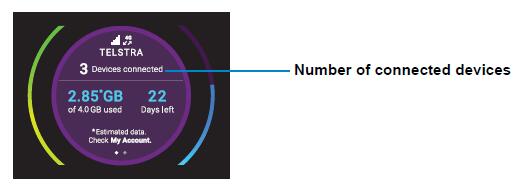
The Netgear MR1100 is rather well equipped (not to mention that the Gigabit LTE remains a theoretical flow). A 2.4 “LCD display is present on the top and gives all the connectivity and flow information. The device also presents:

* 2 x external antenna connectors (type TS-9)

* A type A USB port

* A USB type C port

* An Ethernet port

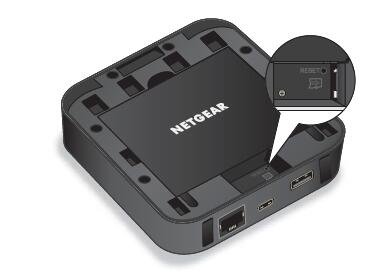
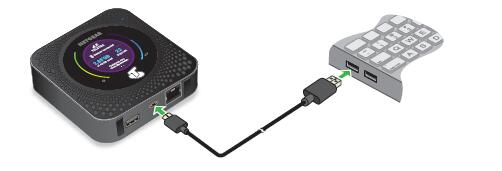
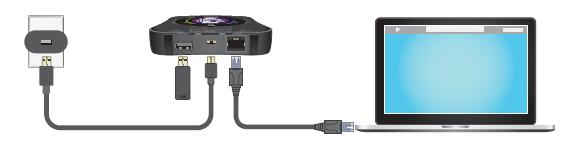
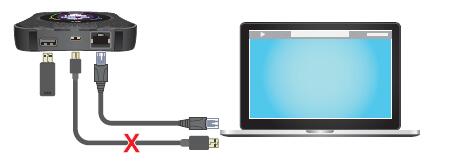
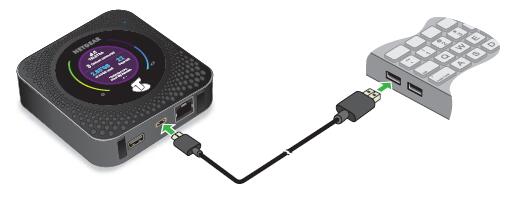
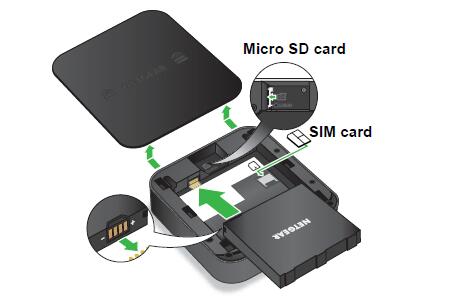
The Netgear Nighthawk M1 provides the possibility to connect via Ethernet port, which means it can redistribute the link to devices with wired link. It remains completely mobile and equipped with a battery of 5000 mAh for mobile use, which could keep working for connection up to 24 hours. The battery can charge other mobile devices such as a smartphone if necessary as a backup. And this battery is removable, which allows to replace it and therefore spare battery can be charged in advance for travel.


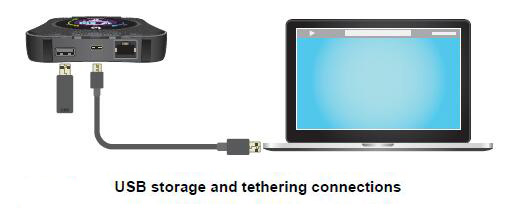
Regarding the WLAN feature, Nighthawk M1 offers WiFi 802.11ac with dual-Band 2.4GHz / 5GHz. And the M1 can support up to 20 connected clients simultaneously. It also has a Micro SD card slot for storing and sharing media. It can be seen that connectivity is powerful in this router, which can connect many devices such as a NAS, printers, USB devices..


On the network side, the M1 offers a LTE-A link of category 16 using an aggregation of 4 carriers (4X4 MIMO) for a theoretical maximum throughput of 1 Gbps download and 150 Mbps upload.

Netgear Nighthawk M1 supported frequency bands (for Australian carrier Telstra):

* 4G FDD-LTE Band 1/3/7/8/28: 700/900/1800/2100/2600 MHz
* 3G Band:  850/900/1900/2100 MHz

The Telstra version Nighthawk M1 could work well in Europe areas.

Supported frequency bands for US carrier AT&T:

* 4G LTE Band 1/2/3/4/5/7/12/29/30/66

* 3G Band: 850/AWS/1900/2100MHz


The dimensions of the M1 are 105.5 × 105.5 x 20.35 mm for a weight of 240 grams.

Summary


This 4G LTE advanced router is very well equipped, offers the latest technology and has a really rich connectivity. Both for fixed use in an underserved area at high speeds and for mobile use in all situations, the Netgear Nighthawk M1 seems to the best mobile 4G router now in the market. We can’t wait to test it fully.


The price of Unlocked Netgear Nighthawk M1 available on www.4gltemall.com, if you want a powerful mobile router which could travel all over the world, it’s no doubt that the Nighthawk M1 is the right one.

Huawei B525 VS Huawei E5186

As the top telecom equipment supplier, Huawei 4G Routers are very popular in many countries based on high quality and stable performance for internet connection. And we also find some huawei wireless routers have similar specifications, i.e they support same LTE category, same LTE download speed etc. For example, we found Huawei had presented the LTE cat.6 routers such as Huawei B525 (new model) and E5186 (old model). Those who want to buy Huawei 4G LTE cat6 routers may feel confused which one to choose because they are too similar. Today, we will have a look at what’s the difference between the two Huawei LTE routers.

Huawei E5186 and B525 are both 4G LTE Wireless router supporting LTE CAT6, which means they both could achieve LTE download speed to 300mbps and upload speed to 50mbps technically. As the old model, huawei E5186 had been available for almost two years and very popular in Europe and Australia. The Huawei B525 was just available from second half of 2017.


Here now in the market, the most popular model for the two Huawei routers are Huawei B525s-23a and Huawei E5186s-22a. They cover the most common LTE frequency bands in Europe, Middle East and Asia. With support of LTE band 32, B525s-23a is more up to date than E5186. However, they both work for LTE-A network and have Ethernet interfaces for WAN & LAN. And as the typical feature for 4G LTE Routers, they both have the SIM card slot. So they are both 4G WiFi Routers with SIM card slot and Ethernet port.

Appearance 


Huawei B525 is the most recent desktop LTE gateway from Huawei, which is in littler size than E5186. With the measurement of 163 mm x 52 mm x 226 mm, there are control, Wi-Fi, flag quality, organize mode and LAN/WAN marker at the front board of the B525. At the back interface of the B525, there are 4 x RJ45 ports for WAN/LAN, 1 x RJ11 port, 1 x USB port and power connector plug. Furthermore, there are additionally two connectors for external antennas. Regarding the Huawei E5186, the dimension is 194 x 177 x 64 mm, and there are control, arrange mode, WiFi, voice and flag pointers on the front board. Two SMA connectors for external antenna, 4 x RJ45 ports for WAN/LAN, 2 x RJ11 ports for VoLTE and phone, 1 x USB port for capacity and power connector plug are located in a line.

From the appearance, we could get little contrast from the B525 and E5186, one is with 1 RJ45 port, and the other is with 2 RJ45 port. If you prefer black color, Huawei B525 has black color available. Huawei E5186 has only white color available.


From the appearance, we can’t see what the real difference is. To be perfectly honest, for single client who needs to purchase Huawei LTE CPE, they both could do well. One could fully replace the other.

Technical Features


The band bolt is supported by Huawei B525, which can’t discover in LTE CPE E5186. That implies you could run the B525 to a particular frequency bands from the setup menu of web UI. This is a helpful element when the administrator wants to select preferred network frequency to surf internet. Huawei B525 supports L2TP VPN setting. At the point when L2TP VPN is enabled, the throughput execution will back off, the maximum speed can up to 50Mbps (subject to network environment). On this point, Huawei E5186 doesn’t have such feature.


For all Huawei LTE CPEs, there are diverse sub-variant models for various network frequency bands and carriers. For Huawei E5186, there are two adaptations accessible: E5186s-61a (Band 3/7/28/40) and E5186S-22a (Band 1/3/7/8/20/38).  The new model Huawei B525, provides the most well known sub-models B525s-23a (Band 1/3/7/8/20/32/38), in addition to Huawei B525s-65a (Band 1/3/5/7/8/19/20/26/28/38/40/41 FDD1700/1400mhz) and Huawei B525s-95a (supported LTE bands unknown now). From the sub variants, we can see that the B525 seems more powerful on the LTE bands support than that of E5186, which means Huawei B525 could be used more widely with more network providers.


Conclusion 


From the appearance and technical features, we can there are some difference between the Huawei E5186 and B525. However, for most users, the different features may not influence the usage of the Huawei LTE router. And even Huawei B525 is newer model with new features, the Huawei B525 price is not as good as Huawei E5186, which is also an important factor for users to consider. But if you need to purchase band 32 CPE, Huawei B525 is the right model. In summary, huawei B525 is newer with more feature and powerful, but with higher price. Huawei E5186 has decent functions for common use, if you don’t have specific requirements, the lower price may be attracting.

Huawei Mobile WIFI PRO 2 E5885 Review

Last year, Huawei released a new version of the Mobile WiFi PRO to replace the predecessor model Huawei E5770 and simply names it Mobile WiFi PRO 2. The specific model number of the Mobile WiFi Pro 2 is Huawei E5885.

This new version Mobile WiFi Pro 2 mainly brings 4G LTE Category 6 with a theoretical data rate of 300 Mbps for download and 50 Mbps for upload. Also at the WLAN feature, dual band WiFi bands are available with providing WiFi 802.11ac.

The most important feature is an increase in battery capacity from 5200mAh to 6400 mAh and is offered the ability to charge other devices via its full-size USB port (in addition, it also has a microUSB charging port). Of course, the RJ 45 Ethernet port and the 0.96 inch OLED display are retained. Huawei E5885 is the first LTE Cat6 portable 4G router with Ethernet port. Currently, there is only the Netgear Nighthawk M1 which supports higher-level LTE standard with Ethernet port and could be its competitor.

The improvements of Huawei E5885 are not only on the WLAN features, battery capacity, it can also covers the most popular LTE frequency bands in American areas, such as LTE Band 4(AWS).

Comparing with its predecessor, Huawei Mobile WiFi Pro 2 can support wireless users from 11 to 32, which is the norm qty today.

The Mobile WiFi PRO 2 can let devices to connect WiFi by NFC technology or scanning the QR code QR. The Huawei HiLink APP is also useful for users to do some further settings if necessary. And we have to mention the special feature: the strap used as USB charging cable.


The Huawei E5885 Mobile WiFi Pro 2 is compatible with the common LTE frequency bands in Europe and America, so users can take this device and travel to these areas without worrying the network incompatibility.

Here now, the Huawei Mobile WIFI PRO 2 has been launched in China at a price of around 200USD, it will take patience to price down since it’s a powerful mobile pocket WiFi with Ethernet and large battery capacity. And 2 colors will be available: Black and Gold & Pink and Gold.

Below is the general review of the Huawei E5885 Mobile WiFi pro 2 Specs:

* WIFI AC (802.11ac) compatible b/g/n

* Number of users connected simultaneously: up to 32 Devices

* WMM (WiFi multimedia) / media server feature: Yes

* Beamforming / MultiBeam feature: Yes

* uPNP (universal plug and play): Yes

* Frequency range Dual Band (2.4 GHz / 5 GHz)

* Speed ​​download: up to 300 Mbps

* Special features Cat6 – 300 Mbps, HiSilicon LTE Cat6 Chipset

* Guest network access: Yes

* Number of ethernet port (RJ-45): Single Port (LAN) / RJ-45

* Cards supported Micro SD / Micro SDHC / Micro SDXC

* Color: Black

* SIM type: Micro SIM

* LED Indicator Strength Signal / Network / Charging / Provider / WiFi / SMS

* Number of antenna: unknow

* Security features Encryption (WEP / WPA-PSK / WPA2-PSK)

* WPS (WiFi protected set-up) : Yes

* Power source Lithium-ion battery battery (Li-Ion): Battery capacity 6400 mAh

* Dimensions: 23 mm X 69.20 mm X 112 mm

* Weight: 188 g


ZTE MF980 4G LTE Category 9 Hotspot Review

The ZTE MF980 Hotspot is a 4G mobile hotspot that offers LTE Category 9 carrier aggregation technology. This 3-band technology achieves a download speed of 450 Mbps and upload speed to 50 Mbps. The supported FDD-LTE frequency bands are:  B1 / B3 / B5 (26) / B7 / B8 / B20 / B28 / B32

For Europe area, the bands in 4G are mainly B3, B7, B20 but also some carriers support the B28(700 MHz). In addition, the ZTE MF980 Mobile Hotspot also support below LTE/UMTS/GSM frequency bands:
* TDD-LTE: B40 (or B38 or B41 gold)
* UMTS: B1 / B2 / B5 / B8
* GSM: 850/900/1800/1900MHz


So the ZTE MF980 MiFi 4G could cover fairly wide areas, and it’s good to take as a wireless partner when traveling. We do not have precisely the supported aggregates of bands in 3 CA, we look for the info, but with the bands supported, we remain optimistic for a support in France (B20 + B7 + B3 or B28 + B7 + B20).

Wireless Specifications

The ZTE MF980 4G hotspot also offers Wi-Fi to the 802.11 ac standard operating in simultaneous dual band 2.4 GHz and 5 GHz. Up to 32 simultaneous users can connect for internet access. And it is of course compatible with 802.11b/g/n and offers a 2 × 2 MIMO technology. Equipped with a 2200 mAh battery, it is given for a battery life of 10 hours by the manufacturer.

The 1.44-inch TFT color display allows you to view the usual information, such as operator, signal strength, connection type and level, battery level, number of users connected, and data consumption. The small size of the ZTE MF980 fits easily in the pocket or in a bag.

There are 2 connectors for external antennas in MF980 MiFi. It also has a micro-USB port, a slot for micro-SIM and a cover on the 2 antenna connectors (TS-9 type). If you want to buy the external lte antenna for ZTE MF980, we recommend the tested model: http://www.4gltemall.com/4g-antenna-two-ts-9-connector.html


The setup of ZTE MF980 could be done through the web interface, or the Android application (or IOS) ZTELink APP. From the APP, user can do the settings for the mobile 4g router and can see the information about consumed data and battery status clearly.


In the market, ZTE MF980 is the first LTE cat.9 mobile hotspot. And we know another model Netgear Aircard 800s which also support LTE category 9. We would take further test between the two LTE cat9 mobile hotspots.


Below are the highlights of ZTE MF980 Technical specifications:

* Sleek Design
* 1.44 TFT Display
* Support 3CA High Speed
* Support FDD-LTE network: B1 / B3 / B5 (26) / B7 / B8 / B20 / B28 / B32
* Support TDD-LTE network: B40 (or B38 or B41 gold)
* UMTS: B1 / B5 / B8 / B2
* GSM: 850/900/1800/1900MHz
* Wi-Fi b/g/n/ac
* Wi-Fi 2 × 2 MIMO
* 2.4GHz & 5GHz
* Support 32 devices at the same time
* LTE-FDD Data Rate: DL 450Mbps/ UL 50Mbps (Category9)
* LTE-TDD: DL 330Mbps / UL 11 Mbps
* Dimensions: 122 * 65 * 10.6mm
* Battery: 2200mAh
* Other features
– 1 x Micro USB port
– 1 x Func Button,
– 1 x Power Switch,
– 1 x Reset Hole; SIM socket, Micro USIM
– 2 x External Antenna slot (TS-9 connector)

Sierra AirPrime EM7565 LTE Advanced Pro Module Highlights Review

For worldwide use in IoT applications, SIERRA WIRELESS presents the AirPrime EM7565, the first module with LTE Advanced Pro technology. The Canadian company once again proves its leadership in module solutions for IoT applications.

High Speed ​​Mobile with LTE Advanced Pro

The Sierra EM7565 supports LTE Advanced Pro technology with carrier aggregation and 256-QAM modulation for significantly higher data rates. In the downlink, up to 600 Mbps transmission speed are possible and in the uplink, up to 150 Mbps is possible, which is twice to three times faster than previous solutions. This significantly speeds up data transfer for your application.

Sierra AirPrime EM7565

A LTE module for worldwide use

With support of 24 LTE frequency bands, the Sierra AirPrime EM7565 offers the possibility for use in LTE networks worldwide. The good cooperation between SIERRA WIRELESS and network operators worldwide is reflected in the carrier approvals for the module. With just one module, you can implement a worldwide applicable application with high-speed mobile radio. This reduces the number of different product variants and simplifies your logistics and production processes.

Other frequency bands for specialized applications

In addition to the EM7565 LTE advanced Pro module, additional modules with additional frequency bands for specialized applications follow.

  • “FirstNet” LTE band 14 is specifically designed for public safety applications (police, fire brigades, emergency services, etc.)
  • 5 GHz LTE for “private” LTE networks such as CBRS
  • LTE in the license-free 5 GHz band (LTE-LAA) for higher data rates

Sierra AirPrime EM7565

Position determination with GNSS included

In addition to mobile communication, the module also enables position determination with worldwide GNSS systems. With GPS, GLONASS, Galileo and Beidou, a reliable and accurate location is possible worldwide.

Fit for the future with FOTA

For the future-proofing of an application, it is often crucial that you can also update already delivered devices with firmware upgrades. Sierra Wireless offers “AirVantage FOTA”, a free platform for managing “over-the-air” firmware upgrades for your fleet of equipment.

M.2 form factor with USB 3.0

The modules of the EM series use the standardized “Next Generation Form Factor” M.2. This is significantly smaller and thinner than previous solutions in PCIe MiniCard format. The interface to the host CPU is a fast USB 3.0 connection.

Below are the general feature and specs of Sierra AirPirme EM7565:


4G LTE

  • Category Cat-12
  • Frequency bands B1, B2, B3, B4, B5, B7, B8, B9, B12, B13, B18, B19, B20, B26, B28, B29, B30, B32, B41, B42, B43, B46, B48, B66

3G

  • HSPA + B1, B2, B3, B4, B5, B6, B8, B9

DATA SPEED

  • Peak Download Rate 600Mbps
  • Peak Upload Rate 150Mbps

LOCATION SERVICES

  • Satellite Systems Galileo, Glonass, GPS, Beidou

EMBEDDED SOFTWARE

  • Firmware Pre-certified firmware, Secure boot
  • System Drivers Windows® 8, Windows® 8.1, Windows® 10, Linux Driver: Standard ECM, Android RIL

INTERFACES

  • USB = USB 3.0, USB 2.0 High Speed
  • PCIe = PCIe
  • SIM interface 1.8V / 3V = 1

CONTROL OPTIONS

  • APIs, AT Commands

HARDWARE

  • Dimensions 42x30x2.3mm
  • Antenna Diversity, MIMO, GNSS Bias, Connectors: Main, Aux / GNSS, GNSS
  • Temperature Range -30 ° C / + 70 ° C ‘-40 ° C / + 85 ° C (TBC)

APPROVALS

  • Planned Carrier AT & T, docomo, Telstra, Verizon, Vodafone
  • Regulatory CE, FCC, GCF, IC, NCC, PTCRB

CLOUD SERVICES

  • Free Unlimited FOTA upgrades, connectivity management option, device management option, application enablement option CONNECTIVITY
  • Optional Ready-to-Connect Sierra Wireless embedded SIM

Huawei B618 4G LTE Category 11 Router Review

In the forest of 4G WiFi routers presented by the manufacturers, LTE routers sometimes are only available in certain countries. Now the new member Huawei B618 joins the family of 4G category 11 routers. As a reminder, category 11 (3GPP rel .12) allows a downstream peak rate of 600 Mbps and 50 Mbps upstream. LTE Category 11 specifies the aggregate of 3 carriers (256 QAM) in download for a single upload frequency. MIMO 2×2 and 4×4 support are possible.

Huawei B618 data rates announced by the manufacturer Huawei:

– LTE FDD: 4 * 4 MIMO + 2CA 582Mbps
– LTE TDD: 4 * 4 MIMO + 2CA 426Mbps
– DC-HSPA+: DL 42 Mbit / s, UL 5.76 Mbit / s
– HSPA+: DL 21 Mbit/s (64QAM) / 28 Mbit/s (MIMO), UL 5.76 Mbit/s
– HSPA: DL 14.4 Mbit/s, UL 5.76 Mbit/s
– WCDMA PS: 384 kbit/s
– EDGE: DL 296 kbit/s, UL 236.8 kbit/s
– GPRS: 85.6 kbit/s

Huawei B618 B618s-22d front logo and indicators

And Wifi rates offered:

– 802.11b/g/n up to 300 Mbps
– 802.11a/ac up to 1300 Mbps

On the WiFi side, the WLAN module supports the 802.11ac standard with 2.4 GHz and 5 GHz frequencies for a maximum speed of 1300 Mbps (cumulative).


We get the model Huawei B618s-22d, and it supports below the LTE/4G/3G/2G Frequency bands:

– LTE: B1/3/7/8/20/38
– FDD: 2100 MHz/1800 MHz/2600 MHz/900 MHz/800 MHz
– TDD: 2600 MHz
– Intra-band contiguous: CA_1C, CA_3C, CA_7C, CA_8B, CA_38C
– Inter-band : CA_1A-3A, CA_1A-20A, CA_3A-7A, CA_3A-20A, CA_7A-20A, CA_20A-38A
– DC-HSPA+/HSPA+/HSPA/UMTS : Band 1/8 2100MHz/900MHz
– EDGE/GPRS/GSM : Band 2/3/5/8 1900MHz/1800MHz/850MHz/900MHz


The network compatibility makes Huawei B618s-22d would work well in almost all the countries in Europe, Asia and middle East, but as we mentioned at the beginning of this article, the Huawei B618s-22d is not marketed in some countries. If you need this router, you may purchase from oversea online trader www.4gltemall.com.


Huawei B618 B618s-22d USB LAN WAN Telephone ports

Huawei B618s-22d 4G LTE Router Interfaces:

On the back side, we discover the power button, a WPS activation button. A USB 2.0 port is available for media sharing (under Samba). A Gigabit Ethernet LAN port allows wired distribution and a second port allows either Ethernet or WAN input. This WAN entry option implies the presence of a Failover mode in case of loss of either the WAN link or the 4G link. An RJ11 port is also available for connecting a phone or fax. The AC power connector is located at the bottom, because the B618 does not have an internal battery for a stand-alone mode. Finally, a hatch visible here above the power button conceals the 2 external 3G & 4G antenna connectors in TS-9 format. Under the device is the SIM card slot and the reset button.

Huawei B618 B618s-22d bottom label


 Huawei B618 LTE Router specs

The Huawei B618 router supports 64 simultaneous WiFi connections (32 per band) via 2 internal non-removable antennas. The router offers VoLTE voice compatibility through its RJ11 port , which can be set in VoIP or CS mode (depending on the firmwares probably). It can also support IPv4 and IPv6, DHCP, DNS relay and NAT functions, and the basic protection functions are available (DDNS, deny ping ..).

Huawei B618 B618s-22d connecting external antenna

Huawei B618 Firmware

The firmware is very classic “Huawei” as shown on this page. And the Huawei B618 LTE CPE is compatible with the Hilink® smartphone app.


The version Huawei B618s-22d is the one we are talking about here, however, there is another brother versions B618s-65d available on the market, this declination is intended mainly for the following frequencies: Band 1/3/5/7/8/28/40 (FDD 700/850/900/1800/2100/2600MHz & TDD 2300MHz). The 800 MHz is replaced by 700 (B28) and 850 MHz. If you need the Huawei B618 router, just check your network provider deployed 4G LTE networks, if they just covers these bands, you could select Huawei B618s-22d or B618s-65d to get high-level LTE surfing with much faster speed.


Huawei B525s-23a 4G LTE Router Review

The Huawei B525s-23a router was presented to public since 2016 and now is particularly popular with many network operators. In Austria and Germany, the Huawei B525 router is offered together with various fixed network alternatives with LTE data radio. It is a network device that can handle 4G speeds up to category 6 and supports all relevant frequencies in Europe and Aisa. The specifications of Huawei B525 is very similar to Huawei E5186s-22a. A telephone system is integrated and, if required, external SMA antennas can be mounted to improve signal reception.

Huawei B525 B525s-23a


Features and Specifications of Huawei B525s-23a
Manufacturer and Model Number: Huawei B525s-23a
chipset: HiSilicon Cat. 6
LTE Category: Cat. 6
Download rate: 300 Mbps
Upload rate: 50 Mbps
Supported LTE Bands: 800, 900, 1500, 1800, 2100, 2600 MHz
Backwards compatible with: HSPA+ (42.2 Mbps), UMTS, Edge, GPRS, GSM
Support for LTE-Advanced: Yes
MIMO Support: No
Connection for external antenna: Yes, sma connector(Buy Huawei B525 LTE Antenna)
Telephone
With integrated telephone system: Yes
Connection for ISDN phones: No
Connection for analogue phones: Yes, 1
DECT: No
integrated answering machine: Yes
Network | LAN & WLAN
LAN ports: 4
WLAN standards: WLAN 802.11 a/b/g/n/ac
5 GHz WLAN support: Yes
Encryption: WEP, WPA, WPA2
WLAN hotspot function: Yes
Others
Battery pack: no battery available
Dimension: 226 x 163 x 52 mm
USB: a port (2.0)
Memory card expansion: No
release: 2017
Price: about 200 euros (as of February 2018)
available at: »On www.4gltemall.com
More Information
Manual as PDF » Download the manual here (PDF)
Detailed data sheet: » Download the Specs here (PDF)


 Huawei B525 B525s-23a


Huawei B525s-23a – fast internet without landline

The Chinese manufacturer Huawei is known to equip not only the network operators directly, but also the end customers with its routers. For example, the B525s-23a can be found in Austria as HomeNet by T-Mobile and in Germany as HomeSpot by O2. The Huawei B525 was released in the late summer of 2016 and reached the German market about a year later. Even today, the Huawei B525 LTE Router should satisfy many users as a replacement for a DSL, cable, or fiber interface, after all, up to 300 Mbit/s are offered in the download. The actual speed varies depending on the operator and location of the router. The internet connection requires a micro SIM card. If this is plugged in, the data can be transferred over the WLAN. The 5 GHz frequency is supported, which means that the bandwidth of the 802.11ac module with a maximum of 1.6 Gbit/s. A wired connection to end devices such as notebooks and desktop computers is also possible thanks to four LAN ports up to 1 Gbit/s.

Huawei B525 B525s-23a interfaces


Other features of the Huawei B525s-23a

The WPS function ensures comfortable and secure networking with the home network, and a firewall also monitors Internet traffic. Remote administration can also be done via a web interface. Alternatively, the smartphone and the app belonging to the B525s-23a Hi-Link is used for the maintenance. The telephone jack can be used to connect landline devices managed by the router with the integrated telephone system. This also has an answering machine, calls can also be made via VoIP. Furthermore, a Cortex-A9 processor is used, which takes care of the administration of the data transfers.

Huawei B525 B525s-23a label

A great feature is the ability to use two external SMA antennas to be able to infect the Huawei B525s-23a. This optimizes the signal performance of the router. The antennas are not included and must be purchased separately. Last but not least, the USB socket is mentioned, which can connect to the memory sticks. Unfortunately, this interface is not very fast due to the outdated 2.0 standard.

Huawei B525 B525s-23a sim card slot


Huawei B525s-23a – Design and Availability

The Huawei B525s-23a router is available in white and black colors, the body was designed restrained. The router is presented in a rectangular design with a gray bar, which has various indicators. Thus the operating mode and the LTE signal strength can be read. All ports are on the back of the B525s-23a. Here now, the unlocked Huawei B525s-23a is available on www.4gltemall.com . If you need the Huawei E5186 router or latest Huawei B618 router, you can also get from 4gltemall.com.

Huawei B525 B525s-23a power and WPS button