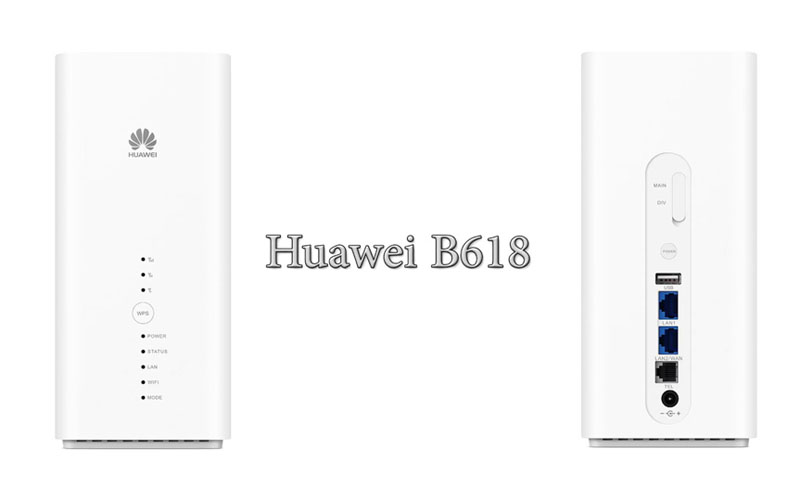
Huawei Offers 4G LTE Cat.11 WiFi Router B618

In the forest of WiFi routers proposed by the manufacturer, some routers are sometimes only available in some countries. The new CPE Huawei B618 joins the family of 4G category 11 routers recently. As a reminder, category 11 (3GPP rel. 12) allows peak downstream rate of 600 Mbps and 50 Mbps in upload. The category 11 specifies the aggregate of 3 carriers (256 QAM) in download for a single frequency in upload. 2 x 2 and 4 x 4 MIMO support is possible.


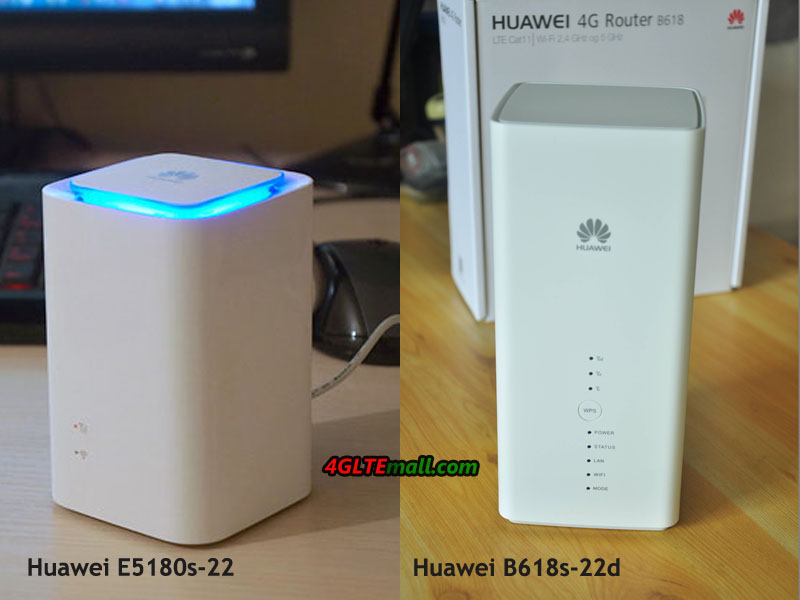
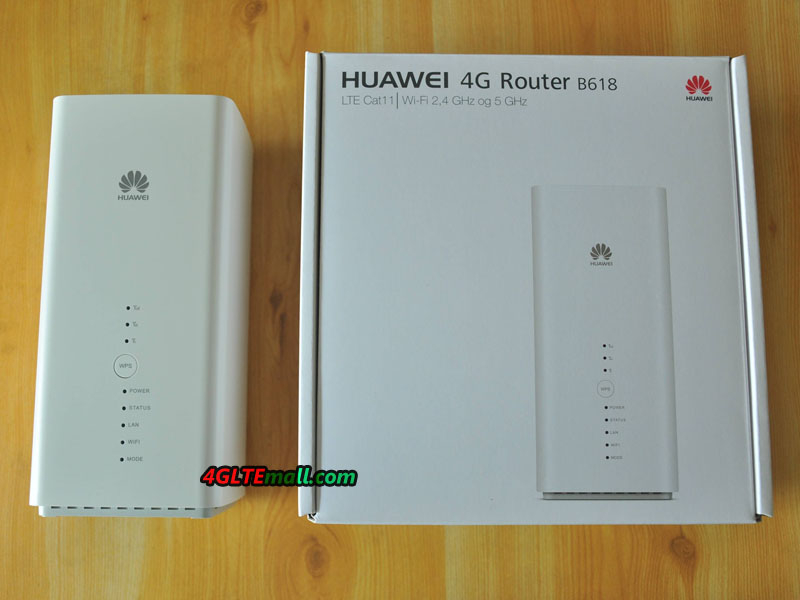
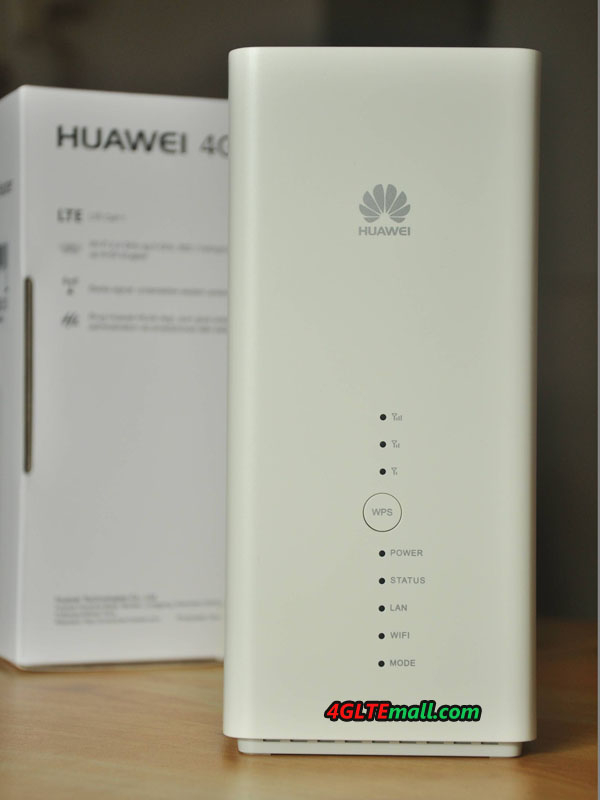
Huawei B618 B618s-22d 4G Router

Here now in the market, there are two models for Huawei B618, they are Huawei B618s-22d and B618s-65d. They support different network frequency bands as below:


Huawei B618s-22d Supports:

– 4G LTE Band 1/3/7/8/20/38 (FDD 800/900/1800/2100/2600MHz & TDD 2600MHz)
– DC-HSPA+/HSPA+/HSPA/UMTS:Band 1/8 2100MHz/900MHz
– EDGE/GPRS/GSM:Band 2/3/5/8 1900MHz/1800MHz/850MHz/900MHz


Huawei B618s-65d Supports:

– 4G LTE Band 1/3/5/7/8/28/40 (FDD 700/850/900/1800/2100/2600MHz & TDD 2300MHz)
– DC-HSPA+/HSPA+/HSPA/UMTS:Band 1/5/8 2100MHz/900MHz/850MHz
– EDGE/GPRS/GSM:Band 2/3/5/8 1900MHz/1800MHz/850MHz/900MHz

Huawei B618 B618s-22d 4G Router

We suppose there will be other sub-models available Like Huawei E5186 4G LTE Cat6 router in near future to meet various demand from the network providers over the world. Currently, the Huawei B618 is only marketed in Poland as of February. Nevertheless, the displayed bands (and firmwares) should ensure good compatibility on F networks.


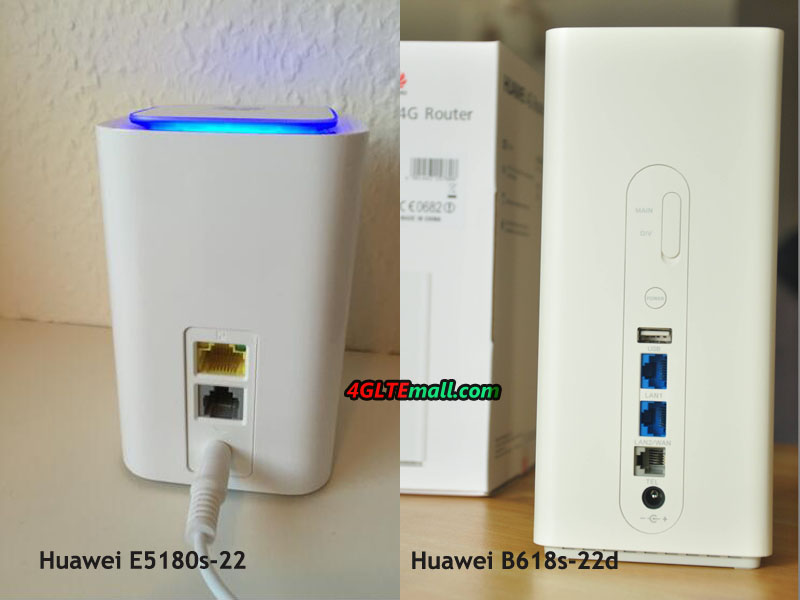
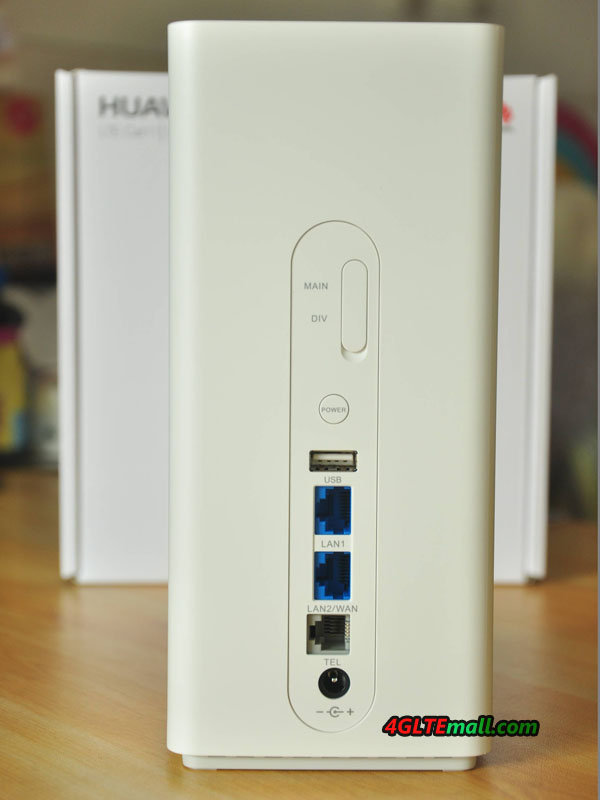
On the back side, you will see the power button, a WPS activation button. A USB 2.0 port is available for media sharing. An Ethernet LAN port allows wired distribution and a second port allows either an Ethernet output or a WAN input. This WAN input option assumes the presence of a Failover mode in the event of loss of either the WAN link or the 4G link. An RJ11 port is also used to connect a phone or fax. The AC power connector is located at the lower end, knowing that the Huawei B618 does not have an internal battery for standalone operation.

Huawei B618 B618s-22d 4G Router

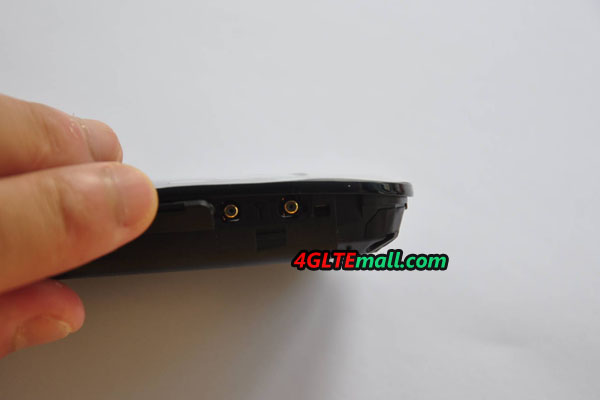
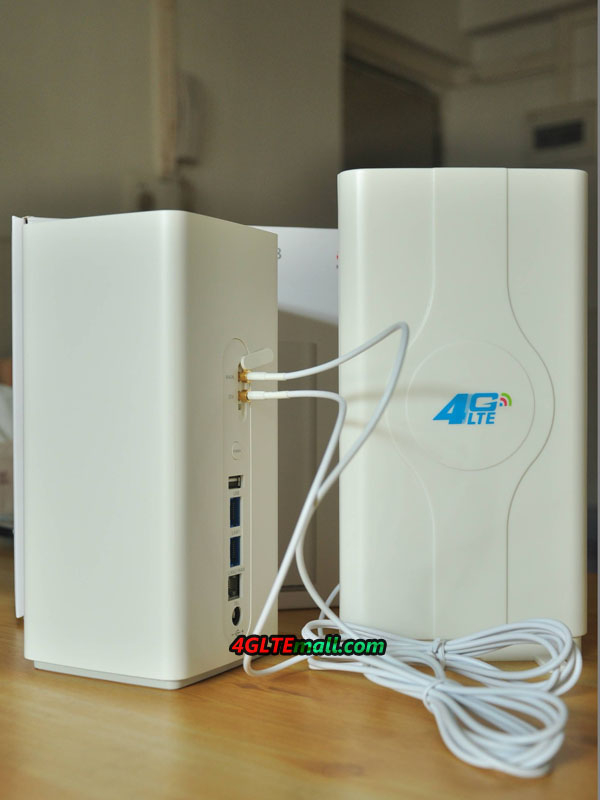
Finally, a hatch (not visible here) contains 2 external antenna connectors for 3G & 4G antennas. The connector type is TS-9 and we recommend below the external antennas to get better signal:

Huawei B618 4G Router LTE Indoor External Antenna:

http://www.4gltemall.com/4g-antenna-two-ts-9-connector.html

4G LTE Indoor Antenna (2 x TS-9 Connectors) for Huawei/ZTE 4G LTE Modems/dongles/mobile hotspots

Huawei B618 4G Router LTE Outdoor External Antenna:

http://www.4gltemall.com/4g-lte-outdoor-antenna-2-x-ts-9-connectors.html

4G LTE Outdoor Antenna (2 x TS-9 Connectors) for Huawei/ZTE 4G LTE Dongles/aircards/modems/mobile hotspots


On the WiFi side, the WLAN module supports the 802.11ac standard with 2.4 GHz and 5 GHz frequencies for a maximum rate of 867 Mbps. The router supports 64 simultaneous WiFi connections (32 per band) via 2 non-removable internal antennas.

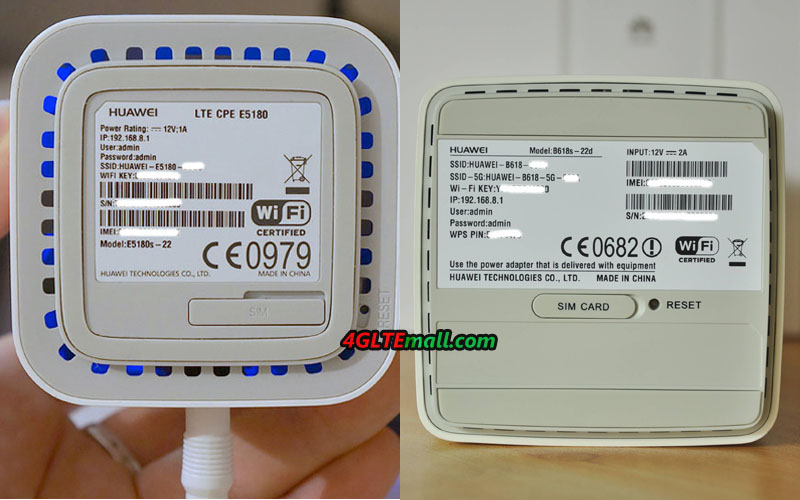
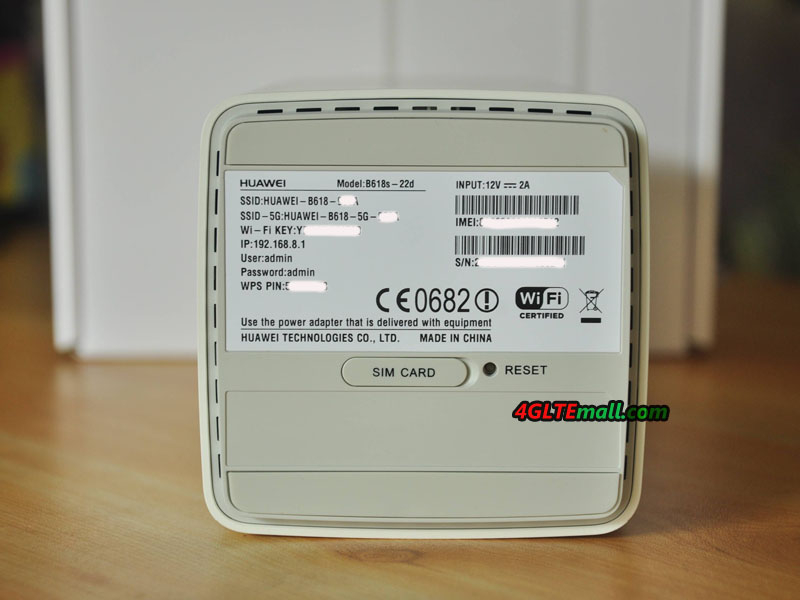
Huawei B618 B618s-22d bottom label

Huawei B618 is compatible with the Hilink® smartphone administration application. For now, the Huawei B618 router is distributed in Poland via the PLAY operator in various monthly data offers. And we could also provide the unlocked Huawei B618 Router on www.4gltemall.com Case to follow.


LG G6 and Samsung Galaxy S8 Comparison

In the past two weeks, we was able to test and compare the new smartphone LG G6 and Samsung Galaxy S8. The two flagship smartphones from South Korea offer the latest technology in a futuristic-looking, but they are clearly different from each other, as they follow quite different concepts. On the one hand, the Samsung Galaxy S8, which with the rounded AMOLED display is an absolute eye-catcher, on the other hand the LG G6, which scores with a dual camera. Which one of the two smartphones is better, you can read in this brief comparison.

Both are top smartphones technically

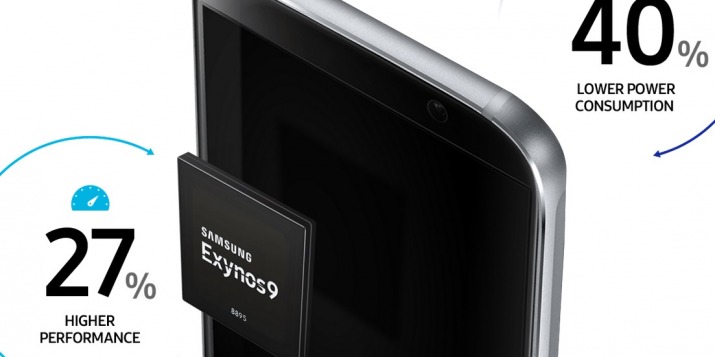
We do not want to go into the technical data of the two devices in details; you can find the description with all details on the website of LG or on the website of Samsung. In short, both devices are very fast and react as fast as you would expect from an expensive high-end smartphone. The Samsung Galaxy S8 has indeed the more modern processor/chipset integrated, however in the use actually no difference. Also with the software, both devices are in my opinion the same, we can’t find anything different about function from the two phones.


Samsung Galaxy S8 Highlights and Fault

In the following, we would like to take a closer look at the key features. On the Samsung Galaxy S8, this was the following:

  • Very nice, futuristic design (purely optical)
  • Excellent camera, top picture quality with photo and video, super fast focus!
  • Latest modem generation (LTE Cat16, Gigabit capable) and incredibly good frequency band support
  • Very good Net monitor with manual band-selection-function (can be called up by key code)


The Samsung Galaxy S8 has also some negative characteristics in our opinion, as the two-week usage phase has shown:

  • Camera: Resolution in the 16: 9 format with only 9.1 megapixels quite small
  • Device does not lie so well in the hand, the effect is slippery
  • Fingerprints can be seen very quickly
  • The battery could be better
  • The shining metal frame is annoying, it would be nicer
  • The curved AMOLED display of the S8 does not compare directly as the flat LCD of the LG G6


Especially the design has finally disappointed me somewhat: visually, the Galaxy S8 is the most beautiful smartphone currently in our opinion, but in the hand, the device does not look so handy. Probably it is because the glass on the front and back is so strongly rounded and only a very thin metal strip remains. The LG G6 looks not so good for a long time, but acts simply more solidly. By the way, the Galaxy S8 is comparatively narrow (under 7 cm) due to the 18: 9 display, but a one-hand operation is almost impossible without the need for extensive handling due to the extremely long display.

LG G6: Highlights and Fault


The LG G6 can convince with some advantages, which the Samsung Galaxy S8 does not offer. We especially liked the following features:

  • Very good display, excellent picture quality
  • Is “solid” in the hand
  • Wide angle camera is a real added value


However, the LG G6 is not perfect; we have also some negative points on this device like the Samsung Galaxy S8:

  • Glass back susceptible to fingerprints
  • Camera picture quality might be slightly better
  • Device is a bit clumsy
  • No Net monitor available

The last point with the Net monitor is, of course, very individual and should be completely irrelevant to the vast majority of users, but I wanted to mention it, because the Samsung Galaxy S8 provides an excellent Net monitor. The LG G6 is also missing also wireless charging and the special audio amplifier in the EU version, but in the international version both is available. We do not mind at all, but some users may complain about this LG decision.


Conclusion: Which phone is better?

Before the comparison test, it was actually quite certain that most users would love the Samsung Galaxy S8 rather than LG G6. Why? The design of the S8 as we said extraordinarily well, optically it is simply a highlight. From a technical point of view, the S8 also offers almost everything you could possibly want. But after two weeks of use I have to say: the S8 has me somewhat disappointed. The battery was much weaker than expected (in particular, the Always-On display draws energy) and the S8 simply is not so good in the hand. Also in the display I was somewhat disappointed in the direct comparison to the LG G6, the curves falsify the colors sometimes quite strongly.
The LG G6 I like a little better overall, as the battery lasts longer. The G6 is well in the hand and the display is faultless. Also the wide-angle lens of the dual camera I have often used, it is not only a gimmick, but a practical function. The image quality of the wide angle camera is not very good, but the function is still fun. The LG G6 has a further advantage over the S8: it is much cheaper than the S8.

From this comparison, there may be no problem to decide between the two smartphones. If you want to check more new 4G LTE Smartphones, welcome click here: https://www.4gltemall.com/4g-lte-smartphone.html

3neo 4G WiFi Router(ZTE MF287) Features Review

If we talk about 4G router, you may think of a 3G wireless router with external antennas or other features. Today, we will offer a presentation of a LTE router which doesn’t look like a common router but very special and beautiful! The Austrian telecommunications operator “3” makes the router available to its subscriber’s package named it as “3neo“. Actually, it’s from the Chinese manufacturer ZTE and the model number is MF287.

This 3neo MF287 router is a LTE category 6 device that allows download speeds of 300 Mbps and uploads of 50 Mbps. At this time, this router is exclusively marketed by operator 3 and, in fact, the wireless router is simlocked on its networks. However, it can be expected that it will soon be marketed directly by ZTE.

Aesthetically speaking, the router has a wide band of light on the left side that displays the status of the device and on top side, a LED that tells you the type of active connection.

Concerning the connection, you will see the connection possibility on the back. You will find:

* WPS activation button

* 4 gigabit LAN Ethernet ports

* 1 RJ11 port for the phone

* 1 USB port (only for manufacturer’s diagnostic operations in this version)

* The supplied 12V 1.5A power port.

* The Power button


You will also find the 2 covers of the external antenna connectors in TS-9 format. We recommend below the external antenna for the 3Neo/ZTE MF287 Router: http://www.4gltemall.com/4g-antenna-two-ts-9-connector.html

4G LTE Indoor Antenna (2 x TS-9 Connectors) for Huawei/ZTE 4G LTE Modems/dongles/mobile hotspots

Regarding the power supply, as you can see, this is a 12 volt source for 1.5 amps, which makes the ZTE MF287 3Neo router can work in a vehicle. What’s more, unlike other LTE category 6 router such as Huawei E5175, this router features an internal removable battery. This 3,080 mAh Li-ion battery allows the router to run independently for up to 5 hours of operation. So user can take the 3NEO Router on the go for outdoor activities.

The dimensions of 3Neo ZTE MF287 are 220 x 110 x 106 mm with a weight of 730g. It is a portable network solution for weekend or camping and is subject to recharge via a cigarette lighter socket. Finally, you will find the location of the SIM card in micro format under the battery.

On the WiFi side, the 3neo has the WLAN feature of 802.11a/b/g/n/ac with the dual band in 2.4 & 5 GHz. The 3Neo router accepts the connection of up to 64 users. The similar LTE Category 6 router Huawei E5186 could also supports same quantity of users. The ZTE MF287 can also support 3G and 2G networks if 4G/LTE network is not available. The 3neo router interface offering the features of DMZ, Port forwarding, Firewall, DHCP services with filtering, network selection and setting of the APN. However, the function of bridge mode is not supported.
At this time, we do not have accurate information about the support LTE bands and the aggregated frequency. However, Austria uses the same 4G bands as France, at least band 3 (1800), 7 (2600) and 20 (800), and operator “3” uses B3 & B7. And we suppose the cat6 aggregate is done in band 3 + 7. But this need re-confirm.
 

Finally, user can control the ZTE MF287 router with the 3 home application on your smartphone, after flashing the QR code located on the router. We would take further test after getting the ZTE MF287 in hand. If you can’t wait to get a new LTE cat.6 router, you may try Huawei E5186 or latest Huawei B618 LTE Router.

ZTE MF980 4G LTE Category 9 Mobile Hotspot

With the development of the LTE technology and deployment of LTE-advanced networks, the manufacturer offer new 4G mobile gadgets to meet the market required. The ZTE MF980 Hotspot is a 4G mobile hotspot that offers LTE Category 9 carrier aggregation technology. The specifications for ZTE MF980 makes it’s dominates in the mobile hotspos in the market.

ZTE MF980 front logo

Technical Specifications

This 3-band technology allows reach a download speed of 450 Mbps and 50 Mbps in upload. The bands supported in FDD are: B1 / B3 / B5 (26) / B7 / B8 / B20 / B28 / B32

For Europe area, the bands that concern in 4G are therefore B3, B7, B20 but also the B28 which supports the 700 MHz of Free Mobile.

For the rest the supported bands are:
* TDD-LTE: B40 (or B38 or B41)
* UMTS: B1 / B5 / B8 / B2
* GSM: 850/900/1800 / 1900MHz

A fairly wide coverage therefore, makes the ZTE MF980 mobile hotspot a good partner for traveling. We do not have exactly the carrier aggregation of supported 3 bands, but we remain optimistic for a support in France (B20 + B7 + B3 or B28 + B7 + B20).

ZTE MF980 back

Wireless Features

The ZTE MF980 also offers Wi-Fi 802.11 ac running dual-band 2.4 GHz and 5 GHz simultaneously. And up to 32 users can connect to the MF980 hotspot for internet access. It is of course also compatible with the 802.11b/g/n and it also offers a 2 × 2 MIMO technology.


The 1.44-inch color TFT screen allows you to view the usual information such as the operator, connection type and level, battery level, number of users connected and data consumption.

ZTE MF980 power button

The ZTE MF980 is small enough to fit easily in the pocket or in a bag. What’s more, it has 2 connectors for external antennas, which makes it possible to connect external antenna to improve the signal strength so as to get faster surfing speed. The connector type is TS-9, we recommend below the external antenna for ZTE MF980 mobile hotspot: http://www.4gltemall.com/4g-antenna-two-ts-9-connector.html

4G LTE Indoor Antenna (2 x TS-9 Connectors) for Huawei/ZTE 4G LTE Modems/dongles/mobile hotspots


It has a micro-USB port and a slot for micro-SIM. Equipped with a 2200 mAh battery, it can keep working for up to 10 hours according to the manufacturer. It is compatible with the Android application (or IOS) ZTELink APP.


Summary

With the support of LTE Cat.9 and 3 band carrier aggregation, ZTE MF980 supports fast download speed to 450Mbps while currently the LTE Cat.6 up to 300Mbps is the mainstream. Up to 32 wireless users could access internet with the ZTE MF980 and large battery of 2200mAh, which makes MF980 a powerful partner for outdoor activities. The possibility of connecting external antenna and control via ZTELINK app is also very useful for operation.

ZTE MF980 USB port

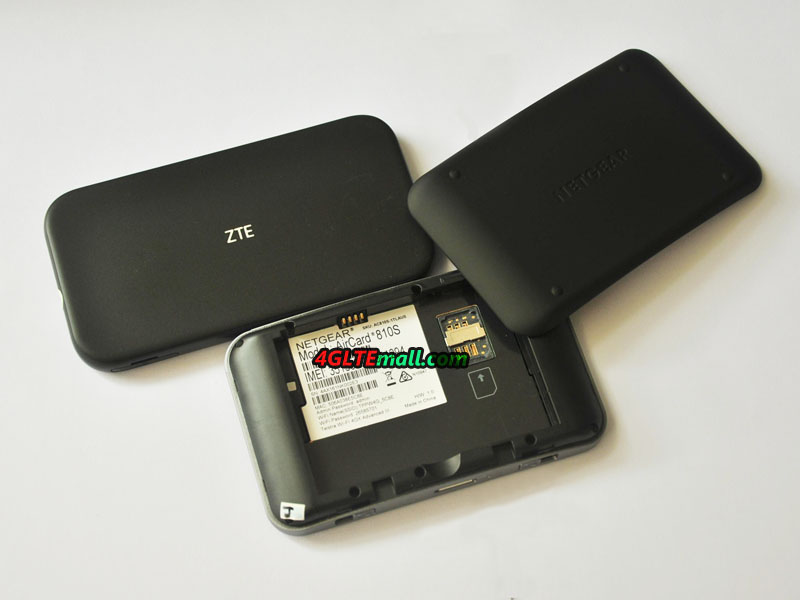
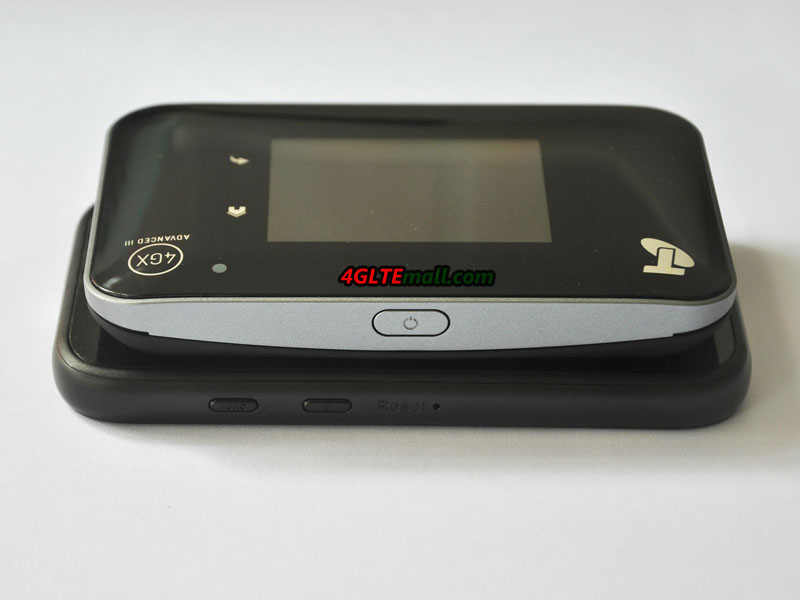
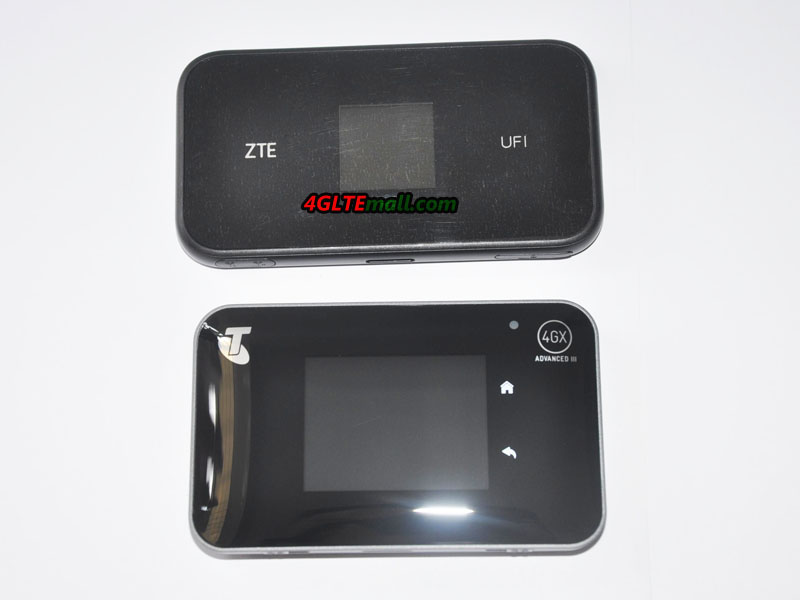
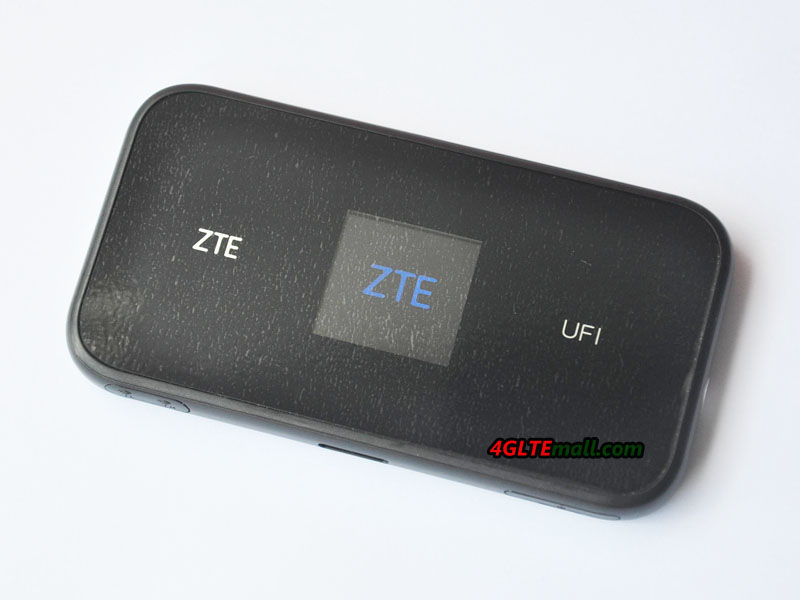
Actually, there are many LTE cat.9 and cat.11 mobile hotspots in the market now, such as the Netgear Aircard 810s hotspot etc. They already get great fame from the end-users. We suppose the ZTE MF980 would also be a good star for LTE-A networks.

Netgear Nighthawk M1 LTE Cat.16 Mobile Router

Netgear has confirmed the distribution of Nighthawk M1 in Europe from mid 2017. It is obvious that many European operators will not be ready to deliver Gigabit on their networks, but as stated above, things are progressing.

Nevertheless, the Netgear M1 has many advantages and can, in the meantime, work on aggregated networks of carriers that deliver high speeds, pending the 1 Gbps.


Netgear Nighthawk M1 MR1100 4GX Gigabit LTE Mobile Router

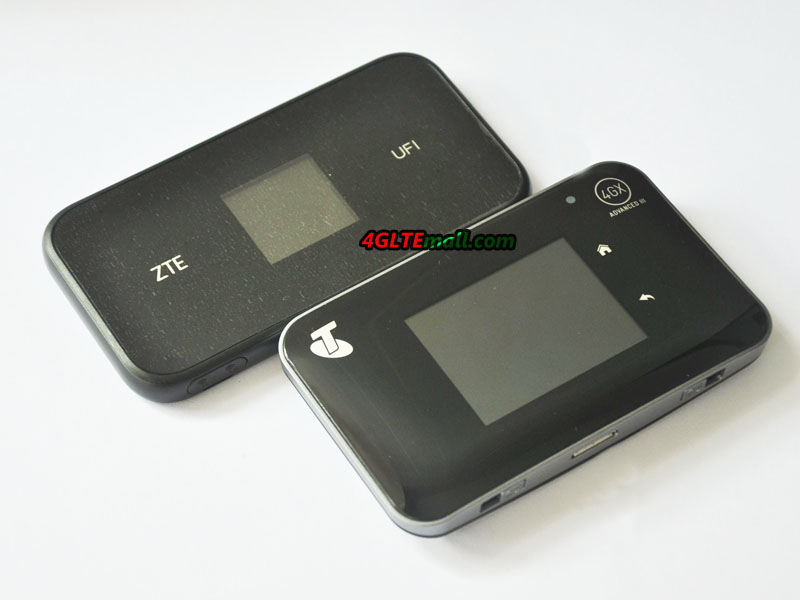
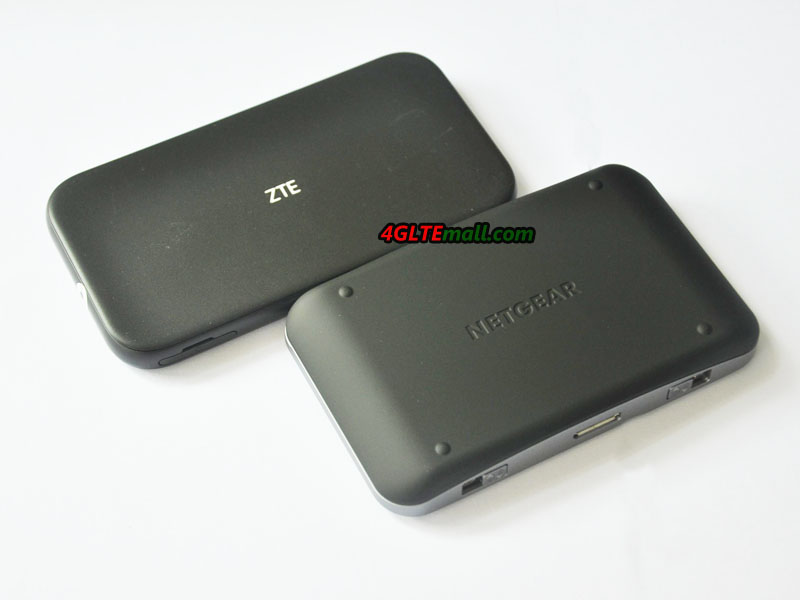
The Netgear M1 implements several technologies, starting with the aggregation of 4 carriers, a 4X4 MIMO technology, and a QAM-256 modulation. Here now, this Nighthawk M1 router will only be used on the 4G LTE network of the Australian operator TELSTRA, which has an operational network for this technology. Moreover, the development and testing of the product were carried out by TELSTRA in association with ERICSSON and NETGEAR. Of course, this equipment will be distributed in other regions as soon as the operator networks are able to implement this type of transmission.

Netgear Nighthawk M1 MR1100 4GX Gigabit LTE Mobile Router

Technical features and specifications


The Netgear Nighthawk M1 is rather well equipped, notwithstanding these networks performance (not to mention that the Gigabit LTE remains a theoretical throughput), the device presents:

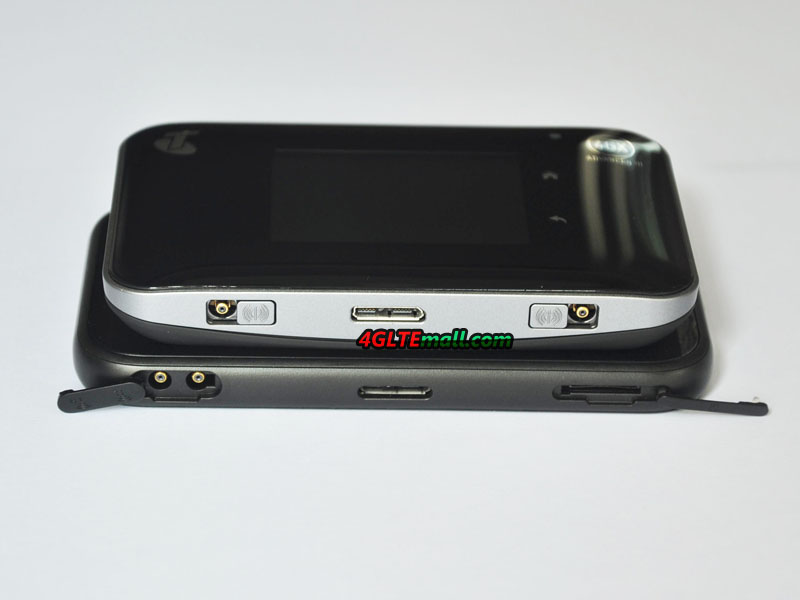
* 2 external antenna connectors (type TS-9, Buy Netgear Nighthawk M1 external antenna)

* A USB Type A port

* A USB Type C port

* An Ethernet port


Netgear Nighthawk M1 MR1100 4GX Gigabit LTE Mobile Router

If a fixed broadband brings an Internet connection in the houses, which can’t provide network support outdoor, The Netgear M1 Nighthawk will not make you disappointed because it’s equipped with a battery of 5000 mAh offering continuous working time up to 24 hours. You can take the Netgear M1 for outdoor activities or business travel. The battery can work like a mobile power bank as an emergency backup to a mobile device such as a smartphone if necessary. It should be noted that this battery is removable, which makes it possible to replace it and therefore to dispose of a charged one beforehand for the displacements.


It offers a WiFi 802.11ac standard on dual-Band 2.4GHz/5GHz. The Nighthawk M1 can support up to 20 simultaneously connected clients. It also has a Micro SD card slot, for storing and sharing media. Finally, its Ethernet port offers the possibility to connect it to equipment such as switches for example, to redistribute the link to peripherals with wired link. This features are very similar to the latest Huawei Mobile WiFi Pro 2 E5885.


Netgear Nighthawk M1 MR1100 4GX Gigabit LTE Mobile Router

As you can see, connectivity is important for this router, which can accommodate many devices such as NAS, printers, USB devices. A 2.4 “LCD display is present on the top and gives all the connectivity and bit rate information.


On the network side, therefore, the Netgear M1 proposes a LTE-A link of category 16 using an aggregation of 4 carriers (4X4 MIMO) for a theoretical maximum rate of 1Gbps in download and 150 Mbps in upload.

Below are the supported frequency bands (at least for this Australian Telstra version):

* 4G/LTE: 700/900/1800/2100/2600 MHz
* 3G UMTS/WCDMA:  850/900/1900/2100 MHz

Netgear Nighthawk M1 MR1100 4GX Gigabit LTE Mobile Router

The covered frequency bands make it use in almost all the areas over the world. But user have to unlock the Netgear M1 and then travel to other countries or areas. The dimensions of the M1 Nighthawk are 105,5 × 105,5 x 20,35 mm with a weight of 240 grams.


Summary

This high performance 4G router is very well equipped, and offers the latest technology and has a really rich connectivity. With the functions of a fixed use for an underserved area in high flow rates, or for mobile use in any desired situation, the Netgear Nighthawk M1 seems to be the perfect 4G routers and we look forward to testing it fully.


Huawei Mobile WIFI PRO 2 E5885

Huawei presents its new version of the Mobile WiFi PRO to replace the predecessor Huawei E5770 and simply calls it Mobile WiFi PRO 2. The specific model number is E5885. This new hotspot 4G mainly brings the 4G Category 6 with a theoretical rate of 300 Mbps in download and 50 Mbps in upload.

In the new Mobile WiFi Pro 2, a rise of WiFi with features bringing WiFi 802.11ac and 5 GHz. It also gains a rise in battery capacity from 5200 to 6400 mAh and is offered the ability to be able to recharge other devices via its full-size USB port (in addition to its microUSB charging port).

Of course, the RJ 45 Ethernet port and the 0.96 inch OLED screen are retained. The Huawei Mobile WiFi PRO 2 also recovers the band 2600 MHz in FDD that did not have in its predecessor E5770. The wrist strap could work as a USB charging cable, which is a special and good design. Two colors will be available, Black & Gold and Pink & Gold.


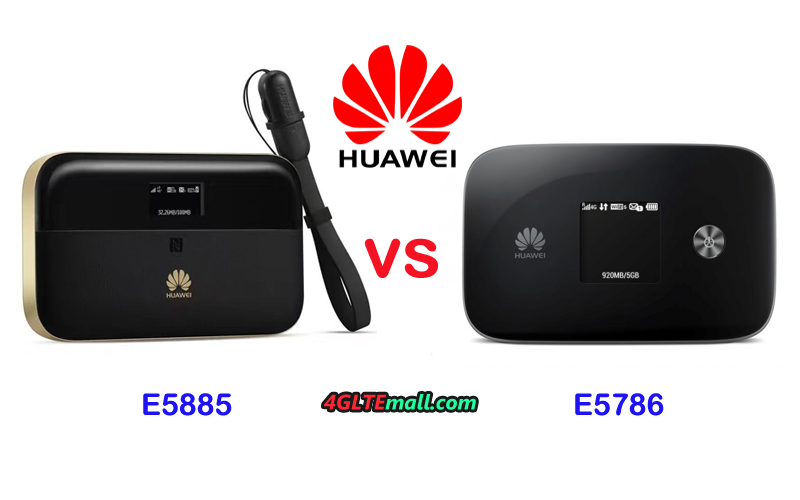
As a wireless hotspot, Mobile WiFi pro 2 E5885 could support up to 32 simultaneous WiFi users, which is the much powerful than the latest Huawei E5786 and E5787 LTE CAT.6 mobile hotspot. The Mobile WiFi PRO 2 also allows you to connect peripherals to WiFi by scanning the code QR, and with the HiLink application from Huawei without having to search for the network and enter the password.

The Mobile WiFi Pro 2 E5885 is compatible with the following LTE bands: 1/3/5/7/8/20 (800/850/900/1800/2100/2600MHz) in FDD, and in addition the 2600MHz in TDD (38).

Here now, the Huawei Mobile WIFI PRO 2 was launched in Saudi Arabia and China, we suppose it will be available in Europe later soon.


Huawei E5885 Mobile WiFi Pro 2 Technical characteristics:

* WIFI b/g/n/ac (802.11ac) compatible

* Number of users connected simultaneously: up to 32 Devices

* WMM (WiFi multimedia)/media server feature: Yes

* Beamforming / MultiBeam feature: Yes

* UPNP (universal plug and play): Yes

* Frequency range: Dual Band (2.4 GHz / 5 GHz)

* Speed ​​for download: up to 300 Mbps

* Special features Cat6 – 300 Mbps, HiSilicon LTE Cat6 Chipset

* Guest network access: Yes

* Number of ethernet port (RJ-45): Single Port (LAN) / RJ-45

* Cards supported: Micro SD / Micro SDHC / Micro SDXC

* Color: Black

* SIM type: Micro SIM

* LED indicator: Signal Strength / Network / Charging / Provider / WiFi / SMS

* Number of antenna: no

* Security features Encryption (WEP / WPA-PSK / WPA2-PSK)

* WPS (WiFi protected set-up) Yes

* Battery type: Lithium Ion (Li-Ion)

* Battery capacity: 6400 mAh

* Dimensions: 23 mm X 69.20 mm X 112 mm

* Weight 188 g

Huawei Honor 9 New Flagship Smartphone

A few weeks earlier, Honor has presented its new flagship smartphone – the Honor 9 . The device comes with dual camera, HiSilicon Kirin 960 chipset and high-quality glass body and will be available without contract in many countries or areas. It is offered in the colors blue, grey and gold, a black version is to come later.


Honor 9 Specifications
The Honor 9 has an internal user memory of 64 gigabytes, an expansion via MicroSD memory card is possible. The working memory is 4 GB, as operating system Android 7 is used. The chipset uses the HiSilicon Kirin 960, which is also used in latest new flagship smartphone such as the Huawei P10 and the Huawei Mate 9. The processor integrated in the chipset has 2 x 4 cores, which work with 2.4 GHz and 1.8 GHz respectively. The Honor 9 would certainly work in a very good performance.


Like the previous models, the Honor 9 Dual SIM is capable, so you can use two nano-SIM cards at the same time. In addition to GSM and UMTS, LTE is also supported, and Honor 9 has not yet published any information on the maximum possible speed. Besides the frequency range around 2.4 GHz, Huawei Honor 9 also supports the 5 GHz range.


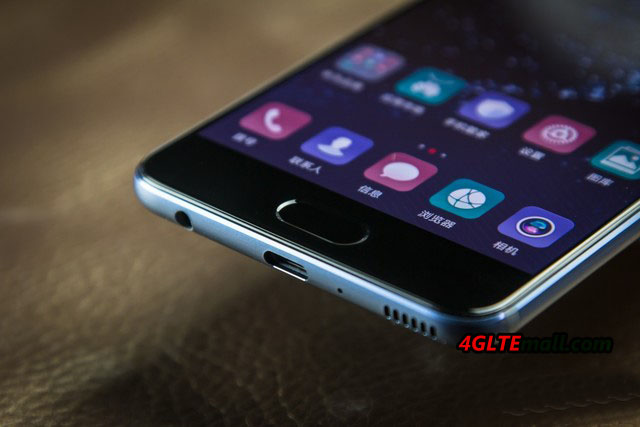
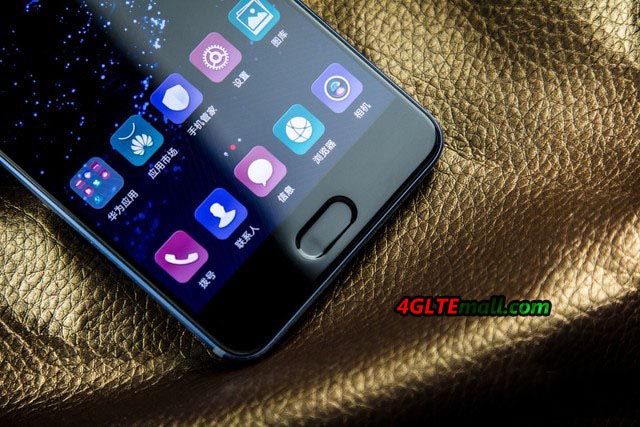
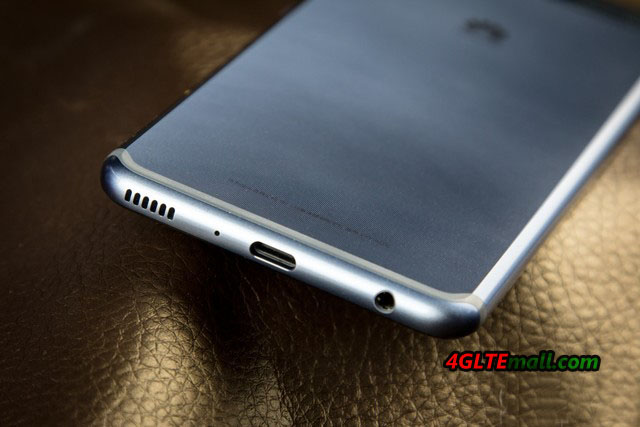
The LCD display of the Honor 9 is 5.15 inches large and resolves with 1920 x 1080 pixels, so the device is comparatively compact for today’s conditions. The glass, which protects the display, is rounded to the sides (2.5D glass), so the Honor 9 is more comfortable in the hand. Compared to the predecessor, the fingerprint sensor has now been placed on the front side, more precisely under the display. Many users should see this as an advantage, because you can use the sensor even when the device is on the table. The battery is 3,200 mAh strong, and is charged via USB type C.


Dual camera on the back
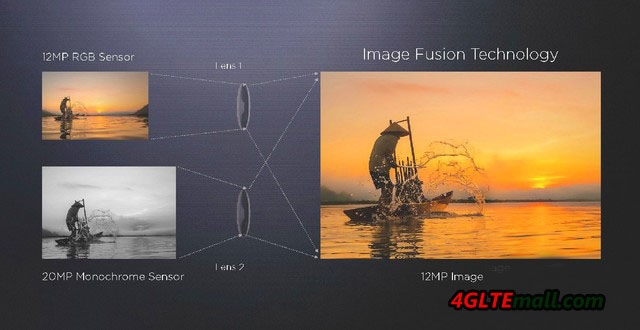
The Honor 9 has two camera sensors on the back, the one sensor with 20 megapixels and can only take only monochrome images; the second sensor captures images with 12 megapixels and shoots in color. The aperture is at f2.2, so the Honor 9 is not quite as bright as a Samsung Galaxy S8 (f1.7). Videos takes on request in 4K resolution, synonymous, this is an improvement to the previous model Honor 8, which could shoot a maximum of 1080p Full HD.
The huawei Honor 9 is now available at www.4gltemall.com, you can also check Huawei other new smarpthones on this website.

Huawei B528s-23a(Vodafone GigaCube) Features and Test

The Huawei-built Vodafone Giga Cube (model number Huawei B528s-23a) is a mobile LTE router that brings Internet-enabled devices in the vicinity to the Internet. As known from the domestic WLAN router, users can use their smartphone, tablet or computer to enter a password into the Giga Cube network and thus connect to the device. The Giga Cube, in turn, connects to the Vodafone LTE mobile network. This is the case with speeds of up to 150 MBit/s on the Internet.

Fast WLAN ac, LTE theoretically with 300 Mbit/s

The Vodafone GigaCube supports the LTE Cat.6 standard  and is therefore theoretically designed for download rates of up to 300 Mbit/s. In the Giga Cube tariff from Vodafone, however, the actual maximum data rate is limited to 150 Mbit/s in the download. In the future, Vodafone should screw the LTE speed up in the tariff and the maximum upload is 50 Mbps.

Thanks to the WLAN specification 802.11 b/g/n/ac, the Giga Cube uses the latest state-of-the-art WLAN technology to provide the best possible data transmission. The transmission in the frequency ranges runs at 2.4 GHz and 5 GHz. The range of the Giga cubes depends, of course, on the local conditions and, for example, on separating walls; In an open environment, LTE routers of this type reach up to 250 meters.

Up to 64 internet-capable devices such as smartphones, tablets or notebooks can be connected to the Giga Cube at the same time via WLAN. Alternatively, a Gigabit LAN port is also available on the back of the device. A TV, a computer or a game console can also be connected to the LTE router via LAN cable.

Surfing only with power supply

For use, the Vodafone Giga Cube is dependent on a permanent power connection. Anyone who wants to be online via the router needs a power supply nearby. At home, in a hotel or in a holiday apartment, this should not be a problem. At the campsite, a power connection is usually also possible. Even if the Giga Cube LTE router does not have a battery, the WLAN from the outlet is nevertheless very flexible.


Installation

Installation of the Vodafone Giga Cubes is actually very fast: simply insert valid SIM card into the SIM card slot on the back. Then the Giga Cube is still plugged into the socket. The Giga Cube then automatically dials into the Vodafone mobile network to establish the Internet connection. After that, of course, the used Internet-enabled device must be connected to the LTE router. This is usually done by entering the WLAN password – as is the same as used by the domestic WLAN router.

LTE network Keeping Upgrade

Vodafone has significantly expanded LTE in its mobile network in the last few years and is continuing this expansion on an ongoing basis. The LTE network cover is correspondingly high for Vodafone customers, but there are still areas where no LTE coverage exists. In addition, the maximum possible data rates vary from place to place. Speeds of up to 50 Mbit/s are already available in many places, but higher speeds of up to 150 Mbit/s are more rare. Where no LTE is available, the cube accesses the 3G network (UMTS) or GSM (2G) in an emergency.

All in all, the Internet speed usable with the Vodafone Giga Cube depends on the conditions on site. But even a data rate of 10 Mbit/s and more offers a neat surfing. It is also recommended to set the router for better reception close to the window. Actually, if you use unlocked Vodafone Gigacube or Huawei B528 Cube, you may get much faster speed to 300mbit/s on your own network provider rather than Vodafone.


Vodafone GigaCube Test

The Vodafone Gigacube is easy to use. First, the SIM card must be inserted, as soon as the GigaCube is powered, it can then go directly. The Vodafone “WLAN from the socket” is ready. The Internet speed in the Praxistest was quite high. Although we did not reach the maximum possible speed to 150 Mbit/s, the average available is more than 50 Mbps, which is always comfortable Internet surfing. The good LTE network availability in the state capital of Baden-Wuerttemberg does not distort the test result by any means, because Vodafone scores with a high network quality throughout Germany. Currently, more than 90% of the population can use Vodafone LTE.

The LTE network availability fits with the Vodafone GigaCube, in the daily use we had always a very good Internet line available. We also have nothing to complain about in the setup, WLAN-enabled devices can easily be integrated into the home network. This works either by entering a password or by using the WPS button. And Vodafone has also thought of the domestic PC, by means of network cable, the PC can also access internet easily.

If you want, the GigaCube can assign its own network name. After the first time the internet browser is started, the login area for the GigaCube user interface is automatically activated. Here you should also assign your own password directly. After this is done, the current data volume can be viewed here. This is possible on the smartphone or tablet alternatively also by app.

A great advantage of the GigaCube is the flexible use. This allowed us to put the LTE router into operation practically anywhere, only one power supply must be available on site. In the house or apartment it is recommended to place the GigaCube at the place with the best net quality.


Summary

Vodafone Gigacube is a good home router needing a power supply when working. It supports fast wireless surfing speed while the Ethernet cable connection is also possible for PC. The Gigacube is easy to setup and connect; management via APP or web interface is possible. If you are considering changing the DSL router, you may consider the Huawei B528 or Vodafone Gigacube for network upgrade with much faster speed.

Xiaomi Mi 6 Smartphone Available

The Mi 6 from Xiaomi, a new smartphone, which should compete with the upper class of other manufacturers. Today, let’s have a look at its specifications and whether it is worth buying?


Features and characteristics of Xiaomi Mi 6
Description & Manufacturers Xiaomi Mi 6
Important performance data:
CPU (cores, clock) 64-bit architecture Octa-core (eight cores) up to 2.45 GHz
CPU name Qualcomm Snapdragon 835
random access memory 6 GB of RAM
Internal memory space 64 GB/128 GB
operating system Android 7.1
Display size; resolution 5.15 inches, 1920×1080 pixels (full-HD), 428 ppi
Camera (Back and Front) 12 megapixels / 12 megapixels, dual camera, 8 megapixels
Data transfer:
LTE standards LTE 850/900/1800/2100/2600 MHz
Support of LTE-Advanced Yes
Support of the following LTE categories CAT 16
Dominates VoLTE No
wireless Internet access WiFi 802.11 a/b/g/n/ac
Bluetooth Version 5.0
Other standards GPRS, EDGE, UMTS, HSPA, HSPA +, GPS
Other Basic data:
particularities Dual camera, splash-proof
Memory card SIM format No | Nano-Sim
battery pack 3350 mAh
Mass; Dimensions (HxWxD) 310g, 145.2×70.5×7.5mm
Download manual »Currently unavailable
Availability and price
Release in Germany April 2017
Price / RRP ~ 559.00USD without contract
Offered at www.4gltemall.com


Chipset and technology

The Mi 6 gives the impression of a good-looking and high-quality smartphone. The large IPS display with a diagonal of 5.15 inches and a resolution of 1920×1080 pixels (full HD) as well as the fingerprint sensor can be found at the front. On the back is a dual camera next to the Mi logo, which has already available at the Honor 9. Positive: Apart from a good appearance in the colors ceramic black, black, blue or white, Xiaomi has designed the phone resistant to splashing water.

The built-in technology can be quite impressive. The processor is a Snapdragon 835 CPU from Qualcomm, which makes the smartphone neat. In this chipset, eight cores are hiding, each clocking up to 2.45 GHz and with a more compact design, it’s energy-saving. This includes 6 GB of memory and an Adreno 540 GPU, which is available for graphics-intensive tasks.


Powerful built-in camera

Also with the Mi 6, Xiaomi follows the trend in top models so-called dual cameras incorporate. These have two sensors and should be distinguished by a better photo quality. In addition to the main sensor, there is a sensor, which captures photos only in monochrome. This is to collect additional information about the subject, such as colors and details of the sharpness.

In the Mi 6, two sensors are with 12 megapixels. Since other smartphones offer partial cameras with 20 megapixels, a small excursion to photography is worthwhile here:  A high number of megapixels promises a sharper photo in daylight, but leads to higher picture noise in the night because many pixels are “squashed” onto a small sensor surface, Xiaomi seems to be well aware of this fact, since it does not only dispense with a large number of pixels, but also incorporates a larger sensor area than usual. For scenes in dark environments, the aperture can be opened on f/1.8. Optical image stabilization is also available. In front of Selfies, a camera with 8 megapixels is ready.

Videos are recorded at the rear with 4K, front with full-HD resolution. Since in particular 4K-Videos are very memory-intensive, users with the 64 GB version of the device in the medium-term are facing problems because the internal memory cannot be extended. Therefore, the reference to the variant with 128 GB storage space is advisable.


As usual, there are a number of standards in the Mi 6 which are intended to connect the device to the outside world. The features include GPS, NFC and Bluetooth according to the latest standard 5.0. The WLAN supports standards b/g/n and ac. The standard ac is particularly useful when the phone is to be used in areas with many WiFi networks, since the frequency range to 2.4 GHz, previously used With WLAN b/g/n. The latest standard also operates in the frequency range around 5 GHz and can therefore use untapped frequencies. The result is fewer disturbances and higher speeds.

Since Xiaomi has provided the Mi 6 so far only for the Chinese market, presumably in this area is also the biggest shortcoming of the new smartphone. Unlike in Europe, the network operators in the People’s Republic of China do not use the LTE band 20, thus LTE radio around the frequency range 800 MHz.  In the case of the remaining LTE technology, the Mi 6 is more than the current technology. The 4G modem on Qualcomm’s chipset supports LTE Cat 16. This allows up to 1 Gbps of data per second to be downloaded. Up to 150 Mbit/s is possible in the upload.


The battery has a capacity of 3350 mAh, which is charged via a USB-C connector. Another plus: With the software, Xiaomi has paid attention to the latest news and installed Android version 7.1.

Conclusion and availability

The technical specifications of the Xiaomi Mi 6 give a very positive impression. Current software, a large battery and the fastest CPU from Qualcomm are a good basis for a new device. Overall, we can conclude the Mi 6 a high standard smartphones with budget price. You will know it’s worth its price after using it. And you can get the Xiaomi Mi 6 from www.4gltemall.com .


Huawei E5885Ls-93a Mobile WiFi 2 Pro Test

In the internet era, we need surf internet anytime and anywhere, but when going outside, the unstable WiFi and expensive charge on 4G may be a big problem for those who want high quality data transmission. And then the Mobile WiFi Hotspots are becoming a good solution for this. Today, we would introduce a new Mobile Hotspot from Huawei, and let’s see what’s new it bring to us.

Cool Appearance

The new model is named Huawei E5885 Mobile WiFi 2 Pro, more specifically; the model number is Huawei E5885Ls-93a. We suppose there will be other model numbers for various network providers over the world. If the new brother model available, we would also introduce.


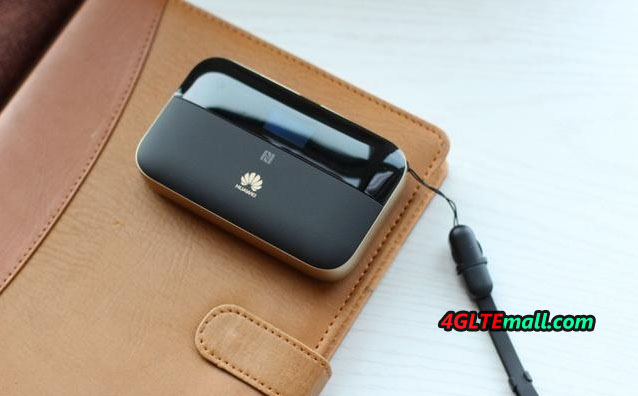
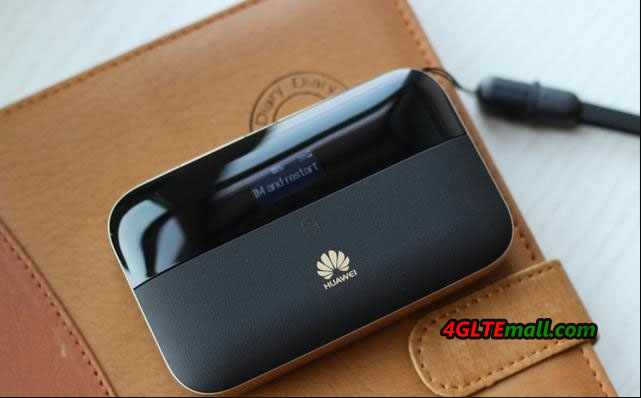
Following the design from first generation of Huawei Mobile WiFi Pro E5770, the Huawei E5885Ls-93a is in cuboids shape, but it’s thicker and more elegant than E5770. The size of E5885 is just as large as one hand and user can easily take it in hand or pocket. It also looks like a common mobile power bank, actually, it can work as a mobile power bank to charge other devices by USB cable.

HUAWEI E5885Ls-93a Mobile WiFi Pro 2 front logo

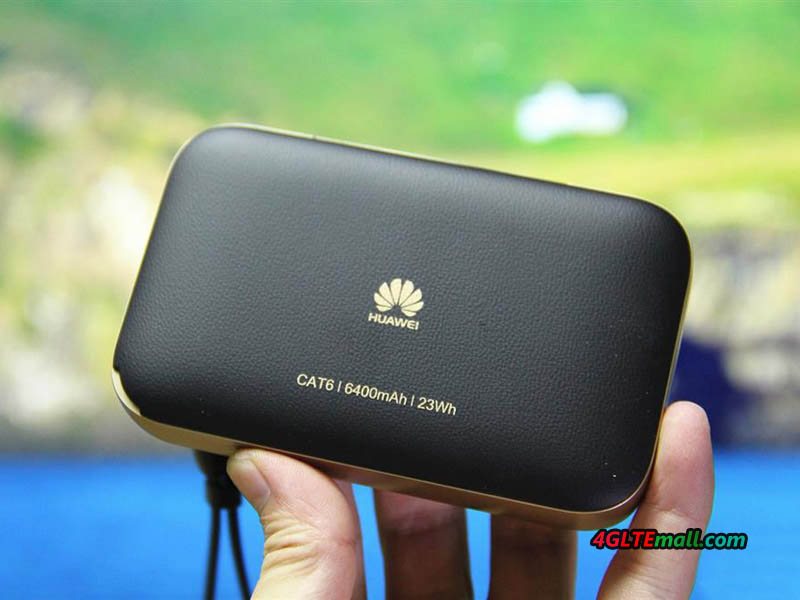
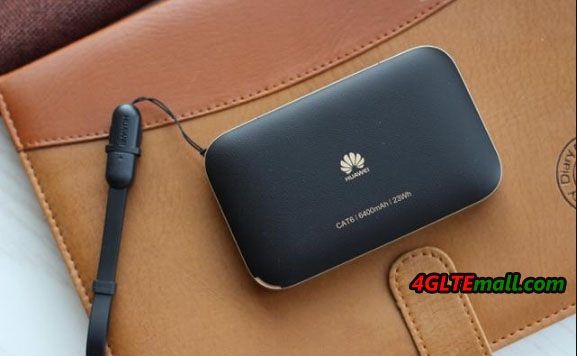
The top half of the front is made of black plastic material, where there is a 0.96 inch OLED screen in the middle. The screen function is similar to its predecessor huawei E5786, but not a touch screen like Huawei E5787 mobile WiFi Touch. When the Huawei Mobile WiFi Pro 2 working, the screen would show the network connection status, battery status, signals, SMS and WiFi connections etc.. The rest half of the front is made of leather, which makes the Huawei E5885 very soft so as to have a very good touch feel. And we can see, the Huawei logo is just printed on the leather at the below side of the LED screen. The back cover is also made of leather with Huawei logo and the words “CAT6/6300mAh/23Wh”, which means the E5885Ls-93a could support LTE Cat.6 and has large battery of 6400mAh to have 23 hours continuous working time.

HUAWEI E5885Ls-93a Mobile WiFi Pro 2 back logo

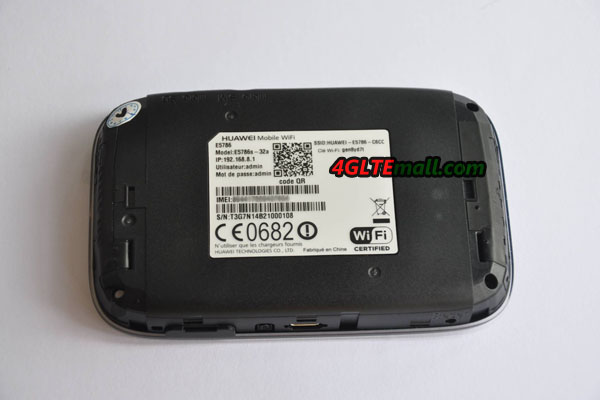
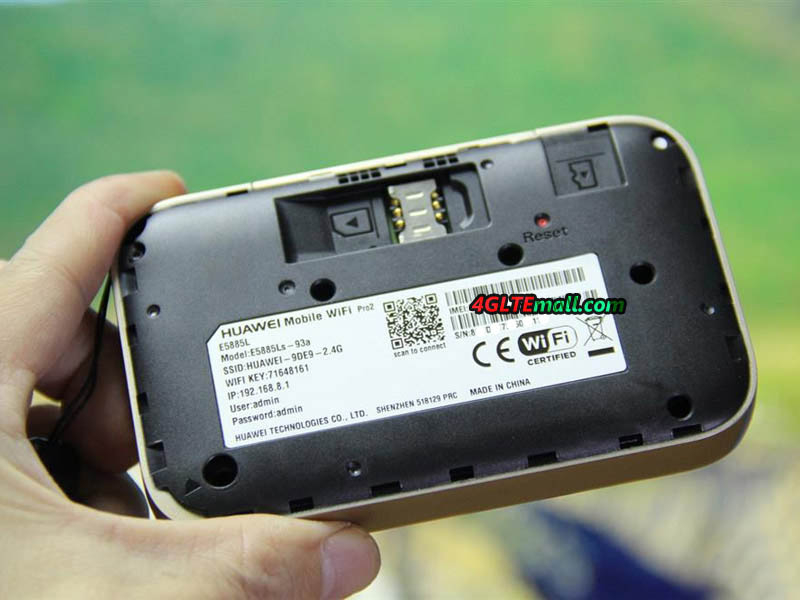
The back cover of the Huawei E5885 could be opened and we can see the SIM card & Micro SD card slot with one Reset hole. Huawei E5885Ls-93a uses Micro SIM card. The Huawei WiFi 2 Pro could support maximum SD card storage up to 32GB, and the data could be shared through the WiFi in the connected users. At the side of the SIM card slot, there is a small label which indicates the name of this device: Huawei Mobile WiFi Pro2 E5885L and model number E5885Ls-93a. And the SSID, WiFi key, IP address, IP log in user name and password. There is also one QR code, where user can scan to connect, and the IMEI number, S/N number, certified logos are listed below.

HUAWEI E5885Ls-93a Mobile WiFi Pro 2 ports

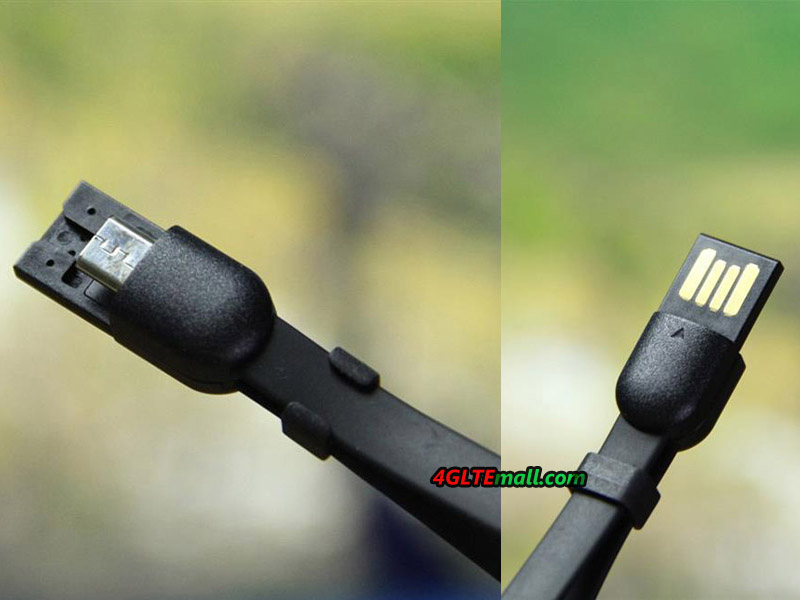
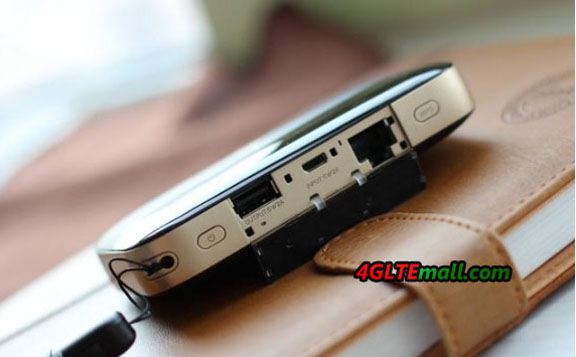
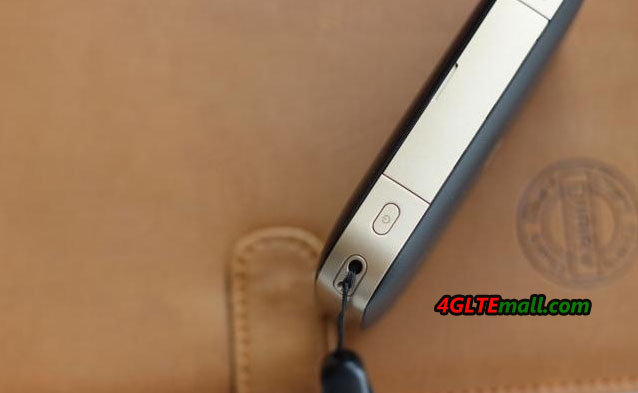
The round side of the Huawei E5885 is made in champagne gold color, which makes the WiFi Pro 2 looks very cool. On the top edge, the WPS and power button are located at each side. Open the cap between them, we can see the 5V/2A output USB port, Input 5V/2A port and one RJ 45 Ethernet port. With the Huawei E5885, there is a sling which can not only hang the device but also work as a USB cable. It’s very useful for user to hold the E5885 WiFi pro 2, and charge other device. We see the design is also available on the Huawei E5770 mobile WiFi Pro and it’s really a good design.

HUAWEI E5885Ls-93a Mobile WiFi Pro 2 power and WPS button

Internet Connection Through WiFi

The Huawei Mobile WiFi 2 Pro is easy to use, user just need one valid SIM card with data plan, plug into the SIM card slot and power on, then there will be WiFi available for internet connection. The SIM card needs to be Micro SIM. User can see the network mode, data used and left, battery status in Huawei HiLink APP through smartphones. And user can also setup the WiFi mode, single band or dual band (2.4GHz and 5GHz) are both available. Of course, we can also see the data used and network mode & provider’s name on the OLED screen.

HUAWEI E5885Ls-93a Mobile WiFi Pro 2 sim card slot and sd card slot

Internet Connection via Ethernet

If only Ethernet cable is available for internet, Huawei E5885 Mobile WiFi Pro 2 can also show its function. Just plug the Ethernet cable to the RJ45 port and configure the settings through Hilink APP or web interface, you can then access internet. We suggest downloading the Hilink APP, connecting with the Huawei E5885 WiFi and open the APP for settings. To be more secure, you can also change the log in user name and password. The whole process is very simple and user can also do further settings if necessary.

HUAWEI E5885Ls-93a Mobile WiFi Pro 2 sim card slot

Work as WiFi Repeater

The Huawei E5885L can also work as a WiFi repeater, which means the WiFi PRO 2 can get connected with the existing WiFi from other gateway or router, just like a phone connecting to WiFi. After connected, the Huawei E5885 can extend the WiFi coverage for more space. However, if the Huawei E5885 is already connected with Ethernet cable, the WiFi repeater function would be unusable.


Battery Saving and Guest WiFi

The Huawei E5885 is very smart in application. There is battery-saving function, when it’s activated, the WiFi Pro 2 would automatically close the WiFi if long-time data transmission so as to save battery. Sometimes, user may need setup a special WiFi for visiting guest, the Huawei E5885 can provide this function and if don’t need it, user can close this function easily from Hilink APP.

HUAWEI E5885Ls-93a Mobile WiFi Pro 2 in box

Storage Sharing without Data Consumption

The users connected with Huawei E5885 WiFi can share the files or videos in Micro SD card easily, what’s amazing is that the sharing would not cost any data, so it’s called ”Zero data consumption sharing”. It’s better to share the files, images or videos through the Huawei Hilink APP. The Huawei WiFi 2 PRO also supports sending short messages.


Fastest Wireless Surfing Speed

In our test, the Huawei WiFi 2 Pro would provide stable and fast internet connection. With the support 300mbps download speed on LTE category 6, Huawei E5885 can switch to the fastest network mode available so as to provide the best support for data transmission. It can definitely meet the common requirements whenever you are at home or going outside.

HUAWEI E5885Ls-93a Mobile WiFi Pro 2 USB Cable

Summary

As a latest LTE gadget combining the functions of 4G mobile hotspot, Ethernet gateway and mobile power bank, Huawei E5885 mobile WiFi Pro 2 is a powerful and practical partner for outdoor activities or business travel. With the cool design and good touch feel, we can’t praise more on the small pocket router. The easy setup and management is also very good for most users.