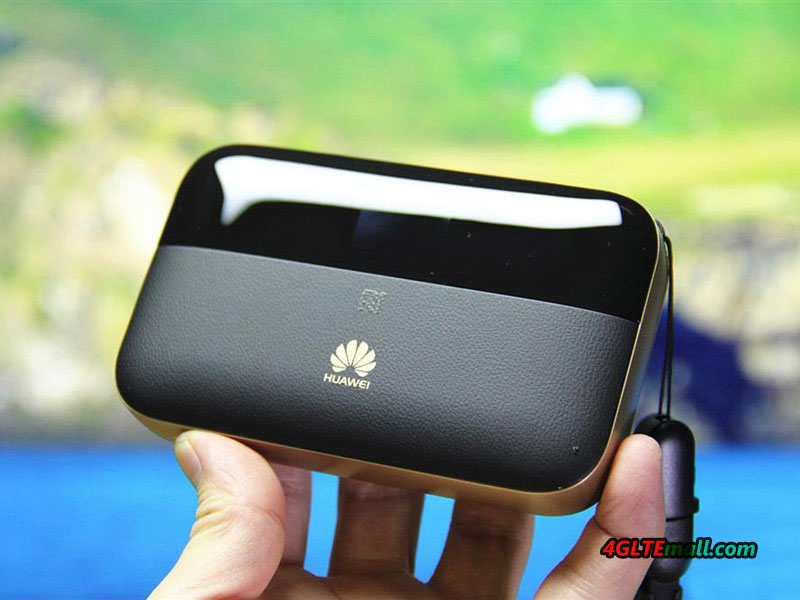
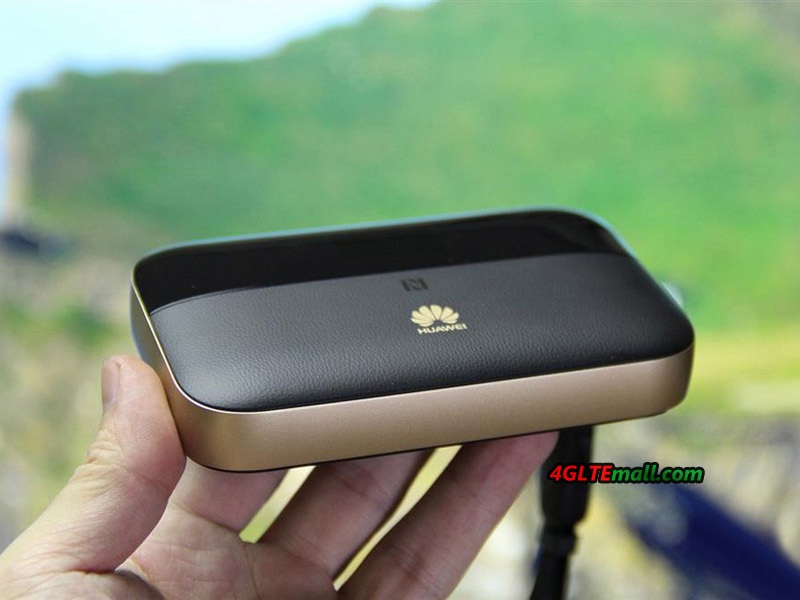
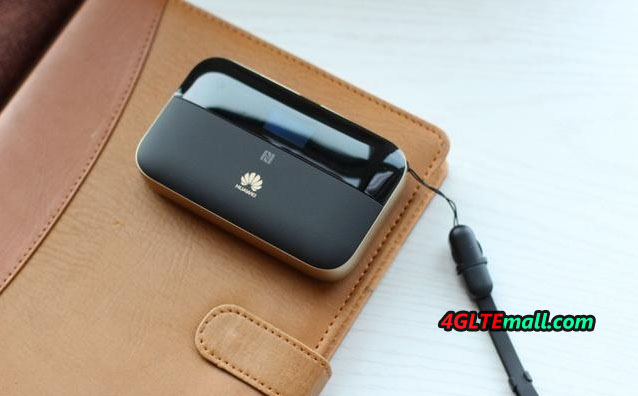
Huawei E5885 Mobile WiFi PRO 2

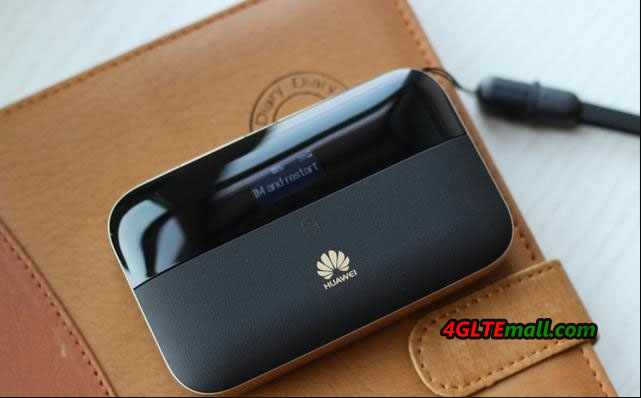
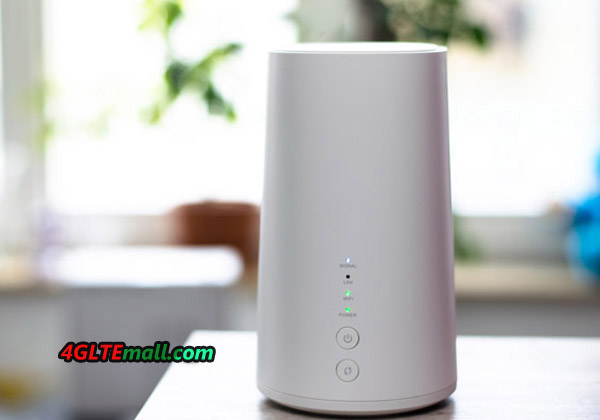
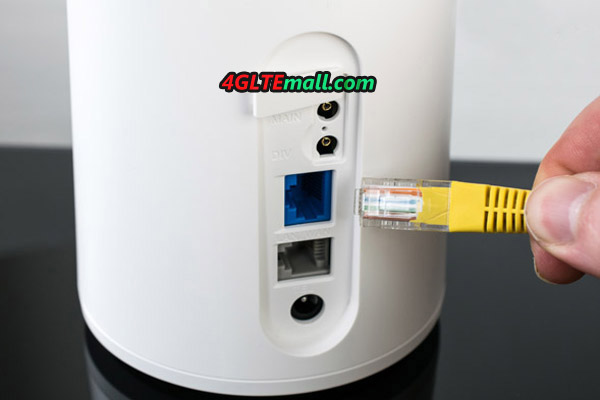
Terminals, which passed the technical standard conformity certification or construction design certification of the Ministry of Internal Affairs and Communications from the second half of 2017, were advertised. The Huawei Technologies FDD-LTE/TD-LTE/W-CDMA/GSM terminal “HUAWEI E5885Ls-93a” passed through the Certification Technology Support Center on March 29, 2017. The construction design certification number is 018-170046. The Huawei E5885Ls-93a is also named Huawei Mobile WiFi Pro2, which is upgraded from the first generation of Mobile WiFi Pro(Huawei E5770). Comparing with the predecessor model, Huawei E5885 mobile WiFi Pro2 has great improvement in the specifications.

Huawei E5885 E5885Ls-93a mobile WiFi Pro2

The TD-LTE 2500 (B41)MHz, W-CDMA 2100 (I) / 900 (VIII)/850 (B2) MHz, FDD-LTE 2100 (B1) / 1800 (B3) / 900 (B8) / 800 (VI / XIX) MHz has been certified. It is also passing through frequencies of Bluetooth and wireless LAN.


In addition to the 2.4 GHz band, the 5.0 GHz band can also be used for the wireless LAN, and the standard is expected to correspond to IEEE 802.11 a/b/g/n/ac. HUAWEI E5885Ls-93a is now sold in HUAWEI Mobile WiFi Pro 2 in Saudi Arabia. It corresponds to LTE Category 6, and the communication speed is 300 Mbps maximum for downlink and 50 Mbps maximum for uplink.

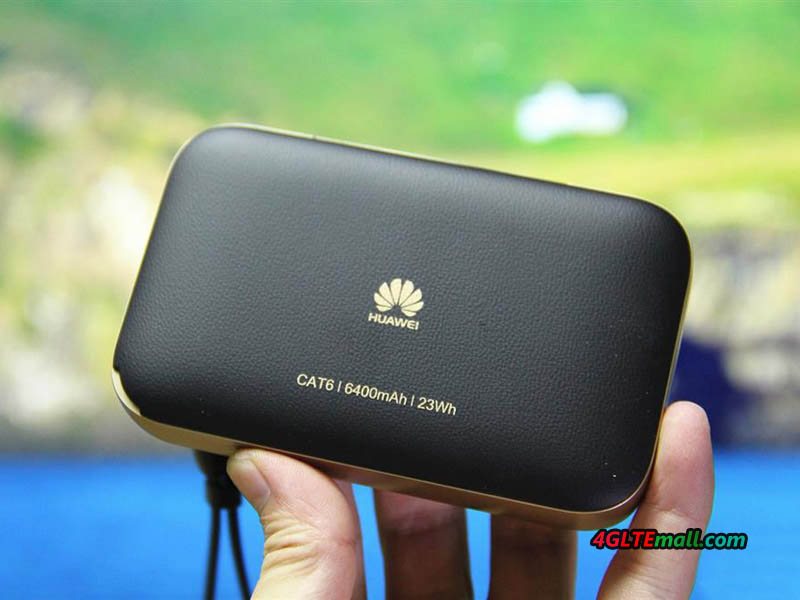
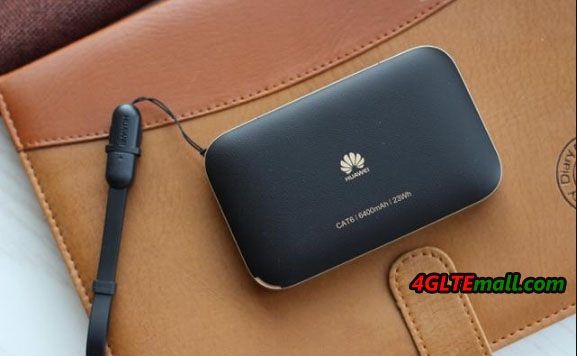
The capacity of the battery pack is 6400 mAh. The larger battery can charge other electric devices such as smartphone, Pads, tablets etc.


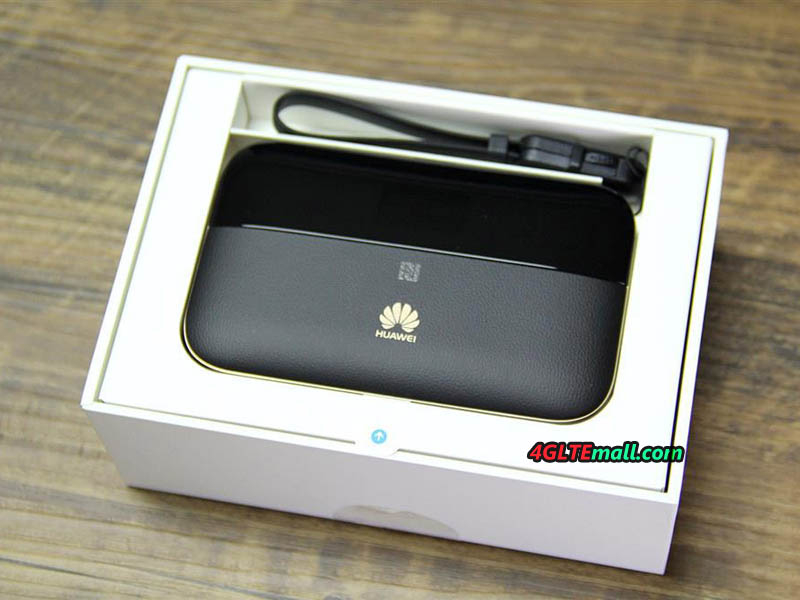
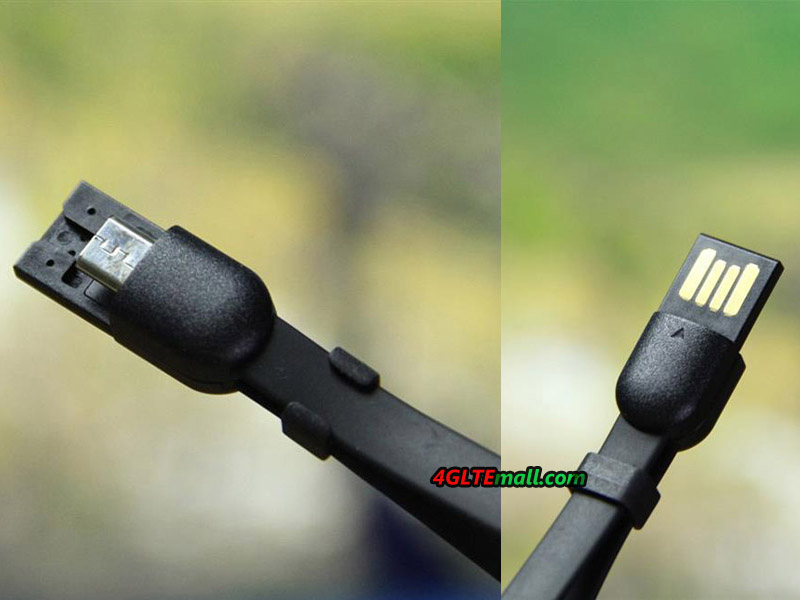
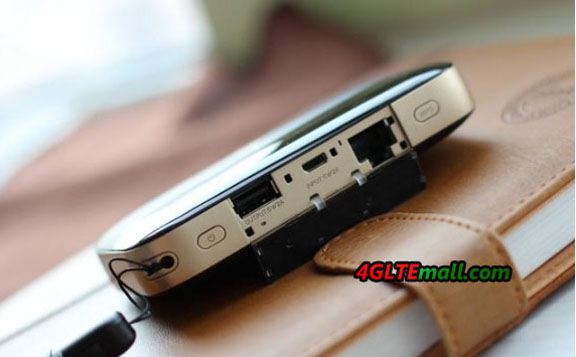
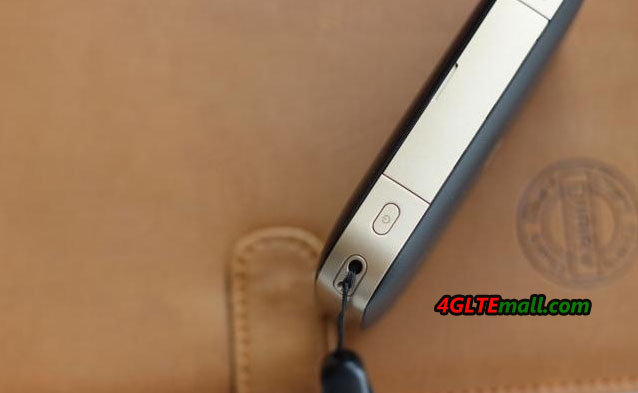
In summary, the E5885 is a powerful 4G Pocket WiFi device with a 6,400 mAh battery. It has 800 hours standby time and supports access for 15 devices. Besides, it is a power bank with quick-charge for your digital product. The E5885 has one USB string accessory with a minimal size. It can be fixed on the equipment easily. Pressing the button on two sides can open it. You can find the USB cable much easier when you need to operate the equipment. Based on good experience in usage and portability, it has the suitable size so that you can easily put it into your pocket or bag. To achieve a good handling, it uses soft touch finishing on the surface.


General features of Huawei E5885 Mobile WiFi Pro 2:

* Product type – 4G Portable Router

* Wireless LAN standards – Wireless AC (802.11ac)

* Max number of connected devices – up to 32 Devices

* WMM (WiFi multimedia)/media server feature – Yes

* Beam-forming / Multi-Beam feature – Yes

* Frequency range – Dual Band (2.4 GHz/5 GHz)

*LTE CAT6 Download Speed Up To 300Mbps

* Special features Cat6 – 300 Mbps, HiSilicon LTE Cat6 Chipset

* Battery type – Lithium Ion (Li-Ion)

* Battery capacity – 6400 mAh

* Color – Black & Gold color

* SIM type – Micro SIM

* NFC function, Zero configuration for Wi-Fi, High speed Ethernet


If you want to know more details about Huawei E5885 Mobile WiFi Pro 2, welcome to check on www.4gltemall.com .

Huawei E5180 Cube for Congstar Homespot Test

At the IFA, congstar presented its first mobile phone tariff at the beginning of September, which also officially foresees the use of Telekom’s LTE network. However, the offer can only be used in a certain place, for example, to have a broadband internet connection in the caravan, at the campsite or in the student residence.


In the contract, congstar presented a WLAN Cube, also a suitable router manufactured by Huawei, which converts the LTE Internet access into a WLAN signal, which then makes it possible to provide internet for smartphones, tablets and notebooks with a wireless Internet access supply. A device can also be connected directly to the WLAN Cube using an Ethernet cable.

We have s the opportunity to test the homespot rate of congstar together with the WLAN Cube since last week. The SIM card must be inserted into the router slot. The WLAN Cube is then supplied with power via the included power supply unit. The PIN of the SIM card must then be entered. This works via the configuration menu of the router, which can be reached at address 192.168.8.1 via a connected smartphone, tablet or notebook. For future use, the SIM PIN can be stored so that it does not have to be entered again.

Congstar Homespot from Huawei E5180


The WLAN access data and the homespot model are to be found on the underside of the router, which in the original is called Huawei E5180. After initial commissioning, the SSID as well as the password can be customized. In addition, users have the option of switching from the automatic selection of the WLAN channel to manual selection. The WLAN Cube is supported only by the much heavily overloaded 2.4 GHz range. If you want to use a 5 GHz router, you have to check other models such as the latest Huawei B525 and Huawei E5186 wireless gateway. If you want to use your own router instead of the congstar WLAN Cube, you have to make sure that it has the LTE standard and the frequency ranges used around 800, 1800 and 2600 MHz.


However, the test also showed that congstar Homespot is not only working with 4G network. If LTE is not available at the desired location, the cube would work on 3G or 2G network automatically. We have switched the WLAN Cube, however, experimentally via the configuration menu to the GSM-only mode. Afterwards we were shown a strong signal.


In addition to the signal strength of the received mobile network, the configuration menu for the Huawei E5180 router also shows the current connection time and the transferred data volume. The WLAN status and information about the connected users are also available.


congstar as well as the manufacturer Huawei officially speak the E5180 Cube of a WLAN range of up to 250 meters. We have not achieved this value in practice. However, the signal is quite comparable to that of a classic DSL router like an AVM FRITZ! Box 7490. A mobile hotspot is much weaker. If, for example, a Huawei E5776 is only sufficient for supplying a small apartment or a hotel room, the congstar WLAN Cube can quite well cover a one-family house with wireless Internet access.


Speed Test Good

We have continuous operated the wireless hotspot over several days. Internet access was always reliably available. A restart of the router was not required to stay on reception. The two lights on the outside of the device, which on the one hand display WLAN availability and, at the very least, the current strength of the received LTE signal, is practical.


Over several days, we have examined the data transfer rates offered by congstar’s internet access. The provider itself provides up to 20 MBit/s in the downstream. This value was also achieved in the test, whereby the LTE signal strength also plays a role here. If only a medium reception level is displayed on the router, the data throughput also drops.


On average, we reached between 20 and 21 MBit/s in the downstream and 5 to 6.5 MBit/s in the upstream. The response times were between 17 and 25 ms. The congstar homespot therefore provided similar performance data, such as a VDSL-25 connection in the fixed network. Even the somewhat higher latencies compared to the fixed net do not make themselves noticeable with normal surfing, with the use of e-mails, fairs, etc. It may not be the case for gamers, who need the lowest possible ping times.


It should be borne in mind that our performance tests have only been carried out at the location in Hessian Spessart, which is registered as the usage address for the congstar Homespot. We also carried out measurements on different days and at different times of the day. The results were quite similar, with Telekom’s LTE-800 radio cell, which is available here, with a unrestricted data SIM generally providing data rates between 40 and 50 MBit/s in the downstream.

However, our results are not comparable to data rates and ping times at other sites. Depending on the number of users and the user behavior, depending on the network configuration and capacity, there can be significant differences. Above all, in cities it is quite possible that the well-developed LTE network of the Telekom has some overloading phenomena.


In summary, the Huawei E5180 congstar homespot is good for wireless supply at a house, but missing the 5GHz WiFi band. The Ethernet port is also good for desktop and the internet speed is also good for most cases. If you would like to know more Huawei 4G router, welcome to check here: https://www.4gltemall.com/4g-wireless-router/huawei-4g-lte-wifi-router.html

HTC U11 New Flagship Smartphone Available with LTE Cat16


HTC has introduced a new flagship smartphone: the HTC U11. The successor of the HTC 10 starts with very good technical data as a direct competitor to the Samsung Galaxy S8, LG G6 and Sony Xperia XZ Premium in the market. In free trade, the HTC U11 is sold as a dual SIM version, which is rather untypical for flagship smartphones \and therefore particularly interesting. Also quite extraordinary: the HTC U11 comes with the latest Qualcomm chipset, the Snapdragon 835. The X16 modem included offers LTE category 16, depending on the network, data rates of up to 1 Gbit/s are possible. Higlight is the pressure-sensitive body (“Edge Sense”) as well as the ultrapixel camera.

Design with glass and metal

The 2016 flagship HTC has yet shipped with a metal case, the HTC U11, however, has a glass back, as you already know from the HTC U Ultra. Only the frame is still metal. There are a total of 5 different colors, but some colors such as red may comes later available.

The display is based on a 5.5 inch LCD with a 16: 9 aspect ratio (2560 x 1440 pixels) protected by Corning 3D Gorilla glass. Unlike LG on the G6 or Samsung on the S8, the HTC U11 does not have a special aspect ratio, which affects the dimensions of 153.9 x 75.9 x 7.9 millimeters.


A particularly innovative feature is “Edge Sense”. The HTC U11 reacts laterally in the lower body area to pressure, so certain functions can be started quickly and easily, for example the camera. Basically Edge Sense is freely assignable, in the summer HTC would like to make an app available, which should then also allow macros.


Art technology

HTC is one of the first manufacturers to introduce the modern Qualcomm Snapdragon 835 chipset. The heart of the smartphone contains many important components, especially processor, modem and WLAN chipset. The processor is a 64bit octa core, clocked at up to 2.45 GHz per core. The entire chipset is manufactured in the 10nm process and is therefore particularly energy-saving. The HTC U11 stands in the variant with 64 GB user memory by the way 4 GB of RAM available. A memory expansion via MicroSD card is possible; however, the dual SIM function is blocked.

The HTC U11 is especially up-to-date with the integrated modem. The Qualcomm Snapdragon X16 modem supports up to 1 Gbit/s in the LTE Cat16 downlink, up to 150 Mbps in the LTE Cat15 uplink. This is made possible by up to four bundled LTE frequency bands (4CC Carrier Aggregation) and by the 256QAM modulation in the downlink. The real speed that can be achieved depends, of course, also on the mobile network, in some countries, currently up to 500 MBit/s via LTE is possible. VoLTE and WiFi calling are, of course, also supported, as long as the network operator offers these services in his network. The LTE frequency ranges, which are supported by the HTC U11 as below:

  • FDD: band B4 / B12 / B17 / B28B20 / B5 / B8 / B3 / B1 / B7 / B32
  • TDD: band B39 / B40 / B38 / B41

In particular the support for band 28 (700 MHz) and band 32 (1500 MHz) is interesting. Currently, these frequency ranges are not yet used by the network operators, but this is likely to be relevant in the future and the HTC U11 is therefore very well equipped for the coming years.


Very good camera

The camera has been the focus of HTC’s flagship models for years. Also the HTC U11 is the camera to be a highlight. It offers a resolution of 12 megapixels on the back and a resolution of 16 megapixels on the front. UltraPixel 3 technology is used on the back, 1.4μm pixels are designed to allow a lot of light to enter the sensor. According to DxO-Mark, HTC has the U11 as the currently best smartphone camera on the market.

Available from June

The HTC U11 can be pre-ordered immediately and is available from June. Some network providers may offer the single card version, but there is also dual-sim version on www.4gltemall.com .

ZTE MF79 WiFi Dongle VS Huawei E8372 Wingle

Since Huawei firstly released the USB Dongle with WiFi hotspot function (called Wingle), there are many 3G & 4G Wingle models in the market. The Huawei E355, E8231 are the 3G WiFi dongle. As the LTE networks are becoming the mainstream, 4G LTE WiFi dongles becomes well-known now. More and more users found they are very useful and easy to take. Here now, only three manufacturers Huawei & ZTE & Alcatel had provided such products to market. Huawei had presented the model Huawei E8278 and latest new Huawei E8372. ZTE follows the steps of Huawei and presented the 4G LTE WiFi stick ZTE MF79 and MF75. The Alcatel presents the Alcatel W800 series WiFi dongle. Today, we will have a look at the difference about the Huawei E8372 and ZTE MF79.


Appearance


The Huawei E8372 and ZTE MF79 are both in the shape of USB dongle. You can say it’s a 4G USB dongle but the real function is to work as a WiFi hotspot. Huawei E8372 has three small indicators on the body with Huawei logo. The indicators are to show the status of Signal, SMS and WiFi. ZTE MF79 only has two indicators of WiFi and signal.


The body cover can be pulled out and the SIM card slot is there. They also provide the slot for Micro SD card for users to share files through WiFi. Besides the Model number, IMEI number and S/N, there is also WiFi SSID and password available on the label. Huawei E8372 provides a QR code, which user can scan the code and get connected with the WiFi, so users don’t necessarily enter the long WiFi password. What’s more, there are two TS-9 connectors for external antenna in Huawei E8372 but ZTE MF79 doesn’t have the antenna connector.

Technical Specifications


The Huawei E8372 and ZTE MF79 can work as a mobile hotspot, the only difference between them and the 4G Mobile Hotspots is that they don’t have battery. They need get input power from PC or power adapter. Once plug in the SIM card and get connected and power on, they can automatically connect to WAN network. And they are also different from USB dongle because USB dongle must work with PC, but they can work once they get power supply, for example, they could plug into the USB power adapter and start working.

They could both support the LTE category 4 and achieve peak download speed up to 150Mbps and upload speed to 50mbps. And up to 10 wireless devices could connect to the WiFi from the two Wingle and access internet. The WiFi standard is 802.11 b/g/n with single band 2.4GHz. They both supports the LTE various band and has sub-models for different markets. Of course, the 3G UMTS and 2G GSM/GPRS networks are backward compatible.

Regarding the internet connection performance and stability, we would take test next time on different network environment. If you want to know more details, welcome to follow our blog: www.4gltemall.com .

Netgear Aircard 810s LTE Hotspot Test

For many users, stationary Internet connections are already obsolete. LTE coverage and capacity across multiple locations is so good that successfully replaces the cable link. To access to the network for many devices requires appropriate equipment. Since LTE routers are already commercially available, simply insert the SIM card and the wireless internet will be available for all devices at home.


An alternative to fixed routers for people who appreciate the mobility of access points are portable WiFi Router. This time, NETGEAR AirCard 810 4G portable router is tested. We checked at home conditions and on the go.


Technical specifications of the Aircard 810 indicate that it’s with high-end hardware. Below you will find details.


NETGEAR AirCard 810 Specification
Technology network 4G LTE cat. 11 with a 3-band frequency aggregation, support 4G LTE, DC-HSPA+, HSPA+, HSPA, 3G
Wi-Fi features 802.11ac/b/g/n, two WiFi bands of 2.4 GHz or 5.0 GHz
Type of SIM card Micro SIM (3FF)
Battery life for 11 hours
Standby time to 260 hours
Display 2.4 inch touchscreen
Dimensions 112 × 69 × 15.5 mm
Battery Lithium-ion battery (2930 mAh)
Weight 132 g
Supported network bandwidth 4G LTE FDD 700/800/900/1800/2100/2600 MHz
4G LTE TDD 2300/2600/2600 MHz
3G 850/900/1900/2100 MHz


Appearance


NETGEAR AirCard 810 is a mobile router with the pocket dimensions. It is far smaller than many stationary routers and can easily fits in a pocket, backpack or in the glove compartment in the car. The out body is made of high-quality plastic, and the front lies a 2.44-inch touch screen. The back cover has the Netgear logo, removing the cover, we can see the battery.


Placed on the top edge of the Aircard 810, the power button is responsible for turning on and wake the device. On the opposite side, we find two connectors for external antenna connector and USB port for charging. And the connectors are covered with a sliding lid so there is no fear that this place will be gathered dirt.


Mobile Access Point


NETGEAR AirCard 810 supports 4G LTE category 11 connectivity and all the most important bands in Europe and Asia. So user can use the unlocked Aircard 810s in all European countries and Aisa areas. It is also important  that it supports for LTE FDD band 800, which will provide better coverage in the urban remote areas. The manufacturer provide the Aircard 810s with fast WiFi connectivity, which works in the standard 802.11ac, so provides adequate performance while streaming media and data transfer.


NETGEAR AirCard 810 can operate as a 4G USB modem if you do not want to use Wi-Fi. Another interesting feature is the Jump Boost, which allows you to charge smartphones and other small portable devices. The kit has suitable adapter to which we connect any USB cable for charging an external device. A great addition to facilitate the use of the router is the color LCD touch screen. To change the settings or check the current consumption data, no need to open a browser window and log into the control panel. Everything is indicated on the screen in a very accessible way.


On the screen you will find information about the battery charge status and range. This of course is not all. The manufacturer has not forgotten to use SMS; users can easily check the card inbox inside the router, you can also write messages using the touch screen.  Touch screen performs very well, and the operation does not cause problems.


Setup and Operation


NETGEAR AirCard 810 can be configured using the LCD screen already described. Same configuration is extremely simple and limited to a few steps, so even a person with non-oriented networking technology can operate it. After inserting the SIM card the device is ready for operation. During the tests, the network SIM cards just play and plus do not have to enter data network, and to make any extra settings. After the card is inserted, the Internet was just available. The thing you need to set up is Wi-Fi according to your preferences. By default, the network name and password would be displayed on the screen. After entering the settings, you can change and turn off their visibility.

The equipment supports dual-band Wi-Fi (2.4 GHz or 5.0 GHz), and the use of the latter is available only when you turn the corresponding function in the settings. The strength of wireless coverage can be adjusted; we have available three values of the Long Standard. Selected the best possible range, of course, it is associated with shorter battery life.


NETGEAR AirCard Application


The mobile hotspot can also be possibly operated through a dedicated NETGEAR AirCard APP for Android, iOS and Windows Mobile. Its interface is clear and easy to read, and all settings are available in the APP. With this application in an accessible way, we can customize virtually all device parameters as well as from the touch screen. On the main screen, we see not only the coverage or the status of the battery, but also the consumption of data transfer in the current accounting period and during the current session. We can also see the quantity of the connected devices and send SMS messages.


Performance and everyday use

The manufacturer shall ensure that the NETGEAR AirCard 810 can easily handle up to 15 devices connected via Wi-Fi. I could not do the test so heavy load, but when you connect three smartphones, two laptops, TV and console, the aircard 810 can still work properly. You many also not complain about wireless coverage. The router is easily able to cover the range apartment with an area of 80m 2. Built-in battery should provide working time up to 11 hours. With the active Wi-Fi in the 2.4 GHz band and LTE connectivity (full range) easily, I was able to get close to this result and the router work almost 10 hours. The operating time can of course vary depending on usage. It is worth mentioning that offer NETGEAR’s accessories are available for the device under test.

Summary

NETGEAR AirCard 810 Mobile hotspot is a device that would useful both at home and on the road if you need wireless network. Inside you will find modern components, which ensure the quality of the connection. It deserves praise with a wide range of supported LTE frequency and dual-band Wi-Fi working in a fast standard AC. The most important is that it’s very easy to use. The router can be controlled via the intuitive display or friendly mobile application.


For all the advantages described, unfortunately, you have to pay a lot but considering the capabilities of the device, the price is at high level now. If you need a budget one but good technical specification, the predecessor model Netgear Aircard 790s may be one good option.


Difference between Huawei Mobile WiFi Pro 2 and WiFi Pro E5771

Huawei Released the Huawei Mobile WiFi Pro 2 with LTE-A support recently to replace the current well-known Huawei Mobile WiFi Pro E5770, which support on LTE cat.4. Actually, Huawei also presented a similar model to Mobile WiFi Pro E5770 in Chinese market, the model number is Huawei E5771 and it’s also named Mobile WiFi Pro. In this article, we will have a look at what’s the difference between Huawei Mobile WiFi Pro 2 and Huawei E5771 Mobile WiFi Pro.

Appearance


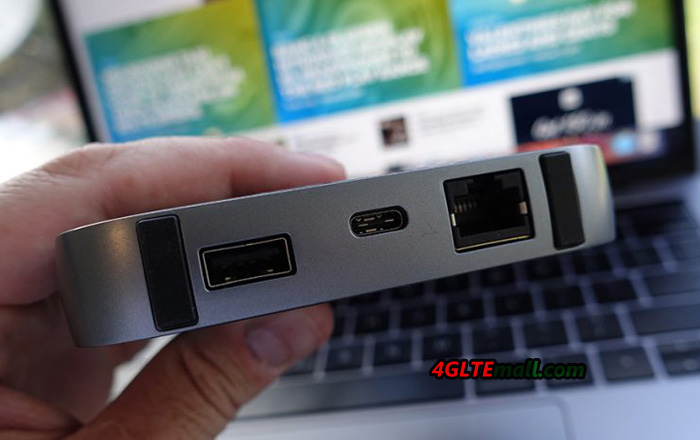
The new Huawei Mobile WiFi Pro 2 has a small LED screen which to show the connection status, but Huawei E5771 WiFi Pro has only the power button and huawei logo on the front. They are both supplied with a short tap, which can hold the device and can also be used as USB cable for battery charge and data connection to PC. On the back, there Huawei Mobile WiFi Pro 2 shows the battery capacity to 6400mAh while the Huawei E5771 shows the battery of 9600mAh, which is amazing for long time working and charging other devices.

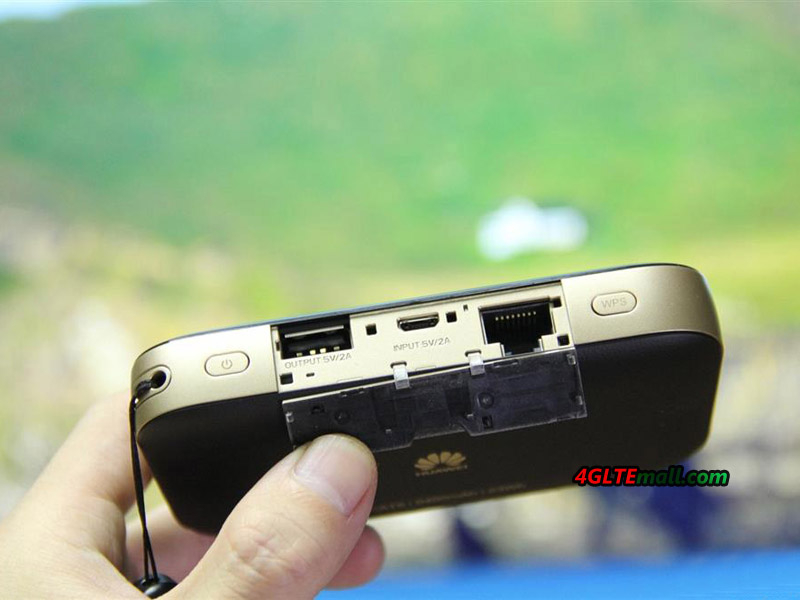
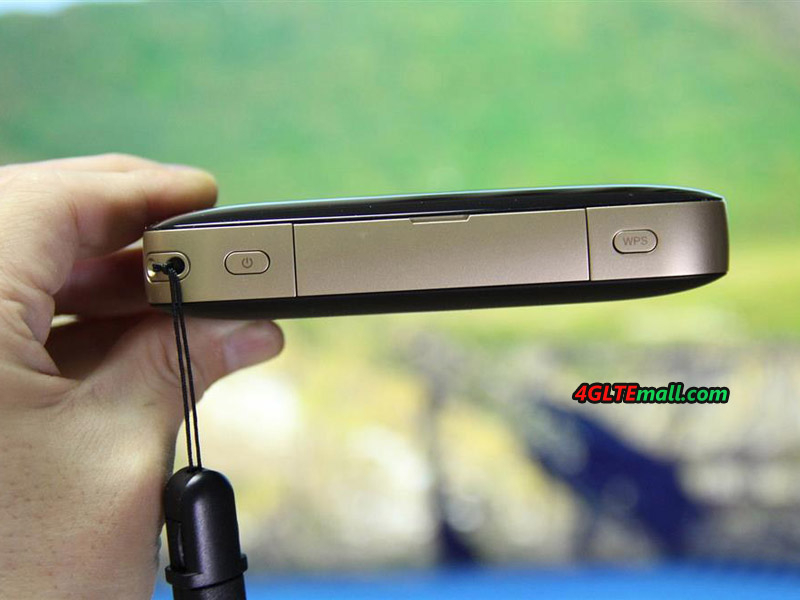
With the large battery, the Huawei E5771 and Mobile WiFi Pro 2 are not thin, the thickness provides the possibility to set the USB port and Ethernet port at the body side. Huawei E5771 WiFi Pro has on output USB and input USB port at side while the Mobile WiFi Pro 2 has extra Ethernet port besides two USB ports. Unlike Huawei E5771, Huawei Mobile WiFi Pro 2 has the power button and WPS button at the each side of the interfaces.


However, we didn’t find the ports for external antennas, which are available in many other Huawei E5 mobile hotspots.


Technical Specifications


As the latest Huawei Mobile WiFi, Mobile WiFi Pro 2 could support the latest LTE-A networks with LTE Cat.6 chipset to provide possible download speed to 300Mbps and upload speed to 50mbps. The Huawei E5771 WiFi Pro could support LTE Cat4 providing download speed to 150Mbps, which is only half of the speed from Mobile WiFi Pro 2. They both support 4G LTE TDD-LTE/FDD-LTE networks with backward of 3G & 2G networks.

As we know, the Huawei E5771 has many sub-models for different network providers and markets. There are Huawei E5771s-852, E5771s-856 and Huawei E5771h-937. We suppose the Huawei Mobile WiFi Pro 2 would also have many variant models, the specific model would be known when they are presented to the market.


As a mobile pocket WiFi, Huawei E5771 could support up to 10 wireless devices to access internet simultaneously while the Huawei Mobile WiFi Pro 2 can provide internet access for up to 32 users. And the RJ45 LAN port provides one more option for users get connected with internet.


The most attracting feature of the two Mobile WiFis should be working as the mobile power bank to charge other electric devices such as smartphones, Pads, Game terminals etc. The large battery of Huawei E5771 Mobile WiFi Pro shows its advantage on this point. It can only keep itself working long time, but also charge other devices for many times.

The WLAN standards of Huawei Mobile WiFi Pro 2 are IEEE 802.11a/b/g/n/ac with dual-band while Huawei E5771 provides WLAN on 802.11b/g/n, missing ac and single band on 2.4GHz.


Management

As the standard offer for Huawei devices, Huawei Mobile WiFi app is available for users to do simple setup of the two mobile routers and if you need the advanced setting, you’d better enter into the web interface 192.168.x.1 from a browser.

In our opinion, the Huawei Mobile WiFi Pro 2 looks cool in appearance, and with the advanced features for LTE networks, it’s really useful for users, but Huawei E5771 WiFi Pro’s large battery and decent function, which is also enough for most users. Actually, Huawei E5771 is a budget mobile WiFi hotspot comparing with Huawei Mobile WiFi Hotspots.
Vodafone GigaCube (Huawei B528) LTE Router Review

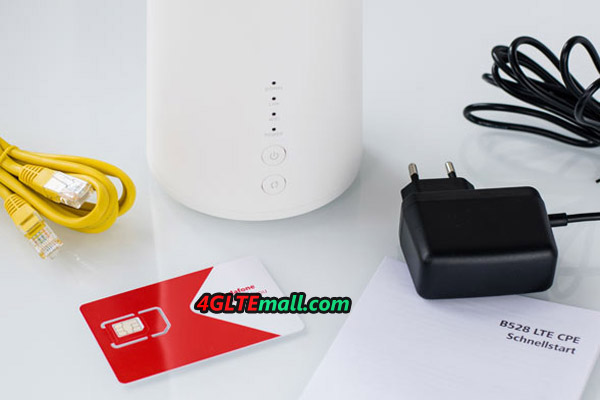
At the end of April 2017, Vodafone launched a new LTE CPE called “GigaCube”. Like Vodafone other 4G router, the new router GigaCube also comes from Huawei and the factory model number is B528. The Huawei B528 has a modern LTE modem with CAT6 with support of WLAN hotspot and Gigabit LAN. Today we will show what the router can do and its specifications.

Features and characteristics of Vodafone GigaCube
Manufacturer and type: Huawei B528s-23a
Chipset: HiSilicon Balong 722
LTE category: LTE CAT6 (300 MBit/s)
Download rate up to: 300 MBit
Upload rate up to: 50 MBit
Supported LTE bands 800, 900, 1500, 1800, 2100, 2600 (FDD),
and 2600 MHz(TDD)
Downwards compatible with: GSM, EDGE, HSDPA, DC-HSPA+
Support for LTE-Advanced: Yes
MIMO Support: Yes, 2×2 MIMO
Connection for external antenna: Yes
Network | LAN & WLAN
LAN Ports: 1 x GBit port
WLAN Standards: 802.11 b/g/n/ac (2.4 and 5 GHz)
5 GHz WLAN Support: Yes
Encryption: WPS/WPA/WPA2
WLAN Hotspot Function: Yes, up to 64 users
Others
Telephony VOIP via RJ11 port (eg SIP)
Others
WAN port Yes
IPv6 Dual Stack Yes
Battery pack: No
Dimension: 105 x 90 x 181 mm at 366 g
USB: No
Memory Card Expansion: No
Release: April 2017
Price: From 1 € with Vodafone Cube tariff
available at: »Vodafone and www.4gltemall.com
Information
Quick start guide: » Download (PDF)
Detailed manual: not yet available


LTE CAT 6 modem


The Vodafone GigaCube router, also named Huawei B528s-23a, internally has a modern HiSilicon modem (Balong 722) which supports LTE category 6. In principle, the wireless connection can reach up to 300 MBit/s fast. In the upload, a maximum of 50 MBit/s can be achieved. The chip also supports the most important LTE bands for use in Europe. In detail, the LTE Bands includes band 1, 3, 7, 8, 20 and 32. If the LTE reception is not given, the GigaCube router can also switch to GMS or UMTS/HSDPA. Abroad, Vodafone excludes the use anyway! So you must get the unlocked Vodafone GigaCube if you want to use it abroad.

WLAN function with the GigaCube router


The GigaCube also provide the WLAN module supporting up to WLAN ac, so that wireless LAN with gigabit speed is also possible. The hotspot can bring up to 64 devices on the Internet simultaneously. On this point, the B528 is really powerful than its predecessor Huawei E5180 and E5170.


Other characteristics

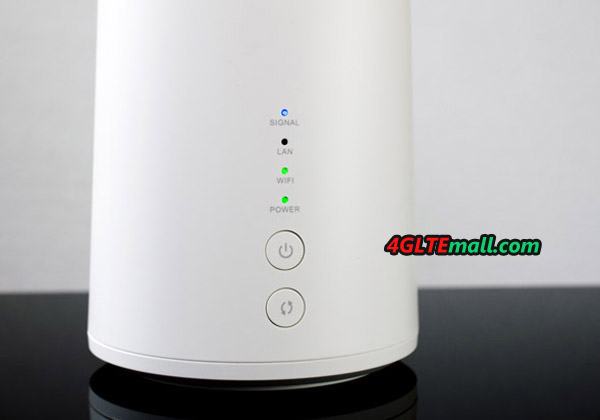
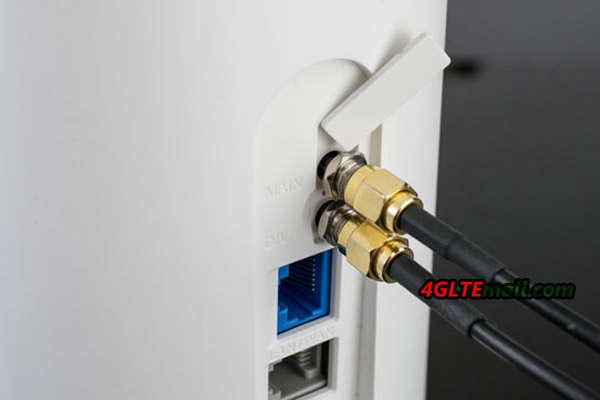
Fortunately, there are two antenna ports on the back of the GigaCube router. According to Vodafone, the focus is on use in the stationary and in remote areas. This means you can use the router both at home as a DSL replacement or just traveling as a mobile Internet connection. Mobile use is officially excluded. Thanks to the antenna connections, the reception strength ​​can also be improved in remote areas via external LTE antenna.  The B528 also does not have an information display, but only 4 Info-LEDs on the front. These give the user the most important back-ups, such as signal strength.

The only annoyance with the GigaCube router is that it was dispensed with even a battery. Thus, a permanent, stationary power supply is required. Also the GigaCube missed an SD card slot or USB port. Telephone is not possible by the way.


Conclusion

Based on the Huawei B528, Vodafone offers a powerful, modern router for its GigaCube. The model is practical and comes without much fault. Only the missing battery is annoying. We would do the performance test once we get the GigaCube in hand, keep close eye on www.4gltemall.com if you are interested in Vodafone GigaCube or Huawei B528 LTE Cube.


Huawei Mobile WiFi Pro 2 Released

Huawei had released a new 4G LTE Mobile WiFi a few days ago in Suadi Arabia, named Mobile WiFi Pro 2, which is to replace the current Mobile WiFi Pro E5770 on the market. As a 4G pocket router with practical functions, Huawei Mobile WiFi Pro 2 comes too later than that we expected.


Like its predecessor Huawei E5770, the Huawei Mobile WiFi Pro 2 combines the pocket router and power bank function into one device. It can not only provide wireless network through WiFi & Ethernet cable for high-speed internet connection, but also charge other electrical devices.


Appearance


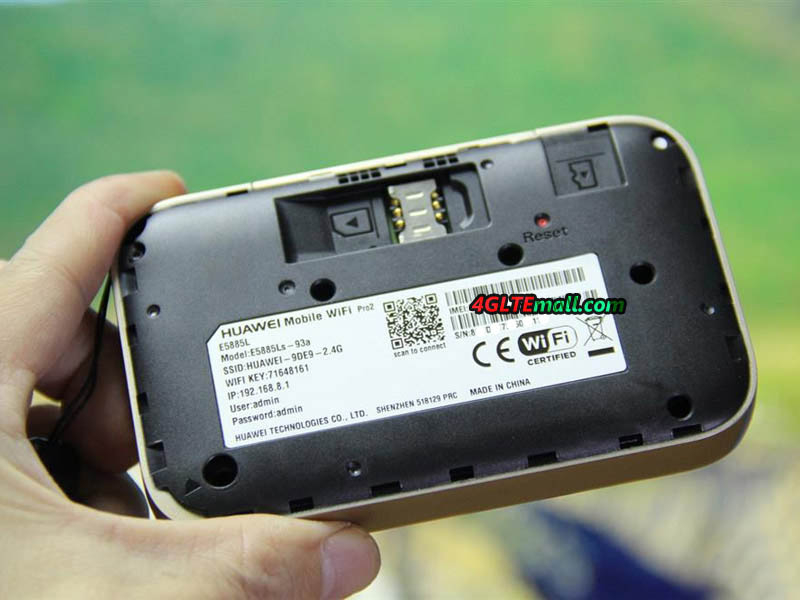
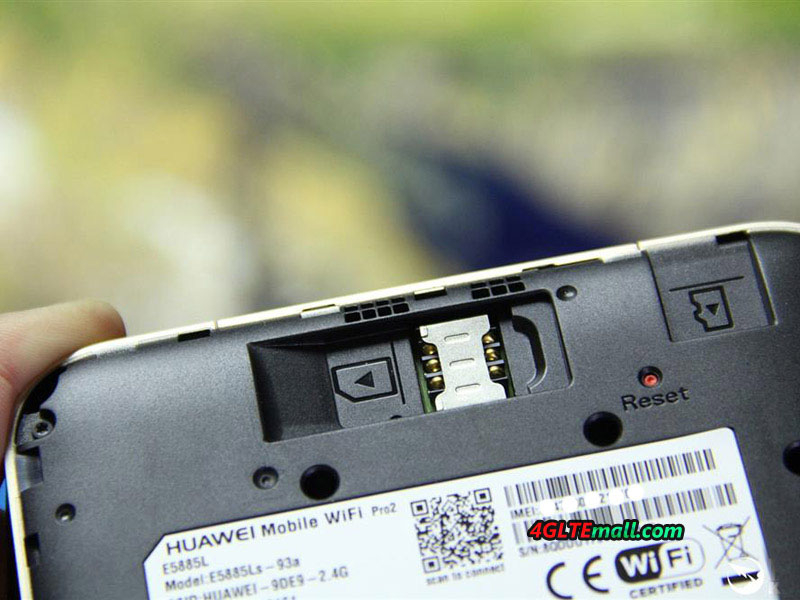
Huawei Mobile WiFi Pro 2 upper surface features a high-definition OLED screen with a 0.96 inch diameter. And it is decorated with artistic patterns and a unique contrast in the used materials, while maintaining a user-friendly operating button. The Mobile WiFi Pro 2 uses a metal frame in the middle and also provides a stylish leather handle that caters to the tastes of users and provides the port for charging smart devices and for Ethernet cable. There is also Micro-SIM card slot and extra slot for Micro SD card of up to 32GB.

LTE Advanced (Cat.6) Support

With Huawei Hisilicon LTE Cat6 chipset, Huawei Mobile WiFi Pro 2 could support LTE-Advanced networks on LTE Category 6, which means it could achieve peak download speed to 300mbps and upload speed to 50Mbps on LTE networks. The speeds are almost double of that of the first generation Huawei Mobile WiFi E5770 on LTE Cat.4 networks. Of course, they are both backward with 3G UMTS/DC-HSPA+ and 2G GSM, which would be available once LTE network is missed.


WLAN Improvement

Huawei also improved the wireless function for Mobile WiFi pro 2 to support maximum up to 32 WiFi-enabled devices, while the Huawei E5770 Mobile WiFi Pro supports only 11 users simultaneously. The WLAN features 802.11a/b/g/n/ac on dual-band 2.4GHz and 5GHz, but the Huawei E5770 had missed the ac standard and had only single band WiFi.

Large Battery Capacity of 6400mAh

The battery of Huawei Mobile WiFi Pro 2 is 6400mAh, it’s totally a common mobile power bank which can not only keep itself working for long time and also charge other terminals such as smartphones, Pads in case of power off. However, the capacity of 6400mAh may not be the best, because we know Huawei also had one Mobile WiFi named Huawei E5771 Mobile WiFi Plus, which has the large battery to 9600mAh. And other features are very similar to E5770.


Easy Connection without password

By using Huawei Mobile WiFi Pro 2, a connection can be established and devices can be identified using NFC technology or QR code and Huawei’s application HiLink without the need to search for the network and enter password to join the Wi-Fi network.


Here now, the Huawei Mobile WiFi Pro 2 is not yet available on the market, but we are keen to get this new 4G pocket router. We will show the test report once we get it. You can also keep close eye on www.4gltemall.com to get new information about Huawei Mobile WiFi Pro 2 and other 4G mobile broadband.


Huawei E5787 4G LTE Mobile Hotspot Review

Huawei E5787 4G+ is a new mobile LTE Hotspot which has been released last year and now it’s available for many network providers in Asia and Europe. This is the successor to the popular Huawei E5786 from the year 2014. As the predecessor, the E5786 modem supports up to 300 MBit/s in the downlink (LTE category 6), technically speaking, not much has changed. The new Huawei E5787 has the large touch screen on the front, with which the hotspot is particularly easy to use. In the test, you will see the detail features of the Huawei E5787 and the specifications.

Huawei E5787
Huawei E5787

Appearance

The Huawei E5787 4g+ MiFi is available in black and white. The device is slightly smaller than the predecessor Huawei E5786 and works overall quite inconspicuous. The large touchscreen display is visible on the front, but an LED indication is not available. At the top of the hotspot is the power button, there is a micro-USB port as well as two TS-9 antenna connectors. In addition to the power supply and USB charging cable, it also includes a small hand loop in the package, which can be attached to the router.
Huawei E5787 E5787s-33a

The first impression is quite good. After inserting the SIM card as well as the battery (nano-SIM cards with adapter on MicroSIM work safely) you have to start the Huawei E5787 over a long press on the power button. If you do not use a completely exotic provider, the LTE Hotspot configures itself completely automatically and after entering the SIM PIN you are already online.

Huawei E5787 E5787s-33a

Technical specifications

The Huawei E5787 is sold worldwide in several variants, which support different frequency ranges. The Huawei E5787s-33a is available in Europe and is compatible with all frequency bands that are important in Europe but can also be used on other continents. Unfortunately, with the chipset has not changed in comparison to the predecessor, there is still “only” LTE Cat6 with 300 MBit/s. Many smartphones such as the Huawei P10  or the Samsung Galaxy S8 are already offered at least 600 MBit/s in the downlink with a higher-level chipset, and the Netgear AirCard 810 touch screen hotspot is also providing faster service.
Huawei E5787 E5787s-33a


Manufacturer & Model: Huawei E5787s-33a
Technologies: LTE / 4G (Cat6) | UMTS / 3G GSM / 2G
Frequency ranges: * LTE: 800/850/900/1800/2100/2600

* UMTS: 850/900/1900/2100

* GSM: 850/900/1800/1900

Maximum speed: * LTE: 300Mbps down, 50Mbit/s up

* UMTS: 42.2 Mbit/s down, 5.76 Mbps up (when using DC-HSPA+)

* GSM: 236 kbps (when using EDGE)

WIRELESS INTERNET ACCESS 802.11a/b/g/n/ac to 867 Mbps 2 × 2 MIMO | 2.4 GHz or 5 GHz
Software tested: Firmware version: 21.312.11.00.00
Others: * 2 x external antenna connector (type TS-9)

* Touchscreen 2.4 inch

* Replaceable battery 3,000 mAh

* MicroUSB connector

Operation & Touchscreen

The E5787 is Huawei’s first mobile WLAN router with touch-screen operation. The display is 2.4 inches in size and provides a color display. The plastic cover over the display reflects quite strongly and the display quality of the display is not comparable to that of current smartphones, but much worse. You can recognize all the contents well, but when you look at the display, it is somewhat brighter. But the response of the screen is good, and usually one seldom uses the display at an LTE Hotspot.

Huawei E5787 E5787s-33a

The speed of the software and the response speed of the touchscreen could be convincing. Huawei offers a much better experience in the E5787 hotspot than Netgear AirCard 790 or AirCard 810 Hotspot. Also, the software is quite appealing, without losing the functionality from the eye.


On the start screen, all important functions are displayed by default. This includes a large time display including the date as well as the status bar Information about the reception, WLAN and battery. Access to further functions or the settings is obtained by unlocking the E5787 with a “Swipe” to the left. In the main menu, there are the 6 menu items “Connection Wizard”, “Energy Saving Mode”, “SSID and Password”, “SMS”, “Settings” and “Info”.

In addition to the touchscreen operation, a web interface is also available, which can be accessed via the IP address 192.168.8.1. In addition, the Huawei HiLink app is also available for iOS and Android, with which a configuration is also possible.

Huawei E5787 E5787s-33a

LTE up to 300 MBit/s

Theoretically, the Huawei E5787 with its LTE Cat6 modem reaches speeds of up to 300 MBit/s in the downlink. For this purpose, the hotspot bundles two frequency bands by carrier aggregation technology provided that the mobile radio network also makes this technology available. In the test, speed tests were carried out with SIM cards from Vodafone and Telekom, but only in the frequency range around 800 megahertz, in particular, to be able to test the reception and the speed in remote areas. The Huawei E5787 made a good figure here, especially in comparison with various smartphones, reception is often better and the data rates were slightly higher. In case of doubt, an external antenna can also be connected for the purpose of improving the reception; the necessary two TS-9 connectors are hidden under a side cover. If you need the Huawei E5787 external antenna, you may try this one: http://www.4gltemall.com/4g-antenna-two-ts-9-connector.html

Huawei E5787 E5787s-33a

WLAN without Extender

Devices can be connected to the Internet either via the USB port or via WLAN. The cable connection worked in the test without problems, but most users will probably use WLAN. The maximum speed over WLAN is 867 Mbps, up to 10 devices can be connected at the same time. The Huawei E5787 supports both the frequency range around 2.4 GHz as well as the 5 GHz, the simultaneous use in the dual-band mode is unfortunately not possible. In the test, there were no problems with the WLAN. It is nice that the WLAN access data are no longer displayed in the display like on some previous Huawei hotspots, but are only displayed on demand, so as the important settings such as WLAN SSID, WLAN password.

A major disadvantage of the Huawei E5787 compared to many other LTE hotspots: a so-called WLAN extender or WLAN repeater is missing. The predecessor E5786 had still integrated the function, with which one can use an existing WLAN network as Internet access, but in the E5787, Huawei disabled the function for unknown reasons. It’s really a pity.

Huawei-E5786 VS Huawei E5787

Battery & Other

The battery of the Huawei E5787 has a capacity of 3.000 mAh. The battery can easily be replaced by the user, which is an advantage compared to the predecessor model Huawei E5786. So you can buy a second battery or in the case of a battery defect, quickly replace it even outside the warranty period. In continuous test operation with an average of 3 WLAN devices connected simultaneously to 2.4 GHz, the runtime was around 10 hours.

The E5787 4G Hotspot offers the possibility to also be used as an external battery (“Powerbank”), which can charge an empty smartphone with power off. For a full charge, it should not be enough with most current smartphones, so the Powerbank function is, therefore, more suitable for the emergency.

Conclusion

The Huawei E5787 is a very good LTE hotspot. The touch screen operation was well implemented and the software was designed appealing. The modem performance was good in the test and the maximum speed of 300 MBit/s should be sufficient for most users, but it is disappointing that Huawei “only” installed an LTE Cat6 modem and the E5787 has no great technical improvement. Also some practical functions are missing: the simultaneous spark on 2.4 and 5 Gigahertz is not supported and support of a maximum of 10 devices at the same time in comparison with the competition also somewhat obsolete. Nevertheless: if one can ignore the few criticism points, the Huawei E5787 a very good mobile LTE hotspot to recommend.


Huawei P10 New Flagship Smartphone Review

The Huawei P10 is available since March 2017 in market and offers a very good reputation including Leica dual camera. We had the opportunity test the P10 in detail now. What I liked especially and where there is still potential for improvement; you will read it in this review. The first thing to notice is the design after opening the package. Like the predecessor model Huawei P9, the Huawei P10 smartphone is almost completely made of metal. The front display is covered by a 2.5D glass, the P10 phone is well in the hand. Thanks to the extremely narrow frame surrounding the display, the Huawei P10 is already partially filigree. Due to the slightly rounded body, Huawei P10 appears thicker than it really is.

Fingerprint sensor & buttons

Unlike many other Huawei smartphones, the fingerprint sensor was not positioned on the back, but on the front in the Huawei P10. Personally, I think this is a very good thing, because you can easily unlock the P10 on the table. The sensor works very reliably and fast-paced, here other manufacturers like Apple and Samsung can still learn from Huawei!

The keys I also liked very much, in all respects. This starts with the physical keys: these provide a very good pressure point. The only way to improve: the volume rocker should be divided into 2 separate buttons and moved to the other side of the device so that you will not confuse it with the power button. Speaking of the power button: this is red painted on the sides, which is a great eye-catcher and already was a very nice gimmick at the Huawei Nova.

The right way to switch off the software buttons and replace them with the fingerprint sensor is really good. The functions Home button, Back button and Multitasking button are replaced by different movements on the fingerprint sensor. This folds reliably and fluently and you have much more space available on the display than with the software buttons. Perfect!

Software & speed

In the test, the Huawei P10 run fast and could run any software without noticeable delay. The experience is not bad comparing with other brands’ high-class smartphones. As an operating system, Huawei relies on Android 7, the EMUI 5.1 interface is also very well. Huawei has listened to the criticism of some users and now also provides a so-called app drawer, ie the apps are no longer stored on the home screens, but in a special app menu, which you may already know from some other smartphones.

Regarding the technical features, the Kirin 960 chipset worked very quickly as I said, sometimes the Huawei P10 was however quite warm, if one had used the camera for long time. The phone memory is about 47 GB (64 GB officially), large enough, on request users can expand the storage by insert a MicroSD card. In some markets, the dual SIM version of Huawei P10 is not available. The Chinese market, huawei supplied the dual sim version.

The Huawei P10 supports Voice over LTE, this function must work with a telecom SIM card, as used in the test. A device with special telecom software is not necessary; the function is available with every Huawei P10. Very good!

Display & Camera

The display not only convinces through the extremely thin frame to the sides, but also through the very good display. Some may criticize the resolution of 1920 x 1080 pixels as too low, but that is not true. The display is super sharp and who wants to recognize individual pixels, must take the magnifying glass and look very closely. The luminosity was also convincing in the test. Only the notification LED should be somewhat brighter and an always-on display, like Samsung in the Galaxy S7 series or Galaxy A3, is missing.

The biggest argument for the Huawei P10 is surely the dual camera, which was developed in collaboration with Leica. In every advertisement to the Huawei P10, the camera is thematized. But is it really as outstanding as advertising promises? The test showed that the camera definitely belongs to the best smartphone cameras. The images are sharp and true to color, the blur effect usually succeeds very well when photographing portraits or macro shooting. Also the black and white recordings with the special monochrome sensor can perform well, especially in dark environments. But the bottom line you have to say: a big difference to other top smartphones with only one sensor (eg iPhone 7 and Galaxy S7).

Top Battery

The battery of the Huawei P10 is 3,200 mAh strong and can allow a running time of more than 2 days on normal use. Intensive users will have to charge the P10 every evening, but it still holds longer than that of an Apple iPhone 7. The charge goes fast thanks to the quick-charge function with the included power supply.

Conclusion

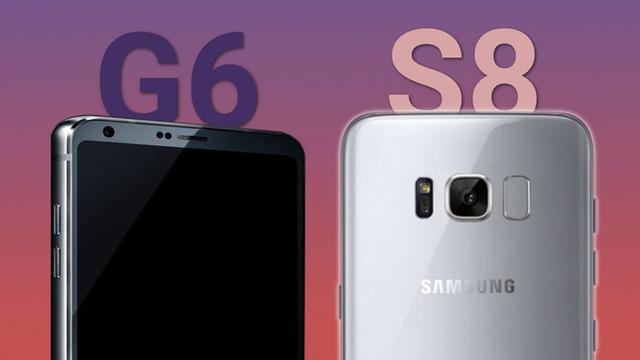
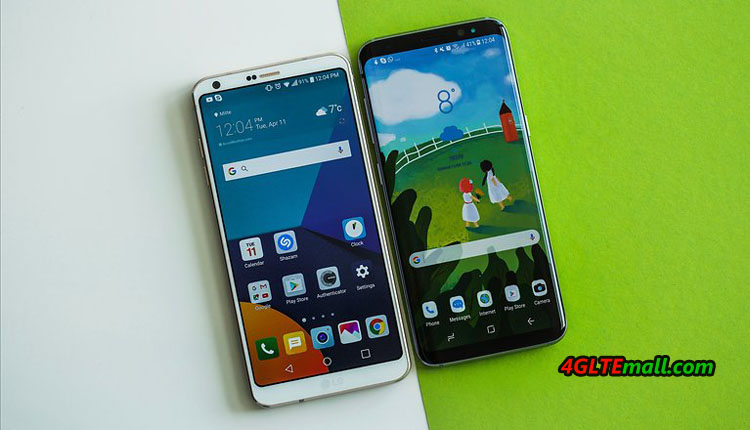
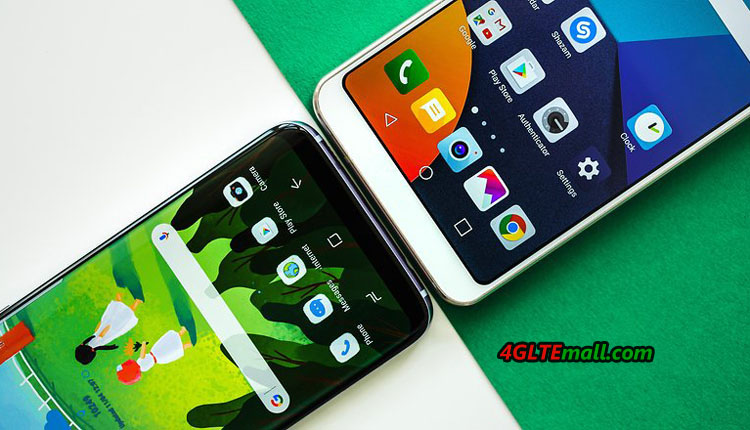
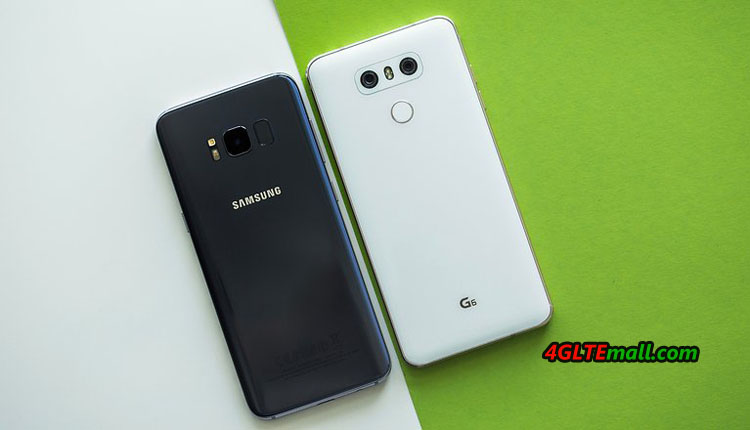
The Huawei P10 performs very well in the test. The P10 smartphone is mature and coherent in price and compares favorably with similar competing phones such as the Samsung Galaxy S8 or the LG G6 – the P10 thus offers a very good price-performance ratio! The operating concept with the fingerprint sensor as a software key replacement is particularly well remembered. If you would like to know more Huawei smartphones, welcome to check here: http://www.4gltemall.com/4g-lte-smartphone/huawei-4g-smartphone.html