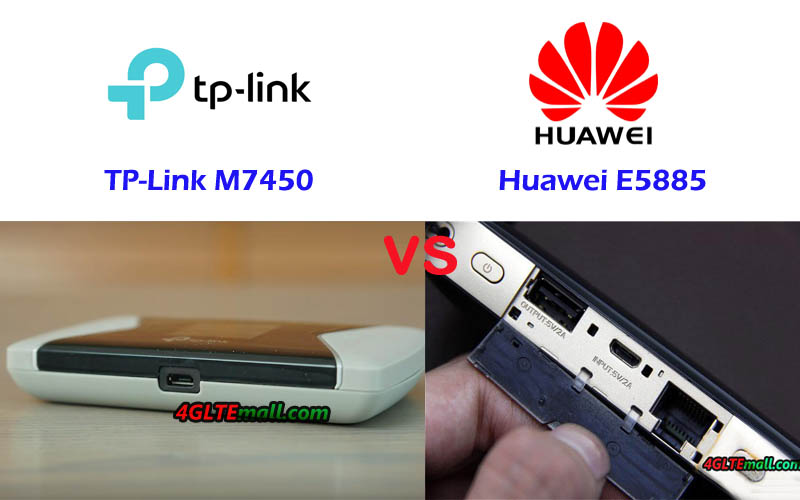
TP-link M7450 VS Huawei E5885

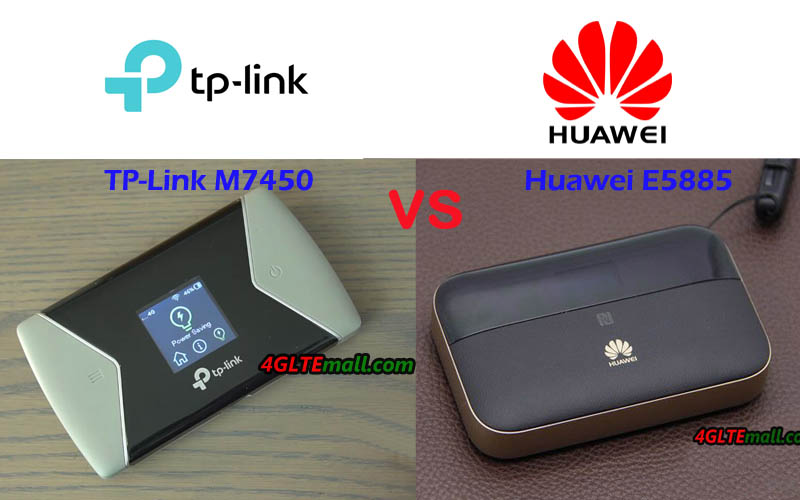
Since Huawei 4G pocket WiFi router had been a great success in many countries, TP-link followed the steps of Huawei and also presented many 4G WiFi pocket routers. Though they are not as well-known as Huawei pocket WiFi routers, they have similar functions to provide reliable performance like TP-link WiFi routers. TP-Link M7450 is one of the 4G+ Cat6 routers. Some customers asked what the difference is between the TP-Link M7450 and Huawei E5885, and which one is better to buy. Today, we will compare the two pocket WiFi routers and see which one is better.

Huawei E5885 VS TP-Link M7450 Specifications

To know the detail functions of Huawei E5885 and TP-Link M7450, let’s have a look at the Huawei E5885 specifications comparison with TP-link M7450 Specs in the table below:


Model TP-Link M7450 Huawei E5885Ls-93a
Product type LTE Mobile Hotspot LTE Mobile Hotspot with Ethernet port
Category LTE Cat.6 LTE Cat.6
Chipset Qualcomm Hisilicon LTE Cat6 chipset
Data rates DL 300Mbps/UL 50Mbps DL 300Mbps/UL 50Mbps
Supported 4G LTE frequency bands B1, B3, B7, B8, B20, B38, B40, B41 * FDD-LTE Band 1/2/3/4/5/7/8/19/20
* TDD-LTE: Band 38/40/41
WLAN 802.11a/b/g/n/ac, dual-band 2.4GHz & 5GHz 802.11a/b/g/n/ac, dual-band 2.4GHz & 5GHz
Max support users 32 users 32 users
MIMO 2 x 2 MIMO 2 X 2 MIMO
Connector for external antenna No connector No connector
Buy Antenna N/A N/A
App management tpMiFi APP Huawei Hilink APP 3.0
SIM type Micro SIM Micro SIM
Battery Removable, 3000 mAh Non-removable, 6400mAh
Dimensions 112.5 x 66.5 x 16mm  112.00 x 69.20 x 23.00mm
Ethernet Port No On port for WAN/LAN port(RJ-45)
Datasheet download TP-link M7450 Datasheet Huawei E5885 Datasheet
User Manual TP-link M7450 User Manual Huawei E5885 Manual
Other features 2 band CA Power bank, CA, NFC
Firmware download TP-link M7450 Firmware Huawei E5885 Firmware
Drivers TP-link M7450 driver Huawei E5885 driver
Reviews TP-link M7450 review Huawei E5885 Review
Price 289.00USD 279.00USD

Summary

From the spec table, we can see the Huawei E5885 and TP-link M7450 are both LTE Cat6 mobile WiFi hotspot which could achieve peak download speed up to 300Mbps and upload speed to 50Mbps. They both provide WiFi 802ac on dual-bands and support up to 32 wireless devices with 2 x 2 MIMO technology. But there are many obvious differences to note:

  1. LTE Frequency Bands

Huawei E5885 and TP-link M7450 both support FDD-LTE & TDD-LTE networks, but TP-link M7450 supports mainly the frequency bands popular in Asia and Europe. Huawei E5885 supports LTE band 4, which is widely deployed in American areas, so Huawei E5885 could not only work well in Aisa and European countries, it can also work well in American countries.


  1. Battery

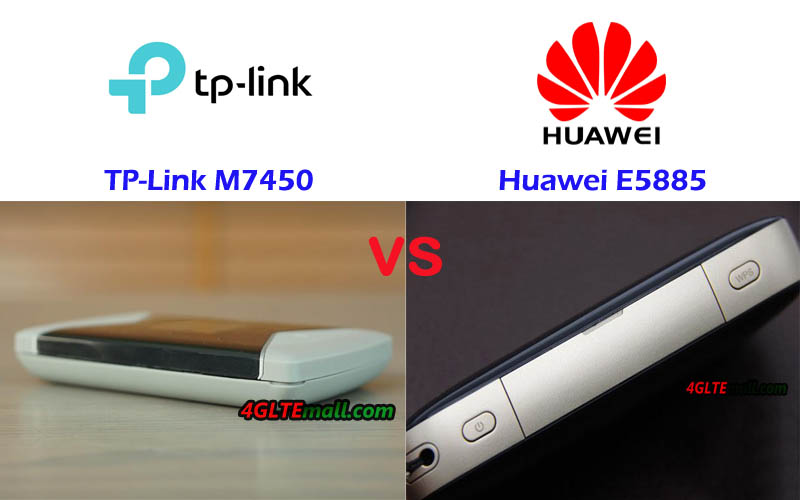
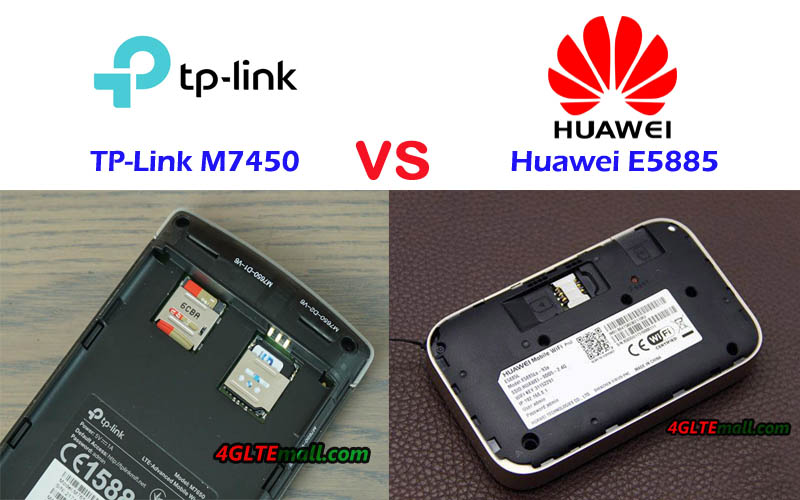
Like other TP-link LTE mobile WiFi, he TP-link M7450 battery is removable and has the capacity of 3000mAh, while the Huawei E5885 has a battery pack of 6400mAh and the battery is non-removable. The large battery of Huawei E5885 makes it work like a power bank to charge other devices, which is a very useful function. With the large battery, Huawei E5885 is a little bit thicker than common 4G pocket WiFi routers.

  1. Interface

TP-link M7450 has only a Mini USB port for charge, but Huawei E5885 has not only the Mini USB port to charge and the USB 2.0 port to charge other devices, but also one Ethernet port for both LAN & WAN, which is also a practical function if user travel to places where only Ethernet connection is available.


  1. Price

The TP-link M7450 price is a little bit more expensive than Huawei E5885 price, but not too much. But we don’t think the TP-link M7450 is worth this price, on this price, you can consider the higher level pocket WiFi Netgear Aircard 810s.


In conclusion, we think the Huawei E5885 is more powerful and practical for users. And we recommend Huawei E5885 if you would buy one pocket WiFi router from the two.


Huawei B612 VS Huawei B528

The Huawei B612 and B528 LTE routers are both available in European countries. But they both can work well in Asia. Since they are both Huawei latest routers, many people are not quite familiar with them. To help the end-consumers to know more about the two LTE modem routers, we will compare the Huawei B612 and B528 specs and features. If somebody would buy one router from the two, they may get some useful tips.

Huawei B612 VS Huawei B528 Specs


First, let’s have a check the Huawei B612 specs and Huawei B528 specs in the table:


Model Huawei B612 Huawei B528s-23a
Product type Huawei WiFi Router with Ethernet port LTE WiFi Cube
Category LTE Cat.6 LTE Cat.6
Chipset HiSilicon LTE Cat6 Chipset HiSilicon Balong 722
LTE Data rates DL 300Mbps/UL 50Mbps DL 300Mbps/UL 50Mbps
Supported 4G LTE frequency bands Huawei B612s-25d:  B1/B3/B7/B8/B20/B38/B40/B41/B42/B43
Huawei B612s-51d: B2/B4/B5/B7/B41
LTE B1, B3, B7, B8, B20, B32, B38
WLAN 802.11 b/g/n/ac, single-band 2.4GHz 802.11a/b/g/n/ac, dual-band 2.4GHz & 5GHz
Max supported users 32 users 64 users
MIMO 4 x 4 MIMO 2 x 2 MIMO
Antenna Connectors Two, SMA-female jacks Two, TS-9 jacks
Buy Antenna Huawei B612 external antenna Huawei B528 External Antenna
App management Huawei Hilink APP Huawei Hilink APP
SIM Size Micro SIM Micro SIM
Battery NO NO
Dimensions 240 × 155 × 78 mm 105 mm x 90mm x 181 mm
Interfaces * 3 x LAN port(RJ45)
* 1 x LAN/WAN port (RJ45)
* 1 x telephone port(RJ11)
* Two external LTE antenna ports (SMA-female)
* One micro-SIM card slot
* 1 x USB 2.0 port
* 1 x Gigabit LAN (RJ45)
* 1 x RJ11 (VoIP)
Datasheet Huawei B612 Datasheet(PDF) Huawei B528 Datasheet
User Manual Huawei B612 User Manual(PDF) Huawei B528 Manual
Other features  Firewall, CS Voice, VoIP, VoLTE, IPv6/IPv4 dual stack, NAT, DHCP, VPN, DMZ, UPnP, ALG, IPv4 /IPv6 dual stack
Firmware download Huawei B612 firmware Huawei B528 firmware
Driver Huawei B612 driver Huawei B528 Driver
Reviews Huawei B612 Review Huawei B528s-23a Review
Price/USD 199.00USD 229.00


Summary

From the specs table, we can see the Huawei B528 and B612 router are both LTE Cat6 routers which could achieve download speed up to 300Mbps and upload speed to 50Mbps. The main difference between the Huawei B612 4G router and Huawei B528 includes:


  1. Appearance

If you had seen the two routers, you will know the Huawei B612 looks like a traditional Huawei router such as Huawei B593 or E5186. But Huawei B528 LTE router looks like a humidifier in cylinder shape, which looks cool and like a furniture.


  1. Variant model

Huawei B612 Router has two variant models supports different LTE frequency bands. The Huawei B528 has only one variant model name B528s-23a, perhaps because it’s only available for Vodafone GigaCube. We are not sure whether there will be new variant model in near future.


  1. WLAN feature

Huawei B612 can provide only WiFi on single band 2.4GHz for up to 32 wirless users to connect, but Huawei B528s-23 could provide WiFi one dual-bands and support maximum up to 64 wireless users. However, Huawei B612 adopts 4 x 4 MIMO technologies for wireless connection while Huawei B528 only supports 2 x 2 MIMO.


  1. Interface

Huawei B612 has more interfaces options for users, but Huawei B528 has less interfaces. If your home or office has many devices and have to connect via Ethernet cables, the Huawei B612 may be better. They both have the external antenna connectors: Huawei B612 connector type is SMA-female while Huawei B528 antenna connector type is TS-9, like the Huawei B618 LTE Router.


  1. Price

The prices of Huawei B612 and Huawei B528 are very close. So if you would buy one of the two routers, you may focus on the wireless functions and the interface functions.

See the difference list, you may have your conclusion about the two routers and will have trouble to buy the Huawei routers.

Huawei B612 VS Huawei B310

Since 4G LTE networks are more and more popular, people usually need one or more home WiFi router for the terminals at home to access the internet. Huawei had provided many wireless router models for home usage and many of the Huawei Home WiFi routers are very well-known by the users. The Huawei B310 router is one of them. A few months ago, Huawei presented a new 4G home WiFi router named Huawei B612. For those people who are looking for a home WiFi router, they may want to know what the difference is between the Huawei B612 and Huawei B310, and which one is better to buy. You may check below the images of the two routers and specs comparisons, in the summary, we will list the key difference between them for the reference.

Huawei B612 VS Huawei B310 Specifications


Model Huawei B612 Huawei B310
Product type Huawei WiFi Router with Ethernet port LTE WiFi Router
Category LTE Cat.6 LTE Cat.4
Chipset HiSilicon LTE Cat6 Chipset Hisilicon Balong
LTE Data rates DL 300Mbps/UL 50Mbps DL 150Mbps/UL 50Mbps
Supported 4G LTE frequency bands Huawei B612s-25d:  B1/B3/B7/B8/B20/B38/B40/B41/B42/B43
Huawei B612s-51d: B2/B4/B5/B7/B41
* Huawei B310s-927:  B1/B3/B8/B40
* Huawei B310As-852: B3/B7/B8/B38/B39/B40/B41
* Huawei B310s-22: B1/B3/B7/B8/B20
* Huawei B310s-518: B1/B2/B4/B5/B7/B28
WLAN 802.11 b/g/n/ac, single-band 2.4GHz 802.11b/g/n, single-band 2.4GHz
Max supported users 32 users 32 users
MIMO 4 x 4 MIMO n/a
Antenna Two, SMA-female jacks Two, SMA-female jacks
Buy Antenna Huawei B612 external antenna Huawei B310 external antenna
App management Huawei Hilink APP Huawei Hilink APP
SIM Size Micro SIM Standard SIM
Battery NO No
Dimensions 240 × 155 × 78 mm 181.0mm x 126.0mm x 70.0mm
Interfaces * 3 x LAN port(RJ45)
* 1 x LAN/WAN port (RJ45)
* 1 x telephone port(RJ11)
* Two external LTE antenna ports (SMA-female)
* One micro-SIM card slot
* 1 x USB 2.0 port
* 1 x power adapter port
* 3 x LAN port(RJ45)(Depends)
* 1 x LAN/WAN port (RJ45)
* 1 x telephone port(RJ11)(depends)
* Two external LTE antenna ports (SMA-J1.5)
* One SIM card slot
* 1 x USB 2.0 port(depends)
Datasheet Huawei B612 Datasheet(PDF) Huawei B310 Datasheet(PDF)
User Manual Huawei B612 User Manual(PDF) Huawei B310 Manual(PDF)
Other features  Firewall, CS Voice, VoIP, VoLTE, IPv6/IPv4 dual stack, NAT, DHCP, VPN, DMZ, UPnP, ALG, Voice, DHCP, NAT, ARP, ICMP, DNS Relay, IPv6/IPv4 dual stack, VPN passthrough, Firewall, URL filter, LAN IP filter, DMZ, UPnP, ALG, Port forwarding
Firmware download Huawei B612 firmware Huawei B310 firmware
Driver Huawei B612 driver Huawei B310 driver
Reviews Huawei B612 Review Huawei B310 Review
Price/USD 199.00USD 139.00USD

Summary

From the specs table, we could see the Huawei B612 is more advanced than Huawei B310 router. The main difference between the Huawei B612 and B310 focus on below:


  1. Speeds

Huawei B612 could support peak download speed up to 300Mbps and upload speed to 50Mbps based on LTE Cat6 while Huawei B310 supports peak download speed up to 150Mbps and upload speed to 50Mbps based on LTE Cat4.


  1. Variant models

Huawei B612 Router has two variant models while Huawei B310 has more up to 4 variant models. They support different LTE frequency bands, users to check which frequency bands are available for their network providers and then select the right model to use.


  1. Wireless technology

Huawei B612 and B310 both support single mode 2.4GHz for WiFi, but Huawei B612 support 4 x 4 MIMO technology, which would improve the data transfer speeds.


  1. Interfaces

Huawei B612 has the standard configuration for Huawei 4G routers, including 3 WAN ports, one WAN/LAN port, one telephone port, two connectors for external antennas, and one USB 2.0 port. However, in the Huawei B310 variant models, some of the interfaces may be missing on specific models. If you would buy Huawei B310, you may confirm how many WAN or LAN ports are available, whether there is telephone port in case you want to use some functions but no interface to support.


  1. Price

As the newer model and better technology, Huawei B612 price is higher than Huawei B310 price, but if you don’t have much requirements for the router, Huawei B310 is a budget router for home use.


Now you could make a decision of which router to buy between the Huawei B612 and B310 router.

Quectel GNSS & GPS Module List

Quectel GNSS & GPS Module List
Model Category Price/USD Specs Images
GNSS L26 GNSS 39.00 Quectel L26 Specs
GPS L70 GPS 39.00 Quectel L70 Specs
GPS L70-R GPS 39.00 Quectel L70-R Specs
GPS L70-RL GPS 39.00 Quectel L70-RL Specs
GNSS L76 GNSS 39.00 Quectel L76 Specs
GNSS L76-L GNSS 39.00 Quectel L76-L Specs
GNSS L76B GNSS 39.00 Quectel L76B Specs
GPS L80 GPS 39.00 Quectel L80 Specs
GPS L80-R GPS 39.00 Quectel L80-R Specs
GNSS L86 GNSS 39.00 Quectel L86 Specs
GNSS L96 GNSS 39.00 Quectel L96 Specs

5G & 5G Applications and Features

The hyperlinked community of 5G revolutionary technology is soon a reality. It means a huge number of things connected to the network, high speeds, minimal delays, increased reliability, and brand new opportunities for using the web.


What is 5G?


5G will give us two main types of communication solutions: The first gives us a mobile broadband network with higher capacity and improved user experiences. The other main type provides a 5G network that will allow special online solutions for many different purposes with different functionality requirements. There will be billions of things connected to the web, for very fast response times, and for increased security and reliability.


The big difference between the 5G and previous generations is that the 5G is designed to provide networks and services to various industry and community-driven devices, as well as services and networks for the smartphone.


What are the 5G applications?


In addition to mobile broadband, 5G will be offered as fixed broadband access to households and businesses in areas without fiber networks. Broadcasting of radio and television will also be facilitated. Emergency services will have their own safe and effective solutions for crisis situations, including coordination of communication with audio, video, maps, positioning, first aid, drones management, etc. Enterprises, government agencies and households will be able to create their own “private” networks of sensors and machines that can be controlled and controlled via the network. Vehicles will be connected and combined for safer and more efficient traffic congestion. In the health sector, 5G could be used for telemedicine for diagnosis and treatment of patients wherever they are. Within the energy sector, 5G could be used for measuring and controlling production, distribution and consumption in more environmentally friendly and cost-effective ways. Within the food industry, 5G will enable more efficient and environmentally friendly production and distribution with the use of sensors that monitor and quality assure the entire food chain from sea, field and farm to the dinner table.


5G is expected to be a driver in the digital transformation of the future ICT community, such as smart and smart sensor and communication solutions, autonomous transport solutions and emergency networks. Individuals will experience new and improved digital services on their smartphone delivered over 5G. These services will be much faster, more accessible and safer than today’s services. Private individuals will also benefit from sensor and communication solutions for smart cities, autonomous transport solutions and emergency networks. Other 5G services will exploit the available rate and improve the security of virtual or custom reality transfer, for example to “hospital in ambulance” or firewall support systems.


When does 5G come?


From the start, 5G will gradually be built on top of the 4G network. 5G technology is standardized in two phases, in 2018 and 2019 with international approval in 20201 2, but it is difficult to determine when 5G is widely available.


5G is being developed and piloted in Europe, Asia and the United States. During the Olympics in South Korea, it was tested among other things. 360-degree TV services and use of 5G based robots. Commercial development is expected to start in 2020 as needed, but there will not be a massive deployment that we have seen for 3G and 4G. In the coming years, international research and innovation within 5G will focus on evaluation of 5G.


The 5G will come with a number of new and unique features, compared to the 4G network which we have become accustomed to. Three key examples of areas that will delight in 5G, so-called industry verticals, are autonomous transport solutions, the energy sector and the media industry. A thoughtful transport solution may be the intersection of cars (“platooning”) with communication between the cars and from the cars to the network, which requires extremely low latency and strong robustness. This will make it possible to synchronize cars and traffic signals for optimal driving speed and density of cars under all conditions.


However, for the energy sector, a massive IoT system with large amounts of sensors that still provide new information and data for monitoring, control and mainframe analysis can be critical.


Within the media world, it would be possible for consumers to have access to a 5G high-speed network that enables high-quality streaming in real time, preferably with an AR experience as well.


What are the 5G features?


There are especially five features of 5G that provide great potential for new applications, helping drive the hyperlinked community and enable much of the revolutionary technology we hear about otherwise:

  1. Skid network

5G enables operation of a more flexible and programmable network. This becomes possible through the use of new technology for logical or network slices. Various logical networks will be created at the top of this extremely flexible infrastructure and will provide as diverse devices on the network as the application requires. This means in practice that it will be perceived as services with very different needs, such as healthcare, industrial areas and autonomous vehicles, each having their own network, within the same network – tailored to their needs, and without compromising each other.

  1. Robustness and Quality Guarantees

This segmentation also enables guaranteed service quality (QoS) to be provided to different industries, services and applications – which are especially important for critical functions (such as health and emergency services, transportation and industrial production) and also make it safer to become more digital. It ensures robustness in the network, which allows services with zero tolerance for outcomes, errors and delays, to deploy web-based services and systems in a completely new way.

  1. Extremely low delays

5G will offer much lower delays in the network than before, some estimating down to 1ms. In a 4G network, the delay is about 25 ms. As mentioned above, this will be especially important for self-propelled cars – which can communicate for both safer and more efficient transportation, when a car knows that the front of the car slows down in what it does, one is both secured against a potential collision and can Avoid cuts in synchronized motion. Also in health, low delays can be considered as essential, for example, using remote-controlled robot surgery – which you will not have any delays but have near perfect response time from machine and patient at a hospital to the doctor who controls the operation from another hospital. 5G offers ultra reliability in these delays for Ultra Reliable Low Latency Communication (URLLC).

  1. Possibility of massive volumes of things connected to the net

The 5G technology will also enable a large number of things connected to the network, called massive machine type communication (mMTC). We already see that most people have a smartphone, but the vast growth of connections is sensors, machines and things that are connected to the network – so-called Internet of Things or the Internet of Things (IoT). These things also have very different needs: some will exchange tiny amounts of data and ensure long battery life (as a parking sensor dug down in the asphalt) while others, like a self-propelled car, have plenty of power but will transfer large amounts of data to cloud. Should all the technology now expected within the broad IoT concept be used, one must have a network that can handle such massive volumes of things on the same network. It offers 5G, which enables one million connected stuff on the same network per square kilometer.

  1. High speeds

The least radically different from 4G to 5G, yet remarkable, is the development of the speed of the network we will be able to offer. This is not only necessary to meet the strong growth in data traffic in the web as we already see, as more content requires large amounts of data. An example here is if more and more are going to stream 4K quality video. It also means that brand new applications are emerging. For example, far more advanced features and operations can be done in the “cloud” because data is transmitted quickly in the web and does not need to be stored or processed locally. This allows mobile devices to become more advanced, and do more demanding things than we have been used to.


Some of these properties will also be incorporated into the 4G network, which is constantly evolving (so-called 4,5G). This means that they will be available also where there is no 5G coverage, but you will still use 4G. It is therefore a continuous development of the 4G network as well, which will be in the process of digitizing society. The 5G will allow brand new applications for the technologies we already have, and be necessary to utilize the technologies we expect to come. The practical consequence of this is that if we are ready to take advantage of all the opportunities offered by new technology, we rely on better digital infrastructure than we currently have.

Huawei B715s-23c Router Web Interface Setting Options

Here you can see the Huawei B715s-23c 4G LTE Router web interface options for settings and you can see the full list of Huawei B715 functions:

The login web address for Huawei B715 is 192.168.8.1, and the default user name and password to log in are both “admin”.

Huawei B715 web UI home page:

Huawei B715 multiple languages available:

Huawei B715 Statistics:

Huawei B715 SMS Settings:

Huawei B715 Router Online and Local Update:

Huawei B715 Settings > Quick setup > Configure WLAN Settings:

Huawei B715 Settings > Quick setup > Update Configuration:

Huawei B715 Settings > Dial-up > Connect:

Huawei B715 Settings > Dial-up > Profile Management:

Huawei B715 Settings > Dial-up > Network Settings:


Huawei B715 Settings > Ethernet > Ethernet Settings:

Huawei B715 Settings > Ethernet > Ethernet Status:

Huawei B715 Settings > Ethernet > MAC Clone:

Huawei B715 VPN Settings:


Huawei B715 Settings > WLAN > WLAN Basic Settings:

Huawei B715 Settings > WLAN > WLAN Advanced Settings:

Huawei B715 Settings > WLAN > WLAN MAC Filter:


Huawei B715 Settings > WLAN > WPS Settings:


Huawei B715 Settings > DHCP Settings:

Huawei B715 Settings > Security > Pin Management:

Huawei B715 Settings > Security > Device Management:

Huawei B715 Settings > Security > Firewall:

Huawei B715 Settings > Security > MAC Filter:

Huawei B715 Settings > Security > LAN IP Filter:

Huawei B715 Settings > Security > Virtual Server:

Huawei B715 Settings > Security > Special Applications:

Huawei B715 Settings > Security > DMZ Settings:

Huawei B715 Settings > Security > SIP ALG Settings:

Huawei B715 Settings > Security > UPnP Settings:

Huawei B715 Settings > Security > NAT Settings:

Huawei B715 Settings > Security > Domain Name Filter:

Huawei B715 Settings > Security > DDNS:

Huawei B715 Settings > Security > Parental Control:


Huawei B715 Settings > System > Device Information:

Huawei B715 Settings > System > Diagnosis:

Huawei B715 Settings > System > Restore Defaults:

Huawei B715 Settings > System > Restart:

Huawei B715 Settings > System > System Settings:

Huawei B715 Settings > System > System Logs:

Huawei B715 Settings > System > Time Service Settings:

Huawei B715 Settings > System > Antenna Settings:


Huawei B715 APP management:

Huawei Hilink (Huawei Mobile WiFi) QR Code and download links:

Huawei B715 Sharing > Samba Server:


Huawei B715 Sharing > User Management:


Huawei B715 Sharing > DLNA:


Huawei Honor Play 4G Smartphone Test

Huawei presented a new smartphone recently in Europe and the new LTE smartphone name is Honor Play, which is aimed especially at users who want to play games in their smartphone. The device has integrated a powerful processor with “GPU Turbo” and offers a very large display. Today, we will check details about the Honor Play and the technology that offered by Huawei in this smartphone.

Good display and quick unlock

The display of the Honor Play is comparatively large with 6.3 inches. The resolution is very high at 2340 x 1080 pixels, so the presentation is always sharp. The positive feature in the test is the very good display brightness. The frame around the display is pretty narrow, in this area of the display, for example, pictograms can be displayed.

The Honor Play not only offers a fingerprint sensor to unlock but also a face recognition. Both methods work reliably and quickly. The fingerprint sensor is positioned well on the back and works faster than the face recognition, but overall, the face recognition with sufficient light left a very good impression.

Enough performance for the gaming smartphone

Honor Play uses a HiSilicon Kirin 970 chipset, which is the first chipset used in the Huawei Mate 10 in 2017 offers a maximum clock rate of 2.36 GHz per processor core and has 4 GB of RAM available. In addition, the “GPU Turbo” technology is used. According to Honor, this brings up to 60% more power and up to 30% less power consumption for certain games optimized for this purpose. However, if you play a game that is not optimized for the GPU Turbo, then you can only get the regular performance.


Dual camera with decent picture quality

The Honor Play features two camera sensors on the back, one with 16-megapixel resolution and the second sensor with 2-megapixel resolution. A kind of “artificial intelligence” (AI), so a software mechanism, is to improve the image quality. In the test, the image quality was usually neat, but could not compete with more expensive smartphones like the Huawei P20 Pro or the Apple iPhone 8. Unfortunately, the colors were often a bit pale. If you turn on the AI photo function, you often get very unnatural looking pictures. Colors are overemphasized and edges – for example, buildings – too sharpened.


Modem, voice quality, battery and more

The battery lasted in the test pleasingly long, about 2 days were possible with moderate use and about a day with normal use. Charging is via USB C fast charging function, wireless charging via Qi standard does not support the device unfortunately.

The modem made a good impression, up to 240 Mbit/s could be measured via LTE in the downlink. The reception and voice quality was good in the test.


Conclusion

The Honor Play offers great value for money. The display is not only huge, but also offers a very good presentation quality and a great brightness. The system speed is very good thanks to Kirin 970 chipset and the Android software offers many features. With the EMUI user interface, Honor Play would like to use fewer colors. Often the system is overloaded and confusing due to the many menus and apps. Also, many third-party apps are preinstalled, which fortunately can be uninstalled.

The Honor Play is a very good smartphone for the price of just around 400USD. One thing has to mention is that Honor Play is an explicit gaming smartphone. Of course, you can play well with the Honor Play – but that works just as well with many other smartphones. For example, if you value Turbo on the GPU, you can buy an Honor 10 or a Huawei P20 which have the same performance.


Alcatel LinkHub HH70 VS HH40

Many people know Alcatel 4G WiFi Hotspot, but few Alcatel 4G wireless router with Ethernet ports are well-known. Now Alcatel presented a new LinkHub series of wireless router for home use. The Alcatel LinkHub HH70 and HH40 are the two models for the home station. If you want to know the difference between LinkHub HH40 and HH70, you can check the specification table below for the comparison of the two 4G wireless wifi routers.


Model Alcatel LinkHub HH70 Alcatel LinkHub HH40
Product type 4G WiFi Router with Ethernet port 4G WiFi Router with Ethernet port
Category LTE Cat.7 LTE Cat.4
Chipset Qualcomm MDM9240-1 Qualcomm MDM9207
LTE Data rates DL 300Mbps/UL 100Mbps DL 150Mbps/UL 50Mbps
Supported 4G LTE frequency bands Band 1/3/7/8/20/38/B40 – EU Version(Alcatel HH40V): Band 1/3/7/8/20
– APAC/MEA Version(Alcatel HH40CM): Band 1/3/5(26)/7/8/20/28/38/40/41
WLAN 802.11a/b/g/n/ac, dual-band 2.4GHz & 5GHz 802.11b/g/n, 2.4GHz
Max supported users 64 users 32 users
MIMO 2 x 2 MIMO 2 x 2 MIMO
Antenna Two, SMA-female jacks Two, SMA-female jacks
Buy Antenna Alcatel LinkHub HH70 external antenna Alcatel LinkHub HH40 external antenna
App management Alcatel WiFi Link App Alcatel WiFi Link App
SIM Size Micro SIM Micro SIM
Battery NO NO
Dimensions 146 x 146 x 32 mm 134 x 134 x 31.5mm
Interfaces * 2x 1000Mbps RJ45 port (WAN/LAN)
* 1x RJ11 telephone port
* Two external LTE antenna ports (SMA)
* One Micro-SIM card slot
* 1 x USB 2.0 port
* 1 x LAN port(RJ45)
* 1 x LAN/WAN port (RJ45)
* Two external LTE antenna ports (SMA)
* One micro-SIM card slot
* 1 x Micro USB for power supply
Datasheet LinkHub HH70 Datasheet(PDF) LinkHub HH40 Datasheet(PDF)
User Manual LinkHub HH70 User Manual(PDF) LinkHub HH40 User Manual(PDF)
Other features
Firmware download Linkhub HH70 firmware Linkhub HH40 firmware
Driver Linkhub HH70 driver Linkhub HH40 driver
Reviews LinkHub HH70 Review LinkHub HH40 Review
Price/USD 279.00USD 169.00USD


Summary

From the specs table, we can see the main difference focus on below point:


Speed:

  • Alcatel Linkhub HH70 supports LTE Cat7 and achieves download speed up to 300Mbps and upload speed to 100Mbps based on Qualcomm MDM9240-1
  • Alcatel LinkHub HH40 supports LTE Cat4 and achieves download speed up to 150Mbps and upload speed to 50Mbps based on Qualcomm MDM9207


Variant models: LinkHub HH70 has only one variant model now, but Alcatel Linkhub HH40 has two models for different markets: Alcatel HH40V for EU and Alcatel HH40CM for APAC/MEA areas.


Interfaces: Comparing with Linkhub HH40, Alcatel LinkHub HH70 has an extra USB 2.0 port for external disk connection and printer, but it doesn’t has the Micro USB port which is available in LinkHub HH40.


Dimensions: Alcatel LinkHub HH70 is a little bit larger than Linkhub HH40


The Alcatel Linkhub HH70 is advanced than HH40, so the Linkhub HH70 price is higher than HH40. If you would like to buy one home router from the two routers, we recommend the LinkHub HH70.

Alcatel LinkHub HH70 Cat7 LTE Router Review

At the IFA 2018, Alcatel presented a new LTE wireless router for the Linkhub series. The new LTE router model number is Linkhub Cat7 HH70. The Linkhub HH70 is very similar to the predecessor model Linkhub HH40 in appearance, which we had introduced before (check Alcatel Linkhub HH40 review). But there is much difference in the new HH70 linkhub.

Alcatel Linkhub HH70 cat7

Alcatel Linkhub HH70 Appearance and interfaces


On the front, there is the Alcatel logo with five indicators for power, WiFi, telephone, network, and signal. The power button is on one edge side while the opposite side locates the power plug, one USB port, two Ethernet ports(one RJ45 for LAN/WAN and the other for LAN only), one RJ11 telephone port and two connectors for LTE antennas which are covered by two round cap.


The antenna connector type is SMA-female. If you would like to buy the external LTE antenna for Alcatel Linkhub HH70, you’d better buy the external antenna with SMA-male connectors. The WPS button is at another side. The Reset button and SIM card are hidden under a cover. The SIM card slot is for NANO-SIM card size.


Alcatel Linkhub HH70 cat7

Alcatel Linkhub Cat7 HH70 Specifications


Upgrading from the Alcatel Linkhub HH40, Linkhub HH70 supports LTE cat7 which could achieve download speed up to 300Mbps and upload speed to 100Mbps based on Qualcomm MDM9240 chipset and 2CA carrier aggregation technology. And Linkhub Cat7 HH70 supports maximum WiFi users up to 64 devices while the HH40 supports only half to 32 devices.


Alcatel HH70 Linkhub provides WiFi 802.11 a/b/g/n/ac on dual-band while the HH40 missing the 802.11 ac and only on single band 2.4GHz. The WiFi could cover around 250 meters, which is very strong.


Like other Alcatel 4G router, Linkhub HH70 supports 4G LTE frequency bands on FDD B1/3/7/8/20 & TDD B38/B40, and the 3G UMTS network(B1/B3/B8) & 2G GSM (850/900/1800/1900MHz) are backward compatible.

Alcatel Linkhub HH70 cat7

The management and control of the Linkhub HH70 could be done via the Alcatel WiFi Link APP, which could also be used with Alcatel Linkhub HH40.


However, there is no integrated battery for mobile use in the Alcatel Linkhub HH70, but you can still operate the router via a corresponding power supply, for example, in the motorhome, in the car or in the house.


Alcatel Linkhub HH70 Availability and Price

Regarding the availability of Linkhub HH70, there is no more information to provide now. We will keep updating when we get the information about the availability and price in near future.

Huawei Hisilicon Kirin 980 New Chipset Released

At the IFA 2018, Huawei presented the latest system-on-a-chip processor Hisilicon Kirin 980. According to the introduction from Huawei, the highlight features of Kirin 980 include:

  • World’s first 7nm process mobile phone SoC chipset
  • World’s first SoC Supporting 2133MHz LPDDR4X
  • World’s first Cortex-A76 architecture chipset
  • World’s first dual NPU design
  • World’s first Mali-G76 GPU
  • World’s first chipset to support LTE Cat.21

A year ago we had introduced with Kirin 970, the first mobile processor with artificial intelligence. Kirin 980 continues the trend determined by its predecessor and the most highlighted feature is the 7-nanometer lithographic process, which makes Huawei the first mobile manufacturer that presented such a system. The Kirin 980 combines multiple technological innovations and leads the AI trend to provide users with impressive mobile performance and to create a more convenient and intelligent life.

Thanks to seven nanometers, on one square centimeter, the surface of the processor has been able to fit as much as 6.9 billion transistors. According to the manufacturer’s declaration, this is to make the Kirin 980 be 20% more efficient than the Kirin 970 and will be 40% more energy-efficient.

The Kirin 980 integrates 6.9 billion transistors in an area of less than 1 square centimeter which is a 1.6x fold increase in density to empower better performance. This chipset is the first Cortex-A76 based in the world and has a 75% improvement in single core performance. The Kirin 980 also includes the world’s first commercial use Mali-G76 GPU performance is improved by 46%. The LPDDR4X memory operates at speeds up to 2133 MHz. The fourth-generation ISP utilizes a multi-pass noise reduction to capture quality images and preserve important details. This ISP also has a dedicated video pipeline to effectively improve video clarity and reduce shooting delays by 33%.


The Kirin 980 7nm process technology compared with the 10nm process, improves performance by 20%, power efficiency by 40% and the overall energy efficiency of the Kirin 980 increased by 58%. The Mali-G76 GPU has also increased its energy efficiency by 178%. The Kirin 980 is built with a 3 energy efficiency architecture which has 2 super cores, 2 large cores and 4 small efficiency cores and uses the Flex-Scheduling intelligence mechanism to allow the CPU to adapt in heavy, medium and light-load scenarios by reducing its power consumption and giving users a longer battery life while still achieving an overall higher performance experience.


Huawei Kirin 980 can quickly adapt to AI scenes such as face recognition, object recognition, object detection, image segmentation and intelligent translation with the power of a dual-core NPU achieving 4500 images per minute which is an improved 120% recognition speed. So whether it’s dancing to a fast song or quickly running in front of the camera, the Kirin 980 can focus on the joints and lines of the human body in real time. The powerful object detection capabilities can also accurately identify a variety of objects. In comparison to the Kirin 970, the Kirin 980 is an impressive leap from image recognition to object detection. The Kirin 980 sets the foundation for future AI capabilities by providing complete framework support and rich tool keys for App developers.

The Kirin 980 is the first to support LTE Cat.21 which supports the fastest downlink at 1.4 Gbps and offers a stable connection in congested areas like subways or high-speed rails. With the Hi1103, it supports a theoretical peak download speed of 1.7 Gbps and 160 MHz bandwidth, which is 1.7x the industry level. The GPS is supported by industry leading L1 + L5 dual frequency ultra-precise positioning to give you a more accurate target location when using map navigation, even in complex terrains.