Huawei 5G Router for mmWave and C-band Released

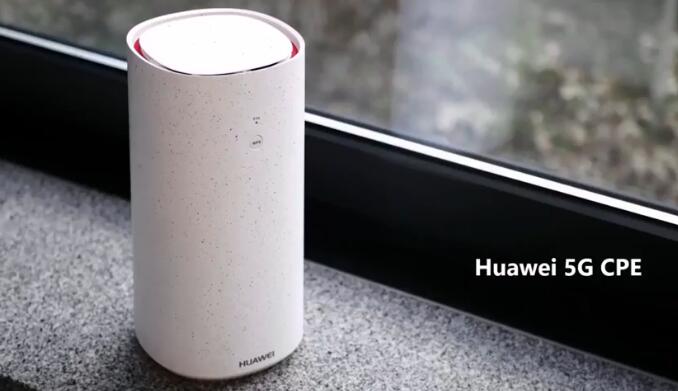
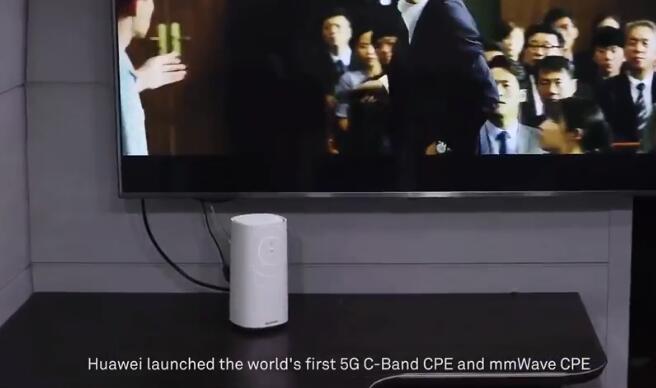
At the Global Mobile Broadband Forum, Huawei announced the first modem routers (“CPE”) for the new 5G cellular standard. The company has two devices in preparation, one for the C band (frequency range between 3.5 and 5 gigahertz) and one for the millimeter wave range between 26 and 28 gigahertz. Although the two 5G routers still have some drawbacks such as an enormous energy consumption to fight, yet it is likely to be the first commercially available 5G devices.

Huawei 5G router for C-band feature

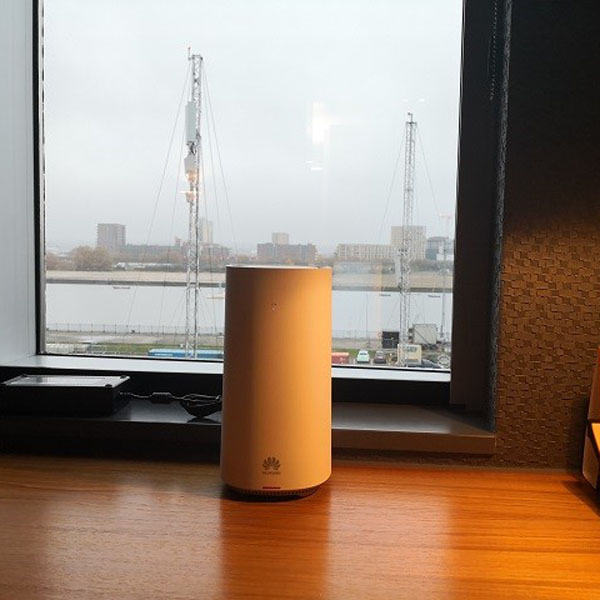
Compared to a current LTE router like Huawei B618 , the Huawei 5G WiFi router for use in the C-band between 3.5 and about 5 GHz is quite large and heavy, but the first 5G devices are safe to handle.

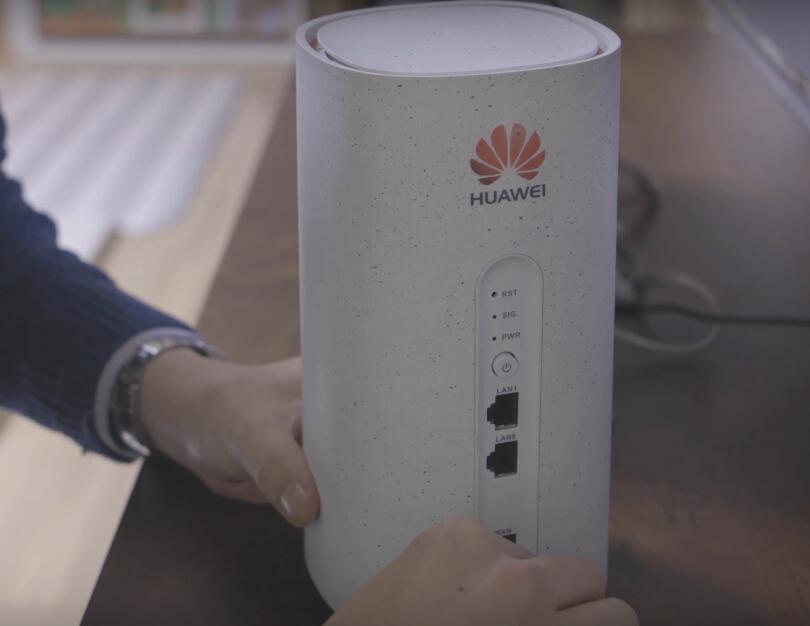
According to the manufacturer, the Huawei 5G router should be equipped with two RJ45 Gigabit LAN ports and WLAN 802.11ac (2.4 GHz and 5 GHz). The 5G C-Band Router is backward compatible with the 4G LTE standard and comes with a 2T4R antenna configuration, which means: data can be received on four antennas while sent via two antennas.


Huawei 5G router for mmWave feature

The Huawei 5G router for the millimeter-wave frequency range between 26 and 28 gigahertz is visually hardly distinguishable from the sister model for the C-band. But there is one important difference: millimeter waves can hardly or never enter buildings, so a line of sight to the 5G transmitter is required. This is done by an outdoor unit (ODU) integrated with the entire modem technology.

The indoor unit (IDU) features all the connections and the WLAN technology. The indoor and outdoor units are connected via LAN cable, the power supply of the outdoor unit is realized via Power over Ethernet (PoE).


High energy consumption from the Huawei 5G router

As can be seen on the data sheets shown above, both Huawei 5G devices have an enormous power consumption, at least under load. The C-band model consumes up to 120 watts, while the mmWave model even up to 146 watts. So when the 5G router working, the power consumption is more like a gaming notebook rather than a router. For comparison: common LTE routers such as the Huawei B715 LTE router consume up to 12 watts during heavy load, ie one-tenth of them.

However, Huawei emphasizes that only the first generation of the 5G modem will have such high energy consumption. It is also likely that commercially available 5G routers will have a newer chipset and thus lower power consumption.


Huawei and Three UK Release 5G Router for Home

It’s said that the 5G networks would be launched in many countries and areas, so as the next generation of 5G mobile phones. As an important application, 5G router would be also an important part for 5G connection and surfing. The UK provider Three released its first 5G home access point from the Chinese network equipment supplier Huawei. Three UK owns 100 megahertz of radio spectrum in the range around 3.7 GHz and expands its 5G net with this spectrum. Huawei can provide both the network technology and the appropriate terminals for 5G.


5G can be used for a variety of purposes, but fast Internet for the home is probably the first application that will be introduced over a large area. With the 100 MHz wide spectrum that Three UK has available for 5G, it is theoretically possible to achieve up to 2 gigabits per second – which is about twice as fast as the currently most powerful LTE connections. What is more interesting than the top speed is the average speed, which should be at 1 gigabit per second. Compared to LTE, that’s a big step forward. A 5G connector can not only easily replace a VDSL supervising connection, but even achieves speeds previously only possible with fiber optic connectors.


Although Huawei already presented the first 5G router in 2017, it is now being used in practical use for the first time. It is the 5G router model for the so-called C-band, ie the frequency range between 3.4 and 3.8 gigahertz. Externally, the router is inconspicuous therefore and does not differ from an ordinary 4G LTE router. The router would certainly not win a design prize, but the technology dominates.


The Huawei 5G C-Band Home Router can also use LTE in addition to 5G, as shown in the datasheet below. Wi-Fi is supported at 2.4 and 5 gigahertz. There are two Gigabit LAN ports on the back, plus some LEDs and a SIM card slot. Whether or not eSIM is supported, Huawei didn’t tell. The power consumption is up to 120 watts – 10 times as much as a normal LTE router!


Even the 5G available in near future, you cannot buy the Huawei 5G router, presumably, the 5G router will only be available via some specific providers in some countries. But we suppose there will be more and more 5G modem routers available as time goes.

Huawei Honor Play 4G Smartphone Test

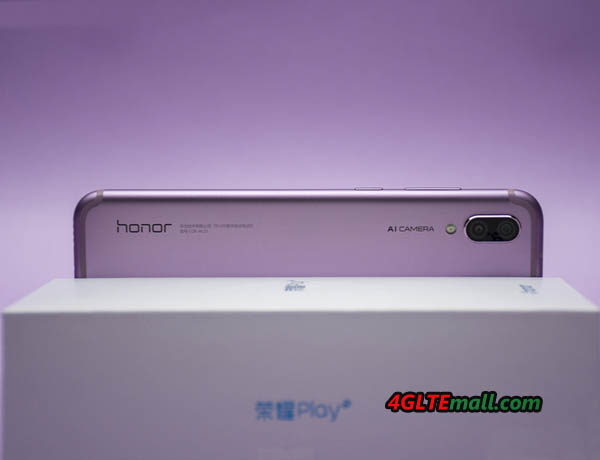
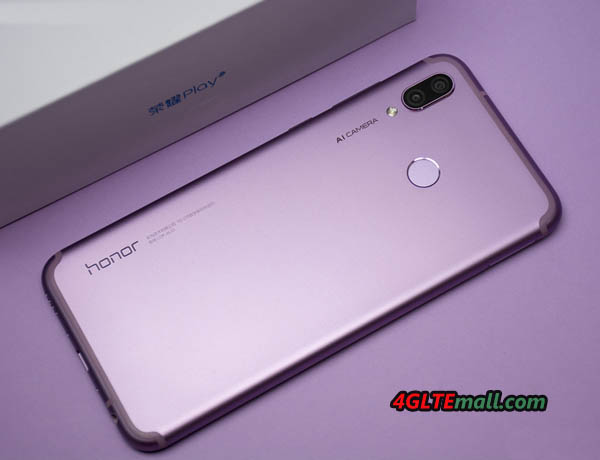
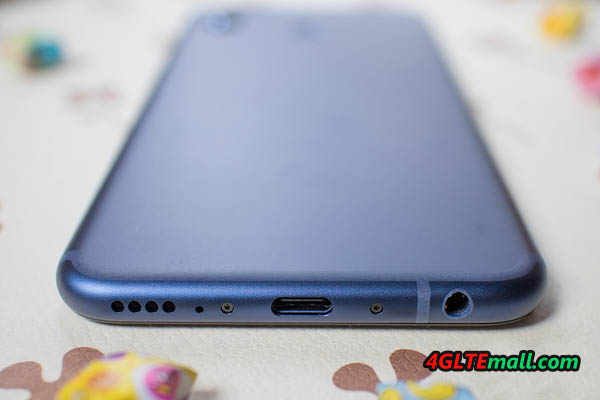
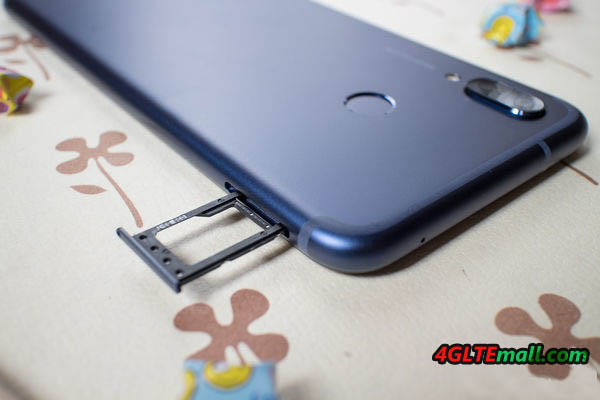
Huawei presented a new smartphone recently in Europe and the new LTE smartphone name is Honor Play, which is aimed especially at users who want to play games in their smartphone. The device has integrated a powerful processor with “GPU Turbo” and offers a very large display. Today, we will check details about the Honor Play and the technology that offered by Huawei in this smartphone.

Good display and quick unlock

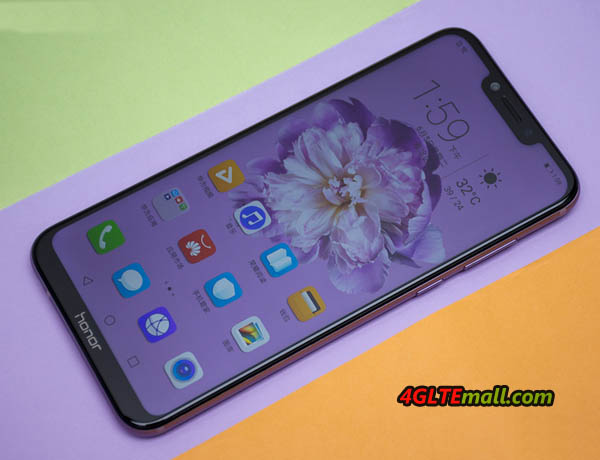
The display of the Honor Play is comparatively large with 6.3 inches. The resolution is very high at 2340 x 1080 pixels, so the presentation is always sharp. The positive feature in the test is the very good display brightness. The frame around the display is pretty narrow, in this area of the display, for example, pictograms can be displayed.

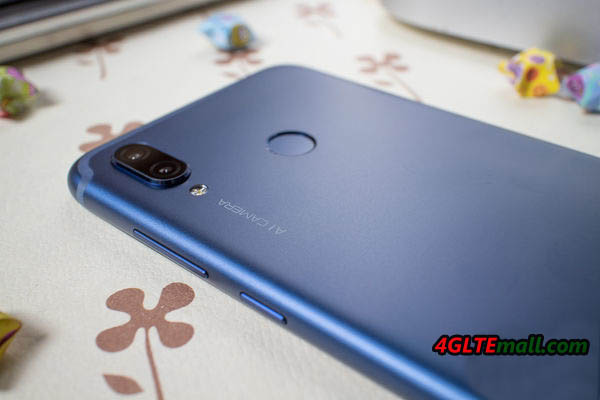
The Honor Play not only offers a fingerprint sensor to unlock but also a face recognition. Both methods work reliably and quickly. The fingerprint sensor is positioned well on the back and works faster than the face recognition, but overall, the face recognition with sufficient light left a very good impression.

Enough performance for the gaming smartphone

Honor Play uses a HiSilicon Kirin 970 chipset, which is the first chipset used in the Huawei Mate 10 in 2017 offers a maximum clock rate of 2.36 GHz per processor core and has 4 GB of RAM available. In addition, the “GPU Turbo” technology is used. According to Honor, this brings up to 60% more power and up to 30% less power consumption for certain games optimized for this purpose. However, if you play a game that is not optimized for the GPU Turbo, then you can only get the regular performance.


Dual camera with decent picture quality

The Honor Play features two camera sensors on the back, one with 16-megapixel resolution and the second sensor with 2-megapixel resolution. A kind of “artificial intelligence” (AI), so a software mechanism, is to improve the image quality. In the test, the image quality was usually neat, but could not compete with more expensive smartphones like the Huawei P20 Pro or the Apple iPhone 8. Unfortunately, the colors were often a bit pale. If you turn on the AI photo function, you often get very unnatural looking pictures. Colors are overemphasized and edges – for example, buildings – too sharpened.


Modem, voice quality, battery and more

The battery lasted in the test pleasingly long, about 2 days were possible with moderate use and about a day with normal use. Charging is via USB C fast charging function, wireless charging via Qi standard does not support the device unfortunately.

The modem made a good impression, up to 240 Mbit/s could be measured via LTE in the downlink. The reception and voice quality was good in the test.


Conclusion

The Honor Play offers great value for money. The display is not only huge, but also offers a very good presentation quality and a great brightness. The system speed is very good thanks to Kirin 970 chipset and the Android software offers many features. With the EMUI user interface, Honor Play would like to use fewer colors. Often the system is overloaded and confusing due to the many menus and apps. Also, many third-party apps are preinstalled, which fortunately can be uninstalled.

The Honor Play is a very good smartphone for the price of just around 400USD. One thing has to mention is that Honor Play is an explicit gaming smartphone. Of course, you can play well with the Honor Play – but that works just as well with many other smartphones. For example, if you value Turbo on the GPU, you can buy an Honor 10 or a Huawei P20 which have the same performance.


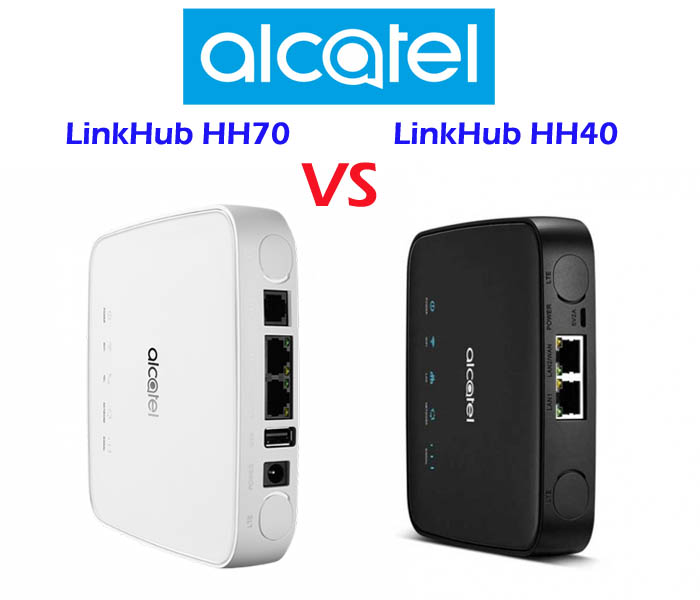
Alcatel LinkHub HH70 VS HH40

Many people know Alcatel 4G WiFi Hotspot, but few Alcatel 4G wireless router with Ethernet ports are well-known. Now Alcatel presented a new LinkHub series of wireless router for home use. The Alcatel LinkHub HH70 and HH40 are the two models for the home station. If you want to know the difference between LinkHub HH40 and HH70, you can check the specification table below for the comparison of the two 4G wireless wifi routers.


Model Alcatel LinkHub HH70 Alcatel LinkHub HH40
Product type 4G WiFi Router with Ethernet port 4G WiFi Router with Ethernet port
Category LTE Cat.7 LTE Cat.4
Chipset Qualcomm MDM9240-1 Qualcomm MDM9207
LTE Data rates DL 300Mbps/UL 100Mbps DL 150Mbps/UL 50Mbps
Supported 4G LTE frequency bands Band 1/3/7/8/20/38/B40 – EU Version(Alcatel HH40V): Band 1/3/7/8/20
– APAC/MEA Version(Alcatel HH40CM): Band 1/3/5(26)/7/8/20/28/38/40/41
WLAN 802.11a/b/g/n/ac, dual-band 2.4GHz & 5GHz 802.11b/g/n, 2.4GHz
Max supported users 64 users 32 users
MIMO 2 x 2 MIMO 2 x 2 MIMO
Antenna Two, SMA-female jacks Two, SMA-female jacks
Buy Antenna Alcatel LinkHub HH70 external antenna Alcatel LinkHub HH40 external antenna
App management Alcatel WiFi Link App Alcatel WiFi Link App
SIM Size Micro SIM Micro SIM
Battery NO NO
Dimensions 146 x 146 x 32 mm 134 x 134 x 31.5mm
Interfaces * 2x 1000Mbps RJ45 port (WAN/LAN)
* 1x RJ11 telephone port
* Two external LTE antenna ports (SMA)
* One Micro-SIM card slot
* 1 x USB 2.0 port
* 1 x LAN port(RJ45)
* 1 x LAN/WAN port (RJ45)
* Two external LTE antenna ports (SMA)
* One micro-SIM card slot
* 1 x Micro USB for power supply
Datasheet LinkHub HH70 Datasheet(PDF) LinkHub HH40 Datasheet(PDF)
User Manual LinkHub HH70 User Manual(PDF) LinkHub HH40 User Manual(PDF)
Other features
Firmware download Linkhub HH70 firmware Linkhub HH40 firmware
Driver Linkhub HH70 driver Linkhub HH40 driver
Reviews LinkHub HH70 Review LinkHub HH40 Review
Price/USD 279.00USD 169.00USD


Summary

From the specs table, we can see the main difference focus on below point:


Speed:

  • Alcatel Linkhub HH70 supports LTE Cat7 and achieves download speed up to 300Mbps and upload speed to 100Mbps based on Qualcomm MDM9240-1
  • Alcatel LinkHub HH40 supports LTE Cat4 and achieves download speed up to 150Mbps and upload speed to 50Mbps based on Qualcomm MDM9207


Variant models: LinkHub HH70 has only one variant model now, but Alcatel Linkhub HH40 has two models for different markets: Alcatel HH40V for EU and Alcatel HH40CM for APAC/MEA areas.


Interfaces: Comparing with Linkhub HH40, Alcatel LinkHub HH70 has an extra USB 2.0 port for external disk connection and printer, but it doesn’t has the Micro USB port which is available in LinkHub HH40.


Dimensions: Alcatel LinkHub HH70 is a little bit larger than Linkhub HH40


The Alcatel Linkhub HH70 is advanced than HH40, so the Linkhub HH70 price is higher than HH40. If you would like to buy one home router from the two routers, we recommend the LinkHub HH70.

Alcatel LinkHub HH70 Cat7 LTE Router Review

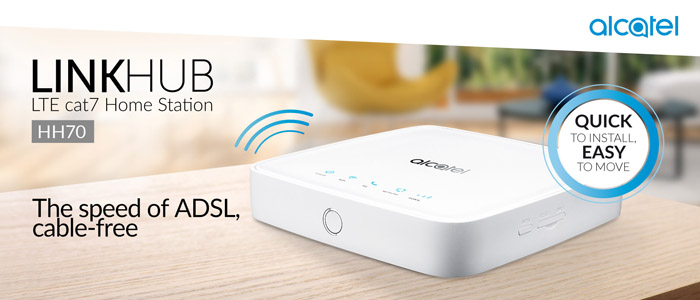
At the IFA 2018, Alcatel presented a new LTE wireless router for the Linkhub series. The new LTE router model number is Linkhub Cat7 HH70. The Linkhub HH70 is very similar to the predecessor model Linkhub HH40 in appearance, which we had introduced before (check Alcatel Linkhub HH40 review). But there is much difference in the new HH70 linkhub.

Alcatel Linkhub HH70 cat7

Alcatel Linkhub HH70 Appearance and interfaces


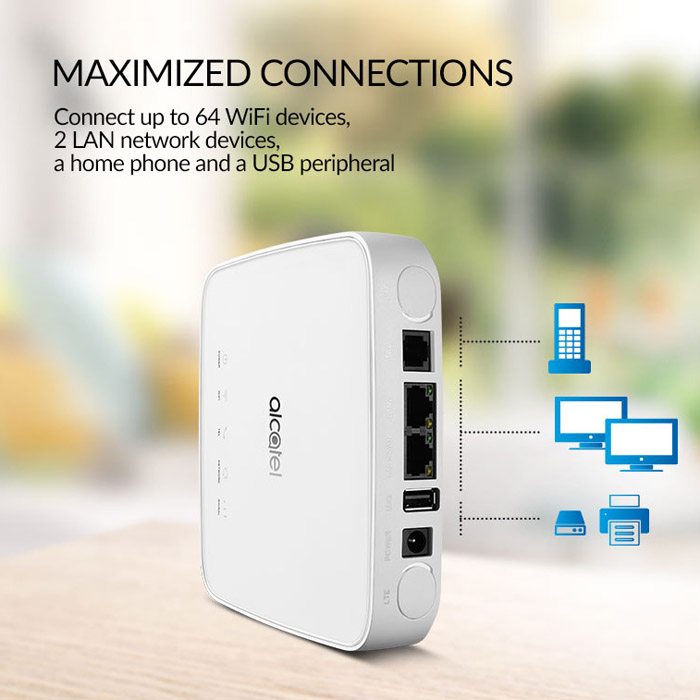
On the front, there is the Alcatel logo with five indicators for power, WiFi, telephone, network, and signal. The power button is on one edge side while the opposite side locates the power plug, one USB port, two Ethernet ports(one RJ45 for LAN/WAN and the other for LAN only), one RJ11 telephone port and two connectors for LTE antennas which are covered by two round cap.


The antenna connector type is SMA-female. If you would like to buy the external LTE antenna for Alcatel Linkhub HH70, you’d better buy the external antenna with SMA-male connectors. The WPS button is at another side. The Reset button and SIM card are hidden under a cover. The SIM card slot is for NANO-SIM card size.


Alcatel Linkhub HH70 cat7

Alcatel Linkhub Cat7 HH70 Specifications


Upgrading from the Alcatel Linkhub HH40, Linkhub HH70 supports LTE cat7 which could achieve download speed up to 300Mbps and upload speed to 100Mbps based on Qualcomm MDM9240 chipset and 2CA carrier aggregation technology. And Linkhub Cat7 HH70 supports maximum WiFi users up to 64 devices while the HH40 supports only half to 32 devices.


Alcatel HH70 Linkhub provides WiFi 802.11 a/b/g/n/ac on dual-band while the HH40 missing the 802.11 ac and only on single band 2.4GHz. The WiFi could cover around 250 meters, which is very strong.


Like other Alcatel 4G router, Linkhub HH70 supports 4G LTE frequency bands on FDD B1/3/7/8/20 & TDD B38/B40, and the 3G UMTS network(B1/B3/B8) & 2G GSM (850/900/1800/1900MHz) are backward compatible.

Alcatel Linkhub HH70 cat7

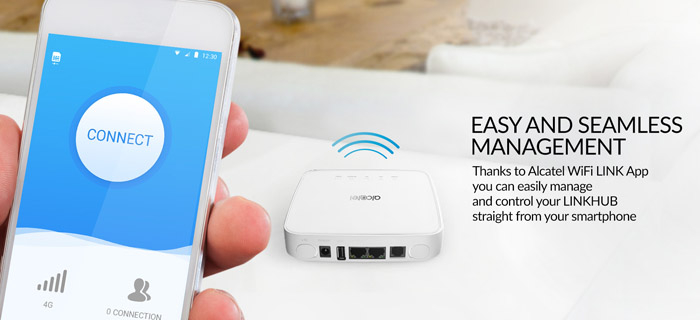
The management and control of the Linkhub HH70 could be done via the Alcatel WiFi Link APP, which could also be used with Alcatel Linkhub HH40.


However, there is no integrated battery for mobile use in the Alcatel Linkhub HH70, but you can still operate the router via a corresponding power supply, for example, in the motorhome, in the car or in the house.


Alcatel Linkhub HH70 Availability and Price

Regarding the availability of Linkhub HH70, there is no more information to provide now. We will keep updating when we get the information about the availability and price in near future.

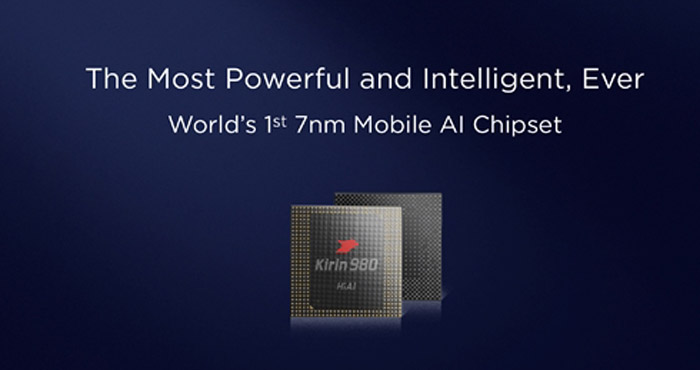
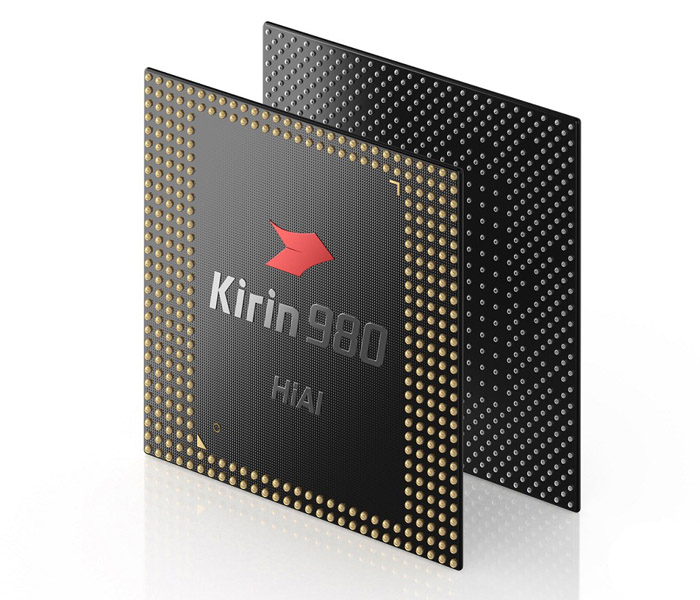
Huawei Hisilicon Kirin 980 New Chipset Released

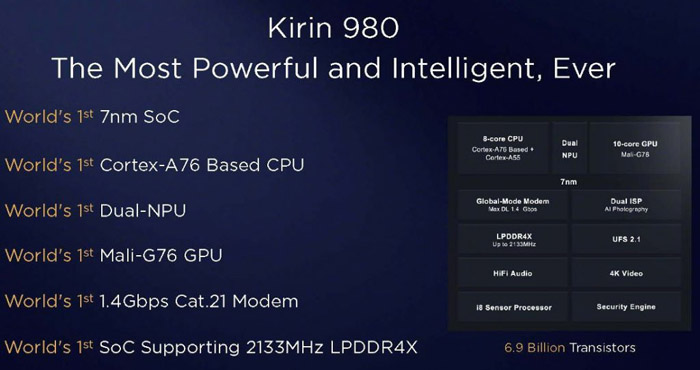
At the IFA 2018, Huawei presented the latest system-on-a-chip processor Hisilicon Kirin 980. According to the introduction from Huawei, the highlight features of Kirin 980 include:

  • World’s first 7nm process mobile phone SoC chipset
  • World’s first SoC Supporting 2133MHz LPDDR4X
  • World’s first Cortex-A76 architecture chipset
  • World’s first dual NPU design
  • World’s first Mali-G76 GPU
  • World’s first chipset to support LTE Cat.21

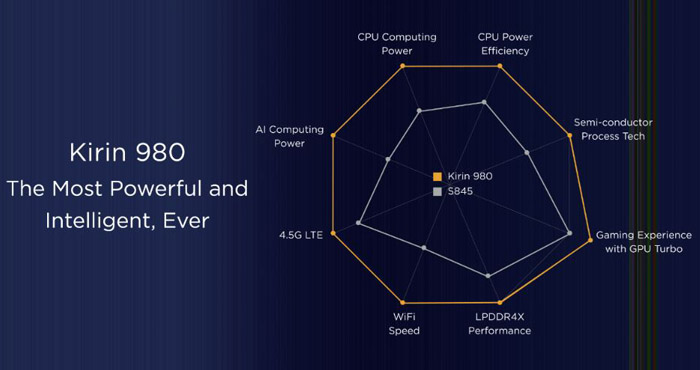
A year ago we had introduced with Kirin 970, the first mobile processor with artificial intelligence. Kirin 980 continues the trend determined by its predecessor and the most highlighted feature is the 7-nanometer lithographic process, which makes Huawei the first mobile manufacturer that presented such a system. The Kirin 980 combines multiple technological innovations and leads the AI trend to provide users with impressive mobile performance and to create a more convenient and intelligent life.

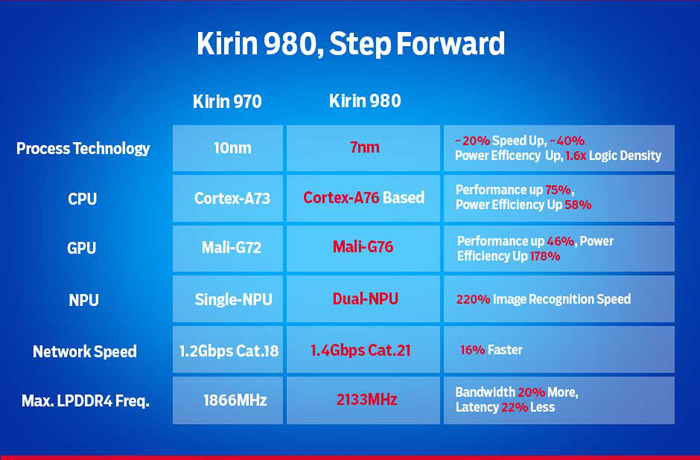
Thanks to seven nanometers, on one square centimeter, the surface of the processor has been able to fit as much as 6.9 billion transistors. According to the manufacturer’s declaration, this is to make the Kirin 980 be 20% more efficient than the Kirin 970 and will be 40% more energy-efficient.

The Kirin 980 integrates 6.9 billion transistors in an area of less than 1 square centimeter which is a 1.6x fold increase in density to empower better performance. This chipset is the first Cortex-A76 based in the world and has a 75% improvement in single core performance. The Kirin 980 also includes the world’s first commercial use Mali-G76 GPU performance is improved by 46%. The LPDDR4X memory operates at speeds up to 2133 MHz. The fourth-generation ISP utilizes a multi-pass noise reduction to capture quality images and preserve important details. This ISP also has a dedicated video pipeline to effectively improve video clarity and reduce shooting delays by 33%.


The Kirin 980 7nm process technology compared with the 10nm process, improves performance by 20%, power efficiency by 40% and the overall energy efficiency of the Kirin 980 increased by 58%. The Mali-G76 GPU has also increased its energy efficiency by 178%. The Kirin 980 is built with a 3 energy efficiency architecture which has 2 super cores, 2 large cores and 4 small efficiency cores and uses the Flex-Scheduling intelligence mechanism to allow the CPU to adapt in heavy, medium and light-load scenarios by reducing its power consumption and giving users a longer battery life while still achieving an overall higher performance experience.


Huawei Kirin 980 can quickly adapt to AI scenes such as face recognition, object recognition, object detection, image segmentation and intelligent translation with the power of a dual-core NPU achieving 4500 images per minute which is an improved 120% recognition speed. So whether it’s dancing to a fast song or quickly running in front of the camera, the Kirin 980 can focus on the joints and lines of the human body in real time. The powerful object detection capabilities can also accurately identify a variety of objects. In comparison to the Kirin 970, the Kirin 980 is an impressive leap from image recognition to object detection. The Kirin 980 sets the foundation for future AI capabilities by providing complete framework support and rich tool keys for App developers.

The Kirin 980 is the first to support LTE Cat.21 which supports the fastest downlink at 1.4 Gbps and offers a stable connection in congested areas like subways or high-speed rails. With the Hi1103, it supports a theoretical peak download speed of 1.7 Gbps and 160 MHz bandwidth, which is 1.7x the industry level. The GPS is supported by industry leading L1 + L5 dual frequency ultra-precise positioning to give you a more accurate target location when using map navigation, even in complex terrains.

Huawei B900 AI Cube Router Review

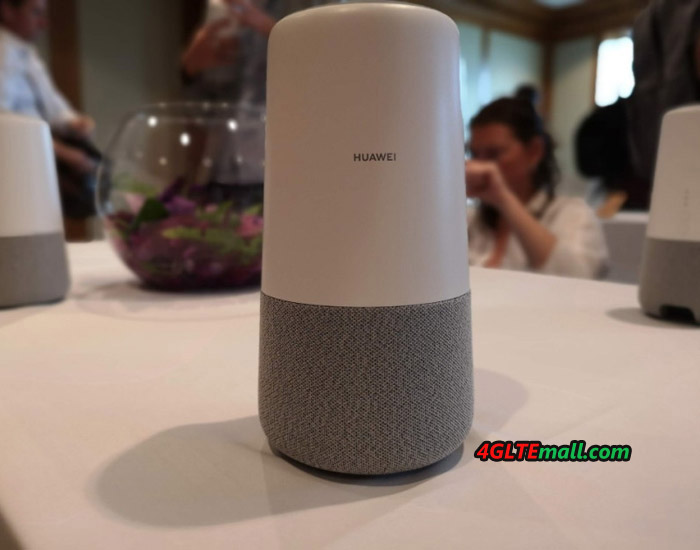
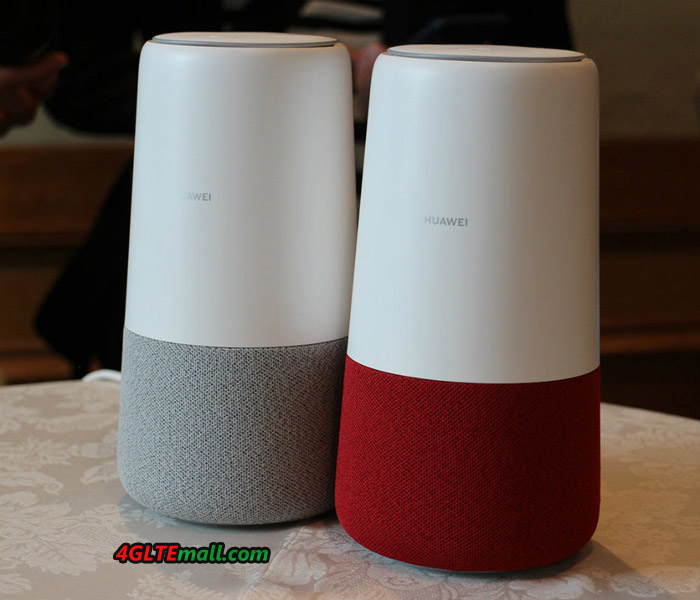
At IFA 2018, Huawei presented a new device named “Huawei AI Cube(B900-230)”. The Huawei AI Cube is a smart speaker equipped with Amazon Alexa, an audio assistant developed by Amazon in the US. In addition to its function as a smart speaker, it also has a function as a stationary LTE wireless router. Huawei B900 AI Cube combines a 4G Modem, a home WiFi router, high-end 360-degree wireless speaker, and a Huawei-Amazon collaboration that promises Alexa integration and some not-yet-articulated AI capabilities.
Huawei B900 AI Cube Appearance

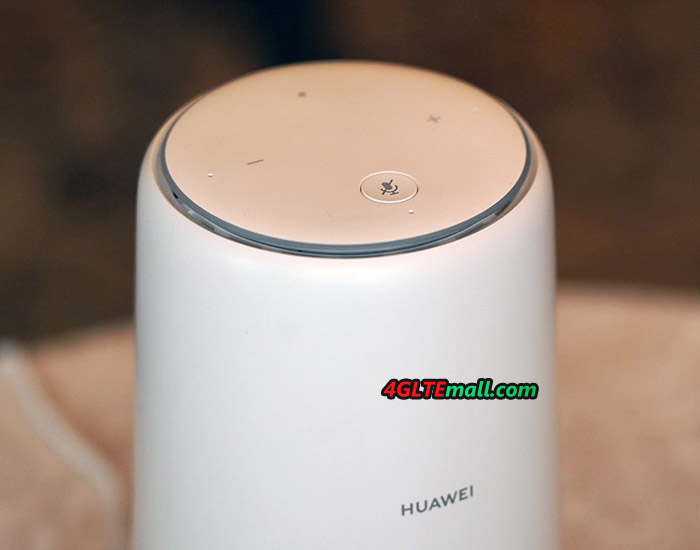
The Huawei B900 AI Cube looks a little bit similar to its predecessor Huawei B528 but there is the obvious difference. On the top, there are three keys available: one volume up key, one volume down key, and one mute key. On the body, there are three LED indicators for Signal, WiFi and LAN. However, unlike the latest Huawei B618s-22d WiFi router, there is no connector for the external antenna in the B900 AI Cube.
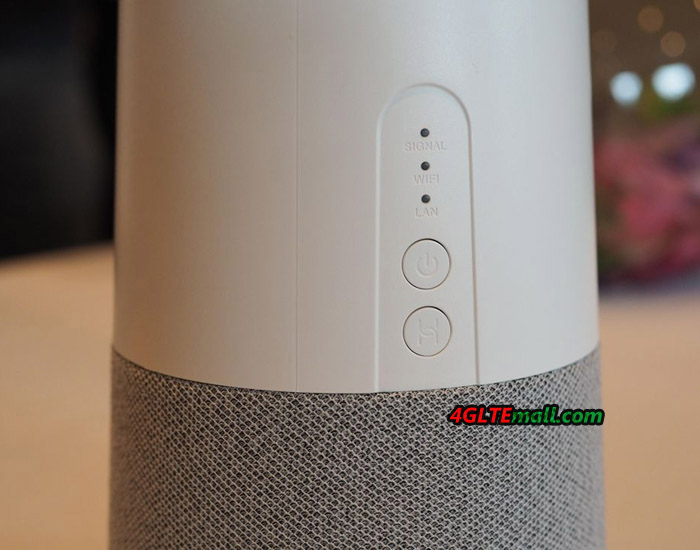
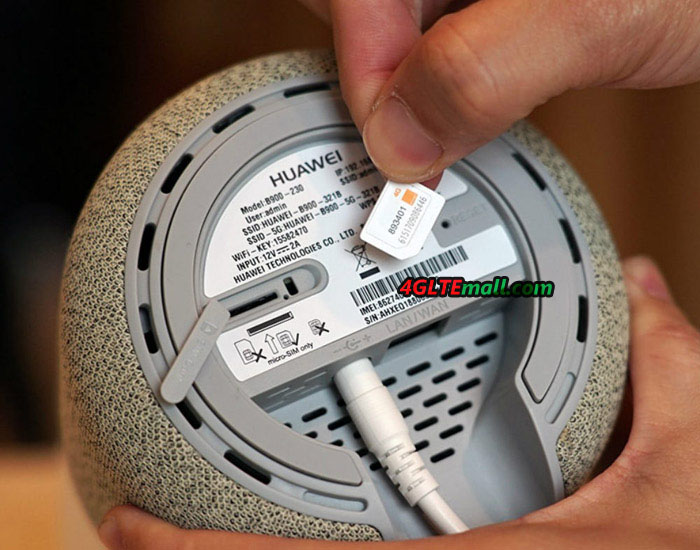
Below the indicators, there are two buttons: Power and WPS buttons. On the bottom of the Huawei B900 WiFi router, the product name Huawei B900-230, IP address (192.168.1.1), User name(admin), SSID, WiFi key, WPS pin, Power input and Made in China information are listed on the bottom label.


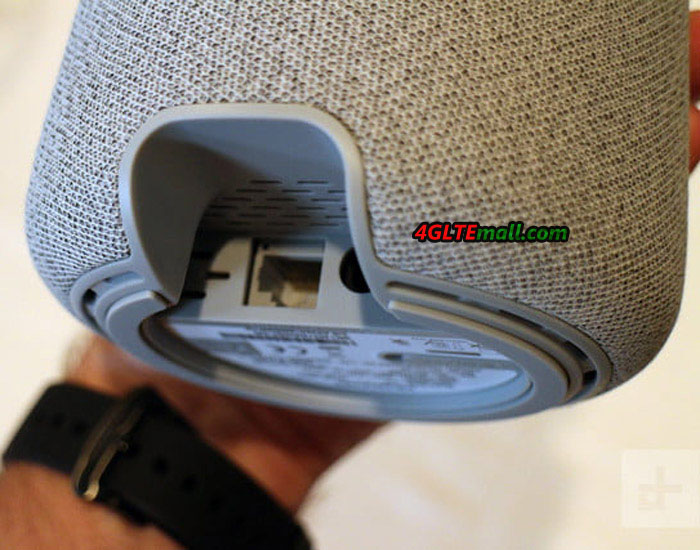
The SIM card slot is also at the bottom with the Reset hole. The Huawei B900 WiFi cube uses Micro SIM card size. Below the IMEI & S/N number label, there is an Ethernet port for LAN and WAN. The power plug port is at the side of the Ethernet port.
Huawei AI Cube B900 Smart Speaker Function


The Huawei B900 AI Cube Router can be controlled via voice assistant Alexa with around 50,000 voice commands. For example, the router can play music or Internet radio through the built-in speaker. Smart home hardware such as TVs, Wi-Fi bulbs or refrigerators can also be controlled, as long as they are compatible with Amazon Alexa.
 

Huawei B900 Specifications

As a stationary LTE WiFi router, the Huawei B900-230 cube could achieve download speed up to 300Mbps and upload speed to 50mbps. It has 802.11ac with dual-band Wi-Fi, in total up to 1.200 MBit/s are attainable over WLAN according to Huawei.. You get four microphones with far-field voice recognition. How many users could be connected with the cube is unknown yet, but we list the general specifications of Huawei B900 AI Cube for reference:


* Support 4G LTE Band B1/B3/B7/B8/B20/B32/B38

* Support 4G LTE Cat.6 2CC Technology

– CA Bands: CA_3C/CA_7C/CA_38C/CA_1A-8A/CA_1A-20A/CA_3A-7A/CA_3A-8A/CA_3A-20A/CA_7A-8A/CA_7A-20A/CA_20A-32A/

* Support 3G UMTS/WCDMA/HSPA+ B1/B8

* LTE download speed to 300mbps, upload speed to 50mbps

* WLAN: WiFi 802.111a/b/g/n/ac, dual-band(2.4GHz & 5GHz), 2 x 2 MIMO, 2 x 2 DBDC(Dual-band, dual-carrier)

* External Antenna connector: No

* SIM Card size: Micro SIM (3FF)

* Interfaces:

– 1 x RJ-45 for data, GE

– 1 x SIM Card slot (3FF), 1 x power interface

– 1 x Hi Key/ 1 x Reset Key/ 1 x Power key

– 2 x Voice + – / 1 x Mute Key / 1 x Pause Key

* Speaker: 15W Mono Speaker

* Voice Input: 4 x Microphones

* Main features: Huawei Hilink, Huawei Histen, Amazon Alexa, Far Field Voice Recognition

* Power: AC 100V – 240V, DC 12V, 2A

* Dimensions: 218mm (height) x 116mm (diameter)

* Weight: 900g
 

Huawei said the Europe version would be available around the end of 2018, but not mention about the availability for US market. Regarding the Huawei B900 AI Cube price, Huawei didn’t give any information. We have to wait for the news from Huawei.


ZTE R218 4G Mobile WiFi Router Review

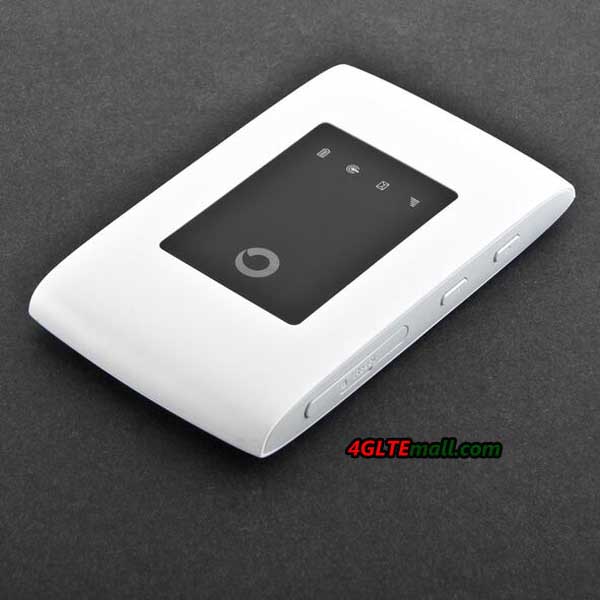
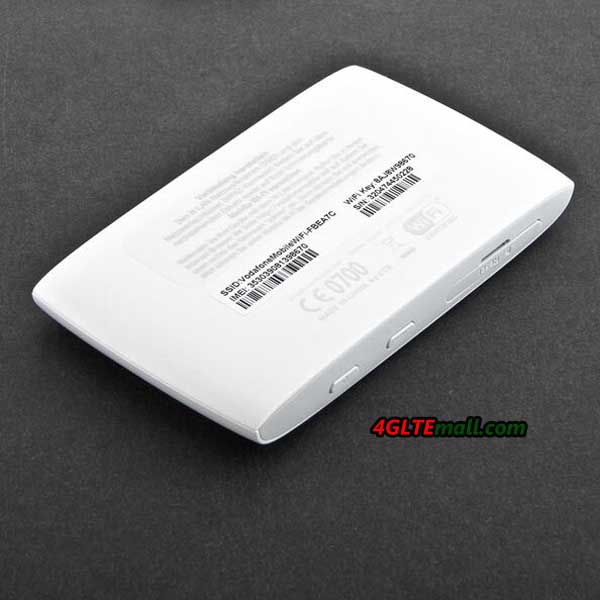
If you had known the ZTE MF920 4G MiFi router, you will know the ZTE R218 soon after we tell you the R218 comes from the ZTE MF920 with Vodafone customization. Vodafone introduced the MF920 to its product range and rename it as R218. The official name is Vodafone R218 Mobile WiFi and someone may also call it ZTE R218. Even though the ZTE R218 is newly presented by Vodafone the public, but the Vodafone R218 specs is not latest new comparing with other ZTE 4G LTE hotspots. Below you will see more details for the Vodafone R218 review.


First, we list the details specs and feature for the ZTE R218 in a table:

Features and Specs of the Vodafone R218
Manufacturer and model Vodafone R218 from ZTE
Chipset Qualcomm MDM9207
LTE Category Cat.4
Download rate Up to 150 Mbps
Upload rate Up to 50 Mbps
Supported LTE bands 800 MHz, 900 MHz, 1800 MHz, 2600 MHz
Backward compatible with HSDPA (42.2 Mbps), EDGE, GPRS
Support for LTE-Advanced No
MIMO Support No
Connection for external antenna No
Integrated telephone system No
Network | LAN & WLAN
LAN ports no
WLAN standards 802.11 n (2.4 GHz)
5 GHz WLAN support No
Encryption WEP, WPA, WPA2
WLAN hotspot function: Yes
Others
Battery pack 2,300 mAh
Dimension 105 x 64 x 14 mm at 102 g
USB 1x micro USB
Memory card expansion No
Release time 07/01/2018
Price 129.00USD
available at: » www.4gltemall.com
Document download
Datasheet » Download Vodafone R218 datasheet
User manual » Download Vodafone R218 manual


Vodafone R218 – LTE Download Speed to 150Mbps

The Vodafone R218 was available in the summary of 2018 in Germany, but if you don’t like the customized one, you may turn to the original model ZTE MF920. Behind the Vodafone R218 branding, the model number ZTE MF920V could be seen. With a Micro SIM inserted, the Vodafone R218 could achieve download speed up to 150Mbps, which allows devices such as a smartphone, a notebook and a tablet to receive 4K movies simultaneously via Netflix. Those who want to share multimedia files with others can access a speed up to 50mbps for upload. The WiFi network itself transmits up to 300Mbps to connected devices. The removable battery is designed to provide up to 10 hours of internet access. Interestingly, the battery of Vodafone R218 comes from the competitor Huawei.

The LCD display keeps the user up to date with the operating status such as battery level, received SMS, signal strength and the WiFi status. The ZTE MF920V could be configured via a web interface or APP for mobile devices. In the manual, there is QR code for smartphones to scan and download the APP. The Vodafone R218 is compatible with all mobile devices with Android or IoS OS. The 4G wireless mobile router does not offer many configuration options, but the firewall is integrated and WEP, WPA and WPA2 encryption standards are supported. The IP assignment is either static or dynamic. And the current data consumption and the number of sent and received SMS can be seen in the web interface at any time.


Summary

As we said, the Vodafone R218 (also ZTE MF920V) is not a high-end mobile WiFi hotspot. So it would be enough for daily use, but don’t expect too much from it if you want to surf at very fast speed through this mobile WiFi. Actually, ZTE also presents many LTE advanced mobile WiFi models to the public, such as ZTE MF971V, ZTE MF970, ZTE MF980 etc…If you want to get faster surfing speeds, you may check the higher-level LTE MiFis.

ZTE MF971V LTE Cat6 MiFi Review

We had introduced ZTE LTE Cat6 MiFi MF970 last year, actually, ZTE also presented another LTE Cat6 MiFi MF971V and it’s available for many network providers worldwide. Even though it’s already an old mobile WiFi hotspot, many people don’t know this ZTE 4G mobile hotspot and its specs & features. Today we will review the ZTE MF971V LTE mobile hotspot.

ZTE MF971V Appearance

The appearance of ZTE MF971V looks very similar to ZTE MF970 uFi, there is a small LED screen on the front. The ZTE logo is at the left side while the LTE word on the other side. On the top edge side, there is a WPS button with the power button. And there is a connector for external 4G Antenna. On the opposite side, there is also a connector for a 4G LTE antenna. The SIM card slot is available with the USB port. The back cover of the ZTE MF971V could not be removed, unlike the competitor Huawei E5786. But both the ZTE MF971V and Huawei E5786 batteries are built-in and non-removable.


ZTE MF971V Technical Specifications and Features

With LTE category 6 bandwidth technology (carrier aggregation), ZTE MF971V could achieve download speed up to 300mbps and upload speed up to 50mbps. As a WiFi Router, ZTE MF971V hotspot 4G could allows simultaneous connection via WiFi up to 10 devices or with a PC using a USB cable. This makes the ZTE MF971V ideal for use at home, taking with you on holidays, for business meetings and on a longer journey. In places with a weaker range, an external antenna can be connected to the device. ZTE MF971V WiFi Router is also distinguished by its small size and modern design, and the clear display informs about the current status of the battery, Wi-Fi networks, coverage of the cellular network and about received SMS messages. The built-in 2300 mAh battery provides up to 500 hours of standby time and up to 11 hours of operating mode. ZTE MF971V weighs approximately 100 g.

Here we list the details specifications of ZTE MF971V for general review:


  • Support 4G Band: LTE FDD B1/2/3/4/5/7/8/17/12/20/28 TDD B38/40
  • (FDD 2100/1900/1800/1700/850/2600/900/700/800Mhz TDD 2600/2300Mhz)
  • Carrier Aggregation: 4G LTE band B3+B7 / B3+B3 / B20+B7 / B3+B20 / B7+B20 / B3+B5
  • 3G Band: DC-HSPA+/HSPA+/HSPA/UMTS B1/B2/B5/B8
  • 2G BAND: GSM/GPRS/ED GE
  • WLAN: 802.11 b/g/n/ac, dual band 2.4GHz and 5GHz
  • LTE Category 6 download up to 300Mbit/s, upload to 50Mbit/s
  • DC-HSPA+DL (Download) up to 43.2Mbps, UL (Upload) u p to 5.76Mbps

Other Feature:

  • 1 x SIM card slot – Micro SIM (12 x 15mm)
  • 1 x micro USB connector for charging
  • 1 x 1.44 TFT-LCD
  • Power switch, a MENU switch, RESET switch
  • Built-in LTE/UMTS/GSM and WLAN high gain antenna
  • Battery: 2300 mAh (Max Work 11 hours, Max Standby 500hr)
  • 2 X TS9 external antenna connection
  • Maximum of 32 wireless users
  • Operating: 0℃ to +35℃
  • Dimension: 104 x 65 x 14.3 mm
  • Weight: 101g (including the battery)


If you want to know more details about ZTE MF971 LTE-A Mobile WiFi hotspot, click here: https://www.4gltemall.com/zte-mf971v-lte-cat6-mobile-wifi-hotspot.html

TP-Link Deco M5 Review

TP-link Deco M5 is a WiFi router available in 2017 and now is well-known in many countries. The highlight of TP-Link Deco M5 is that WiFi mesh system which provides WiFi throughout the house, at high speed and without interruption. With the arrival of the new WiFi mesh routers, it is finally easy to realize a good WiFi connection in every nook and cranny of the house without pulling wires.

What is WiFi mesh?

These new WiFi mesh systems work as follows; Each WiFi point is connected to the other units via a mutual wireless connection. Each device has a separate WiFi transmitter that is used purely for mutual communication between these units.


WiFi devices such as your smartphone and tablets are connected to the network via a private WiFi transmitter in the unit. The big advantage is that the available bandwidth of such a WiFi point does not have to be shared between for example your tablet and the mutual communication between the different WiFi points.

The main advantage, of course, is that you do not have to pull any wires. For example, you put a unit in the living room, a unit on the first floor in a bedroom and the third unit in the attic. These three units form one large WiFi network together.


TP-link Deco M5 WiFi Roaming

An additional advantage of these WiFi mesh systems is that they ensure that connected equipment is always automatically connected to the best available transmitter. They also call this technology “WiFi roaming”.

Suppose you have a station on each floor and walk from the attic to the ground floor with your tablet while watching a movie, then the system will automatically and without interruptions transfer the signal to the wifi point with the best connection.


TP-Link Deco M5 Test

The Deco M5 system comes with 3 separate mesh routers that are identical so it does not matter which unit you will use as the main unit. In addition to the routers, there are 3 power adapters and a LAN cable. You connect 1 of the units to the LAN port of the modem/router, then download the free app on your smartphone and start the installation.


TP-Link Deco M5 installation and configuration

The installation is really very simple and within 5 minutes the system is installed. You will first have to create a TP-Link cloud account by choosing an e-mail address and password. Next you will be asked to enable your location data and bluetooth on the smartphone. After logging in you can start the installation.


The TP-Link Deco M5 is installed via bluetooth and during the configuration, you will have to stand next to each unit with the smartphone to install the unit. After that, the entire system can be centrally controlled from the app.

After starting the app, it will automatically find the deco nearby and will first be asked to choose a name and password for your wireless network. After filling in a network name and password, you will be asked where the Deco unit is located. So you can easily indicate in which room of the house the unit is located to get a clear overview of the network later.


After choosing, the Deco will be configured and the LED will turn blue when it is ready for use. In principle, the system can already be used, but we repeat this step two more times to install the two other units. The app also asks you if you are ready or want to add another unit at that moment.


To configure the other two units, you have to stand in the vicinity of the units as the installation works via bluetooth and can therefore only be done at a short distance. When you have finished configuring the units, the network is ready for use. The whole process takes at most 5 minutes!

TP-Link Deco M5 APP options

When the installation is complete you can further configure the system via the TP-Link App if desired. The Deco M5 system has a lot of nice options. The home screen shows immediately which Deco M5 units are connected and what the last measured internet speed is. You can also see directly in this screen which devices are all connected to the system. If you click on the device, you will receive more details about the device and you can add it to a group.

Such a group is useful because you can deny these groups WiFi access at certain times and filter content. This is useful for families with small children.


TP-link Deco M5 Content filtering and WiFi schedule

This division into groups is relatively easy by giving a name to the group and then choosing to what level the group belongs. This way you can choose a group for small children or adults or create your own group. It is possible to block certain websites or content and thus you have full control over what users see. You can then only access these groups at certain times to the internet. If you do not want the children to be on the Internet after 8 hours, except on weekends, you can easily arrange this.


TP-link Deco M5 WiFi guests network and security

Through the app you can throw a WiFi guest network in the air with a few taps on the screen. This guest network is separate from the rest of the network and can be provided with its own network name and password. Of course you can also manage the connected devices with a WiFi scheme and content filtering. This way you can give visitors access to your internet connection, but you have complete control over what they view and when.

Unique to the TP-Link Deco M5 is that there is Anti-Virus software from Trend Micro. This actively monitors the network for viruses and protects all equipment before the malicious software can be installed.


TP-link Deco M5 QoS

With the QoS function in the TP-Link Deco M5, you can easily give priority to certain data. So you can choose that gaming gets more priority compared to chatting and surfing, or vice versa. You can also set the QoS settings yourself if you do not want to use the preconfigured priority list. With the help of handy sliders, you can screw the level up or down per part.


TP-link Deco M5 WiFi performance

The TP-Link Deco M5 is therefore easy to configure and has some nice options in the app, but the most important of these are the performance of the system. We are very pleased with the results of the Deco M5, we get the maximum out of my 300 Mbps through wired connection and wirelessly we also achieved almost the full speed. This speed is really more than enough to stream movies from Netflix, for example, even in 4K resolution. Even wireless gaming should not be a problem with this performance.


TP-link Deco M5 Disadvantages

The Deco M5 is a bit slower with roaming. If you walk between the different points, switching between the wifi points can take a little longer than with Amplify. But then we are really talking about a difference of no more than 10%. No disadvantage for our test, but for some users maybe: you have to create a TP-Link cloud account at the beginning and turn on your GPS location. If you are very fond of your privacy/anonymity, you may not like this.

The app is sometimes not entirely translated in some languages. There are some English texts hidden here and there, but that will not influence for normal use.


TP-link Deco M5 Advantages

Anti-Virus software is built in which is very nice to protect your equipment. Another great advantage is the price of this set. The price of TP-link Deco M5 is very attractive now comparing the price when it’s first available in the market. A third advantage of the TP-Link Deco M5 is its design. The router of the mesh points Deco M5 units are small and handy to place.


Conclusion

The TP-Link Deco M5 is currently the best WiFi mesh system available. The price/quality ratio is very good, the app is convenient and extensive and the WiFi range is top notch. The test was carried out in a new house on 3 floors, where WiFi signals often pass through walls and ceilings without any difficulty. The fact that we were able to realize a perfect WiFi network at high speeds indicates that the quality is good!