Huawei E5175 E5175s-22 4G LTE Cat6 Wireless Router Overview

In the past year, Huawei E5186 4G LTE CPE becomes well-known because it’s the world’s first LTE Category 6 wireless router for LTE-Advanced network with carrier aggregation technology. And till now, there is no newer model to be released from the Chinese manufacturer Huawei. Actually, there was a model which was released even before Huawei E5186. The model number is Huawei E5175, which is also a LTE Cat6 wireless router for the latest LTE networks.

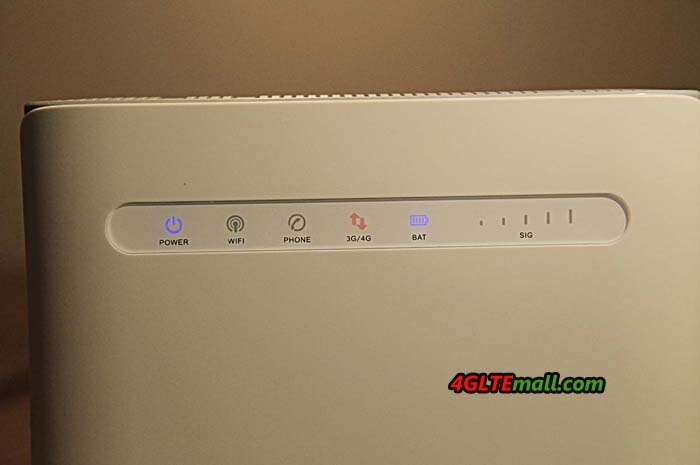
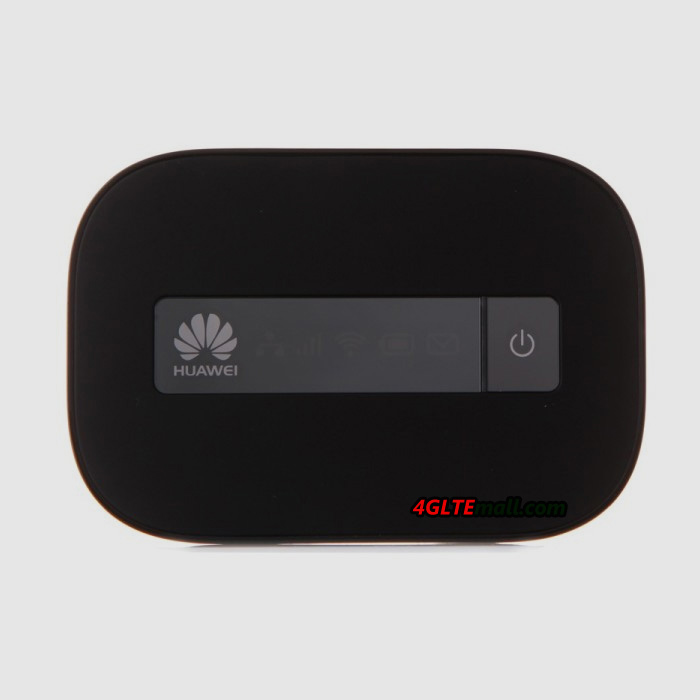
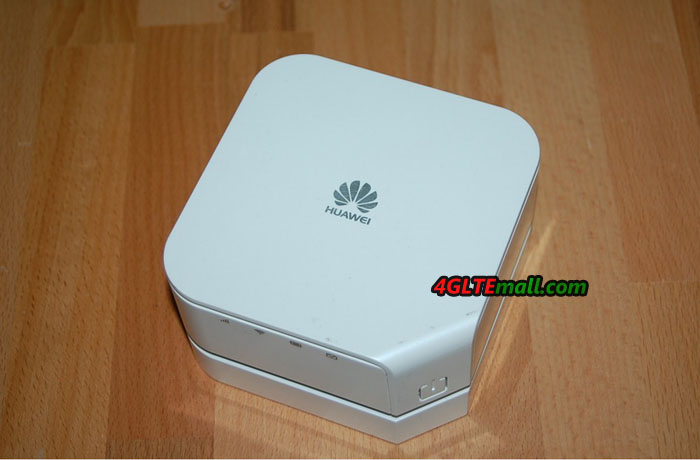
Huawei E5175 Front

However, the Huawei E5175 is not presented at Huawei official site. We don’t know why, and as we know, many Huawei mobile broadbands are not listed there. So we can’t find the official specifications for Huawei E5175. But we can find the technical specifications somewhere.

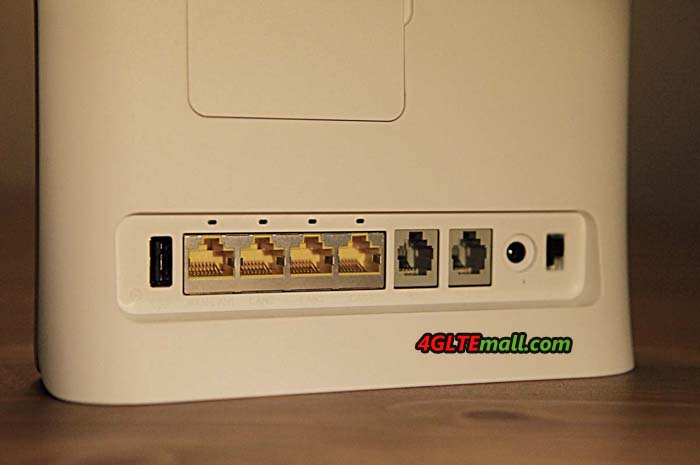
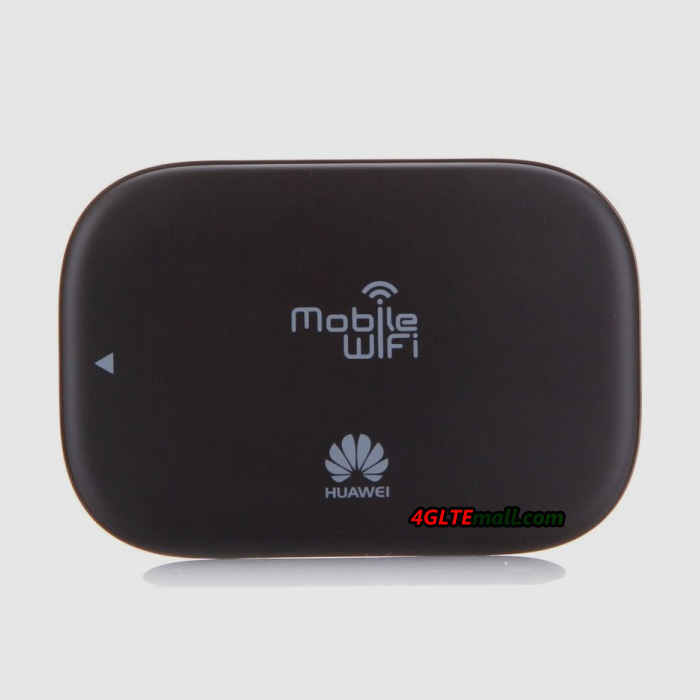
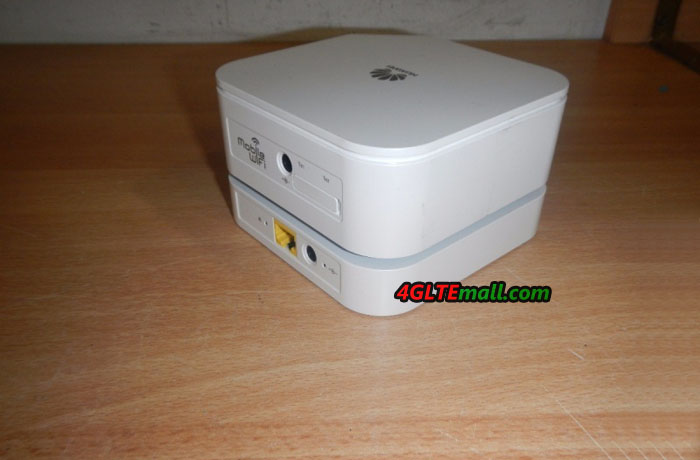
Huawei E5175 Back

Huawei E5175 4G Router specifications:

* LTE Category 6 wireless router

* LTE CAT6 download speed up to 300mbps, and upload speed to 50Mbps

* Support 4G LTE Band 1/3/7/8/20/38 (FDD DD800/900/1800/2100/2600MHz, TDD 2600MHz)

* Support 3G DC-HSPA+/HSPA+/UMTS 900/2100MHz

* Support 2G GSM/GPRS/EDGE 850/900/1800/1900MHz

* WiFi 802.11b/g/n/ac, 2.4GHz/5GHz, support up to 64 wireless devices

* 4 RJ45(GE) interface + 2 RJ11 Interface + 1 USB host interface

* Two External antenna connectors(Recommend Huawei E5175 4G Antenna: http://www.4gltemall.com/4g-antenna-two-sma-connector.html )

4G LTE Indoor Antenna (2 x SMA Connectors) for Huawei/ZTE 4G LTE Routers/Gateway/LTE CPE


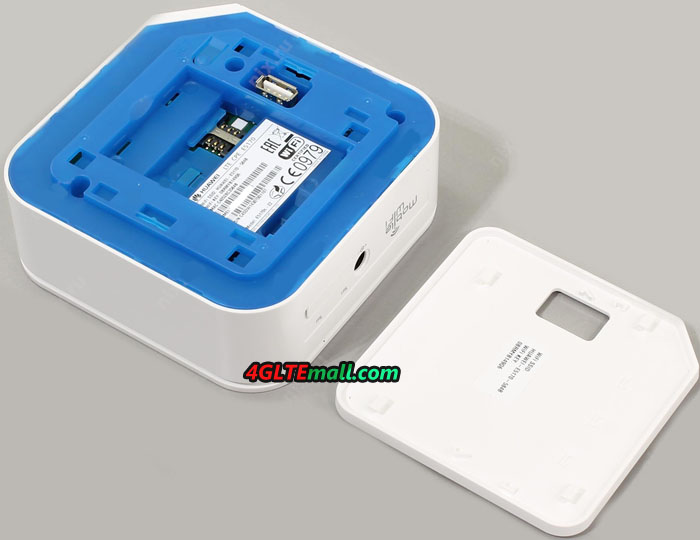
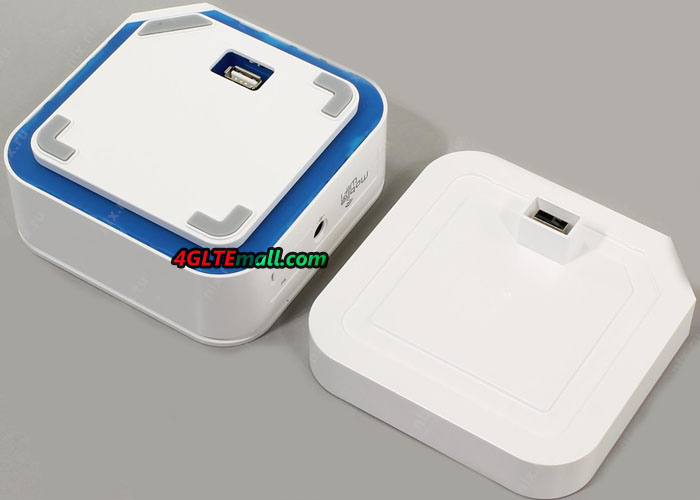
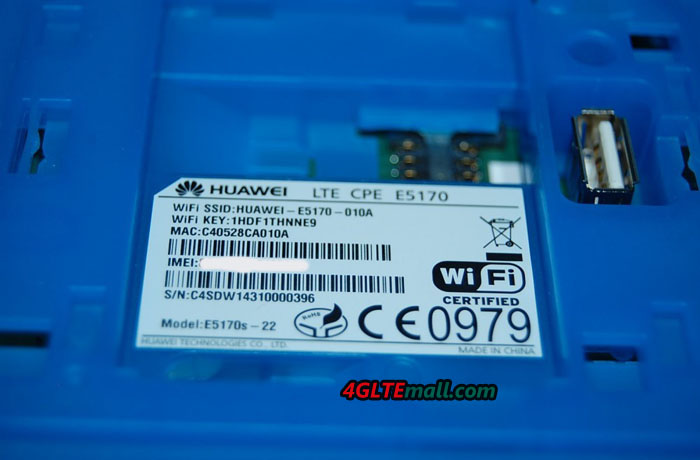
Like its predecessors, Huawei E5175 is in flat design, it can stand on desk. The top front are the LED indicators for Power, Network mode, WiFi, Voice, Signal. And the Huawei logo is at the right side. On the back of the CPE E5175, there is a label which show many information about the device such as the model number (Huawei E5175s-22), Power Rating (12V, 2A), IMEI number, S/N number, Web site (http://homerouter.cpe), Web user name and password, SSID and WiFi key.

Huawei E5175 back label

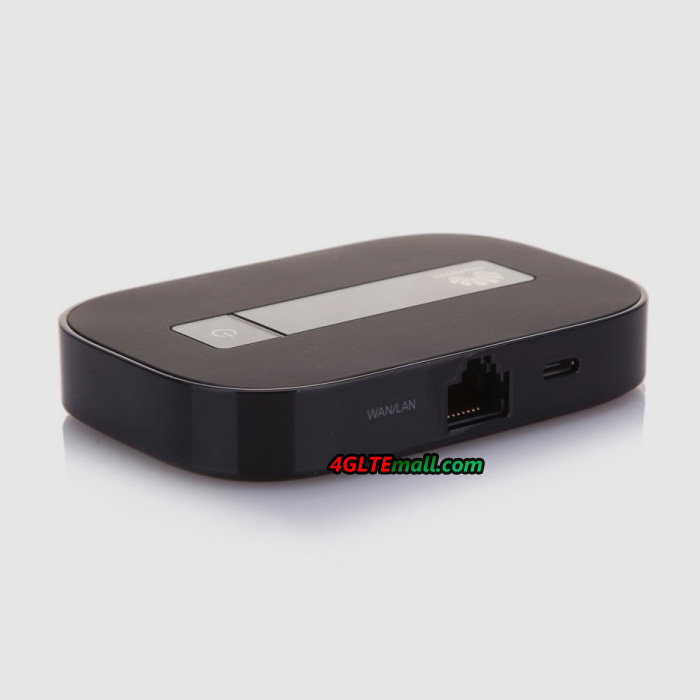
Above the label, there is a plastic cover which could be open and below it, there are two connections for external antennas. The connector type is SMA. At the below side of the label, the interfaces are listed in a line. There are 4 RJ45 LAN ports, 2 RJ22 telephone interface, 1 USB host interface, 1 power plug hole and 1 power button(on/off). And on the back of the E5175, the body has many vents for heat radiation. At the bottom of the router, there are also many vents for this.


Huawei E5175 Top side

The Huawei E5175 can work with SIM card directly. The SIM card slot is at the side body. Open the cap on the sim card slot, user can insert a valid SIM card. After power on, user can get connected with wireless network. Below the SIM card slot, the WPS and WiFi buttons are there. Between them is the hole to reset the Huawei E5175 to factory default.

Huawei E5175 bottom

From the appearance and interfaces, the Huawei E5175 is very similar to Huawei E5186 Router. We will take a test next time to see which one could provide faster wireless network. But from the specifications, Huawei E5175 is a good router which could work on 4G LTE/3G UMTS/2G GSM networks. Up to 64 wireless users could get connected with Huawei E5175. The most important is that it can achieve peak download speed to 300Mbps and upload speed to 50Mbps.

huawei E5175s-22 sim card slot and WPS button

Currenlty, there is few 4G routers which could support such high speed connection. If you are looking for a LTE Router with the latest technology supporting LTE-advanced network, Huawei E5175 is a trustful one to consider.

ZTE Ufi MF970 4G LTE Cat6 Mobile Router Overview

We had known the model ZTE UFi MF970 4G Mobile Hotspot around the beginning of last year. It was first released by Chinese manufacturer ZTE almost at the same time like its competitor Huawei E5786. The Huawei E5786 was sold for one and a half year, but we still can’t get the ZTE UFi MF970 in the past year. Now we get the ZTE MF970 LTE Moible WiFi hotspot and we have the overview in this article.

ZTE MF970 Screen

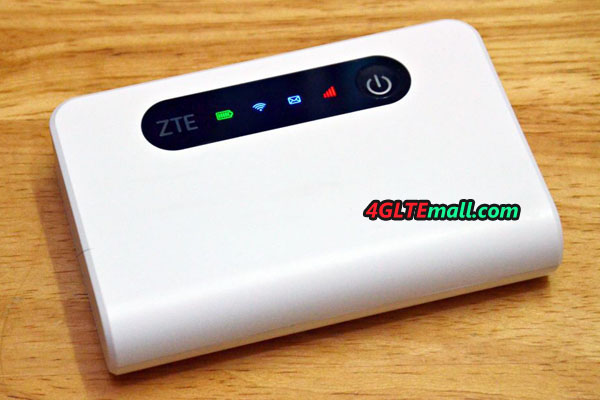
Actually, when we get the ZTE MF970, we are not quite sure which model it is, because there is no model number indication on the body of the device. The ZTE UFi MF970 is in white color, and touch feel is good in hand. There is “ZTE UFi” on the front of the device and there is a little screen in the middle of the UFi.


On the back of the MF970, there are only the logos for CE, ROHS and WiFi. No more information is showed about the model number, WiFi key word, SSID and IMEI number, which should be printed on a label with the device.

ZTE MF970 Ufi Back

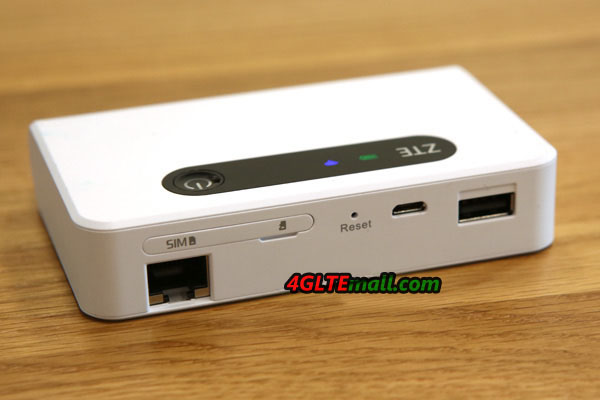
On the top side of the ZTE MF970, there is a USB 2.0 interface and two connectors for external antenna. The connectors are covered by a small cap, if user want to connect the external antenna, the cap has to be opened. The small caps are still connected with the ZTE UFi body. At the low side of the body, there are power button, function button (“FUNC”) and the slot for SIM card. The back cover can’t be opened because the battery is built-in. And there is no slot for MicroSD card.

ZTE MF970 USB interface

The battery capacity of the ZTE UFi MF970 is 2300mAh, which can make the device keep working for 8 hours. It’s just like other 4G mobile hotspots, and is enough for normal use, if user want to extend the working time, mobile power bank may be necessary to charge the MF970 when power is low.

ZTE MF970 external antenna connectors

ZTE UFi MF970 should be the first LTE category 6 mobile pocket router from ZTE to support LTE-advanced network. Its competitor Huawei E5786 is the first LTE Cat 6 pocket WiFi in the world. ZTE always follow the Huawei’s step to present its new products. The chipset of ZTE MF970 is Qualcomm MDM9230. Whether the processor Qualcomm MDM9230 is better or not than Huawei Hisilicon chipset, we haven’t taken such test. The ZTE MF970 could support up to 14 wireless devices to access internet through the WiFi, but Huawei E5786 could support maximum users only up to 10. But the most attractive feature for the two mobile hotspots is that they both support peak download speed to 300Mbps and upload speed to 50mbps.

ZTE MF970 Ufi power and function button

After plugging the SIM card and power on the ZTE UFi, the device quick starts in seconds. There comes Vodafone logo in red and then the screen shows the network provider’s name, network signal, network mode, WiFi signal, battery status. Press the FUNC button and it comes the options, including the “Data Connection”, “Device info”, “WiFi QR code”, and options for “Global Roaming” and “Quick Boot”. The power button is “OK” button and the “FUNC” is for Next. Press power button(Ok) when on the “Device info”, we can see the information about device name(Vodafone R226-Z), SSID, WiFi key, phone number, web URL(http://vodafonemobile.wifi), and password(admin). We can also see other features when choose other options. User can do basic settings through the two buttons “FUNC” and power button.

ZTE MF970 SIM card slot

At the beginning, we didn’t know the ZTE MF970 is the original factory model for Vodafone R226-Z, but now everything is clear. The ZTE MF970 was released and then Vodafone introduced the MF970 UFi to its product range. The Vodafone R226-Z is the same model to ZTE UFi MF970. And as we know, Vodafone R226 is the same model to Huawei E5786. Vodafone uses the two models for its own contract plans.

ZTE MF970

Just like the Huawei E5786, ZTE MF970 UFi also has two connectors for external antenna. If using the ZTE MF970 at the places with weak signal, it’s necessary to connect the external antenna. We had connected with the ZTE UFi from the smartphone, the surfing speed is good and stable. We will take a full test for the wireless connection next time.

ZTE MF970 Ufi external antenna 4g

In all, the ZTE MF970 UFi is a good pocket WiFi router which supports the latest network technology and could achieve high speed network connection wirelessly. Multiple users could connect with the ZTE MF970 pocket router. The battery is enough for common use. If user want better signal in rural area, there is ports for external antenna. And Vodafone has introduced the ZTE UFi to its product range, it proves the quality of ZT MF970 is trustful.


If you don’t like ZTE brand, you can turn to Huawei E5786. And there is better model to recommend, such as Netgear Aircard 790s, Alcatel One Touch Y900. They all could support LTE advanced Cat6 networks.

What’s the Difference between Huawei E5787 and E5786?

A few weeks ago, Huawei’s first 4G mobile hotspot with touch screen is available in Saudi Arabia. The name is Huawei Mobile WiFi Touch, and model number is E5787, which is the second LTE Cat6 mobile pocket router from Huawei. If you are familiar with Huawei E5 mobile WiFi, you may know the first LTE Cat6 hotspot is E5876.Here comes a question: what’s the difference between Huawei E5786 and E5787? Today, we will have a talk about this.


 Huawei-E5786 VS Huawei E5787


Appearance


The body of E5787 and E5786 looks similar, but it’s no doubt that the touch screen of Huawei E5787 is a big selling point. In the predecessors of Huawei E5 series mobile WiFi, there is not a mobile router which has a 2.4inch touch acreen like E5787. The E5786 has a small screen only to show the connection status. But the E5787 can be operated through the 2.4 inch touchscreen. And the E5787 feels better and much slimmer than E5786 due to the thinner body.

Huawei E5787
Huawei E5787


Chipset

Both the Huawei E5787 and E5786 are based on the Huawei Hisilicon chipset, but Huawei E5787 is using the latest one, which is a powerful 28 nm HPM Coretx A9 processor. The chipset could support the screen and LTE-advanced network very well.


Technical specifications


Both the Huawei E5786 and E5787 are based on the LTE-Advanced technology on LTE Category 6, they can achieve peak download speed up to 300Mbit/s and upload speed to 50Mbit/s on the perfect networking. In practice, user may not get the speed due to weak signal or internet congestion etc…


Multiple WiFi terminals could get connected with E5786 and E5787 through WiFi, the maximum connected users could be 10 units. The WiFi is working on 2.4GHz and 5GHz, which is great for most situations.

HUAWEI E5786 Speed

Here now there are three variants for Huawei E5786, including E5786s-32a, E5786s-62a, E5786s-63a. They support different combination of LTE frequency bands for different network providers in areas. Here now the Huawei E5787 has only the sub-model E5787s-33a. But we believe there will be more variants available in many markets such as Europe and Asia.


Color


There are only two colors for Huawei E5786: black and white. But there Huawei E5787 provides more options: there is gold color except that black and white.

Huawei E5878 E5878s-33a (5)

Battery


The battery of Huawei E5786 MiFi is built-in, which means users cannot remove to change a new one, but the battery of E5787 MiFi is removable and changeable. The battery capacity of Huawei E5787 is 3000mAh, and it could support the device keep working for 12 hours per the official sayings even with the touch screen. To make the E5787 work longer time, a new chipset is inserted to reduce the consumption of power and extend the working time. The Huawei E5786 also has a battery of 3000mAh, and the working time is around 10 hours. But the thickness of Huawei E5787 is only half of that of E5786.

huawei e5786 mobile wifi app

Operation

Both the Huawei E5787 and E5786 can be operated via the web interface. And user can also download the Huawei Mobile WiFi app to manage them. But Huawei E5787 has a touch screen, so user can also setup or configure the settings via the touch screen.


Summary


Huawei E5787 and E5786 are very similar in the technical features, but Huawei E5787 seems more attractive due to the touch screen, which is more user-friendly to do the settings. They are both very good 4G pocket WiFi to recommend for latest network.

Huawei E5787 Mobile WiFi Touch Available

A few weeks ago, a new mobile LTE router from Huawei is available, the model name is Huawei E5787 Mobile WiFi Touch, which is the direct successor of the popular Huawei E5786 from the year 2014 and it’s the first Huawei hotspot with touchscreen operation. The E5787 Mobile WiFi Router provides LTE Cat6 with speeds of up to 300 Mbit/s in the downlink and up to 50 Mbit/s in the uplink. Unfortunately, the Huawei E5787 has been only available in Saudi Arabia now, but we suppose it would be available in other areas.

Huawei E5878 E5878s-33a

LTE Cat6 and touchscreen


Technically, there is no big surprise in the Huawei E5787. The modem comes from Huawei subsidiary HiSilicon and supports LTE Category 6 with up to 300 MBit/s in the downlink and up to 50 Mbit/s in the uplink. The strong battery is 3,000 mAh and makes Huawei E5787 for an operating time of up to 12 hours. At the side of the unit, there is a USB port for charging the E5787 and for use to work as a wired modem. In addition, there are two connections for an external LTE antenna. The WiFi connection to devices such as laptops or tablets is via Dual Band WLAN ac (2.4 GHz and 5 GHz).


Huawei E5787
Huawei E5787


The operation of Huawei E5787 is carried out via a touchscreen for the first time at a Huawei Hotspot. The display is 2.4 inches in size and occupies a large part of the front. The software seems to run fast and fluent. Basically, the mobile LTE hotspot with touchscreen is nothing new, Netgear has offered some devices with touchscreen in the models AirCard 790 and AirCard 810.


Huawei E5787
Huawei E5787

Huawei E5787 versus E5786


As the predecessor of the Huawei E5787, Huawei E5786 is still the best available model from Huawei. Although Huawei E5786 MiFi now is already more than 2 years old (our test from the year 2014), it has almost the same features as the E5787 technically; the biggest difference is actually the touchscreen. In the LTE speed and the WLAN, both devices are identical.


Some improvements can be found at E5787 in detail: the battery is now removable and it can use not only normal Micro SIM cards with appropriate adapter but also nano SIM cards. Also, the Cortex A9 used processor is faster. Presumably, the new processor is necessary primarily due to the power-hungry displays and the more complex operating system. Overall, the Huawei E5787 MiFi is certainly the better choice comparely, but the huawei E5786 is still a very good hotspot.

Huawei E5878 E5878s-33a (5)


The Huawei E5787 is initially available only in Saudi Arabia. It’s offered 3 colors: silver, gold and black. They provide more options for user’s color preference. We believe the Huawei E5787 would be also a global model and it would be available for other network providers in Europe and Aisa. If you want like this mobile WiFi touch, you can pre-order it here: http://www.4gltemall.com/huawei-e5787-lte-cat6-mobile-wifi-hotspot.html


Huawei New 4G LTE Cat6 Mobile WiFi Hotspot E5787 Available

The company “Huawei” in Saudi Arabia has launched through its agent a new mobile device – E5787 Mobile WiFi Touch (LTE Cat6 Hotspot), which offers advanced features for the connections to the Internet on the go from anywhere and at any time, and it provides the highest speed downloading and reliability possible connection. The connection speed is faster, almost double than the third generation communications technology. Huawei E5787 allows downloading high-definition movies in half a minute and speeds of up to 300 megabits per second based on the LTE-advanced CAT6 technology.

Huawei E5878 E5878s-33a

Huawei E5787 Basic Features


Huawei Mobile WiFi Touch E5787 features a unique design; the experts relied on curved surfaces and low thickness, as well as the use of distinctive inscriptions and variations in the materials used, while maintaining the granulated users play button. The device uses a metal frame in the middle rear area, with the use of reinforced aluminum in the Play button.  There is a 2.4 inches touch screen which will help user to operate the setting and see important connection information. Actually, other vendors already use this feature in their devices, such Netgear Aircard 790s and Aircard 782s.


Huawei E5787
Huawei E5787

Huawei E5787 is the world’s first device with HiSilicon LTE processor used Cat6 HPM Cortex A9 manufacturing 28-nanometer technology, which offers high performance levels and higher speeds communication, in addition to the low heat emitted and smoother interaction with the E5787, which is convenient for those who wish to surf Internet and play electronic games with others online, as well as watch the video. Huawei E5787 MiFi offers high accuracy without interruption, which also proves the high quality of the new chipset.


Huawei E5787 Operation


The operation of Huawei E5787 hotspot could be done through the colored glass touch screen, which contains the area light up periodically to indicate the status of the connection to the Internet at a glance, and without having to run the screen. Some features can be adjusted for displaying messages received from the telecommunications company, and modify WiFi network to be “local private” or “public for all” with the presentation of the names of all those connected devices to the network. Users can also modify the display language, and setup the amount of data consumption considering to the maximum data plan of the user, and edit password for using the device, and other options.


Huawei E5787
Huawei E5787

What’s more, up to 10 people can connect to the Internet through the E5787 using the wireless network, as well as an additional user can connect via the “USB” port. Huawei E5787 mobile hotspot also provides a slot for flash memory cards. Other devices could share the data via the E5787 in the “Micro SD”card. By the way, the Huawei E5787 router works with Mini SIM card. With the strong battery, Huawei E5787 can keep working for almost 12 hours, and the standby time could be 600 hours.


Summary


The Huawei E5787 Mobile WiFi Touch uses a mobile screen with a diameter of 2.4 inches to modify options and display the data, with the ability to download data at speeds of up to 300 megabits per second. The device can work for 12 hours of continuous use or 600 hoursthanks to the built-in battery with a capacity of 3000 mAh per hour. The Huawei E5787 supports networks “Wi-Fi” technologies a, c, b, g and n and dual-band 2.4 & 5 GHz, with the support of the fourth-generation communications networks. The E5787 supports WEP encryption and WPA and WPA2 data protection technologies, with a thickness of only 7.5 mm, and a weight of 155 grams, and is available in white, golden and black colors. We can conclude the Huawei E5787 is more user friendly than its predecessor Huawei E5786, which is already the best seller of 4G portable router in 2016.


Huawei E5180 LTE WiFi Router Overview

You may be familiar with the Huawei LTE routers; Unlike other 4G Routers, Huawei E5180 is in a special but nice appearance.  The device is called the LTE CPE E5180. It works well with all the network operators in Europe and Asia. And there is an Ethernet-connector in the Huawei E5180, and it is possible to connect VoIP-device easily.

HUAWEI E5180 LTE CPE
Huawei E5180 4G LTE CPE Specifications
GSM Standards GPRS, EDGE
Data transmission 3G HSDPA, HSPA+, HSUPA
4G Data Transfer LTE to 150 Mbit/s
Receiving / sending SMS Yes
LTE Standards FDD: Band 1, 3, 7, 8, 20 (2600/2100/1800/900/800 MHz), TDD: Band 38 (2600 MHz)
Compatible with 4G LTE operators All Main Network Operators in Europe and Asia
Standard 802.11 b/g/n
type antenna internal
The range of Wi-Fi frequencies 2.4 GHz
Number of connected Wi-Fi devices 32
Data protection AES encryption, TKIP, WEP, WPA-PSK, WPA2-PSK
Ethernet Ports 1 × LAN
The firewall (firewall) Yes
IP filter Yes
DMZ Yes
UPnP Yes
NAT Yes
DHCP-server Yes
Support for IPv6 Yes
VoIP-adapter There, SIP
The number of RJ-11 ports 1
Compatibility Windows XP, Vista, 7, 8, 8.1, Mac OS X 10.7, 10.8, 10.9
Food Adapter
dimensions 70 × 70 × 110 mm
The weight 250 g


Design, size, controls

At the beginning, I said that the most interesting thing in the router – it is the appearance, vaguely reminiscent of various things, for example, AirPort Time Capsule. The E5180 is in rectangular Hull form, with greatly smoothed edges. The upper part slightly recessed, and above it stands a large pedestal of frosted white. It has some functional and aesthetic burden: in the first case is a button and the second it is a light blue color. Button has a soft press and the average speed for using is very nice. A short press activates the backlight off, or, and long-term (more than three seconds) – Enables or disables the device itself. The ususal operation is quite convenient.

HUAWEI E5180 LTE CPE


On one side of the Webcube body, two indicators are located. One on the above is responsible for the mobile network, and the second, just below is for the Wi-Fi network. The second is in blue, and the top is red (in 4G) or blue (in 2G/3G). The glow does not hit in the eye during the day but is quite noticeable at night.

HUAWEI E5180 LTE CPE

On the reverse side, there are the standard Ethernet-connector and a RJ-11 port for connecting VoIP phones. At the bottom, there is a connector for power plug.

HUAWEI E5180 LTE CPE

At the bottom of E5180 glued sticker with information about the key access to Wi-Fi network by default, given username and password, as well as the IP-address. In any case, I will write them here in case the sticker is removed or broken.

  • IP: 192.168.8.1
  • User: admin
  • Password: admin
  • SSID: Huawei-E5180-2DD0
  • Wi-Fi Key: L8J2A871E01 (likely to be different in different devices)


Blow the stick, there is a slot for microSIM-card. The slot is covered by a small plastic flap.

HUAWEI E5180 LTE CPE

Above the lower platform rises a little rim of padded material similar to rubber. Overall, Huawei E5180 looks great in any interior. The only thing missing is a big angle LED screen. For example, the side indicator is not always clear whether the router is enabled or not, and it is unclear what kind of signal – 3G or 4G to be connected.

HUAWEI E5180 LTE CPE


Using the E5180 Wi-Fi-router

First, you need to install the SIM card into slot with support for Internet. Next, connect the power cord to the device and plug the adapter into a power outlet. The duration of the initialization is about 30 seconds, not fast. To connect to the E5180, you need to find a WiFi SSID named Huawei-E5180-2DD0 and enter the key / password printed on the underside of the unit. In principle, now you can already use the internet.


After connected to wireless network, the signal reception quality is about the same as a portable router MR-100-2, that is not the best. If you are unsatisfied with the signal, an external antenna should be necessary now, so that the signal gains a little higher. We should also say that you cannot connect an external antenna. Usually, the network mode “jumps” from 3G to 4G and back. However, it is more dependent on how well the operator can “give” network, not on the E5180 router.

HUAWEI E5180 LTE CPE

With regard to the WiFi coverage range, according to the manufacturer, it is about 250 meters along the line of sight. In practice, I can say that the E5180 is more powerful than Asus RT-N10P (bought only to test the functionality of Wi-Fi in the house). Huawei E5180 router distributes the Internet without problems in the apartment, even with the obstacles in front of him – two reinforced concrete walls.


The official site says that Huawei E5180 router can connect up to 32 devices. I did not have so much devices to real test, but a couple of laptops, three smartphones and a few other gadgets worked tolerably well in the network.


HUAWEI E5180 LTE CPE

For Huawei E5180 setup, you will need a special application and a smartphone or computer. If in the PC, everything is available on the IP 192.168.8.1 with login and password «admin». Below the screenshot of the WEB-version is for settings.

HUAWEI E5180


To configure settings using a smartphone or tablet, there is a free “Huawei HiLink” APP on Google Play. It is very simple and visually displays information about the network and router settings.

HUAWEI E5180 LTE CPE 4G Router (10)


Conclusion

On the positive side, Huawei E5180 4G Router provides a cool, ergonomic design, and the operation on this router is very simple and easy. Another advantage is that the E5180 cube could work with all main European and Asia telecom operators in the fourth-generation network, and it’s easy setup. The only shortcomings should be the absence of the 5 GHz band for WiFi and missing of external antenna connector. For most users, the Huawei E5180 is good enough for common daily use.

Netgear Aircard 810 4G Mobile Hotspot Test

Netgear had been offering 4G mobile LTE hotspots in European countries years ago. The Netgear’s newest mobile wireless router AirCard 810 offers speeds up to 600 Mbit/s over LTE Advanced category 11. Thus, the AirCard 810 Hotspot is by far the world’s fastest LTE router. Today, we will have a test for this new mobile hotspot to see the latest feature in this model.

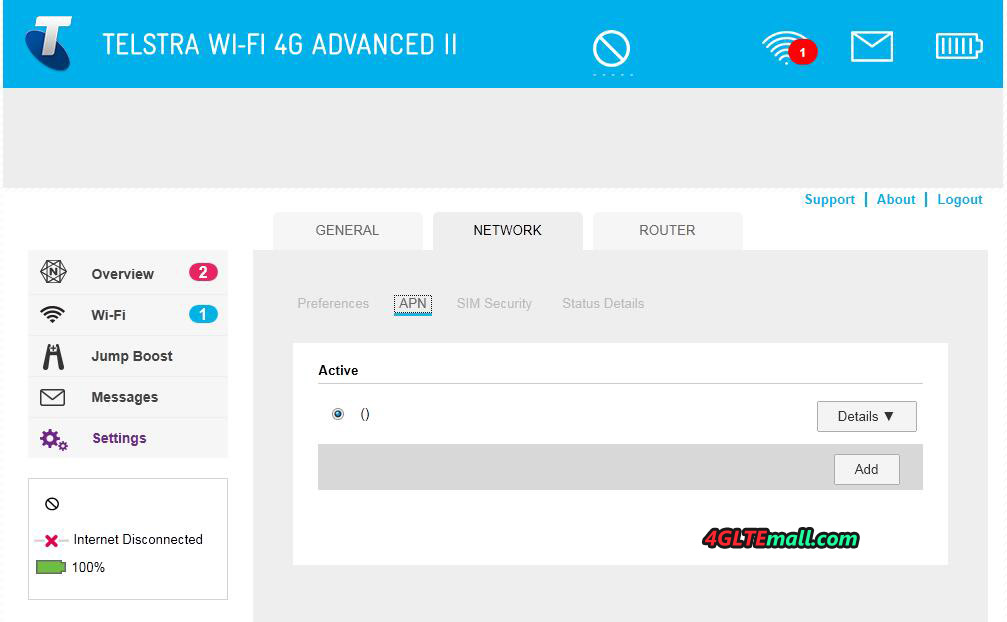
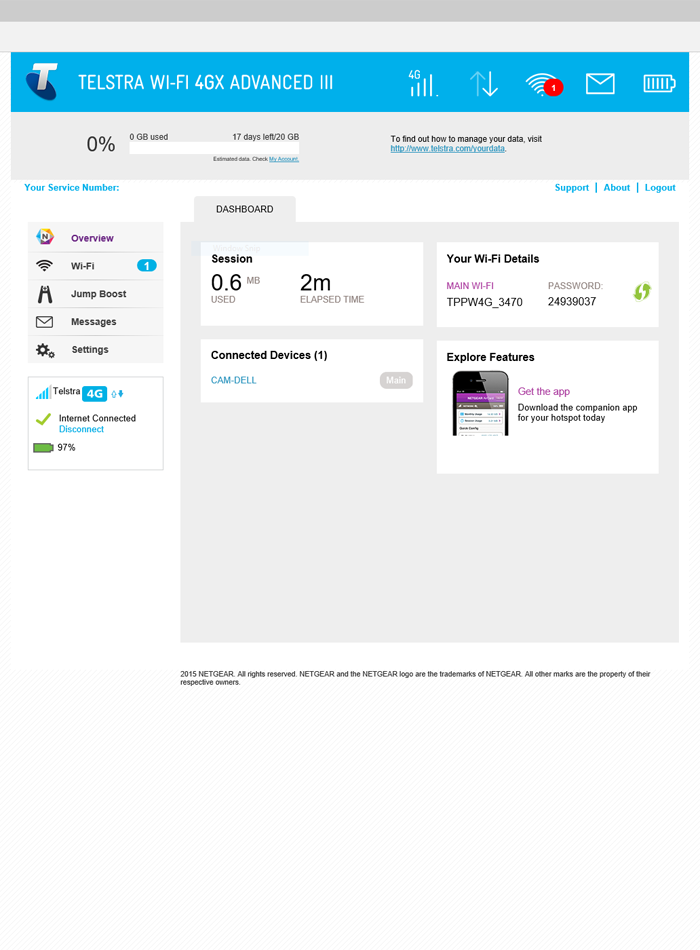
Telstra WI-FI 4GX Advanced III

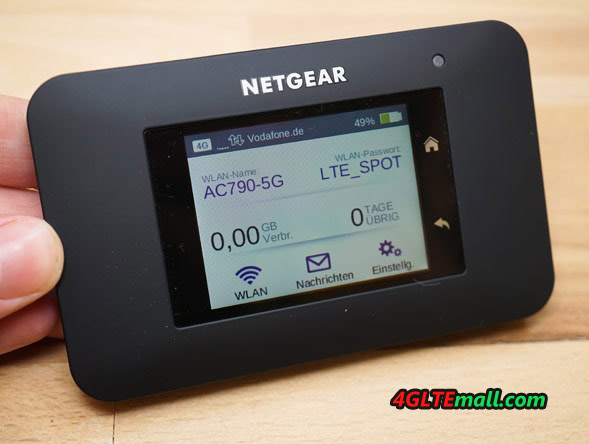
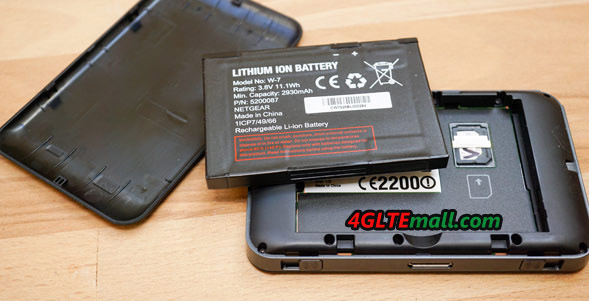
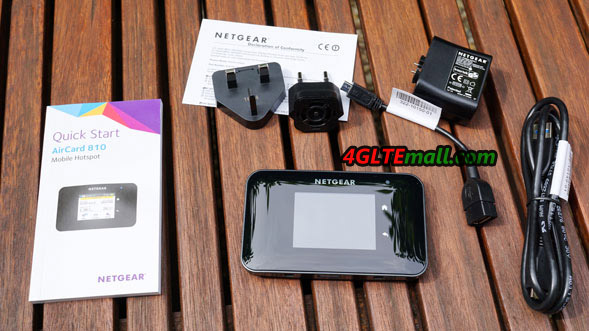
The packaging of the Netgear AirCard 810 is not spectacular from the outside. On the small cardboard, there are the most important information such as a brief description of the device and the technical specifications, including supported LTE frequency bands and carrier aggregation band combinations. The package contents includes a modular power supply with EU and UK power plug and USB port as well as the 2,930 mAh strong battery, in addition to the hotspot itself. A suitable charging and data cable is of course also available in the box. There is also a small microUSB to USB cable, which allows you to use the Jump Boost technology, so other devices such as smartphones can charge using the hotspots. A special feature included is the printed manual. It explains the functions of the device in different languages.

Telstra WI-FI 4GX Advanced III Aircard 810s

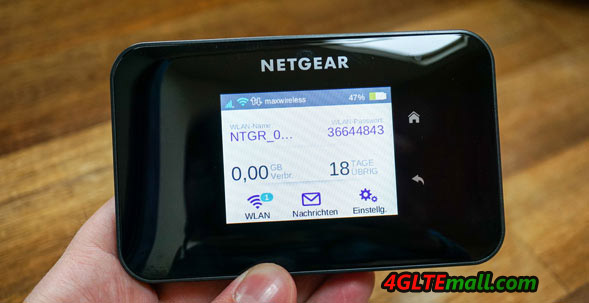
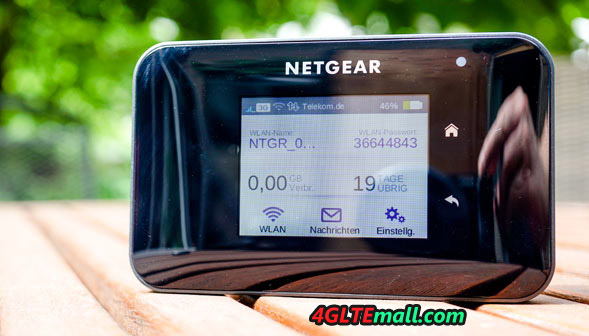
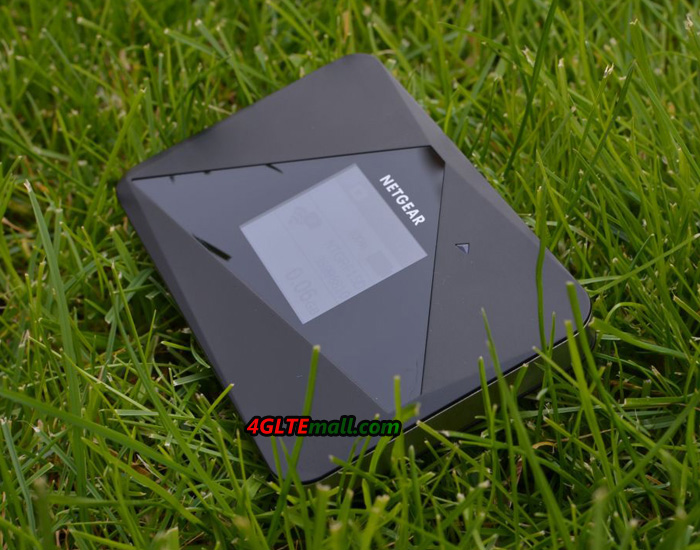
The first impression from Netgear AirCard 810 Hotspot is quite good. The dimensions are 112 x 69 x 15.5 mm pocket-fit and the weight is approximately 132 grams quite low despite the strong battery. The battery cover is secure, but can easily open and feels very good due to the matt black rubber coating. The transparent plastic cover on the front contrast attracts fingerprints magically and reflects quite strong. Also the large color display on the front makes a very good impression, but, there are further more to be excited.


LTE Advanced Cat11

LTE Advanced with up to 600 Mbit/s in the downlink – the Netgear AirCard 810 router is the world’s first device that supports LTE such high speeds. Technically, it is LTE Cat11 3 band carrier aggregation (3CA), ie for the full 600 Mbit/s, three 20 MHz wide frequency ranges are combined. However, it is not enough for the Netgear AC810 supports the technology, each provider must have implemented Carrier Aggregation in its network and has sufficient radio spectrum.

Telstra WI-FI 4GX Advanced III Aircard 810s

In the test, the LTE modem made a very good figure by the way. Once you have inserted the MicroSIM card, you don’t need enter the PIN and then the router connects to the wireless network already. Credentials as APN and dial-in number need not be entered, but are automatically selected by the hotspot using the inserted SIM card. The transmission and reception were very good at LTE800 and LTE1800, UMTS was very satisfactory. LTE2600 has not been tested and Netgear has disabled 2G GSM network for unknown reasons.


One of the few criticisms of the AC810 relates to the number of supported LTE frequency bands. Although all important FDD-LTE and TDD-LTE frequency bands is supported for Europe, but some important North American frequency bands are missing, so that the Netgear AirCard 810 only conditionally suitable for travel in the Americas. Here one should better check before traveling, which frequency bands are to be used.


Telstra WI-FI 4GX Advanced III Aircard 810s

WLAN offload functionality

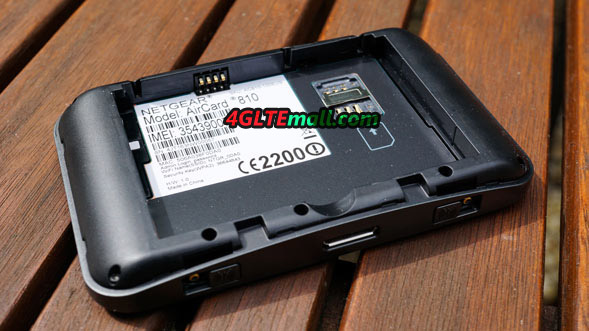
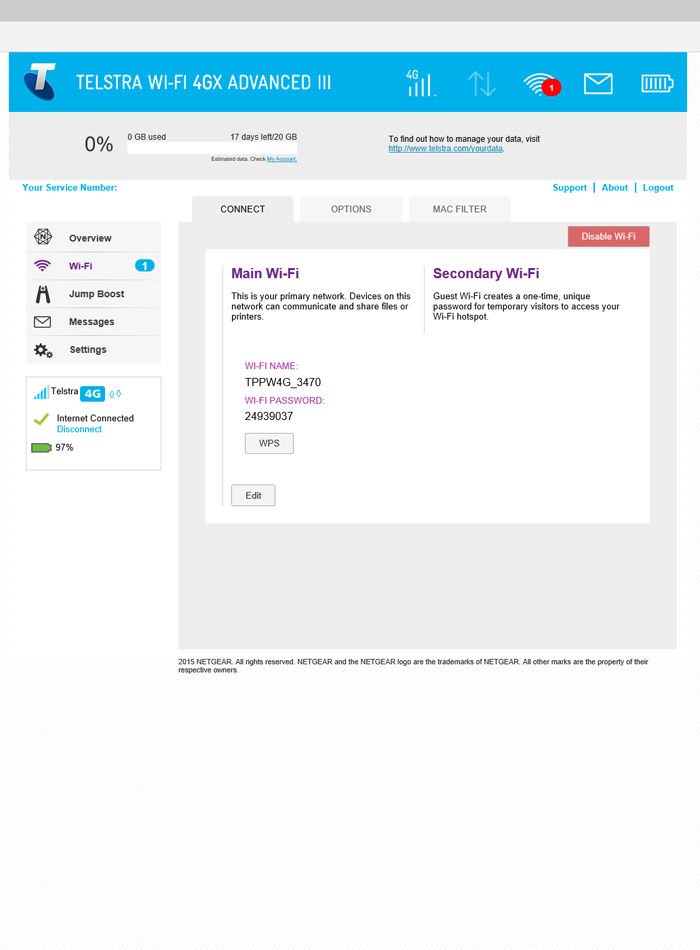
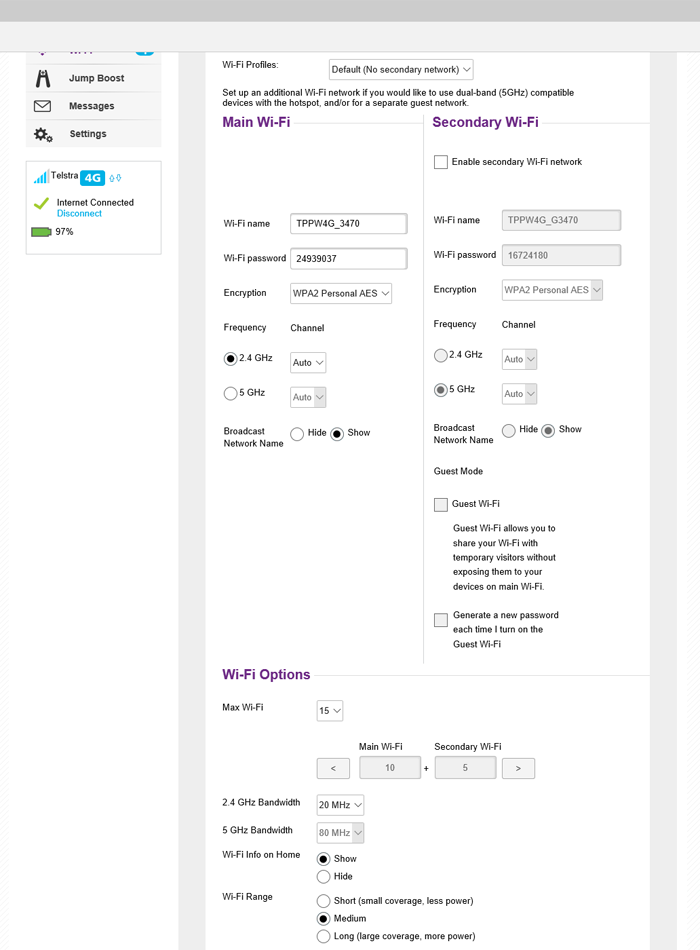
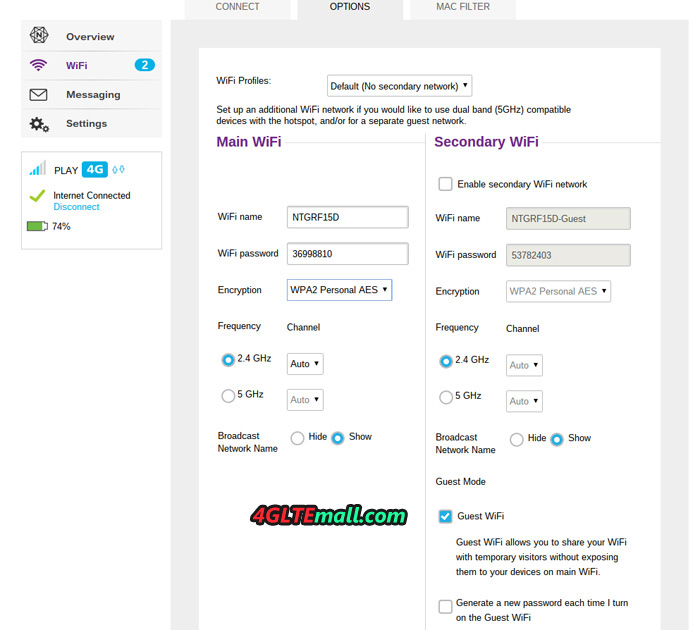
Netgear sets the WLAN radio module on current dual-band WiFi 802.11 ac, with up to 15 devices can be connected simultaneously. By default, the AirCard 810 sparking in the 2.4GHz band, the 5GHz band can be added when required. The wireless range can be adjusted in the settings in three stages, with a shorter range of battery life benefits. Overall, the wireless coverage was very good in the test – at least for a mobile router. The wireless network is encrypted out, password and WLAN names are printed on a label inside the battery compartment. On request, the password will appear in the display of the router. Optionally, a wireless guest network will be set up with a separate password, the maximum limit of 15 simultaneously permitted devices must also be observed here.


The Netgear AC810 has the so-called “Wi-Fi Offload” feature. This allows the router a wireless network for Internet access instead of using the wireless connection. This saves data volume and can be very useful in many situations. Via the web interface, Netgear AirCard 810 is allowed to use as an access before using the corresponding wireless networks, including password. The function can be found in the router’s wireless menu under “wireless displacement”, said at the unit no configuration is required, but only in principle to turn the function on and off.

The wireless connection can take bookings completely switched off and the device can be used as a USB-only modem. This is useful, for example, when you want to use a computer without a WLAN function always on. An operation without the battery, however, is not possible.

Telstra WI-FI 4GX Advanced III Aircard 810s


Large touchscreen for operation

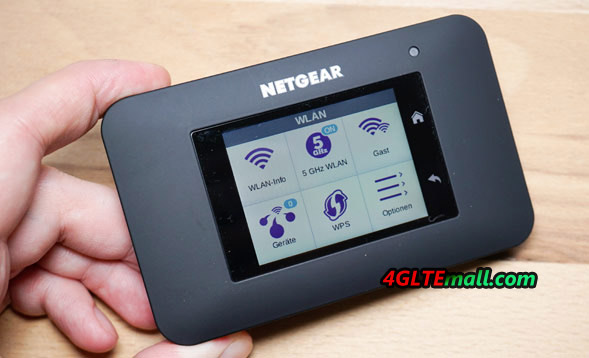
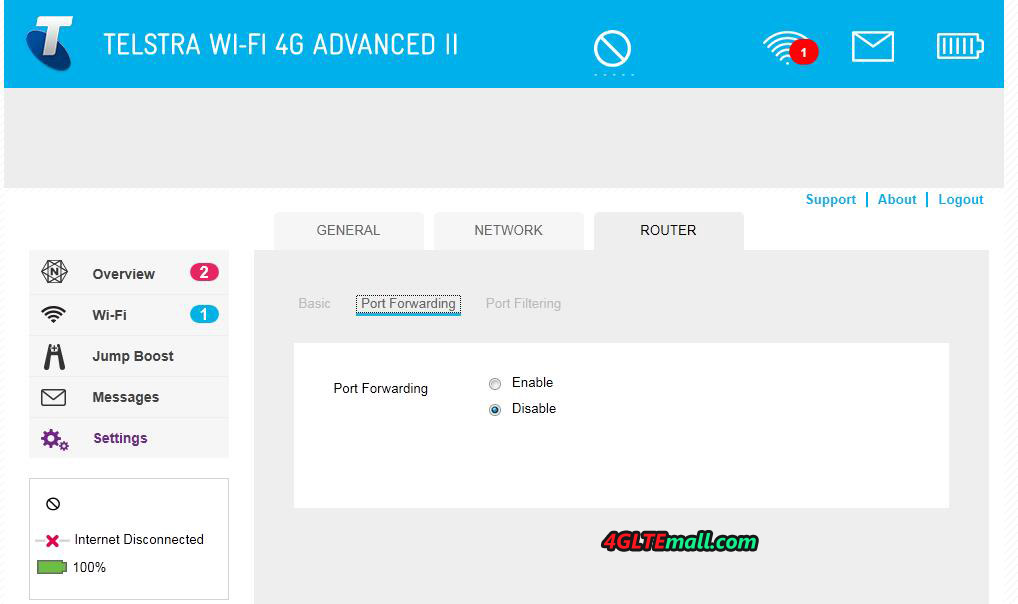
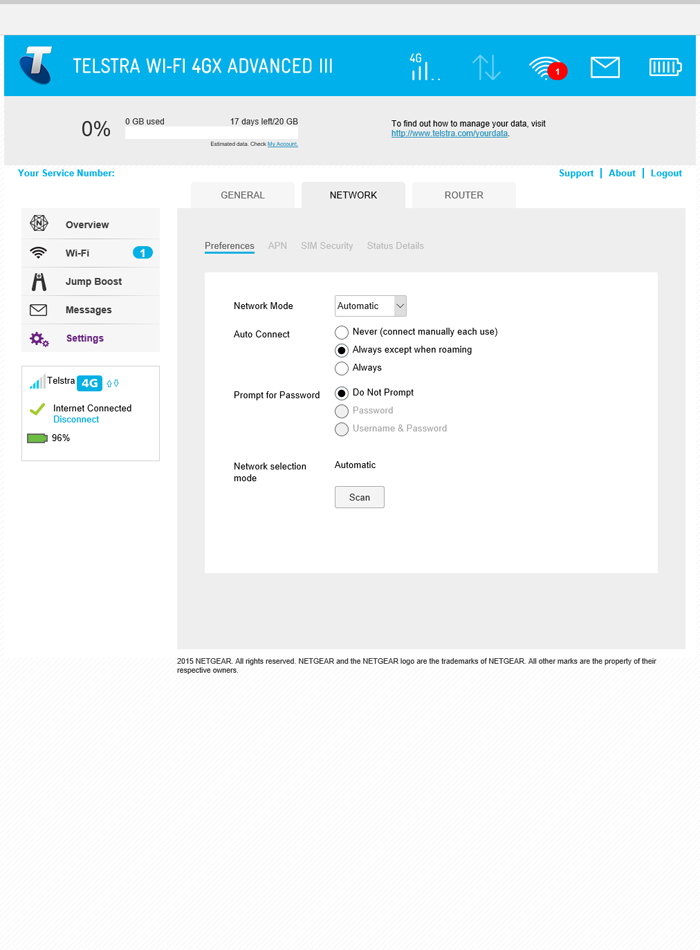
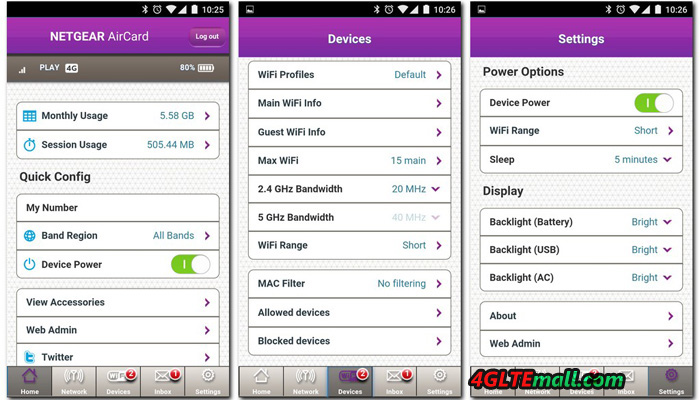
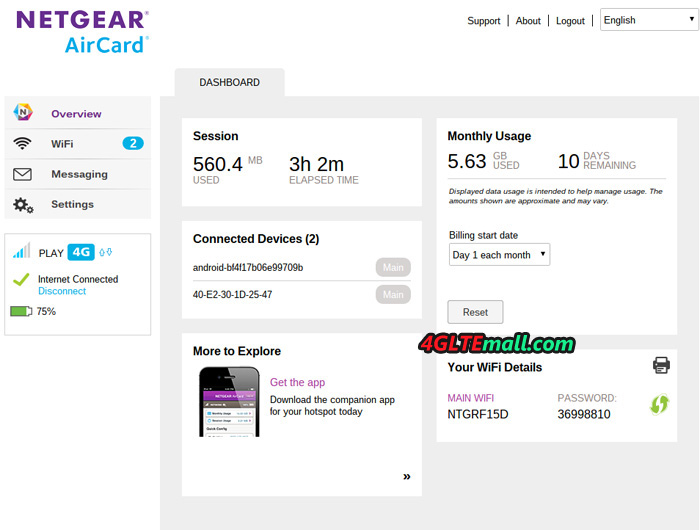
Like its predecessor Netgear Aircard 790, the Netgear AirCard 810 router can be operated and configured in three different ways. The easiest and fastest way is certainly through the touchscreen display directly on the device, but not all functions are available here. Some particularly nested menus are available only via the web interface in a browser. The third way to use is an app for Android and iOS devices. Design and menu structure are managed in all three variants and self-explanatory.

The capacitive touch screen on the front reacted very quickly to inputs, write small buttons such as the keyboard for SMS can be operated accurately. Somewhat unreliable were the two capacitive keys for “Home” in the test and “back” of the display. Overall, the touch screen is definitely a nice added value in comparison to other mobile wireless hotspots.

Netgear Aircard 810s

The display turns off after a few seconds in order to save energy. This period can be set in the menu. If the display is off, you can read the connection status using a LED above the display according to operational mode in different colors. If desired, the LED is also switched off, which is for example useful if you want to use the hotspot in dark rooms.


Battery and Other

The Netgear AirCard 810 battery is 2,930 mAh strong and easily replaceable by the user. If necessary, you can just take a second or third battery or replace a defective battery. The manufacturer promises an operating time of about 11 hours, in the test with Internet radio streaming over LTE, I have reached this maturity even approximately. Via the so-called jump-boost function, the battery can charge other devices such as smart phones; the appropriate adapter cable is (as mentioned above) in. But you should not expect too much for recharging multiple times for other devices, if charging is need, we recommends the use of a proper “Power Bank”.


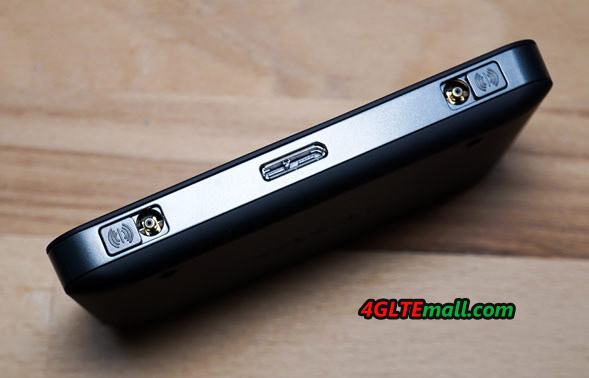
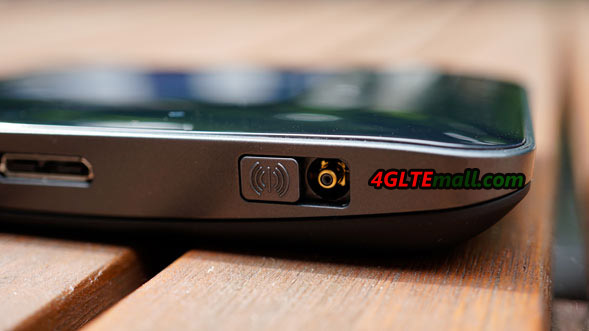
The Netgear AirCard 810 allows the option to connect an external LTE antenna to transmit and receive services and to improve the speed. These are two TS-9 connectors in this unit. With a matching Pigtail (adapter) you can connect virtually any standard antenna. Optionally, there Netgear has also a docking station (model DC112A), which remodels the hotspot with 4x Gigabit LAN, external WLAN antennas and integrated charging feature for perfect home router. Unfortunately, the availability of DC112A in my area is very limited, so I unfortunately could not get to test them together.

Netgear Aircard 810s


Conclusion: the best LTE Hotspot

Netgear offers the AirCard 810 LTE Hotspot undoubtedly the best current mobile LTE router in Europe. Not only the modem and the speed of the AirCard 810 are far ahead of its competitors, even the operating concept is outstanding. The very extensive features of the previous generation have been further extended, as is now also a wireless repeater on board.

There are still three points which user must note: GSM / 2G mobile is not supported, the manual frequency band selection is not possible and fundamentally supported LTE bands in comparison with current smartphones are still very poor. Overall, the test conclusion is however extremely positive and the Netgear AirCard 810 LTE Hotspot gets a very strong buy recommendation!

Huawei CarFi E8377 Bring Internet in a Car

Permanent access to the internet in the car is sometimes useful. Of course, if you ride alone, and you are using only a smartphone, then just turn off the mobile data and no any trouble. Sometimes, however, it is not enough to have only mobile data from smartphone.

huawei-carfi_E8377 (5)

A good example is a longer trip with your family or a business trip with colleagues. Then plain hotspot on your smartphone may not be enough. Firstly, because it does not always provide the appropriate connection speed to several people at the same time, and secondly because the burden on smartphone.


Therefore it comes the new gadget Huawei CarFi – small WiFi router, which need to put the SIM card and connect to the cigarette lighter socket in the car. The Huawei CarFi connects to the fast 4G LTE mobile network and Internet broadcasts up to 10 people at once. It is therefore suitable both for use in typical passenger cars and busses. Users can connect a couple of laptops, tablets, and even (if necessary) smartphones wirelessly.

huawei-carfi_E8377 (3)

Huawei CarFi (E8377) is a small router, consisting of a plug into the car’s 12 V and an upper part, enlarged section in which there is a push button switch, antenna connector and of course a slot for a SIM card.


On the leg there is a sticker with the Network ID and the default password. User should take a picture to save, because the sticker is easy to damage. In addition, there are two stickers with the name and password, which are glued. Under the cap at the top part, with the slot, there is a small connector for an optional external antenna. It is optional but can be useful at a time when we are trying to connect to faster cellular network in an area of ​​weak coverage.

huawei-carfi_E8377 (4)

At the top of the side, a USB output port is built-in. It could be connect to an ordinary USB cable and charge the smartphone. In practice, Huawei CarFi is not only a router, but also a car charger.

huawei-carfi_E8377 (1)


Configuration and operation

The setup process is very simple. After inserting the SIM card and placing the router in the slot 12 V, user only need to hold down the button on the top and the Huawei CarFi turns on. Now your smartphone searches the network created by the WiFi router and connects to it after stating the default password.


Theoretically we can keep longer use Internet connectivity from now, but definitely recommend installing the program Huawei HiLink on your smartphone. Download it free from Google Play (Android) and the App Store (iOS). The WiFi name and password can be changed in the future in the HiLink application settings.


huawei-carfi_E8377 (2)


The main task of the application on the smartphone is not only changing the settings. Other management could also be done when connected to the Huawei CarFi, and user can control the consumption of a data packet.

When we checked the data rate in the big city, we can gain typically 30-35 Mb/s. Even if we divide the speed on several devices, it will still be able to use the Internet easily, such as check email, use Google calendar, work on documents in the cloud and send & receive small files. The connection was stable. There I had not met with cases of disconnecting one of the CarFi E8377.


Summary


Huawei CarFi was doing a positive test. First of all, it was very easy to install and use (management from a smartphone). Secondly, you can connect up to 10 different devices at the same time to use them from the Internet. Thirdly, featured router is not a big financial expenditure, and may prove to be very useful during a business trip (work in a car) or a long trip with friends and family. If you drive often in the car with a few people and your car does not have its own WiFi router, the Huawei CarFi is recommendable.


Final assessment:

* fast 4G LTE Mobile Communications

* WiFi hotspot, the ability to connect up to 10 devices simultaneously

* stable operation

* built-in USB port for charging smartphones

* very simple setup and operation

* operation via smartphone (application HiLink)

* the ability to connect an additional antenna


Buying Huawei CarFi router is most cost-effective when the car will be benefited for a few people (some devices) at the same time. Therefore, a good idea is to buy a large package of data plan on the mobile phone number. With an average, load should be at least 10 GB per month, and at a higher 25 GB or more. The cost of purchasing the router is not very big. You can buy the Huawei CarFi E8377 from www.4gltemall.com at good price now.


Huawei Released a New P9 Plus Smartphone

With so many great phones on the market in all price ranges, it’s now much easier to buy a mobile smartphone then past years. However, it is more challenging than ever to be a mobile manufacturer. What are customers really want? This drives the Chinese manufacturer Huawei hard, and Huawei presents new smartphone time to time to meet the requirements from customers. Now Huawei released Huawei P9 with P9 Plus. We tested exactly new Huawei P9, but now we will look into the P9 Plus.

Huawei P9 Plus (5)

The difference between the two phones is significantly larger than its name would suggest. Like all Plus models, the P9 Plus also has larger screen than “original”, but it is not the only difference between the two phones. Huawei P9 Plus model also has an AMOLED display instead of LCD IPS which is found in the smaller edition.

However, in real use, we can’t notice much difference. The solution is similar, and both phones are doing okay with Full HD. We would like to see even sharper performance, and the black levels are perhaps even better on AMOLED variety.

Huawei P9 Plus (3)

What we notice is the design. The standard version of P9 comes in aluminum with light or dark. It’s pretty enough, and looks like the market is dominated by metal phones. Frankly speaking, Huawei P9 Plus is probably the prettiest phone I’ve seen.

Phones are becoming increasingly interesting on designs, whether Edge screens from Samsung, or the completely borderless screens on Sharp phones. The usual square has become a bit boring. P9 Plus is extremely thin, but weighs a little in hand. It has big screen, but is compact in hand. And the dual cameras on the back, as well as the narrow scope, which makes it little doubt that this is a new phone.

Huawei P9 Plus (7)

When we tested  Apple’s iPhone 6S last time, we got acquainted with the touch screen in the Apple universe called 3D Touch. Huawei has had a similar solution in their Huawei Mate S mobile phone for the Asian markets. We see clearly that there is benefit in this, or at least it can be. In sections what Huawei has added support for the solution seems both intuitive and clean. But it is far from objects that support additional hard pressure.

Huawei P9 Plus (6)

In most cases, the default browser is Google’s own Chrome for Android. When Samsung enclose the good old Android browser full of what they regard as their own improvements, there is no specific browser in Huawei P9 models. Now there are many changes that the manufacturers make to these browsers actually to make the user experience better, but the result of running a completely standard Chrome variant is that the touch screen does not have the full function in the browser. The function is straightforward where it works, but unlike the iPhone, it becomes too far from these places that we perceive it as a major advantage.

Huawei P9 Plus (4)

You will not find APP menus here, and the P9 Plus phone has different menu structure from many other Android phones both in setting menus and drop-down menus. It is still not difficult to use, and we have not noticed many bad translations venues throughout. Most are intuitive and nice.

In summary, Huawei P9 plus is a good smartphone but not perfect. It has all the features that can be expected and it’s a middle class smartphone for huawei new strategy. Whether the Huawei P9 Plus becomes a success, the market will tell.

Huawei P9 Plus (1)

Netgear Aircard 810s 4G LTE Mobile Hotspot Review

Netgear AC810S router is the world’s first mobile WiFi router having a built-in modem with support for LTE category 9 and 11. The Aircard 810s supports carrier aggregation of up to three frequencies allowing the full potential of modernized LTE network operators. This technology means customers will have access to significantly faster peak download speeds and added capacity in the network. You’ll notice a significant increase in speed and quality of the network. What’s more, the 3G UMTS networks are backward, when the LTE network is not available, the router will automatically switch to 3G network available so that user can enjoy the best surfing experience.

Netgear Aircard 810s

The aircard 810 is using 3FF Micro SIM card and it has a very friendly interface and easy to read and convenient touch screen of 2.4 “. User can read connection parameters, data usage, change your network settings freely, and in addition, receive and send SMS messages. If you need to increase the signal, you can also connect external antenna to the Aircard 810s. There are two antenna connectors in Netgear Aircard 810, the connector type is TS-9.
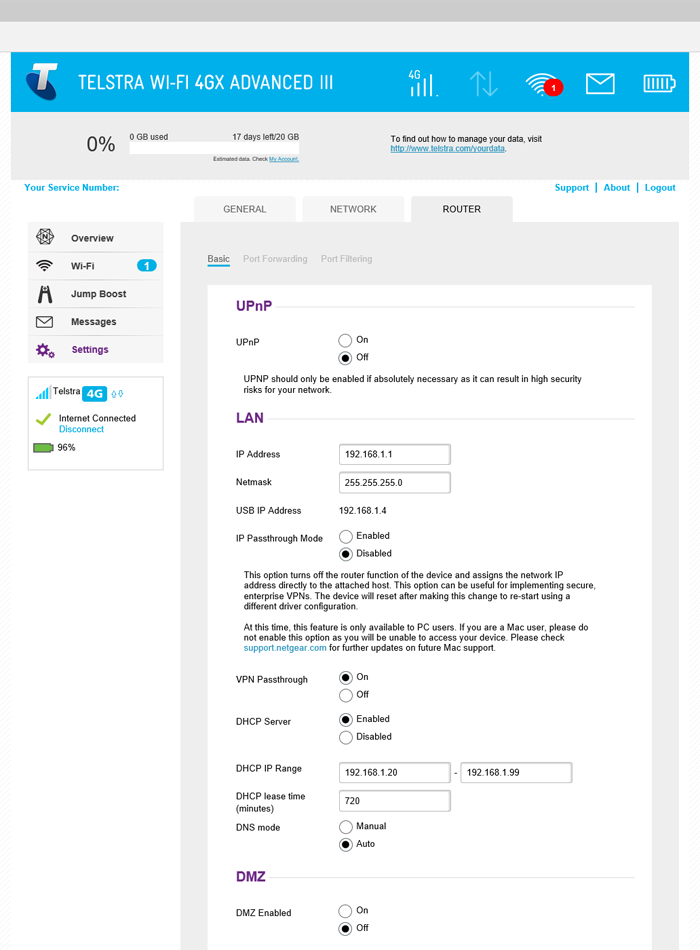
Netgear Aircard 810s

Wi-Fi speed up to 600 Mbps

Netgear AC810S mobile router has the most attractive feature, which lets you download speeds of up to 450Mbps or 600 Mbps. Network sharing is done using WiFi standard ac at frequencies of 2.4 GHz and 5 GHz. Importantly, it can use 810s at the same time for up to 15 WiFi-enabled devices simultaneously — smartphones, latptops and tablets, printers, digital cameras, game consoles, etc. So all of your terminals will connect to the Internet. You can securely share your blazing-fast WiFi with friends, family and co-workers while on the go for business or pleasure.
Netgear Aircard 810s

Netgear AC810S also has a battery capacity of 2930mAh, so you can use the router for up to 11 hours. The standby time could reach up to 260 hours. Fast and stable network connectivity is not the end of the advantages of Netgear AC810S. It can also work like a power-bank, allowing you to charge your smartphone or other device with a USB port. The battery in Aircard 810s is removable, which unlike the Huawei E5786 LTE Cat6 mobile hotspot and Huawei E5770 Mobile WiFi Pro. They have built-in battery but non-removable. So you can get a spare battery for Netgear Aircard 810s so that let it be a reliable power bank for other gadgets.

Netgear Aircard 810s

It’s no doubt that the Netgear Aircard 810s is the latest 4G mobile hotspot with the future-proof technology, if you like it, welcome to buy it from www.4gltemall.com .