LTE Dual-mode 4G Modem-ZTE MF880 VS MF825

More and more operators are investing the TD-LTE technology so as to improve the spectrum application efficiency. It seems the TDD technology would become the mainstream for LTE network. But We could also see the dual-mode LTE, that is FDD & TD-LTE combination, is also become popular.


To make the LTE dual-mode network more efficiency, the UEs must also support FDD and TDD bands simultaneously, and they could auto switch between the two modes. We have found there are many USB dongles, mobile WiFi hotspots and LTE router available for such networks.


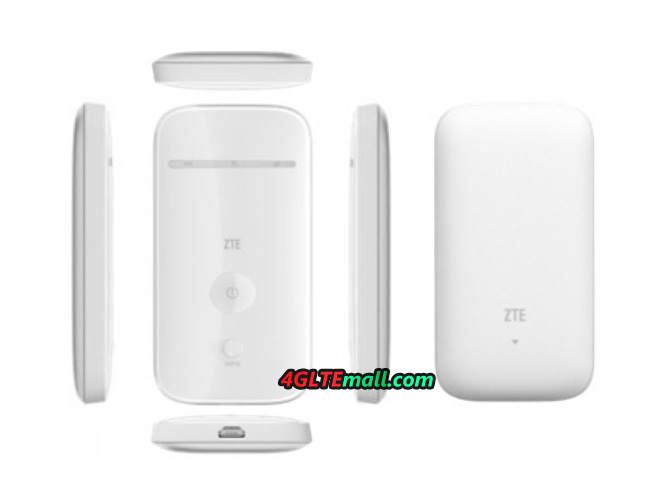
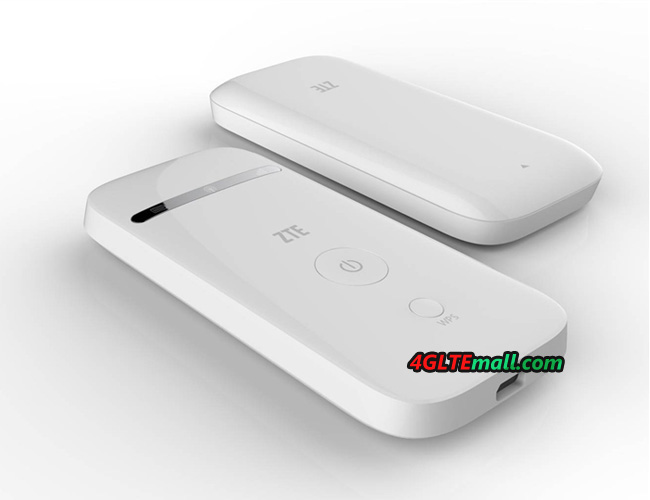
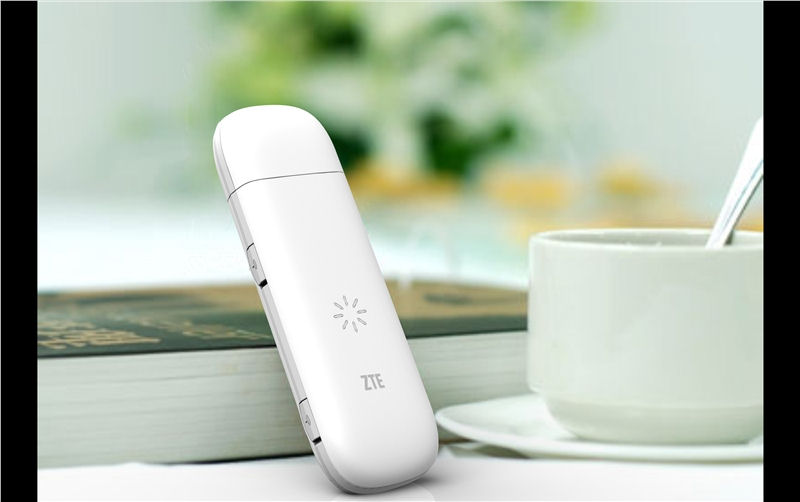
As one of the important vendor for 4G LTE equipments, ZTE had released many models that can support TD-LTE/FDD dual-mode networks. ZTE MF880 and MF825 are such 4G USB dongles.


ZTE MF880 is the first generation 4G modem from ZTE. One of the main features for them is they don’t have the connector for MIMO external antennas. The body of the 4G modem is a little bit bigger than 3G modems. As a 4G dual-mode LTE modem, ZTE MF880 could support 4G FDD band 20 & band 7(800/2600MHz), and TD-LTE band 38 & band 40 (2300/2600MHz). Band 7 and band 20 are two most popular spectrums in European countries and the two TDD bands are the most commonly deployed broadband worldwide, which make ZTE MF880 4G data card one of the most popular 4G dongles.


ZTE MF825 is the typical model for the second generation of ZTE 4G modems. Based optimization and improve in hardware and firmware, the ZTE is much slimmer then it’s predecessors. And it’s not as big as ZTE MF880, and to make the MIMO transmission come true, two external antenna connectors are available in MF825. Besides the TDD band 38 & 40(2300/2600MHz), ZTE MF825 supports more FDD bands, they are band 20, band 3, band 1 & band 7(800/1800/2100/2600MHz). From the specification, we could know if ZTE MF880 could work in any place, ZTE MF825 would fully replace it.


What’s more, the two 4G dongles ZTE MF880 and MF825 could also work on 3G UMTS/DC-HSPA+ networks (900/2100MHz) and 2G GAM/GPRS networks, and the peak download speed on 3G could reach 42Mbps. So if user is in a location where 4G network is not available, the two ZTE 4G modems would switch to 3G to fulfill the Internet access requirement.


Someone may ask, if ZTE MF825 could fully replace MF880, then why they both are presented from operators? It’s a good question, actually, the more powerful one device is, and the more expensive it is. ZTE MF825 is more powerful based on its great internal chipset, and it costs more. For some operators, it’s unnecessary for them to use a modem with high price when a cheaper one could meet the requirements. And for some operators, they didn’t provide some of the network spectrums that ZTE MF825 supports.


But for users who usually travel overseas or to different countries, it would be better to get ZTE MF825, because it would be more possible for the data card to compatible with the target operators when on a trip.


To conclude, the LTE dual-mode 4G modems provide better solution for users to access Internet and travel around. If you want more TD-LTE/FDD USB modem, welcome to visit www.4gltemall.com .


ZTE MF28G 4G LTE Router VS ZTE MF28D 4G LTE CPE

As the one of the most important UE device to support 4G LTE networks, 4G Router is on a replaceable position. Many vendors are trying their best to improve the research and development on this field. The Chinese vendor ZTE is also trying to present more telecommunication equipments to share the market.


As we can see, just ZTE 4G Modems, ZTE 4G Routers also looks very similar in appearance. Perhaps they just want to save more budgets, just using one appearance design and change the inner core part to make up a new model. So users usually can’t identify which model number of a LTE router, even when they know two model numbers of the router, they don’t know what the difference between them is. ZTE MF28G and MF28D are just on the case.


ZTE MF28G and MF28D are the 4G LTE CPE/Router from ZTE, they are for the 4G LTE networks and provide high speed Internet connection.


Appearance


As we said, they are using same appearance design, from the outside, we can’t tell from them. There are almost same indicators on the front screen, on the back, there are 4 RJ45 Ethernet cable ports, 2 RJ11 connector for analog telephone and one USB 2.0 interface for host file sharing.  And beside is the plug port for power supply.


Network Frequency Bands


The frequency bands supported should be the key difference between the two 4G Routers. ZTE MF28D router is a FDD-LTE router, which support 4G FDD band 1, band 3, band 7 and band 20 (800/1800/2100/2600MHz). And 3G DC-HSPA+/UMTS networks (900/1200MHz) are backward compatible.


ZTE MF28G LTE CPE is a FDD/TD-LTE dual-mode CPE router. MF28G Router could support FDD band 7 band 20(800/2600MHz), and TD-LTE band 38 & band 40 (2300/2600MHz). Similarly, ZTE MF28G LTE router also could support 3G networks as backup.


Connection Speed and User Support


In good network environment, the peak download speed of ZTE MF28D could reach 100Mbps and upload speed to 50Mbps when work on FDD networks. The speed ZTE MF28G varies depending on the network mode. When working on TDD mode, MF28G could allow maximum download speed up to 68Mbps and upload speed up to 17Mbps. However, if working on FDD LTE networks, the downlink could reach 100Mbps and uplink could reach 50Mbps.


Of course, the speeds above for data rate speed are theoretical and can make true only in preface situation. In real life, the speeds may not as faster as expected, but it’s still amazing and much faster than 3G speed.


ZTE MF28G and MF28D could both allow up to 32 users to get connected and surf. So they are good for SOHO, home and small office. The USB interface is help group users to share the files via host Memory.


If you like them, you could buy them from www.4gltemall.com , and before you buy, please confirm the 4G network status and choose the right one. If you need any help, we will be always available here.


Difference Between ZTE MF93E and ZTE MF91D 4G LTE Mobile Hotspot Router

Following the commonly deployment of 4G LTE network worldwide, more and more 4G terminals are demanded by the operators. As one of the important vendors, ZTE had gained many business plans from the operators and its wireless gadgets are also very popular. ZTE MF93E and ZTE MF91D 4G LTE mobile hotspot are two models for 4G LTE networks.


Sometimes, most customers may know the model number of the UEs. But they don’t know whether the 4G modems or 4G routers would work with the providers in their countries. Today, we will have a review of the two models ZTE MF93E and ZTE MF91D.


Network Frequency Band


ZTE MF91D 4G Hotspot is earlier available in same countries, it’s mainly European 4G networks. MF91D Hotspot supports 4G FDD band 7, band 8 and band 3 (900/1800/2600MHz); they are the most popular three spectrum band in European area. And the 3G UMTS & 2G networks are backward compatible.


ZTE MF93E 4G Mobile Router is a LTE dual-mode (TDD & FDD) WiFi Hotspot. It supports TD-LTE band 3 & band 7 (1800/2600MHz) and FDD bands 38 & band 40 (2300/2600MHz). Based on this specification, MF93E hotspot router is more suitable for the 4G networks in Asia and Middle East areas, such as Hong Kong, Saudi Arabia, Kuwait, China etc.. Just like MF91D, ZTE MF93E dual-mode TDD/FDD hotspot could also works on 3G UMTS 900/2100MHz and 2G GSM/GPRS networks.


Appearance


The appearance of ZTE MF93E and MF91D looks not the same. MF93E is in the design of horizontal, but MF91D is in vertical design. To make the device more user-friendly, the both have only one button in the front. And there is OLED screen to indicate the important information, including network status, operator, WiFi connectors, battery life and data statistics. The batteries in the body are removable and re-chargeable.


Link Speed and Connectors Support


ZTE MF91D 4G Pocket Router could reach peak download speed up to 100Mbps and upload speed to 50Mbps on 4G LTE FDD network. It could allow up to 10 users access Internet simultaneous. ZTE MF93E has the same functions like MF91D when it’s on FDD mode, however, when working on TD-LTE network, MF93E could support maximum download speed up to 68Mbps and 17Mbps for upload.


Above are the important features of the 4G Pocket WiFi that matters the user experience, if you want to buy unlocked ZTE MF93E or MF91D, welcome to land www.4gltemall.com .


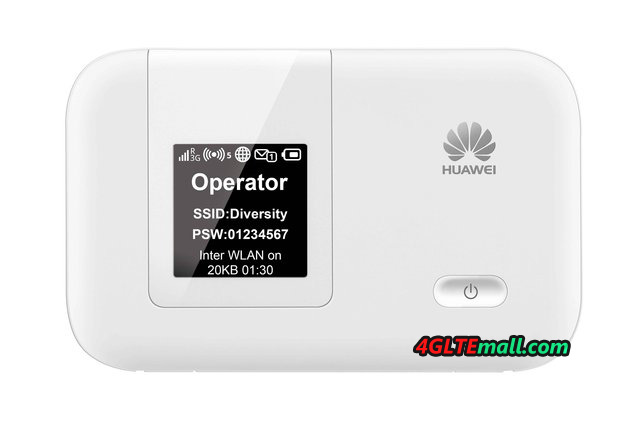
Huawei E5375 4G LTE Category 4 Mobile Hotspot Available

Since the launch of LTE technology from Huawei Terminal R&D, HUAWEI has been leading research and development, and lead the process of LTE terminals commercial. As China Mobile TD-LTE network strategic partner, Huawei has recently launched a new generation TD-LTE network mobile Wi-Fi hotspot products — Huawei E5375. Currently, this product has been presented to public in Zhejiang, Guangdong and other places simultaneously.


Like HUAWEI E5776, the HUAWEI E5375 Hotspot is also with TD-LTE Cat4 and WiFi 2×2 technology, maximum download speeds of up to 150Mbps. Compared to the 3G router, the download speed increase of nearly 10 times, compared to similar products in 4G, the speed is improved by 50%. Downloading 1 GB HD movies, it would takes less than a minute to complete through Huawei E5375. In addition, thanks to a strong technological advantage from Huawei, Huawei E5375 is in high bandwidth, low latency, high connectivity rate (lower data and voice communication when dropping rate), etc. which were optimized to ensure that the user can enjoy the speed of TD-LTE mobile Internet fun.


Huawei E5375 not only has strong technological advantages in product appearance, but also show small carved discretion sense of quality. The HUAWEI E5375 Hotspot adopt horizontal screen design, the whole body is made by the sleek lines outline, elegant simplicity. Huawei E5375 Dimensions is only 99 * 62.2 * 14.4mm, lightweight and portable, is currently the smallest LTE Cat4 mobile Wi-Fi hotspot.


Huawei E5375 4G TD-LTE Router supports Huawei E5 unique assistant software-Mobile Wi-Fi APP, the user simply download the software from the App Store or Android Market to thephones or tablets, what’s more, user can remote control E5375. Users can easily monitor traffic usage, view power, read text messages, and keep track of the LTE network signal strength as well as the right to modify the access password. Follow-up, Huawei E5375 will also support SD share feature, when users can comfortably share variety of built-in SD card pictures, documents, music and video and other information with friends via E5375 Wi-Fi.


In order to better meet the needs of users daily with nets, Huawei E5375 Hotspot 4G supports 10 units Wi-Fi terminal simultaneously to access the TD-LTE network, such as a cell phone, Pad, laptop, PSP portable game consoles and other users of electronic products, so Huawei E5375 is a good pocket WiFi to access TD-LTE network, easy to meet Imagine life anytime, anywhere mobile networks.

ZTE MF28B Rogers LTE Rocket Hub VS ZTE MF28G 4G LTE Router

As one of the main 4G LTE telecommunication equipment vendor, ZTE has presented many 4G LTE router to public, and most of them are already for operators’ contract plan. Unlike Huawei B593 4G LTE CPE many modification models, each of ZTE 4G LTE routers has specific modem name, even though they look almost same in appearance.


ZTE 4G LTE routers are designed in same appearance model, but they are not completely the same in some aspects.  Today, we will have a review of the difference between ZTE MF28B and MF28G 4G LTE Router.


Network Bands


Most of the routers with appearance differ on the network bands. They are for different operators. ZTE MF28B Router is for Canadian operator Rogers, and it’s also called Rogers LTE Rocket Hub, but MF28B Hub could support single LTE band 7 (2600MHz), 3G HSPA (850/1900MHz) network is backward. As we can, it mainly for 3G network in North America.


ZTE MF28G LTE Router is more powerful, it supports LTE dual-mode (TDD & FDD), it could support 4G TDD band 38 & band 40 (2300/2600MHz) and FDD band 7 & band 20 (800/2600). And ZTE MF28G supports 3G UMTS 900/2100MHz. ZTE MF880 4G LTE USB dongle could support these bands.


So unlocked ZTE MF28G could work with more 4G operators and in some countries, MF28G could replace MF28B.


Data Rate Speed


ZTE MF28B and MF28G could both reach peak downlink speed up to 100Mbps and uplink speed to 50Mbps on 4G FDD network. Simultaneously, MF28G could reach peak downlink up to 68Mbps and uplink speed to 17Mbps when working on TDD networks.


Interfaces


There are some adjustments in the bodies of the two ZTE LTE routers. MF28B has only 4 Ethernet ports (RJ45) while MF28G has 4 Ethernet. Ports, 2 RJ11 ports for telephone, and one USB 2.0 host port. So MF28G could support telephone and SD files sharing, but MF28B cannot.


Logo


Sometimes, the logo on the router may vary according to operators. And the firmware may also be customized for operators. As we can see, the Rogers LTE Hub ZTE MF28B has Rogers’s logo on it and the forms are version is also with Rogers logo.


Other features of the routers are almost the same, to conclude, Unlocked ZTE MF28G is powerful when roaming globally. In certain countries, MF28B may be reliable on 3G networks.


How to Setup ZTE MF91D 4G LTE Mobile Hotspot

With Mobile Broadband Router ZTE MF91D, you can connect 5 computers / wireless devices simultaneously. Here you will find information and guidance on how to set up and use the Wireless Mobile Broadband Router ZTE MF91D.


Get Started of ZTE MF91D:

Network name (SSID) and network key (WIFI KEY) can be found on the underside of the router on a sticker.

  1. Insert the SIM card.
  2. Turn on the router by holding the On / Off button for several seconds.
  3. Click the wireless network icon on your computer.
  4. Select Connect to a network / List available networks.
  5. Click on your network (SSID), select Connect.
  6. Enter the network key (KEY WIFI), press Connect.
  7. Open a web browser such as Internet Explorer and follow the wizard. We recommend creating your own wireless network name and password. After a few steps, enter a URL such as www.4gltemall.com

You are now connected to the Internet.

Getting into the menu of the MF91D router:

The router has a separate menu, where you will change the wireless network name and network key.

Getting into the menu of the router:

  1. Open a new browser such as Internet Explorer on a computer connected to the router. Enter 192.168.1.1 in the address field and press Enter.
  2. Enter Password: admin

Now you could change the password per your preference.


Restoring factory settings (reset) router:

If you experience problems connecting to the Internet, it may help to reset the router.


To reset the MF91D manually:

  1. Open the router.
  2. Press a paper clip / pin in the reset hole and hold for 10 seconds.
  3. The router turns on and off, and you can connect to the wireless network.

Now, after you reset the router, the network name and network password would be reset.


How to restore ZTE MF91D factory default:

  1. Open a new browser such as Internet Explorer on a computer connected to the router. Enter 192.168.1.1 in the address field and press Enter.
  2. Enter Password: admin
  3. Click Settings
  4. Select System Security then Default Settings.
  5. Press Restore
  6. Click Restore again to confirm.
  7. The router automatically turns on, and you can reconnect. Note that after you have reset the router, the network name and network password be reset. Have you changed the login password of the router, this is also reset.


Change the wireless channel:

Do you have low signal strength or difficulty finding the wireless network; it may help to change the wireless channel.

To change the wireless channel, you must enter the menu of the router. The computer must be connected wirelessly to the router to access the menu.

  1. Open a new browser such as Internet Explorer on a computer connected to the router. Enter 192.168.1.1 in the address field and press Enter.
  2. Enter Password : admin
  3. Select Settings
  4. Click Wi-Fi, then Advanced
  5. Select a channel from the dropdown below Frequency (Channel).

It is recommended to choose 16 or 11. The channel 11 may work better than channel 1 in your home, so take your pick. Avoid channels 12 or 13 when some network cannot connect to them.

  1. Press Use. The settings are now saved.
  2. If you experience the same problem remains, repeat step 4 and try another channel that might work better on your computer.
  3. If you cannot find your wireless network, you should reboot the PC and router.


Switch between 4G, 3G and 2G networks

To do this:

  1. Open a new browser such as Internet Explorer on a computer connected to the router. Enter 192.168.1.1 in the address field and press Enter.
  2. Enter Password: admin
  3. Select  Settings, then Network
  4. Select Only 3G or only 2G from the drop down menu under Select Network.
  5. Press Use.

ZTE MF91D 4G LTE Pocket WiFi Hotspot Review

Smartphones are the ideal way to access the Internet on the go, but when you want to connect more WiFi device and help a friend to access internet, things seems bad. In these cases we have to use a mobile hotspot, which provides quick access to the Internet for more than one device at a time. This time I am getting to know more detail of ZTE MF91D 4G LTE Mobile Hotspot that could connects to the Internet via a super fast LTE/4G network.


Last time we introduced the 3G HSDPA access point ZTE MF80, which is quite similar to the new version. Of course, the main difference is that the model MF91D hotspot is for LTE/4G network.


Appearance of ZTE MF91D

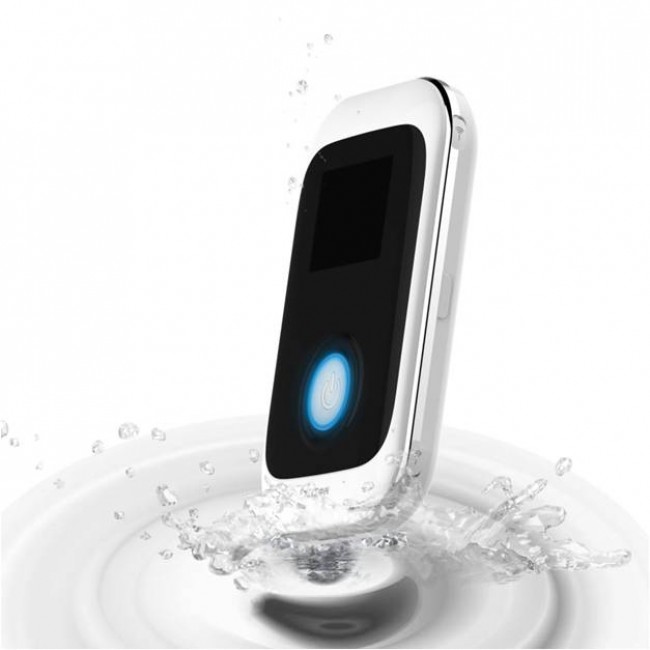
At first glance, ZTE MF91D Hotspot reminded me those nice rounded tip cell phones, which were quite common and popular one. The 4G hotspot is pleasant, easy to stow in the pocket. The front side has a simple square color display that shows the status of network connection. Below the screen is a big button, when working, it flashes of blue light. On the left side we find a slot for microSD memory card  at the side the MicroUSB connector for charging. On the other hand, there are two connectors for external antenna and in the middle of them, there is a WPS button. ZTE MF91D is made of plastic, when first use, remove the back cover and the battery, below is the slot to insert the SIM card of normal size.


ZTE MF91d Settings

To access and use the access point ZTE MF91D, computer could get connected through the USB cable or do a wireless all together. In the first application, the easiest way is by using the cable, especially if you’ve got a new SIM card that is locked with a PIN code. When connecting to a computer, your MF91D hotspot offer installation of software that simplifies the process of setting and place a shortcut to the settings page (we checked it also works on Mac OS X). Usually, the MF91D hotspot could auto configure and get connected after SIM card is plugged in.


Once you have your device connected to the access point, either via cable or via WiFi, you could open a web browser by typing the title http://m.home/ or http://192.168.1.1 (the default password admin ). On the home page, you have an overview of the various settings links and an overview of the data usage. If you do not have special requirements, you can leave most of the settings alone, but usually you need to change your password to something that you will easily remember.


Advanced users could setup detailed security and configure network settings. In general Wi-Fi settings, you can define the maximum number of connected devices. Hotspot ZTE MF91D supports up to 10 devices simultaneously.

ZTE MF91D Hotspot in practice

In the past few days, I’ve tested ZTE MF91D access point in different situations. I tested it in the open air, in a meeting with two laptops and smart phones, when at home, up to six devices get connection at the same time and each time the Internet works fast without interruption.


Speed is of course just like cellular phones, it depends on how far you are from the base station. The occupancy of cells can affect the signal quality. The battery should support 6 hours of continuous use, which was confirmed by my tests.


Who is it for?

If you use the mobile internet mostly with your smartphone, you probably do not need mobile access point. If you often find yourself on the road even with a laptop or tablet without a SIM card, the ZTE MF91D 4G hotspot is more attractive choice because it has a relatively long life battery, and it is extremely easy to use. It can be used even in small office or home to connect multiple users at the same time, it supports up to as many as 10 devices at a time. What is most attractive, ZTE MF91D could support maximum download speed up to 100Mbps, so any connected users could surf internet in very high speed.


Of course, there is not only ZTE MF91D 4G LTE Mobile Hotspot, many other brand 4G Mobile Routers are available, welcome to check more on 4gltemall.com .


Unlocked Rogers LTE Aircard 330U from Sierra Wireless General Review

You may had seen a 4G LTE Modem which support 4G Band 4(1700/2100MHz) or 4G LTE Surfstick which is for 4G FDD Band 7 (2600MHz), but do you know any 4G USB modem that could support them together?

Today, we will recommend a 4G Aircard which could support the 4G LTE FDD Band 4 and Band 7 simultaneously. The model number is Rogers AirCard 330u LTE Rocket Stick. This is the successor of Sierra Wireless AirCard 320u. They are both from Sierra Wireless. The difference between them is that Aircard 330U is capable of LTE FDD Band 7 and Band 4, but AirCard 320U could support band 3 and band 7.


The Rogers LTE AirCard 330u looks cool in red color, but it’s unlocked to Rogers network. It means the AirCard 330u could support any operators’ SIM card.


Just like the brother model AirCard 320u, 330u is in square shape and it’s bigger than AirCard 306 or 308. The USB could rotate for 180 degree. On the front, There is logo of Rogers and one the back, there is printer of “4G LTE” on it. Below the “4G LTE”, we can see the icon of the manufacturer “Sierra Wireless” logo, and the indicator of data transmission.


Open the back cover, we could see there is a stick indicating the model number “AirCard 330u” and the IMEI number of the 330u. Belie the stick, we can see the SIM card slot and MircroSD card slot. At the side of the SIM card slot, there are two external antenna connectors for MIMO. They are covered by two small cap, user need open the cap and then connect the external antenna.


The connector of the external antenna is TS-9 model, so if you want buy external antenna for AirCard, you could check here: http://www.4gltemall.com/external-antenna-for-huawei-4g-lte-usb-modem.html


After plug the two external antennas, the data link speed would improve obviously. The AirCard 330u is apt for North America 4G LTE networks band 13 and band 7, so it could also roam in Europe or Asia. In conclusion, AirCard is a cool USB modem that will be a good gadget for 4G networks.

ZTE MF91 4G LTE Pocket WiFi Hotspot Test Report

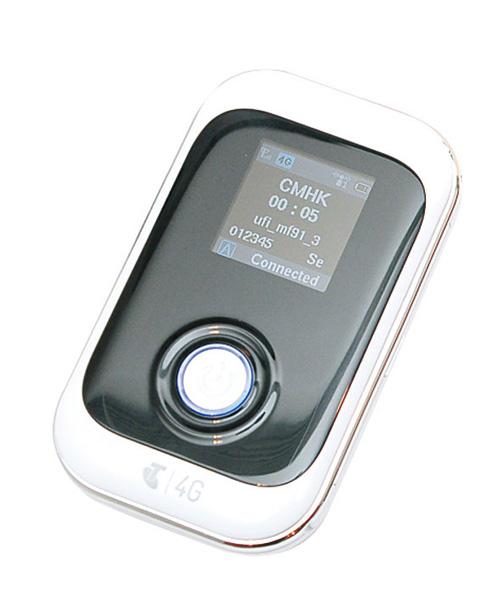
The company ZTE from China has extensive experience in the manufacturing mobile phones; this fact has a positive impact on the shape and ergonomics of the mini router. Since the mobile device and should always be at hand, the shape and size of a mini router should allow to carry in any pocket or bag. Here we get the 4G LTE Mini Router ZTE MF91 Pocket WiFi Router. Let us have a look at this smart 4G LTE Router and how it works.


When we open the box, we can find these content are included in the package: ZTE MF91, power charger and USB Cable. The router is a standard rectangular box with rounded corners. On the front is a small screen and a single button switch. The user manual is also included.


To prepare the router to work, you must first insert a SIM-card. Open the back cover, take out the battery. Here we see at once the place for SIM-card, at which point you have to be careful. And put the card in a special tray to move it forward.


After the SIM card in the slot, put the battery in. Before you close the back cover of the machine, you must remember to write down the password for the Wi-Fi connection, it is printed on the back cover. Then just press the round button, wait a few seconds and the device is ready for use. This is what we signals appeared on the screen legend – ALTEL 4G.


Just want to say a few words on the screen, despite its small size (1.44 inches), it is quite informative in addition to network status and signal strength (by the way it’s showing with a symbol and the number of sticks like a conventional phone), the screen displays the status of Wi-Fi, the number of connected devices, and battery level.


In the center of the screen, we see the total time of using 4G data, as well as the total amount of data received/transmitted during this session. The device screen is quite bright, the information could be read, even in direct sunlight.


After switching on the router you just need to enter the password and connect it via Wi-Fi from your tablet, Smartphone or laptop. The manufacturer claims the simultaneous connection of 10 different WiFi devices.


The router is equipped with a powerful battery capacity of 2300 mAh, it is quite enough for me on day of use without switching off, and the network I was using for three hours, the rest of the time in standby mode. A full battery charge is approximately 2.5 hours.


The stated range of the router Wi-Fi signal could be distributed to 10-15 meters, my experience of operating in principle confirms these figures, and in a normal urban 2-room apartment, signal was available at any point. On the street, the range is from 8 m to 16 m, depending on the availability of natural environment.


In my opinion, the ZTE MF91 4G LTE Mobile router is very practical and convenient solution for wireless Internet in the format of 4G. Ergonomic shape, small size and relatively low weight (110 g) fully permit to carry with users. It could be easily fit into any pocket, bag or purse. If you want unlocked without any contract, welcome to buy from www.4gltemall.com .

Huawei E398S-81 4G LTE FDD TDD USB Surfstick Review

Comparing with Huawei E398 other branch models, such as Huawei E398u-1, E398u-18 and E398u-15, Huawei E398s-81 should be a special one, it’s not because Huawei E398s-81 has different appearance as other models, it’s due to Huawei E398s-81 supports the TDD & FDD LTE band simultaneously, which covers the 4G LTE TDD 2300/2600MHz and FDD 2600MHz.


As the one of the most frequency bands for TDD, band 38 (2600MHz) and band 40 (2300Mhz) are invested by many operators who are planning or already launched TDD networks.


Today, we get the Huawei E398s-81 4G LTE TDD FDD Surf stick with HUAWEI logo on it. It seems that it’s SIM card free and unlocked to any operators. Usually, if there is an operator’s logo on HUAWEI E398 modem, it may be a locked one, but the modem could be unlocked by some methods.


From the appearance, we could see that HUAWEI E398s-81 is just like other E398 branch models, with the rotatable USB design. There is only HUAWEI 4G on the USB. No other logo was printed on the back.


As previously mentioned, Huawei E398s-81 could support the LTE bands/Spectrum above: 4G LTE FDD 2600MHz and TDD 2300/2600MHz. This should be the most important difference between HUAWEI E398u-1, E398u-15 and E398u-18.


With same appearance of E398u-11 and E398u-15, Huawei E398s-81 has two external antenna connectors beside the two sides of Micro SD slot. If user wants to use data card with MIMO technology, HUAWEI E398s-81 is a good option optional. Here now, only few models of 4G LTE USB Surfstick are available on the market for both TDD and FDD networks. HUAWEI E398s-81 should be a good one based on HUAWEI prestige.


Unlike other E398 Modems, Huawei E398s-81 could not work with 3G UMTS network or 2G GSM/GPRS network. So Huawei E398S-81 could only work on 4G LTE networks. If 4G networks are not available in certain place, HUAWEI E398s-81 can’t work. So users may consider this before they buy it.


As the brother model, Huawei E392 4G FDD TDD multi-mode data card also has one similar model, the model number is Huawei E392u-92. HUAWEI E392u-92 supports 4G TDD 2300/2600 Mhz, but HUAWEI E392u-92 can’t support 4G FDD networks.


If you want know more details of them, welcome to buy it from www.4gltemall.com .