D-Link DW-932 4G LTE Cat4 Mobile Hotspot

The Taiwan manufacturer D-Link introduces a new LTE Cat4 router DW-932, which serves as a mobile wireless hotspot for smartphones and tablets. The DW-932 encrypted signals reliably and is compact enough for your pocket, but it also has its weaknesses. Today, we will have a look at the advantages and disadvantages of D-link DW932.

Features and characteristics of D-link DW-932
Manufacturer and model D-Link DW-932
Chipset: unknown
LTE Category: CAT4
Download rate Up to 150 Mbit/s
Upload rate Up to 50 Mbit/s
Supported LTE bands: 800 MHz / 1800 MHz / 2600 MHz
Backward compatible with: HSPA/UMTS/GSM
Support of LTE-Advanced: no
MIMO Support: 2×2
External antenna connector: no
Telephone
With integrated telephone system: no
Network | LAN & WLAN
LAN Ports: no
WLAN Standards: WiFi 802.11 b / g / n
5 GHz WLAN support: no
Encryption: WPS, WPA, WPA2
Wireless Internet Hotspot function: Yes
Others
Battery pack: 2,020 mAh
Dimensions: 73 x 73 x 15 mm
USB: MicroUSB
Memory card expansion: no
Release: 02/16/2015
Available at: www.4gltemall.com


Technical Features


The D-Link DW-932 is an category 4 LTE router, ie, in a suitable micro-SIM card with LTE tariff, up to 150 Mbit/s could be achieved to surf the web. In upload, a maximum upload speed of 50 Mbit/s is possible. Where no LTE is available, the DW-932 can switch to UMTS network as backup. As a mobile hotspot, the device supplies a few devices could be connected to DW-932 (the exact number is not said by D-Link); the fast Wi-Fi ac is not supported.


Secured multiple

Safety is a top priority at the DW-932: Pushing a button and get encrypted with WPA or WPA2 connection to other mobile devices made via WPS (WiFi Protected Setup). In addition, the router has an internal firewall and NAT (Network Address Translation). On the little display, D-Link DW-932 indicates the network type, signal strength, roaming status, incoming SMS, the Internet connection, the provider, the battery level and wireless encryption.


Practical travel companion


Although not exactly the black, DW-932 is a beauty, it is with dimensions of 7.3 x 7.3 x 1.5 centimeters at 77 grams of weight, which is very compact and so perfectly suited as a mobile travel companion. It can provide his services on holidays available if it supplies the whole family with “Free WiFi” with only a local prepaid card.


Battery with disappointing endurance

The DW-932 Battery has the capacity of 2,020 mAh on the paper. However, in our test, the  useful life is only 4 hours, which would be below the average and very disappointing. Other manufacturer do this better, for example, the Huawei E5878 Prime with a weaker battery could runs twice long surfing time. To charge the battery, you need connect the USB port of a PC.


Conclusion

Even if it is handy and convenient, the D-Link DW-932 has a few weaknesses. Here now we have other alternatives from Chinese Huawei and ZTE, the recommend models are Huawei E5372, ZTE MF93D. They are popular in Europe and Asia.


TP-Link TL-MR3020 3G/4G Wireless N Router

The TP-Link TL-MR3020 is a small, handy wireless router with a USB port, which can make him a Wi-Fi hotspot, but user has to connect an LTE stick or an LTE modem to the router. TL-MR3020 work with the LTE stick to provide wireless Internet.

Features and characteristics of TP-link TL-MR3020
Manufacturer and model TP-Link TL-MR3020
Chipset: Atheros AR9330
LTE Category: depending on the LTE stick used
Download rate up:
Upload rate to:
Supported LTE bands:
Backward compatible with:
MIMO Support: 1×1
External antenna connector: no
Network | LAN & WLAN
LAN Ports: 1 x RJ45
WLAN Standards: WiFi 802.11 b/g/n
5 GHz WLAN support: no
Encryption: WPS, WEP, WPA, WPA2
Wireless Internet Hotspot function: Yes
Others
Battery pack: no
Dimensions: 74 x 67 x 22 mm
USB: USB 2.0 / mini USB
Memory card expansion: no
Release: November 2011
available at: www.4gltemall.com


Technical Features

With dimensions of 7.4 x 6.7 x 2.2 centimeters, the small white box TP-Link has the right size for on the go. The TL-MR3020 has an Ethernet port (RJ45) for a LAN connection, a mini-USB port for power supply via an adapter or a PC and a standard USB input for connecting a mobile drives or modems.

The TP-Link TL-MR3020 has no display, but only through green LEDs that indicates the Internet connection, the WLAN status and LAN connection as well as encryption. A slider can switch between 3G/4G, and WISP AP. WISP (Wireless Internet Service Provider) stands for Wi-Fi access, AP (Access Point) for a wired internet connection.


Wi-Fi hotspot via LTE-Stick

If you put an LTE stick in the USB port of the TL-MR3020, a data connection to an available LTE network is established in 3G or 4G mode. Subsequently, the TP-Link TL-MR3020 connect with devices such as laptop, smartphone or tablet as wireless hotspot to provide Internet via Wireless LAN. What’s more, the TP-link TL-MR3020 can support 802.11b/g/n with up to 150 Mbit/s at 2.4 GHz.


Ensures security

The TL-MR3020 has the way over an IP QoS function (Quality of Service), with the leave of bandwidth as desired spread on the connected devices. The safety of the data links ensures encryption up to WPA2 via WPS button (WiFi Protected Setup) which can be prepared quickly. A firewall is also on board.


The router can be configured via its own URL with a browser. Supported browsers include Internet Explorer, Firefox, Chrome and Safari as well as the operating systems Windows (from 98), Mac and Linux. By the way, it is recommended to download the manufacturer TP-Link the latest firmware for the router to ensure compatibility with as many modems and sticks.


Conclusion

What benefit a wireless router can bring to you into which you can slot in its mobile stick? First of all, if you have an LTE stock, you will get a new mobile hotspot with their combination. In addition, Hotspot and stick can be placed where the best wireless coverage exists. You can also use the Ethernat cable in a hotel or at home to get Wifi network.


The TL-MR3020 is recommended only if you already own a mobile stick and usually  travel and would like to connect more than one device. Otherwise it is better to buy a real mobile router such as huawei E5776, ZTE MF93D. They don’t need USB stick and can work directly with SIM cards.


If you want to know more latest 4G LTE mini Routers, welcome to click here:  http://www.4gltemall.com/3g-4g-pocket-wifi/300mbps-mobile-wifi.html

Vodafone R216(Huawei) 4G LTE Mobile Hotspot Review

As the successor of the LTE router R215, Vodafone takes the new mobile hotspot R216 in its range. The R216 dominated LTE category 4 and is again produced by Huawei. Alternatively, the sister model produced by the Chinese competitor ZTE R216Z to select which has features similar specifications.

Features and characteristics of Vodafone R216
Manufacturer and model number Vodafone R216(Huawei)
Chipset: HiSilicon Balong 711
LTE Category: CAT4
Download rate up: Up to 150 Mbit/s
Upload rate to: Up to 50 Mbit/s
Supported LTE bands: 800 MHz / 1800 MHz / 2600 MHz
Backward compatible with: DC-HSPA+ / UMTS / GSM
Support of LTE-Advanced: no
MIMO Support: Yes
External antenna connector: no
Telephone
With integrated telephone system: no
Connector for ISDN telephones: no
Connection for analog telephones: no
DECT: no
integrator answering machine: no
Network | LAN & WLAN
LAN Ports: no
WLAN Standards: Fi 802.11 b/g/n
5 GHz WLAN support: Yes
Encryption: WPA, WPA2
Wireless Internet Hotspot function: Yes, for up to 10 devices
Others
Battery pack: 1,500 mAh, exchangeable
Dimensions: 96 x 58 x 13 mm
USB: USB 2.0
Memory card expansion: no
Release: April 2015
available at: www.4gltemall.com


Technical Features


The Vodafone R216 accepts cards on the mini SIM format and accesses the LTE network of category 4 to download with speeds up to 150 Mbit/s and 50 Mbit/s upstream. Here, the mobile router uses 5 frequency bands: Besides the usual bands 800, 1,800 and 2,600 MHz additionally 850 and 900 MHz, which are used in the US and Asia for LTE.


LTE to 150 Mbit/s and UMTS to 42 Mbit/s


The R216 is backwards compatible with UMTS, including DC-HSPA+ and GSM and radio in the WLAN b/g/n to 2.4 and 5 GHz. WLAN ac is not supported. Up to 10 connected devices can be supplied. The router does not have connections for external antennas. The Vodafone R216 has a Huawei subsidiary HiSilicon Balong-711 chipset, the 128 MB RAM and 256 MB ROM stand aside. A memory expansion via an SD card is not provided.

No status display


Vodafone R216 does not have a display. Information on the device itself can only be seen from the LED, and this indicates only when the battery has enough charge, the connection is active on the network or a new SMS has been received.

Future-proof thanks to IPv6


So you have access to more information and settings on the interface of the router on Web PC – or you use the Vodafone Mobile Internet App for smartphones and tablets. After all: The Vodafone R216 already dominates the Internet Protocol 6 (IPv6), which may facilitate, inter alia, the configuration of connected devices in a home network.


Replaceable battery


The battery of the R216 comes with only 1,500 mAh somewhat underpowered, and the battery

Is changeable. Vodafone provides a runtime of up to 8 hours in 3G network and 6 hours in 4G network, with each 5 users simultaneously. In standby, the battery will hold about 300 hours. Charging battery can use the supplied USB cable, either on the PC or via an adapter to the electrical outlet.


Vodafone R216-Z( ZTE)


There is a brother model named Vodafone R216-Z. The slightly more compact sibling with the suffix Z is also designed for LTE Cat4, is equipped with a different chipset Qualcomm MDM 9225 from the manufacturer ZTE. The Vodafone R216-Z has 512M ram bout twice as much flash memory, the router also can be used for memory expansion micro SD card holds up to 32 GB. It also has a wireless repeater function and two sockets for external antennas to improve reception quality. Also the R216-Z battery is significantly stronger than the R216 with 2,300 mAh. However, a display does not have even the Vodafone R216-Z.


Conclusion

The Vodafone R216 Huawei is a mid-LTE router, the display and SD card slot is missing. The Vodafone R216-Z ZTE has to offer as even more with memory expansion and a stronger battery. If you want to see more details, welcome to check on www.4gltemall.com .


Huawei E5170 4G LTE Router Review

Previously there were two types of LTE router models: devices for mobile use with integrated battery and device for stationary use without battery as a DSL replacement. The Chinese manufacturer Huawei has presented a new LTE router Huawei E5170 since spring 2015, which combines the advantages of both types of devices. The small modem consists of a stationary docking station with LAN connection and a removable router with integrated battery and WLAN.  The following data sheet shows all the details for Huawei E5170.


Features and specifications of Huawei E5170

Manufacturer and model number

Huawei E5170 (E5170s-22)

Chipset:

HiSilicon

LTE Category:

CAT4

Download rate

Up to 150 MBit/s

Upload rate

Up to 50 MBit/s

supported LTE bands:

800 MHz / 900 MHz / 1800 MHz / 2100 MHz / 2600 MHz

backward compatible with:

DC-HSPA+, UMTS, GSM (UMTS 900 and 2100MHz)

Support of LTE-Advanced:

no

MIMO Support:

MIMO 2×2

External antenna connector:

yes, 2x MIMO

Telephony

no

Network | LAN & WLAN

LAN Ports:

1x RJ-45 Ethernet LAN

WLAN Standards:

WiFi 802.11 b/g/n

5 GHz WLAN support:

no

Encryption:

WEP, WPA, WPA2

Wireless Internet Hotspot function:

Yes (32 units)

Others

Battery pack:

1,500 mAh

Dimensions:

120 x 120 x 66.2 mm

USB:

USB 2.0

Memory card expansion:

no

Release:

Spring 2015

available at:

www.4gltemall.com


Battery for mobile use


The Huawei E5170 is primarily intended for stationary use, ie for example as a substitute for a DSL connection. However, unlike other stationary LTE routers, the E5170 is divided into two parts: There is the router part of the wireless technology with an integrated battery and there is the docking station. The latter includes not only the battery but also offers an RJ-45 LAN port to connect a desktop computer. Between Router and dock, the LED lighting has a unique design.

If you want to use the Huawei E5170 mobile use without external power supply, according to the manufacturer, the integrated 1500 mAh battery could provide for an operating time of more than one hour. Thus, the device is also ideally suited for regions where often fails the power. In our view, the capacity would not be enough for long time run. Rather, it is more likely to provide emergency internet service.


Fast Internet over LTE


Thanks to support for LTE category 4, the Huawei E5170 can reach speeds of up to 150 Mbit/s downstream and 50 Mbit/s upstream. But the built-in modem can do even more: If no LTE network is available, UMTS+ is used with the data accelerator DC-HSPA+, so that up to 42.2 Mbit/s in the downlink are possible. Reception may need an external LTE antenna to be strengthened, the necessary connections are integrated directly in the device.


Wi-Fi for up to 32 users

Many LTE router with battery, which are designed for mobile use, can connect up to 10 devices simultaneously via Wi-Fi. Huawei E5170 seems powerful on this point, it can support up to 32 devices simultaneously. The maximum speed is 300 Mbit/s via WLAN 802.11b/g/n. Unfortunately, the LTE router supports only the frequency band of 2.4 GHz.

Availability and price


The Huawei E5170 LTE Router is available both at various online stores such as www.4gltemall.com. There is unlocked version of Huawei E5170 on 4gltemall.com . User can use it with many other network providers in Europe. If you usually travel the countries around, it would be a good partner.


Uros Goodspeed ZTE MF900 LTE Mobile Hotspot

For many devices, it has become a must to have access to the Internet abroad. It may be due to that one wants to share his vacation photos via Facebook or Instagram with friends, or that you have to work as a business traveler outside his hotel with the laptop.  The Finnish company Uros offers with their mobile hotspot Goodspeed MF900 on a solution that now dominates LTE.

Features and Specifications of Uros Goodspeed MF900

Manufacturer and Model Number

ZTE MF900 (Uros Goodspeed)

Chipset:

Qualcomm MDM9225 Gobi

LTE Category:

CAT4

Download rate

Up to 150 Mbit/s

Upload rate

Up to 50 Mbit/s

supported LTE bands:

850/900/1700/1800/1900/2100/2600 Mhz

backward compatible with:

DC-HSPA+ / UMTS / GSM

Support of LTE-Advanced:

no

MIMO Support:

WLAN MIMO

External antenna connector:

no

Network | LAN & WLAN

LAN Ports:

no

WLAN Standards:

WiFi 802.11 b/g/n

5 GHz WLAN support:

yes (5.8GHz)

Encryption:

WPA, WPA2

Wireless Internet Hotspot function:

Yes, for up to 14 devices

Others

Battery pack:

3,200 mAh

Dimensions:

123 x 62 x 14 mm

USB:

MicroUSB

Memory card expansion:

no

available at:

www.4gltemall.com


Technical Features


The previous Hotspot sold by Uros could offer a maximum 3G speed. The new model MF900, which is offered from July, is produced by ZTE and has a Qualcomm chipset (MDM9225 Gobi), which has an LTE module of category 4. The download speed to a maximum of 150 Mbit/s and upload speed to 50 Mbit/s could be achieved, of course only where a LTE network is available. It supports most 7 LTE bands. The Hotspot produces a wireless b/g/n network  to 2.4 and 5.8 GHz, in which up to 14 mobile devices such as tablets, smartphones or laptops can dial in order to surf the Internet.


Display & Battery


The ZTE MF900 hotspot, which comes in the design of a smartphone and pocket fit with 125 grams, has a small display that can display the name of the used mobile network, the number of connected devices, the used data volume and the battery level. In addition, the name and password of the generated Wi-Fi network can be displayed in order to make it available to other users. The strong battery of MF900 is 3,200 mAh and can take 12 hours active use time or 7 days standby time, which is approximately the same length as a smartphone.


Support for up to 10 SIM cards


10 SIM card slots are available, each 5 are on each side: Taking the front panel of the instrument, shows the unique selling point of the Goodspeed router. If you use the Goodspeed MF900 Hotspot in other countries, the hotspot automatically switches to the local network mode to support the available network, so you have to worry about anything.


77 countries worldwide


Uros offers SIM cards for 77 countries worldwide (Jul. 2015). Europe is expected to be already well covered with more than 30 countries. In Asia and in the Americas, more than a dozen countries are supported, including the US and Canada, Argentina and Brazil, Japan and Thailand. According to the provider, the number of available countries will be further expanded. Through a partnership with Vodafone, Turkey, Romania, Malta, Albania and seven African countries are added, including South Africa.


Availability & Price


The Uros Goodspeed 4G Mobile Hotspot is now available on the shop www.4gltemall.com, you can buy at a fixed price right in the shop. But you have to buy a contract from the network provider. 4gltemall.com only provides the devices, the contract SIM is not available with the device.


Huawei E5373 4G LTE Router

The Huawei E5373 is an affordable mobile LTE router with integrated battery and WLAN hotspot feature. The integrated modem in E5373 can reach speeds of up to 150 megabits per second in the LTE network. Instead of expensive extras such as a display installed on the front, the manufacturer has focuses on the essentials about integrated dual-band Wi-Fi. In the following information sheet, you will find all the details for Huawei E5373.


Features and specifications of Huawei E5373 router
Manufacturer and model Huawei E5373
Chipset: HiSilicon
LTE Category: LTE modem category 4 (3GPP Release 9)
Download rate Up to 150 MBit/s
Upload rate Up to 50 MBit/s
Supported LTE bands: LTE800, LTE900, LTE1800, LTE2100, LTE2600
Backward compatible with: DC-HSPA+, UMTS, GSM (UMTS 900 and 2100MHz )
Support of LTE-Advanced: no
MIMO Support: MIMO 2×2
External antenna connector:

Yes; 2 antenna connectors available(buy Huawei E5373 antenna)

Network | LAN & WLAN
LAN Ports: no
WLAN Standards: 802.11a/b/g/n
5 GHz WLAN support: no
Encryption: WPS/WPA/WPA2
WiFi Extender function: no

Wireless Internet Hotspot function:

Yes, up to 10 devices
Others
Battery 1500 mAh (6 hours)
Dimensions: 93 x 57 x 13 mm at 82 grams
USB: 1x Micro USB 2.0
Memory card expansion: Micro-SIM card slot (up to 32GB)
Release: about August 2015
available at: www.4gltemall.com

LTE Cat4 and DC-HSPA+


The centerpiece of the Huawei E5373 is a cellular modem HiSilicon, a subsidiary of manufacturer Huawei. The modem supports all important for Europe frequency bands and allows data rates of up to 150 Mbit/s downstream and 50 Mbit/s upstream depending on the network. In practice, however, the rate could usually be well below the maximum. If LTE network is unavailable, the modem supports both GSM and UMTS networks, the two older wireless technologies. In the UMTS network, it also allows up to 42.2 Mbit s download and 5.76 Mbit/s upload speed if the data accelerator DC-HSPA+ are used.


On the body side of Huawei E5373, you can find two connections for an external antenna. The connector type is TS-9. When the device is in low data rates or unstable Internet connection, an external antenna is recommended. The two connectors are hidden under a cover.


Dual Band WLAN

Up to 10 units can connect to the E5373 LTE router simultaneously via WLAN. Another device may also take advantage of the Internet connection via the microUSB connector and the cable supplied. The manufacturer Huawei has opted for a module, which can send and receive both at 2.4 GHz and 5 GHz. The 5 GHz band is particularly useful when the frequency range is overloaded on 2.4 GHz, which may often happen on large-scale events or in a residential area with many local residents.


6 hours operating time

The Huawei E5373 has a battery with a capacity of 1500 mAh. The energy storage unit is easily replaceable by the user, so if necessary, you can buy a second battery to extend the operating time. According to Huawei, one can expect a runtime of up to 6 hours of continuous operation, then the battery needs to be charged through the microUSB connector again.


Availability and price

Now the Huawei E5373 is available on www.4gltemall.com .The price is in budget without a contract. In the mobile operators in Germany, Austria and Switzerland, the LTE router is not available, so you should look around when necessary for a separate data plan with a provider of their choice. Huawei E5373 can work well with almost all network provides in Europe, if you usually travel or go outdoor, it’s a good partner!

Alcatel One Touch Link Y900 LED Review

Ten years ago, EDGE speed of 400 kbit/s seemed to be the recklessness, but today no surprise on even the possibility of mobile Full HD video. Technology does not lag behind the growing demand: the standard LTE-Advanced is already implemented, allowing you to transfer data twice as fast compared to conventional LTE. One of the best devices the newest standard router Alcatel One Touch Link Y900, which will be discussed in this review.

Alcatel One Touch Link Y900 Specifications

* Technology:

– GSM 850/900/1800/1900 MHz

– UMTS 850/900/1900/2100 MHz

– LTE Band 1,3,7,8,20(800/900/1800/2100/2600MHz)

* SIM: micro-SIM

* Wireless interfaces: Wi-Fi 802.11a/b/g/n/ac

* Support Memory Card: microSDHC up to 32 GB

* Battery: 3600 mAh removable

* Dimensions: 89 x 62 x 16,6 mm

* Weight: 125 grams

Below are the a full complement of accessories in the package with Alcatel Y900.

In addition to the router, buyers will get the power supply cable, micro-USB 3.0, cable USB OTG (with connector micro-USB 2.0) and warranty card.

Appearance

The body of Alcatel Y900 router is made of soft-touch plastic in two colors: gray-white and black. Both will not collect fingerprints. In small dimensions, the gadget is a little bit heavy because of the large battery.

On the front panel, there is a LED power indicator and a large four-level indicator of network signal: depending on the power of the contour, segments are highlighted in blue. But the battery charge level can be found only in the web-based interface.

Three more LEDs are on the left side of the router. They show which network the device is connecting.

The top of the body is the power button and WPS button for fast set-up Wi-Fi. Port micro-USB 3.0 is at the lower bound of the gadget.

Under the rear lid are the removable battery slot for micro-SIM and memory cards microSD.

Interface

Get access to the Alcatel router in two ways: either by connecting the device to a Wi-Fi (the password for the initial configuration is located on the back of the back cover), or by connecting the gadget to PC USB-cable. In the second case, you must first install the driver that is in the memory of the router. By the way, the computer recognizes the device as a CD-drive.

Web-based interface of Alcatel One Touch Link is available at «http: //y900.home» and is password protected. At the entrance, the red button “off the Internet” attracts the attention. This decision was taken for good reason: to change a number of settings is possible only with the disabled connection, and it can be done at any time, without returning to the home screen. Next to the duration of the session the current data rate is displayed. If network access is disabled, the inscription changes to “Connect the Internet.”

Most actions can be operated directly from the web-based interface with SIM-card, which allows reading and sending SMS, contacts and work with USSD-command.

After log in the web interface, Alcatel One Touch Link Y900 begins in the “Settings”, and the most useful of them is that the possibility of switching to 4G, which offers a much higher rate than other standards even at a weak signal.


In the «Wi-Fi», there are all wireless network settings, you can select the SSID and disable its broadcast, set the type of encryption, and set the maximum number of clients from one to maximum 32. In the tab “Advanced Settings” to choose between the 2.4 or 5 GHz band, but the simultaneous operation in both would increase the power and cost of the router significantly.

On the “Energy Saving” in the “Device”, you can adjust the range of the Wi-Fi network. If the router is in your bag, and you want only share the network to your devices (such as a smartphone and a laptop), the setting will be enough “Small range Wi-Fi networks.” Then the gadget will last much longer time without recharging in this case.

Section “Firewall” to configure port forwarding, and the demilitarized zone (DMZ). This functionality is sure to be useful to power users in the event of a “white» IP-addresses.

DHCP-server settings are located in the “router” if automatic assignment of customers to IP-addresses is not desirable, you can turn off the server and assign them manually.

Despite a decent functionality, the Alcatel One Link Y900 router is as simple as possible for inexperienced users to log into the network, simply insert the SIM-card and enable the device, no further adjustments are required.

Despite the fact that the gadget is sold by the operator “Beeline”, and its web-interface explicitly made in the company’s “bee” style, the Link Y900 router can work with any SIM-cards of other operators. This possibility can not be overestimated, especially to those who travel frequently and avoid overpaying for roaming.

The router supports microSDHC – memory card up to 32 GB, which allows it to act as a card reader. When connected to a PC You can transfer files in both directions, but the memory card access via Wi-Fi manufacturer somehow had not foreseen.

Thanks to high-capacity battery, the One Touch Link Y900 can charge other devices, and this is useful for a complete cable USB OTG. It is unlikely that such a function should be considered among the basic, but it can be very useful in an emergency, such as when you need to make a call and your phone battery is at zero.

Another feature of the device is the support of USB 3.0. The speed of data transmission in LTE-Advanced can reach 300 Mbit/s and a maximum speed through Wi-Fi 802.11n with one antenna is 150 Mbit/s, the use of USB 3.0 for connecting the device to a PC or notebook looks quite reasonable.


Wireless interfaces

Alcatel One Touch Link Y900 supports all generations of mobile networks up to LTE-Advanced (or sometimes referred to as the standard 4G +). LTE-A network provides data transfer rates up to 300 Mbit/s, but unfortunately, it’s not yet very common.

Do not forget that the 300 Mbit/s speed of data transmission is in perfect conditions and close proximity to the base station. And if you want it in the LTE-A, you need find out whether there is coverage in the location where you want to use a router.


As for Wi-Fi, the device has the support of all modern standards 802.11a/b/g/n/ac in the frequency bands 2.4 and 5 GHz. Alcatel Router is equipped with Li-Ion battery impressive capacity 3600mAh. For eight hours of continuous operation of the device battery has run about 40%.

Conclusion

The Alcatel One Touch Link Y900 manufacturer TCL managed to find a balance that can reconcile a variety of user groups. The device does not require any special installation – Insert the SIM-card and you’re done, but amateurs with their hands “pull splitting” will be pleased with the rich possibilities of functions, in which the router bypasses most competitors.

The main feature of Alcatel Link Y900 – support for LTE-Advanced, allowing you to enjoy access to the internet at ultra-high speeds. But even if the network is not available LTE-A, the gadget will be one of the best 4G-routers with support for all Wi-Fi standards and significantly longer battery life. It’s a great mobile 4G router!


Huawei B315 4G LTE Router

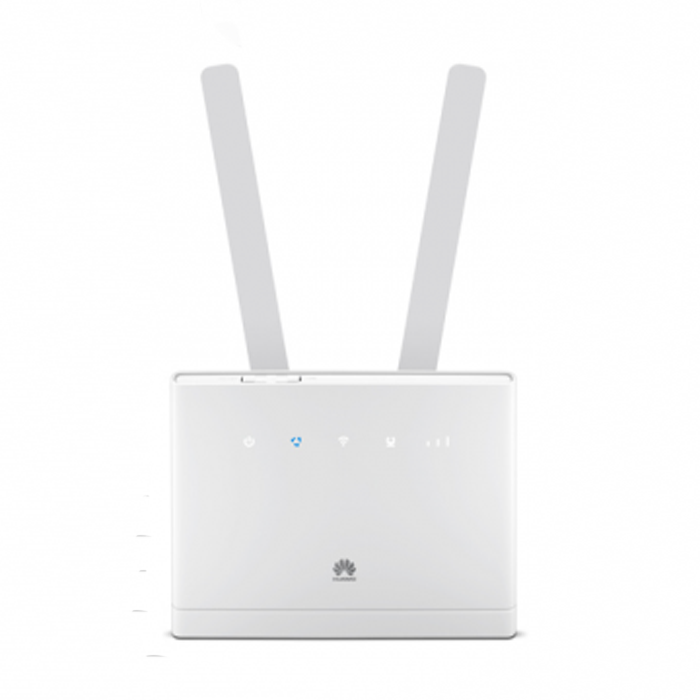
Since the summer of 2015, a new LTE router Huawei B315 for speeds of up to 150 Mbit/s download is available. As the device also provides four fast Gigabit LAN ports, a wireless interface and a phone interface, it is ideally suited as a DSL replacement. The Huawei B315 router can also be used with UMTS and GSM network in addition to LTE. In the following information sheet you will find all the details for Huawei B315.


Features and Specifications of Huawei B315

Manufacturer and type designation:

Huawei B315s-22

Chipset:

HiSilicon

LTE Category:

LTE modem category 4 (3GPP Release 9)

Download rate

Up to 150 MBit/s

Uploadd rate

Up to 50 MBit/s

Supported LTE bands:

LTE800, LTE900, LTE1800, LTE2100, LTE2600MHz

Backward compatible with:

DC-HSPA+, UMTS, GSM (900 and 2100 MHz UMTS)

Support of LTE-Advanced:

no

MIMO Support:

2×2 MIMO

External antenna connector:

yes by SMA (Buy Huawei B315 Antenna)

Telephony

With integrated telephone system:

Yes, but only via 3G mobile

Connection for analog telephones:

Yes 1 x RJ-11

integrator answering machine:

no

Network | LAN & WLAN

LAN Ports:

4 x RJ45 Gigabit ports

WLAN Standards:

WLAN 802.11 a/b/g/n at 2.4 GHz

5 GHz WLAN support:

no

Encryption:

WEP, WPA, WPA2

Others

Dimensions:

186 x 139 x 46 mm

USB:

1x USB 2.0

Memory card expansion:

no

Release:

July 2015

available at:

www.4gltemall.com


LTE with up to 150 Mbit/s


The Huawei B315 Router has an integrated multimode modem for LTE, UMTS and GSM networks. In LTE network speeds of up to 150 Mbit/s downstream and 50 Mbit/s upload is supported (LTE Category 4). In the UMTS network, up to 42.2 Mbit/s in download via the data accelerator DC-HSPA+ is available. If reception is poor, user can connect external antenna to the Huawei B315 which has two SMA interfaces on the back, which are hidden under a cover.


Equipment such as computers, laptops, tablets and smartphones can be connected with the Huawei B315 either via WLAN or Ethernet LAN interfaces. The four RJ45 LAN ports operate according to the Gigabit standard, thus enabling data rates of up to 1000 Mbit/s. They are therefore also ideal for network hard drives incorporate or stream HD movies on your home network. The wireless connection is up to 300 MBit/s fast, but only supports the frequency range of 2.4 GHz and 5 GHz band.


Phone function without VoIP


Huawei B315 can connect an analog phone via the rear RJ-11 port. If the inserted SIM card phone connections, the router can therefore be used for outgoing and incoming calls. However, the router can only support telephone calls via the GSM and UMTS mobile network. The VoLTE is not yet available on huawei B315, and the voice calls over the Internet regardless of the inserted SIM card are is not supported.


Availability and price

The Huawei B315 LTE router is now available without a contract and without SIM lock in online trading, for example, on www.4gltemall.com. The device is only available without a contract, the mobile phone operators in Germany, Austria and Switzerland do not sell the Huawei B315. If you like this new router, you can refer the online store www.4gltemall.com .


1 & 1 Mobile WLAN LTE Stick- ZTE MF79

1 & 1 has a new LTE-Stick on sale, it’s based on the model ZTE MF79 and it provides wireless networks for laptops and tablets, regardless of an Internet or public WLAN. The Mobile Wireless LTE Stick ZTE MF79 can provide as a hotspot for up to ten devices.

LTE features and specifications of ZTE MF79
Manufacturer and type designation ZTE MF79
LTE Category: CAT4
Download rate up to 150 MBit/s
Upload rate up Up to 50 MBit/s
Supported LTE bands 700 MHz/1800 MHz/2600 MHz
Backward compatible with: UMTS / GSM
MIMO Support: Yes
Connector for external antenna no
Hot spot function via WLAN Yes, for up to 10 devices
Chipset not known
Others
Dimensions 101 x 30.5 x 13.5 mm
USB standard USB 2.0
Memory card expansion Yes; MicroSD up to 32 GB
Compatible Operating Systems WindXP, Vista, Win 7, Win 8, Win 10, Mac OS (from 10.4)

Technical specifications


If the 1 & 1 stick connected via USB to a PC, laptop or even a TV, it can provide these with Internet and Wi-Fi. The wireless LAN 802.11 b/g/n supports at 2.4GHz. Whether the 5-GHz band can be used, is unclear. The ZTE MF79, which replaces its predecessor MF70, could work on LTE network – providing matching mini-SIM and an LTE tariff. With LTE CAT4 technology, the theoretical download speeds of up to 150 Mbit/s are possible; in the upload it can take up to 50 Mbit/s. However, the offer of 1 & 1 are initially limited to up to 50 Mbps.


WiFi Hotspot for 10 devices

If there is no LTE network available, it goes seamlessly with 3G or 2G speed. To write and receive SMS is possible. As a mobile Wi-Fi hotspot, 1 & 1 stick can also provide up to ten devices such as smartphones, tablets, laptops or other Wi-Fi-enabled devices in parallel with wireless internet. The connection between stick and terminal is established automatically via Wi-Fi, an installation is not necessary. Of course, all of the latest encryption including WPA/WPA2 and TKIP/AES are possible in order to ensure reliable data transmission.


The 1 & 1 stick should of course make good traveling services primarily. Therefore, a USB cigarette lighter adapter is included in delivery for the drive. So the MF79 can be recharged while driving and provide for all occupants mobile internet via WLAN. The LTE-Stick can be also charged on a laptop or home PC with the included USB cable. Of course with the USB power adapter, the fast charging via outlet is possible.

Second function as a USB stick

The ZTE MF79 is about eleven centimeters long and weighs 32 grams. On the front two LEDs are installed that indicate the connection with either the WLAN or the cellular network. The 1 & 1 stick can also be easily used as a USB storage device: It has a Micro SD slot, which accommodates memory cards up to 32 gigabytes.


Availability

The ZTE MF79 Mobile WLAN stick LTE is now available on www.4gltemall.com in good price. No SIM lock, no contract required. You can use the LTE stick with any network providers in Europe and Asia. And there is similar models such as Huawei E8278 and Alcatel W800, if you like other brand, you can try them.


ZTE MF283 4G LTE Router Review

The Chinese manufacturer ZTE has launched with the a new LTE router MF283 on the market, which supports LTE Category 4 and allows speeds of up to 150 MBit/s in the downlink and up to 50 Mbit/s in the uplink. Terminals could be connected with ZTE MF283 either through wired LAN interfaces or wirelessly via WLAN. The router not only provides a fast Internet connection, you can also make calls over the device thanks to Voice over IP, provided that the provider allows. In Austria, the router is marketed as “Webgate 3“.

Features and Specifications of ZTE MF283

Manufacturer and Model

ZTE MF283

Download rate

up to 150 MBit/s

Upload rate

up to 50 MBit/s

Supported LTE bands:

800 MHz/1800 MHz/2600 MHz

LTE-Advanced Support

no

Backward compatible with:

UMTS; GSM; HSPA+

MIMO Support:

MIMO 2×2

Connector for external antenna

yes, 2 SMA sockets(Buy ZTE MF283 Antenna)

Category:

LTE category 4 (CAT4)

Telephone

With integrated PABX

Yes

VoLTE Support (Voice over LTE)

Yes

Operating Internet (VOIP)

Yes

Connection for analog phones

Yes, 2xRJ11

Connection for ISDN

no

DECT

no

integrator with Voice Mail

no

HD voice possible

no

Network | LAN & WLAN

LAN Ports

4 LAN (RJ45), 100 Mbit/s

Wi-Fi standards

WLAN 802.11b/g/n for up to 32 devices

5 GHz Wi-Fi support

no

Coding

WEP, WPA, WPA2

WLAN guest access installable

no

Others

USB

yes, 1 x USB 2.0

Dimensions / Weight

195 mm * 150 mm * 55 mm

IPv6 Support

Yes

NAS capability

no

Power consumption ca.

unknown

used as a Media Server

no

Available at

www.4gltemall.com


Fast Internet over LTE


The ZTE MF283 dominated all three mobile technologies currently used in Germany: GSM, UMTS and LTE. In the UMTS network the data accelerator DC-HSPA+ is supported, so depending on your plan and network utilization up to 42.2 Mbit/s in the downlink and 5.76 Mbit/s can be achieved in the uplink. It is fast when LTE can be used. Based on LTE Category 4, speeds of up to 150 MBit/s in the downlink and 50 Mbit/s in the uplink are possible.


The Internet connection is optionally provided via one of the four LAN ports on the back of the ZTE MF283 or wirelessly via WLAN. However, the LAN ports operate with a maximum of 100 Mbit/s, so that the full LTE speed can not be exploited. The Wi-Fi 802.11b/g/n is in the 2.4 GHz frequency band, on other hand, speeds of up to 300 megabits per second are possible, according to ZTE, depending on how far you walk to the terminal from the router.

Integrated Phone function


On the back of the ZTE MF283, there are two RJ-11 ports for analog phones, and a DECT interface for connecting wireless phones. The telephone is not made directly on the SIM card, but via VoIP directly via the Internet connection. A corresponding VoIP tariff is of course a prerequisite for using the telephone function.


Other interfaces

In addition to the four LAN ports and two RJ-11 phone connectors, a USB port can be found on the back of the ZTE MF283. Normally, the USB port is storage devices or printers. On the back you will find two connections for an external antenna. This feature works in areas with weak signals as connection quality and speed can be optimized.


Availability

The ZTE MF283 is in white color with the Austrian network operator “3” in the form of “3Webgate 3”.  If you prefer the unlocked ZTE MF283, you can check the site www.4gltemall.com for more details.