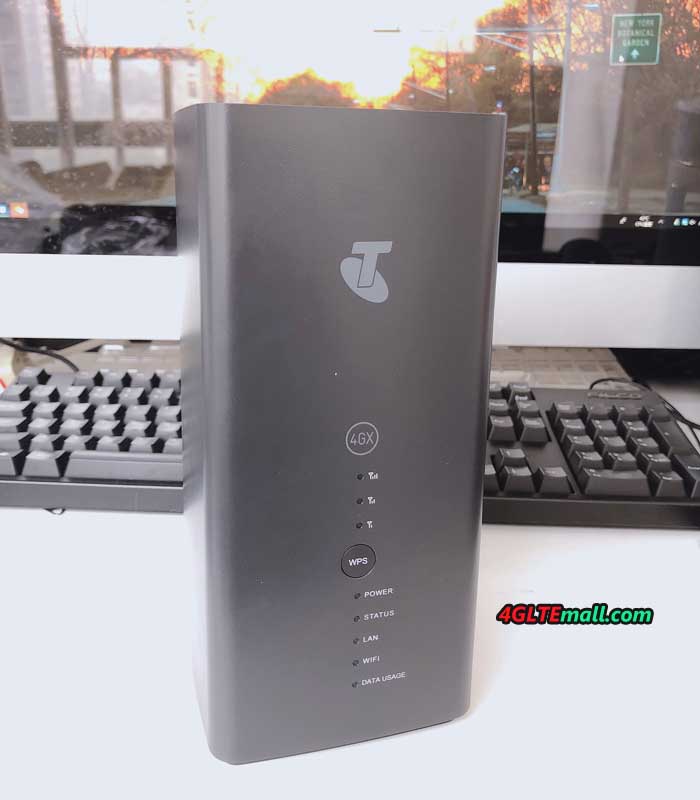
How to set up your Vodafone GigaCube CAT19?

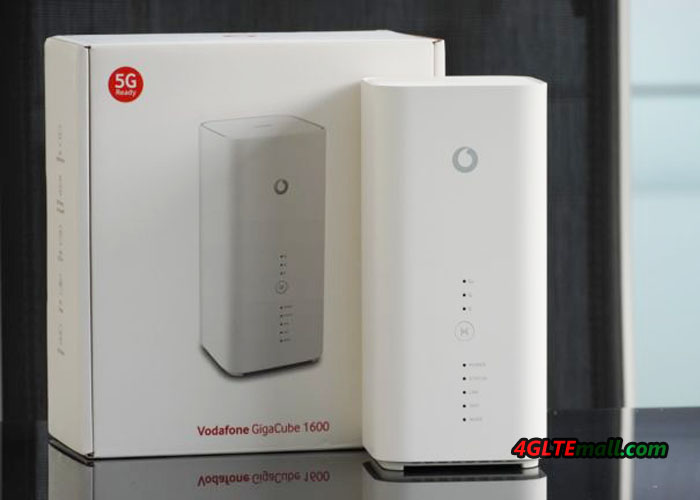
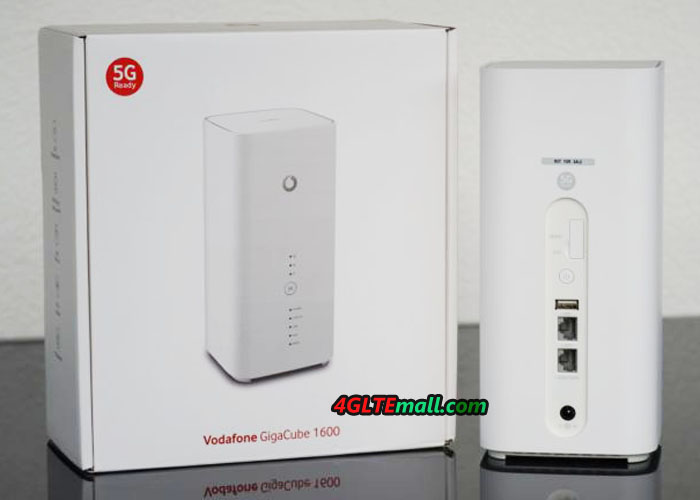
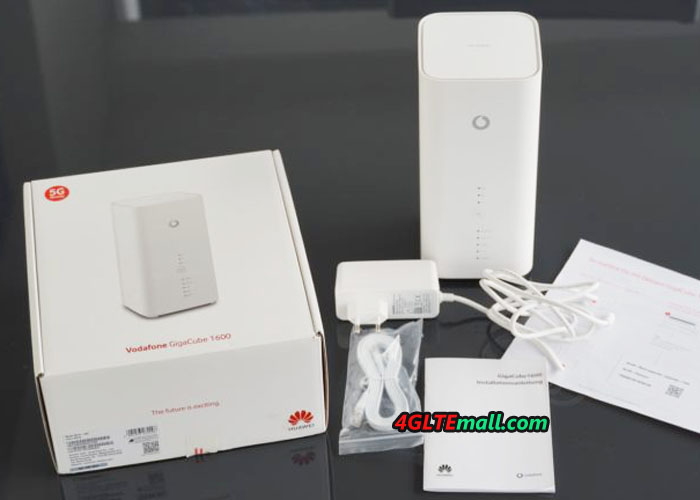
Before you start, check the contents of the delivered GigaCube. The package includes the Vodafone GigaCube CAT19, the power supply, LAN cable and installation instructions.

First, put Vodafone GigaCube CAT19 into operation

  1. Your micro SIM card is inserted.
  2. Plug in the network cable or connect your device to the WLAN.

Good to know: If you use WLAN, enter the WLAN password (network security key).
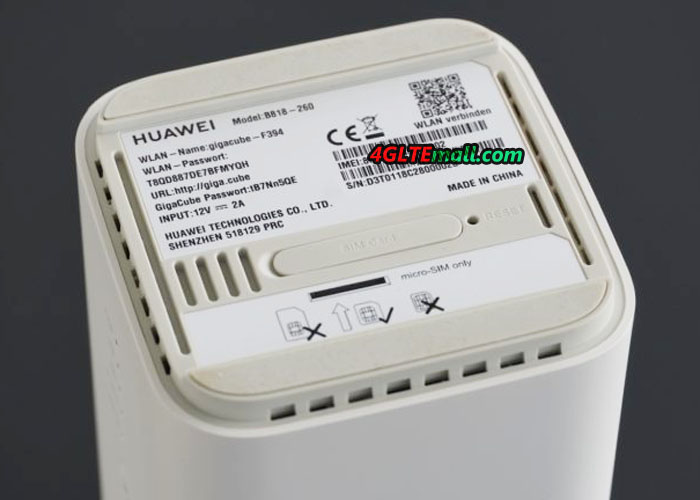
You can find it on the sticker at the bottom of the GigaCube. You will also find a sticker in the packaging.
Note: The GigaCube must be connected to the mobile Internet.
It’s even easier now with a QR code scanner. Scan the QR code and connect directly to the GigaCube via Wi-Fi.
Tip: Use the Huawei SmartHome app. The QR code scanner is already there.
Read more under How to manage your GigaCube CAT19 via the Huawei SmartHome app.

  1. Enter http: //giga.cubeor 168.8.1 in the address field of the internet browser.
  2. Enterthe GigaCube password (router login password). You can find it on the sticker at the bottom of the GigaCube.
  3. Click on Login.
  4. You will get an info about the automatic update.
  5. We recommend activating the auto-update. Click on Activated.
  6. Set up your Wi-Fi name (SSID) and your Wi-Fi password.
  7. Click Next.
  8. Enter a new login password for your router for security.
  9. Click Finish.
  10. Now the GigaCube web interface opens.


Click to check more about Vodafone GigaCube Cat19 FAQs and User Manual

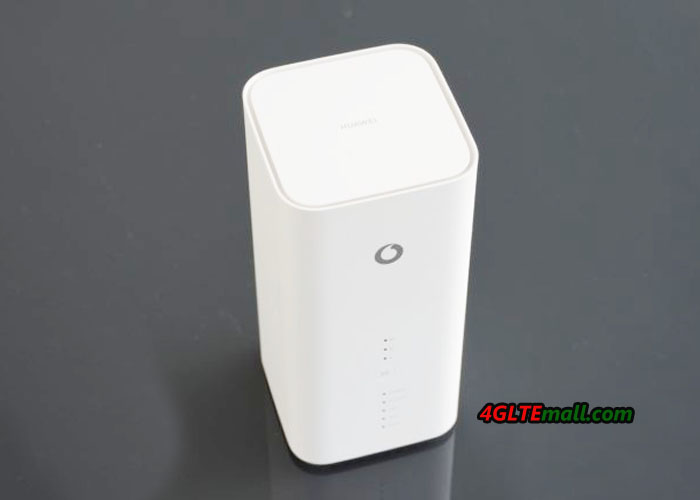
Vodafone Gigacube Cat19 LED indicators lights and flashes means

LED indicator lights LED indicator flashes
Signal * No LED lights up: no mobile connection

* 1 green LED lights up: weak mobile radio reception

* 2 green LED lights: good mobile radio reception

* 3 green LED lights: very good mobile radio reception

LAN * No LED lightt: Ethernet cable not connected
* Green: Ethernet cable connected
Green: device connected, data transmission
Wireless Internet Access No LED is lit: 2.4 GHz and 5 GHz connections are closed * Green: WLAN switched on
* Fast Green: Connecting to 2.4 GHz or 5 GHz using WPS
Power * No LED lights up: GigaCube switched off
* Green: GigaCube switched on
Status * No LED is lit: connection to the data service is disconnected
* Green: data service is connected
Fast Green: Firmware Update
Mode LED Red = Error: This indicator is solid red when the CPE 1) maintains the offline mode while the temperature protection function is running or 2) the SIM card can not be identified. Or the PIN is not entered or the PIN check fails.
3) Or does not have access to the wireless network
Mode LED Cyan: 4G | LTE mode
Mode LED Blue: 3G mode
Mode LED Yellow: 2G mode


Check more about Vodafone GigaCube Cat19 FAQs and User Manual

FAQs for Vodafone GigaCube Cat19

Do the Vodafone GigaCube Cat19 support public IP addresses?

– No, public IP addresses are currently not supported. With the GigaCube rates, a private IP address is automatically stored.


Can I connect my landline telephone to the GigaCube?

– No, that will not work. The telephone connection on the GigaCube is shut down. There are no voice services for the GigaCube rate on the SIM card. You also can not use the GigaCube’s phone port with another SIM card with voice services.


Can I also use the GigaCube in my motorhome?

– Yes, with the Vodafone GigaCube you can even surf in the car, motorhome and camping.
You only need Vodafone mobile reception and a car converter for the cigarette lighter or 12V connection.
Or use the GigaCube external battery.


Does the GigaCube have voice recognition?

– No. You can only control and set it up via the GigaCube web interface.

More about this: How to set up your Vodafone Gigacube Cat19?

Quectel BC97 LTE Cat-NB2 and GSM Module Presented

The LTE cellular module manufacturer Quectel presented its first dual-mode LTE Cat-NB2 / GSM module at the end of February at the Mobile World Congress. The module is Quectel BC97, which can switch between NB-IoT and GSM technologies according to the coverage of one to the other of networks. At the MWC, the BC97 module sample displays compact dimensions of 23.6 x 19.9 x 2.2 mm and is compatible with the GSM/GPRS M95 variant, allowing a smooth migration from one design to the next NB-IoT while minimizing costs and development time, says the Taiwanese firm.


Presented in a surface mount box (LCC + LGA), the Quectel BC97 Module also supports voice communications on GSM and Bluetooth Low Energy technology. Equipped with a rich set of interfaces (USB, USIM, UART, A/D conversion, SPI, GPIO, MIC audio …) and compatible with the incremental update mechanism of low-level software DFOTA (Delta Firmware Over- The-Air), the Quectel LTE module targets diverse and varied applications such as shared bikes, smart parking, Bluetooth gateways, smart meters, smart city, asset tracking, smart home appliances, electronic devices carried on oneself, agricultural and environmental monitoring devices, etc.


The migration of GSM to LTE and 5G is irreversible,” said Doron Zhang, vice president of Quectel. But the GSM network, because of its extensive coverage, will remain operational for many years, especially in some developing countries. With its GSM fallback mode, the BC97 module can accommodate existing GSM networks and switch to NB-IoT in a progressive and transparent manner for the user as the NB-IoT infrastructure is unfolded. ”


It will be recalled that the NB-IoT version known as LTE Cat-NB2 refers to Release 14 of the 3GPP specifications, the first version of the NB-IoT (LTE Cat-NB1) having been detailed in Release 13.

Huawei B818(Vodafone GigaCube Cat19) LTE Router Review

In March 2019, Huawei supplied the new LTE WiFi Router B818 to Vodafone and the B818 router got a new name “Vodafone GigaCube Cat19” as the successor to the old model Vodafone GigaCube B528. Per the description from Vodafone, the Huawei B818 router could achieve download speeds up to 1.6Gigabits per second and upload speeds up to 150Mbps based on the LTE Category 19. It’s the fastest LTE router from Huawei now. For the Vodafone GigaCube Cat19, Huawei offer the model number B818-260.

HUAWEI B818 Router

Huawei B818 Specifications and Appearance

Although the Huawei B818 GigaCube Cat19 is the successor to the first generation GigaCube Huawei B528, the appearance of B818 looks more similar to the Huawei B618 Router. The Huawei B818 router is integrated with HiSilicon Balong V7R65 modem which supports LTE Cat19 with 256QAM, and up to 8 x 8 MIMO Antenna technology. As the sayings from Vodafone, the GigaCube Cat19 B818 supports speed up to 500Mbps, but theoretically with a suitably equipped LTE network, significantly higher speeds are possible.

HUAWEI B818 Router LED indicators

The Huawei B818 router WLAN works on both 2.4 GHz and 5 GHz and, in addition to the standard network, also enables a guest network. Thanks to 3 × 3 MIMO antenna technology, speeds of around 1.3 GBit/s can be reached via WLAN.


Huawei B818 Supported Frequency Bands

The Huawei B818-260 supports all the popular LTE frequency bands in Europe and Asia: Band 1, 3, 7, 8, 20, 28, 32, 38 and 42. For those who prefer to have it in MHz: 700, 800, 900, 1500, 1800, 2100 and 2600 MHz are supported for FDD-LTE, 2600 and 3500 MHz for TDD-LTE. The Huawei B818 is thus very well prepared for the future!

HUAWEI B818 Gigabit Ports

Huawei B818 Interfaces

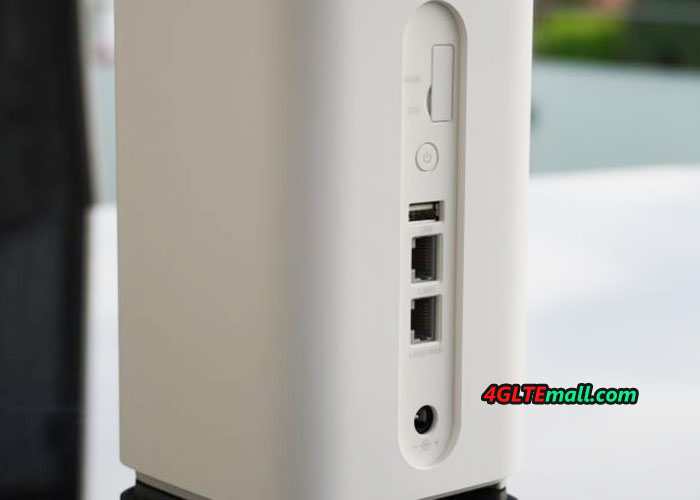
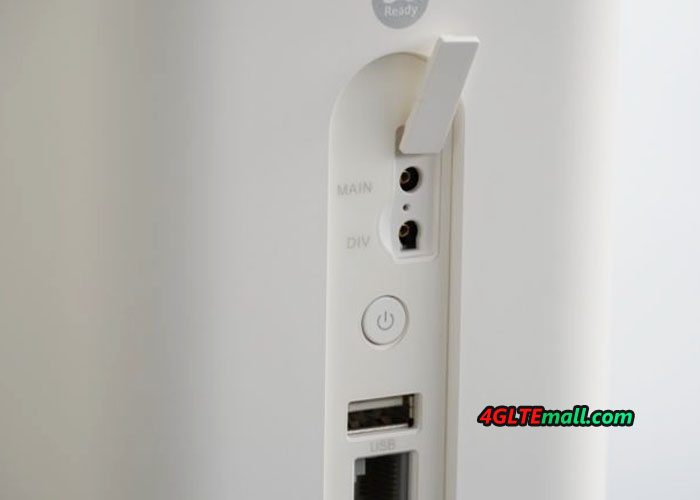
The Huawei B818 has two RJ45 Gigabit Ethernet LAN ports on the back. A LAN cable is already included. There is also a USB port and two TS-9 ports for an external LTE antenna. On the bottom, the micro-SIM card is inserted. Various LEDs indicate the operating status on the front.


The power consumption is according to Huawei at a maximum of 24 watts. A battery is not integrated in the Huawei B818 LTE router.

HUAWEI B818 IMEI and WiFi key word

Huawei B818 Price and Avaialability

Huawei B818 is now only available for Vodafone Contract, if you need the unlocked unit, you have to wait for more time. But it would be long. The Huawei B818 price in unlocked version would be more expensive than the locked one.

HTC Presents 5G Hub Router at MWC

At the Mobile World Congress in Barcelona, HTC has presented a new 5G router, ​​not a new 5G smartphone, which is out of our expectation. The 5G router comes with Android user interface and is equipped with a huge screen. The 5G router chipset comes from Qualcomm.

HTC 5G router Specifications

The HTC 5G Hub is equipped with a 5 inch touch screen on the front. The resolution is quite rough with 1280 x 720 pixels, but for a router such a huge screen is still almost oversized anyway. HTC promises that the 5G router is with Android 9 operating system, and can also stream movies. The output can also be made via the built-in USB-C port on the back of a TV, so you do not necessarily rely on the screen on the router. With the microSD card slot, you can also play your own content such as photos and videos on the 5G hub.

The integrated modem comes from Qualcomm, it is the model Snapdragon X50v2. The processor uses a Snapdragon 855 with 4 GB of RAM. The internal memory of the 5G Hub is 32 GB, which is sufficient for the operating system and some apps. In addition to the USB Type C connector, there is also a RJ45 Gigabit LAN connector and a connector for a power supply. However, there is no connector for external antennas, so External antennas cannot be connected.


Wi-Fi is supported on both 2.4GHz and 5GHz. In addition to the current WLAN ac standard, the upcoming WLAN ad / WLAN 6 standard is also supported.

HTC 5G Hub frequency ranges

The HTC 5G Hub can use 5G both in the mmWave frequency range between 26 and 28 GHz and in the C-band frequency range between 3.4 and 3.8 GHz. The C-band, also known as band n78, will be available in Europe. Whether the HTC 5g router also supports older mobile radio standards such as LTE and UMTS, is so far unclear. Since with the Snapdragon 855 a suitable modem is installed, but can be assumed.


HTC 5G Router Availability Time and Price

HTC brings the 5G Hub in cooperation with various network operators on the market, among other things, the 5G router is also offered in Germany at Telekom. When and at what price is still unknown. Other providers of the HTC 5G Hub are Elisa (Finland), Sunrise (Switzerland), Three (England), Telstra (Australia) and Sprint (USA). At Sprint, the 5G Hub will be available in the second quarter of 2019.


Huawei 5G CPE Pro Router Review

Chinese network equipment giant Huawei unveiled its first commercial 5G router at the Mobile World Congress (MWC) in Barcelona. The device is called “5G CPE Pro” and visually resembles the prototype, which Huawei already presented in 2018 for various 5G live shows.

The Huawei 5G CPE Pro Router is based on the HiSilicon Balong 5000 modem, which is Huawei’s first multimode 5G modem. Multimode means that in addition to 5G, 4G/LTE is supported and so a so-called dual-mode operation is possible. If the 5G reception is not strong enough, the unit will automatically switch to 4G mode so that the connection remains.

According to Huawei, the maximum speed in the 5G network is at 3.2 gigabits per second. The Balong 5000 chipset can bundle up to two 100 MHz wide frequency ranges (2CA). The Huawei 5G CPE Pro Router can handle both the frequency range between 3.4 and 3.8 gigahertz (C-band) and the millimeter-wave range between 26 and 28 gigahertz.

On the front, there are three LEDs and a WPS button for fast Wi-Fi encryption. On the back of the Huawei 5G CPE, there is a power adapter, power button, and SIM card slot at the bottom. Two RJ45 Gigabit Ethernet ports for LAN / WAN are also integrated. The WLAN works both on 2.4 GHz and on 5 GHz, in addition to the WLAN ac standard the new WLAN 6 is supported. In addition, there are two connectors for external 5G antennas(Buy Huawei 5G CPE Pro external antenna). The total design looks very similar to the predecessor Huawei B618s-65d router.


Whether and when the Huawei 5G CPE Pro Router will be launched to the market is unknown. At the MWC, Huawei also shows the 5G CPE Window Router, which uses an outdoor antenna and module, so that a good 5G connection can be guaranteed even in regions with poorer reception conditions.

Mobile 5G WiFi Router from Huawei Presented

Not only the first 5G smartphone and the first 5G router were presented at the Mobile World Congress (MWC) in Barcelona this year, but also the first mobile 5G router was also shown. Huawei, known for many years for mobile hotspots, has already introduced the second mobile 5G WiFi router after the world’s first one Netgear Nighthawk M2 5G mobile router.

HUAWEI 5G Mobile WiFi Hotspot

The “5G Mobile WiFi“, as Huawei calls its first mobile 5G hotspot, does not seem to have a model number yet, but visitors to the MWC can already view the device at the Huawei stand. Visually, the model looks very similar to the predecessor 4G mobile hotspot Huawei E5788, but the 5G Mobile WiFi is significantly larger. This is probably due to the integrated 8,000 mAh strong battery – the battery of the E5788 is not as strong as even half. The battery is charged via USB Type C, it is also possible to connect to the computer. Optionally, the large battery is also suitable as a power bank, devices such as smartphones can even be charged via wireless charging with the Huawei 5G Mobile WiFi.

The Huawei 5G Mobile WiFi is operated either via touch screen or via an app on the smartphone. As a 5G modem, a HiSilicon Balong 5000 chipset is used, an in-house development by Huawei. The Balong 5000 can also use 4G/LTE in addition to 5G. So the mobile hotspot is backwards compatible with older mobile networks, so that the connection does not break off when you change from the 5G radio cell into an LTE cell.


The Huawei 5G WiFi Router can use Wi-Fi at 2.4 and 5 gigahertz and supports not only the current WLAN 802.11ac standard (WLAN 5) but also the new WiFi 6 standard. How many devices can be supplied with Internet at the same time is not yet known. Huawei advertises that it is sufficient to scan a QR code to connect to the WLAN. If required, the QR code will be shown in the display of the device.

Further technical specifications about the Huawei 5G Mobile WiFi are not yet available. Also information about the price and availability of the mobile 5G router are not yet known. The first 5G networks are expected to go into operation in mid-2019, and we suppose then the Huawei 5G mobile WiFi would be available to use.

Quectel EP06 LTE Cat6 Module

The Quectel EP06 is an LTE Category 6 module, which allows downstream speeds up to 300Mbps and upstream speeds up to 50Mbps. In Mini PCIe form factor, Quectel EP06 could be easily mounted in an LTE broadband Router with a port type such as ZBT-WE826T and MTK MT7623. Since more and more LTE advanced Pro modules available now, the EP06 card is in good price now based on the main features below:

2 frequency band aggregation in most regions (depending on model):

  • Support UMTS/HSPA+ besides LTE
  • Support GNSS, GPS with dedicated antenna port
  • Support DFOTA, eCall and DTMF
  • Support MIMO technology


Among which, the 2 antenna ports and the GNSS port are in Ipex format. There are several version of this card such as EP06-E, EP06-A, EP06-LA, EP06-APAC etc…

The Quectel EP06-E version could support following frequency bands:

  • LTE-FDD B1/B3/B5/B7/B8/B20/B28/B32
  • LTE-TDD B38/B40/B41
  • The 2AC aggregation available on:
  • B1 + B1/B5/B8/B20/B28
  • B3 + B3/B5/B7/B8/B20/B28
  • B7 + B5/B7/B8/B20/B28
  • B20 + B32
  • B38 + B38
  • B40 + B40
  • B41 +B41


Like other Quectel 4G LTE Modules, the EP06 module could be controlled by AT commands, which is documented by the manufacturer. A certain mastery of the subject is necessary, but if you have acquired your router box under OpenWRT or ROOter, it is that you have at least knowledge about it. And this will allow you to configure it with little opinions.


The Quectel EP06 card is basically designed for the M2M industrial market, so it meets the standards of this market. In particular, it supports the firmware update via DFOTA from an FTP server for example.

Huawei Unveiled New Products at MWC 2019

At the World Mobile Congress 2019 in Barcelona, ​​HUAWEI unveiled a number of new products, including the updated flagship laptop HUAWEI MateBook X Pro, new laptops of HUAWEI MateBook 13 and HUAWEI MateBook 14, folding 5G-smartphone HUAWEI Mate X, Huawei 5G mobile WiFi and Huawei 5G CPE Pro based on the first serial multi-mode chipset Balong 5000.


Flagship laptop HUAWEI MateBook X Pro


At MWC 2018, HUAWEI unveiled the HUAWEI MateBook X Pro, the first laptop with a FullView screen. Today at the MWC 2019, HUAWEI presents the new improved HUAWEI MateBook X Pro. It has all the characteristics of the flagship: modern design, innovation and smart technology, high performance and versatile communications that raise the bar for the flagship laptop to a new height.


HUAWEI MateBook X Pro is equipped with a 13.9-inch FullView screen with a resolution of 3K Ultra and a 91% ratio of screen area and laptop case. In addition, the touch layer with the recognition of 10 simultaneous touches and the world’s first technology screenshots finger gestures provide users with a new, intuitive way to interact with your computer.

High performance HUAWEI MateBook X Pro is provided by an 8th generation Intel® Core ™ i7-8565 processor, a discrete NVIDIA® GeForce® MX250 GPU with 2 GB of GDDR5 memory. The laptop is also equipped with Wi-Fi and Bluetooth 5.0 wireless connectivity modules, Thunderbolt ™ 3 high-speed port and Dolby Atmos audio system with surround sound technology.

Smart connections and cross-platform interactions between devices are the mainstream universal user experience. The new HUAWEI MateBook X Pro supports HUAWEI Share 3.0 technology with OneHop function, which not only provides a quick exchange of photos and videos between laptops and smartphones, but also recognizes characters in images, transforming them into text. Screen recording has become as simple as ever. It is enough to shake the smartphone, and on the computer screen print HUAWEI PC Share, so that the image from the laptop screen starts to be transmitted to the mobile device. HUAWEI has also developed the unique Clipboard Sharing feature that allows you to copy content on one device and paste it on another one nearby. Thus, both devices can work with one synchronized memory buffer.


 HUAWEI MateBook 13 and HUAWEI MateBook 14


HUAWEI MateBook 13 and HUAWEI MateBook 14 laptops make advanced technologies accessible to middle-income users. They combine all the qualities of a new generation of products: FullView screens, high performance, mobility, high workmanship and modern design. The devices also offer users the latest smart communication tools between their computer and mobile devices.

HUAWEI MateBook 14 has all the main features of the MateBook series: FullView screen, high workmanship, sophisticated design, and good performance.

HUAWEI MateBook 13 and HUAWEI MateBook 14 are equipped with FullView screens with a convenient 3: 2 aspect ratio, thin frames and a touch layer that recognizes up to 10 simultaneous touches. Both laptops support new handy features, such as a screenshot with finger gestures that highlight the user’s personality.

HUAWEI MateBook 14 is equipped with high-performance components: Intel® Core ™ i7-8565U 8th generation processor and a discrete NVIDIA® GeForce® MX250 video card, but it does not heat up due to an efficient cooling system with special design coolers. A battery with a capacity of 57.4 W * h and energy-saving software features HUAWEI provide long battery life.

HUAWEI MateBook 13, in turn, is improving standards in screen, performance, and cross-platform connectivity among 13-inch mid-price laptops. It is also equipped with an 8th generation Intel® Core ™ i7-8565U processor, a NVIDIA® GeForce® MX150 GPU discrete graphics card, and a cooling system based on HUAWEI Shark Fin Fans 2.0 coolers, which, even under heavy loads, efficiently removes heat and still work silently.

HUAWEI MateBook 13 is equipped with a FullView screen with a 3: 2 aspect ratio and a 88% screen-to-area ratio, and also with a touch layer that recognizes up to 10 simultaneous touches.

To enhance the capabilities of HUAWEI computers, developers have proposed smart means of interacting with mobile devices: HUAWEI Share 3.0 technology, which, thanks to the OneHop and Clipboard Sharing features, provides smart, fast and simple, cross-platform interaction between laptops and smartphones. Other features include finger gestures screenshot, power button with integrated fingerprint scanner, Dolby Atmos ®technology. All of them are for those who need instant connection and universal interaction of all devices, including laptops and smartphones.


HUAWEI 5G CPE Pro brings 5G to smart homes


Balong 5000 supports a range of 5G devices, including 5G smartphones, home broadband devices, car systems and 5G modules. Thus, it provides users with 5G communication in a variety of situations.

The HUAWEI 5G CPE Pro Router, equipped with the Balong 5000 chipset, supports 4G and 5G connections and sets new standards for wireless modems. For example, a 1 GB video clip can be downloaded in just three seconds, and 8K video is broadcast continuously, without any delay. The HUAWEI 5G CPE Pro modem can be used for super-speed broadband access not only in homes, but also in the offices of companies.

dav

Using the new Wi-Fi 6 technology, the HUAWEI 5G CPE Pro modem provides data rates of up to 4.8 Gbps. In addition, it is the world’s smallest consumer telecommunications device (CPE) and the world’s first 5G CPE device that supports HUAWEI HiLink protocols and translates smart homes into a 5G era.

In the coming 5G era, HUAWEI has the leading position and capabilities to implement its universal strategy. Now HUAWEI is the only manufacturer of the full range of 5G products, including chipsets, Edge-class networks and cloud services. Huawei intends to expand the capabilities of 5G communication in order to provide users with all the benefits of a truly universal “smart” life.