Huawei B310 LTE CPE Review

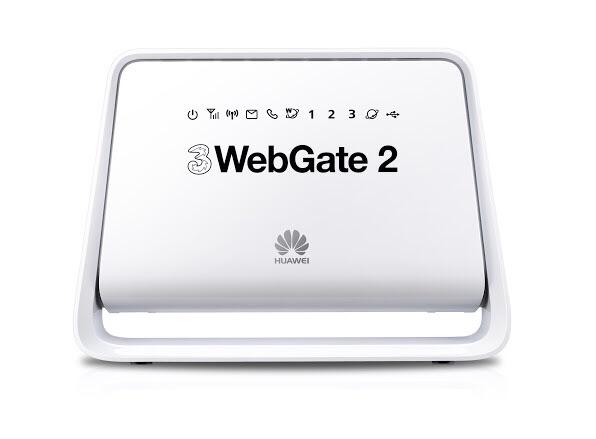
Huawei released a new stationary router for the LTE networks. It’s named Huawei B310. The exact model number for the European market is Huawei B310s-22, in this version the B310 could support all important frequency bands for LTE, UMTS and GSM. As a highlight, the maximum speed on LTE is 150 Mbit/s in the downlink (LTE Category 4); there is not only a Gigabit Ethernet port for the connection of an analog telephone, but also a port for quick connection of the router to the local network.


The Huawei B310 is in the entry-level segment both on the price as well as the level of equipment; the top model is the Huawei E5186 with a further significant better equipment, but also a higher price. Here now the Huawei B310 is available in China, we suppose it would be available in many markets worldwide.
A major criticism of many recent LTE router models was the LAN interface, which is limited to 100 Mbps, while the built-in modem could often use up to 150 MBit/s. This of course is complete nonsense, because you have installed an annoying bottleneck in a modern device. On Huawei B310, the problem no longer exists fortunately: there is a Gigabit LAN port on the back of the router, so you can fully utilize the maximum of 150 Mbit/s of the LTE connection. Unfortunately, only one LAN port is installed, if you want to connect more than one device per cable must hang a switch behind the router.


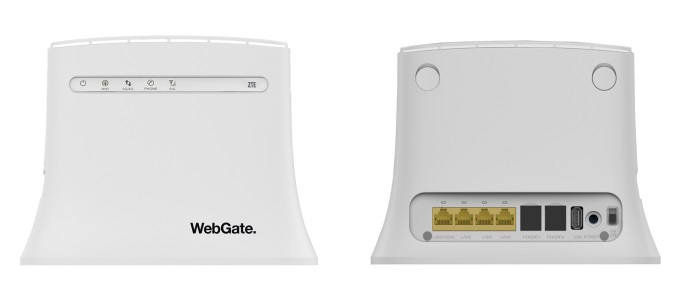
On the back, there are connectors for LAN, telephone, external antenna and SIM card. The design of the B310 is very simple and user can easily identify the functions for the ports. There are two connectors for external antenna like Huawei B593, it could support 2 x 2 MIMO, which could improve the performance for network connection. The connector type is SMA, which are protected by a plastic cover. Even the SIM card slot is protected by a cover. If you want to buy the antenna for Huawei B310, you could check this one: http://www.4gltemall.com/4g-antenna-two-sma-connector.html . Instead of a current wireless ac module, the Huawei B310 installed a WLAN 802.11b/g/n radio module, which operates only on the 2.4 GHz band.


The Huawei B310s-22 has one RJ-11 port for an analog telephone. What kinds of telephone over are possible, but is not yet known. Telephone would be possible either natively over the air or over the internet via VoIP. The latter would have to access a VoIP provider in the web interface of the B310.


The Huawei B310 is available in black or white, as you can see in the pictures here in the article. On the front there are LEDs for reception, Power, data connection, telephone and Wi-Fi. On the top of the unit, there is a power button and a WPS button. Pressing both buttons simultaneously, the previous software version is automatically installed according to Huawei.

The Huawei B310 is now available on www.4gltemall.com , if you are interested in this model, welcome to have a check or inquiry.


Huawei E5180 4G LTE Router Review

Huawei is always the leading the main stream of 4G LTE technology. Now we get a new Huawei 4G LTE router with new technology and design. From the appearance, we can see Huawei had paid much attention on the design of this new router. The router parts are in a white square cabinet with integrated LED lighting. Like Huawei B593, Huawei E5180 is also a LTE category 4 gateway, which could support peak download speed to 150Mbps. And up to 32 wireless users could access internet via E5180.

Huawei E5180 Specifications:

Features

Data

Manufacturer & Model: Huawei E5180
Technologies: LTE (4G), UMTS (3G) GSM (2G)
Frequencies: * LTE: 800/1800/2600 * UMTS: 850/900/1900/2100* GSM: 850/900/1800/1900
Maximum speed: * LTE: 150 Mbit/s down, 50Mbit/s up* UMTS: 42.2 Mbit/s down, 5.76 Mbit/s up (when using DC-HSPA+)* GSM: 384 kbit/s (when using EDGE )
WIFI 802.11b/g/n, up to 32 devices, up to 4 SSIDs
Software: Firmware Version: 21.270.21.00.1080
Others: Ethernet LAN connection 100 MBit/s, RJ-11 telephone connection, MicroSIM


Huawei E5180 Appearance and Operation

The Huawei E5180 is packed in a small box including the power adapter and short LAN cable. Usually, the LTE routers are significantly large. At first glance, Huawei E5180 looks very small and light. The workmanship is good, only the port for the MicroSIM card to complain about, because this makes it impossible to use a NANO sim card with adapter. The LED lighting on top of the Huawei E5180 is a beautiful design element and overall very successful. With a short press on the Huawei logo you can see the lights on and off, alternatively you can control the LED via the web interface. A long press to switch the entire router could power on or off.

The operation of Huawei E5180 is very simple. Normally, it is sufficient to simply insert the SIM card, then the device should automatically connect to the Internet. The wireless network is encrypted from the factory, the password is required for network connection, and it’s printed on the label at the bottom of the E5180. The operation and configuration of Huawei E5180 could be finished via a web interface in the browser. To access the web interface, you have to land the address 192.168.8.1, and then enter your username and password. The web interface is well structured and easy to use, also the speed is OK, the load times of each menu are very short. On the home page all important for the connection information is displayed, including about the signal strength, the consumed amount of data separated into uplink and downlink as well as the time spent online.


Huawei E5180 Network mode and Telephone

Huawei E5180 can use all of the current cellular standards. It can work well in LTE, UMTS and GSM networks. On LTE network, E5180 could support peak download speed to 150Mbps. The wireless module in Huawei E5180 works exclusively in the 2.4 GHz frequency band, the area around 5 GHz is not supported. The test showed that my MacBook Air has connected to a maximum of 144 Mbit/s to the router, despite a distance of only 2 meters between the two devices. And a maximum of 32 devices can be connected simultaneously.

The RJ-11 connector for an Analog phone is on the back of Huawei E5180, and it is available only for voice calls over the GSM or UMTS network, for VoIP, there is the web interface requiring no settings. In the test, with a simple analog phone call, the quality is good. Once a call is received on the SIM card, the connected phone is ringing reliably.


Conclusion


Huawei E5180 is without any doubt one of the best LTE routers on the market. If you are looking for a good-looking router, Huawei E5180 would be a perfect option. However, there is No LTE Cat6, no 5 GHz WLAN, no Gigabit LAN, no connectors for external antennas, no DECT and no USB – these are the biggest criticism points to the router.


Huawei Honor 7 4G Smartphone Available

It’s only half a year since the Huawei Honor 6 Plus was released. Now Huawei promotes the new flagship smartphone Huawei Honor 7. As a new member for Huawei honor series, Huawei honor 7 comes out with many new improved features and functions. Today we will have a look at what’s new brought from honor 7.

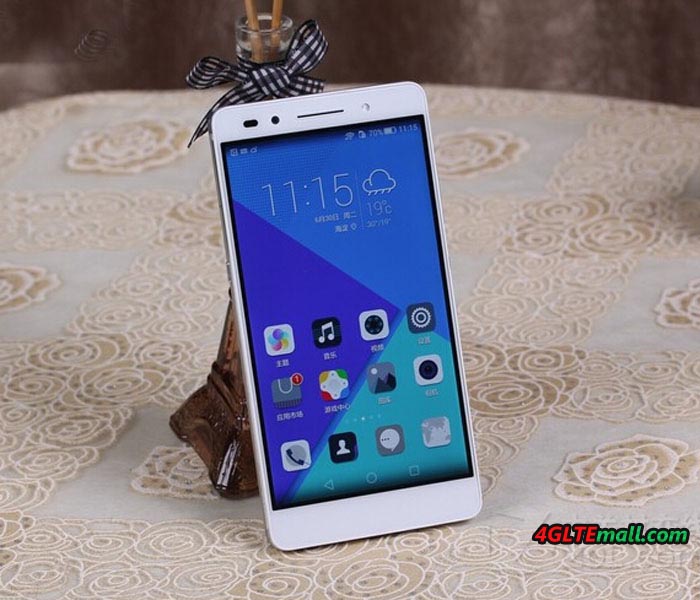
Huawei Honor 7 has a 5.2 inch 1080P screen, based the latest Hisilicon Kirin  935 Octa-core chipset. The RAM is 3GB and ROM 64GB, which is enough for common use. The front camera is 8 mega pixels while the main camera is 20 mega pixels. And with the camera, there is flash. The battery for the Huawei Honor 7 is un-removable. The capacity of 3100mAh could last for around 10 working time.

Honor 7 could be inserted two SIM cards simultaneously. The operation system is Android 5.1 and Emition UI 3.1. It comes with three colors: Gold, Silver and Grey. As we know, to meet the requirements from the network providers in China, there are four versions available in the market. Below are the models for Chinese operators:


PLK-AL10, Dual SIM, Dual 4G, Support TD-LTE/FDD/TD-SCDMA/WCDMA/CDMA/GSM

Note: it’s an open version for all three network providers’ 4G/3G/2G networks

PLK-UL00, Dual SIM, Dual 4G, Support TD-LTE/FDD/TD-SCDMA/WCDMA/GSM

Note: it’s an open version for China Mobile and China Unicom’s 4G/3G/2G networks


PLK-CL00, Dual SIM, Support TD-LTE/FDD/ CDMA/WCDMA/CDMA/GSM

Note: it’s an open version for China Telecom’s 4G/3G/2G networks. It can also work with China Mobile and China Unicom’s 2G GSM networks.


PLK-TL01H, Dual SIM, Dual 4G, Support TD-LTE/FDD/TD-SCDMA/WCDMA/ GSM

Note: it’s an open version for China Mobile’s 4G/3G/2G networks. It can also work with China Unicom’s 3G/2G network.

We can see the best model above is PLK-AL10. It could support almost all the networks in China.


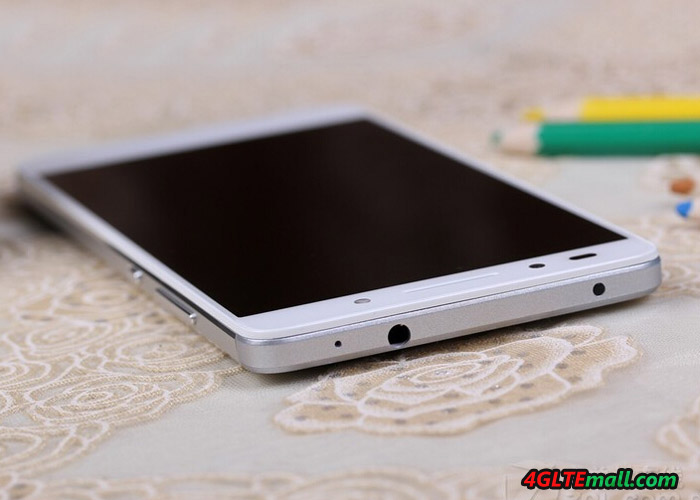
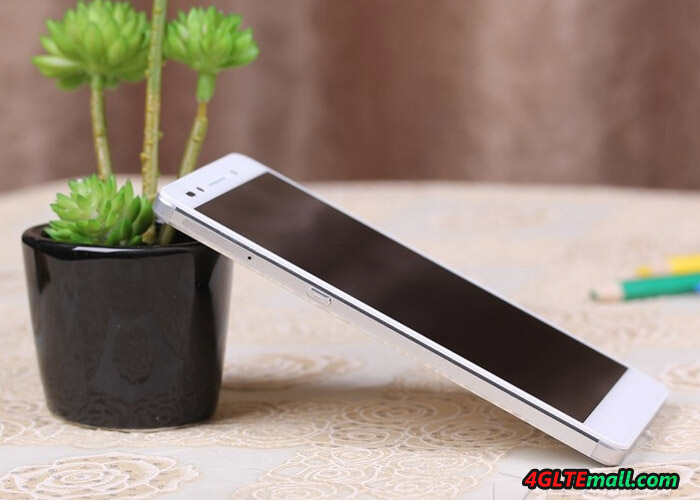
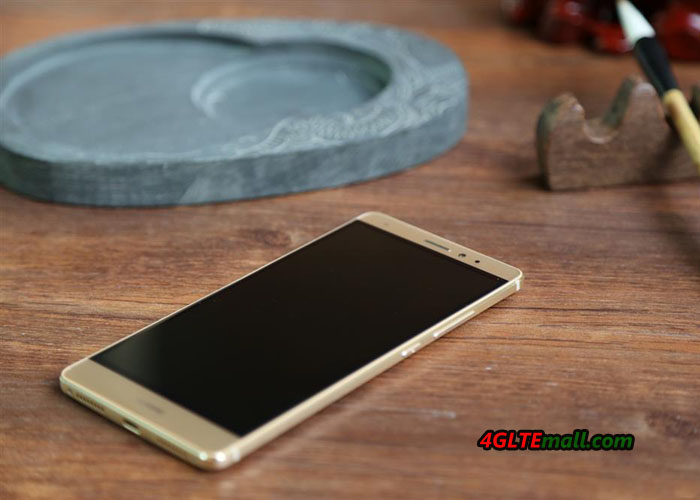
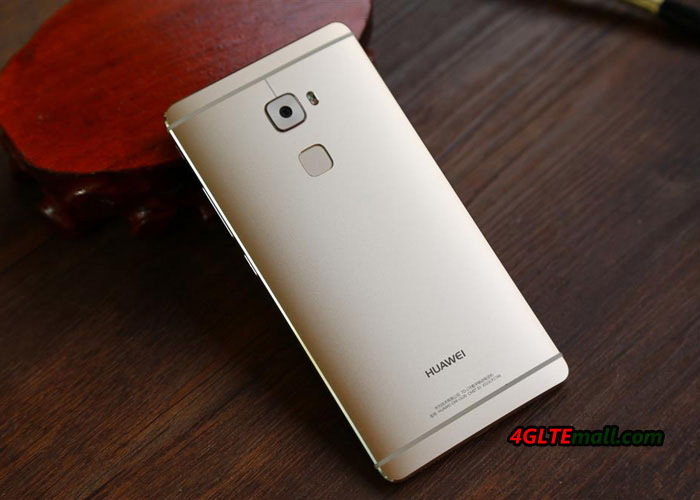
The design of Huawei Honor 7 combines the front of Honor 6 and Mate 7. The two phones are the best sellers of Huawei smartphones. The Honor 7 has the feature of fingerprint identification, but whether the Huawei funs will like this? We will see the answer soon.

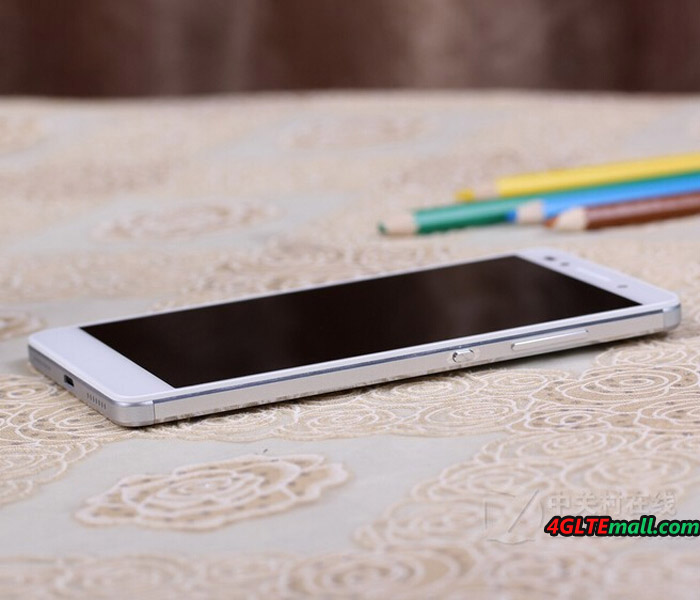
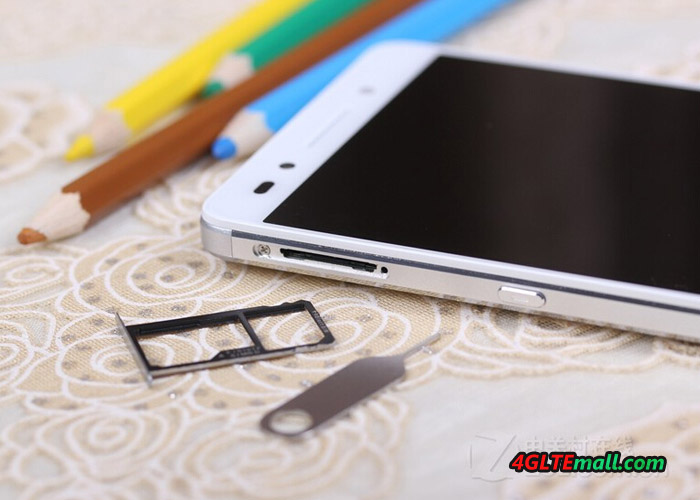
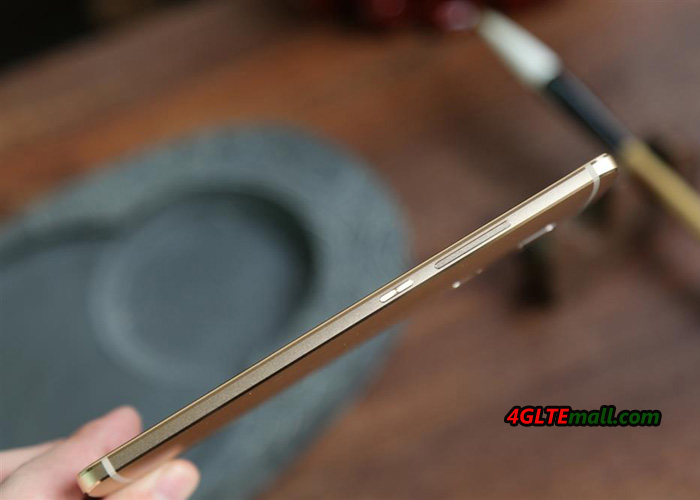
Unlike Honor 6, the SIM card slot is located at left side. The volume and power button is still at the right side. And the SIM slot is different. The SIM card slot gives user option to choose between NANO sim or NANO Sim/Micro SD card.

Huawei Honor 7 is now available on www.4gltemall.com , if you like it, welcome to choose one for you. We will take some test later, the test report will be presented for customers’ reference.


Huawei Mobile WiFi Pro E5770 Review

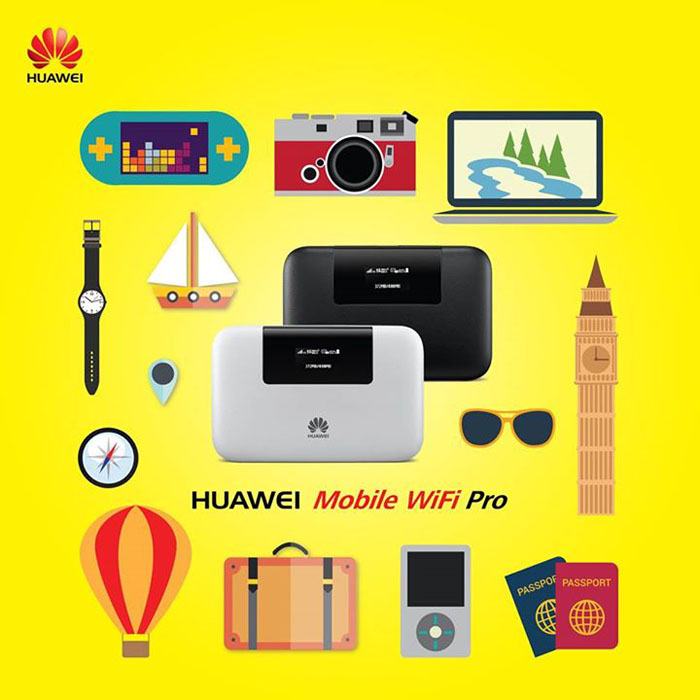
When we got the Huawei E5730s mobile WLAN router last year, some customers ask when we can get the 4G device like Huawei E5730s. Now we get the new one with Ethernet port, the model number is Huawei E5770. Huawei named it “Huawei Mobile WiFi Pro”. If you know Huawei E5730s, you may know the similar functions of Huawei E5770.

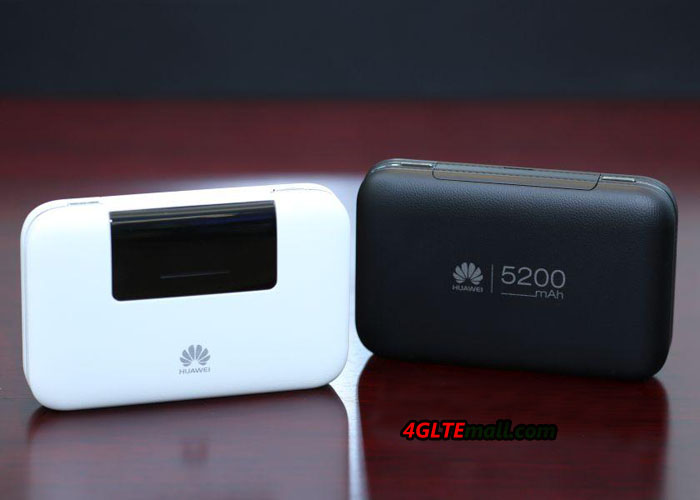
Huawei Mobile WiFi Pro is the upgraded model from Huawei E5730S. It supports 4G networks while E5730 only supports 3G networks. The design of Huawei E5770 looks cool. The wallet design of the Mobile WiFi Pro is fashioned with a leather texture and ornamental plating mid-frame. The E5770 is compact enough to fit in a pocket, and it’s also been fitted with an array of built-in innovations.

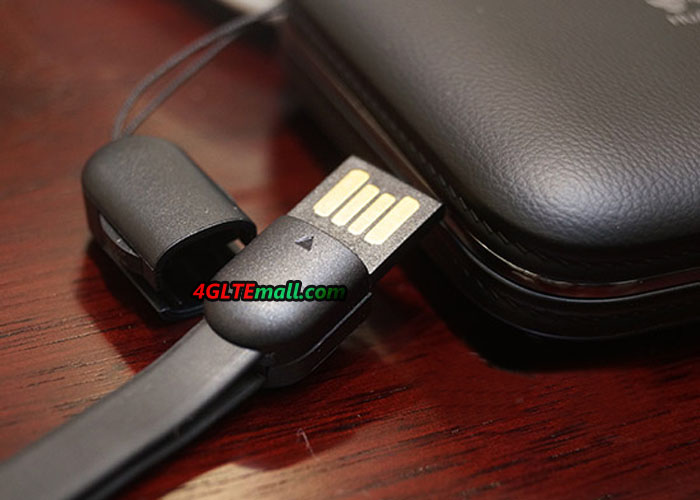
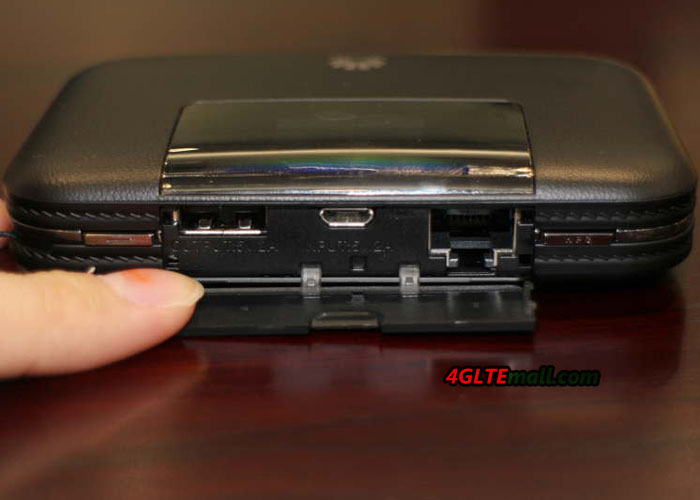
Like other Huawei 4G mobile WiFi, there is a 0.96 OLED screen on the top front, which can show the network mode, network strength, SMS, battery status and consumed data. Beside the screen, the Huawei logo is printed. On the top side, there is a cover beside the screen. Open the cover, we can see the USB input and output port. And there is an Ethernet port. The USB input is to charge the Mobile WiFi Pro. And the USB output is to charge other electronics.


Huawei E5770 is designed with protected and hidden ports, and is also built with Ethernet/3G dual link and the flexibility to support WAN/LAN auto redirect – all so you can stay connected without any problems while you travel. The Ethernet port is the key feature of Huawei Mobile WiFi Pro. Through the Ethernet port, Huawei E5770 can finish three functions:

  1. Transfer the internet connection to WiFi
  2. Transfer 4G connection from SIM to WiFi
  3. Transfer 4G connection from SIM to Ethernet connection

What’s more, Huawei E5770 could support peak download speed to 150mbps on 4G LTE networks. The upload speed could also reach 50Mbps. To have better internet connection speed, Huawei E5770 mobile WiFi Pro should soon replace Huawei E5730s. It would be a perfect partner for international travel on 4G.


Another key feature of Huawei mobile WiFi Pro is the battery. The battery has a capacity of 5200mAh, which is much larger than usual smartphones. So the Huawei E5770 can be seen as a mobile power bank for other mobile terminals such as mobile phones, tablets or iPods. It can work effortlessly up to 20 hours straight and standby for over 500 hours.

Like other Huawei E5 Mobile hotspot, Huawei E5770 could support up to 10 wireless devices to access internet. User can insert a micro SD card to 32GB. Mobile WiFi Pro’s big storage means it’s now easier than ever to share files between your devices. It helps you quickly and easily “share” photos, apps with your friends through the same mobile Wi-Fi.


To sum up, Huawei E5770 combines 3 main functions (Mobile hotspot, power bank, Ethernt router) to one. It’s a special and very practical mobile pocket router. If you usually need wireless network outdoor, Huawei Mobile WiFi Pro E5770 would be a perfect partner.


Samsung Galaxy S6 Edge Smartphone Review

The Samsung Galaxy S6 Edge is unique: it’s the first smartphone on the market to have both sides curved display. In addition, it’s a very good technical equipment, which is second to none. Camera, processor design and feel – in almost all important features, the new Samsung smartphone presents the top craftsmanship. Of course there may also be a recent LTE Cat6 modem (up to 300 Mbit/s). We have the Samsung Galaxy S6 Edge last week to test in detail and would like to report in this review about my experience with the device.

The Samsung Galaxy S6 Edge comes in a rather unspectacular package with the standard smartphone accessories included. In the accessories, only the power supply is worth: this can load not only with 5V/2A, but also supports a rapid charger function with 9.6V/1.67A. This unit is actually charged beautiful afloat and the remaining charging time is indicated in the status bar. If you had used the previous models of Samsung smartphones, you may know the body of Samsung Galaxy S5 was made of much plastic material; the Samsung Galaxy S6 Edge is now glass and metal. The Galaxy S6 edge is extremely in high quality, it feels great at the sides curved.

Unfortunately, the new design of the Galaxy S6 Edge also has two disadvantages: user cannot replace the battery, as it was still possible in previous generations and also the memory expansion via memory card is no longer possible. Since the permanently installed battery is now widely used and becomes the main stream, the lack of microSD bay is still very annoying, especially since Samsung has integrated the Galaxy cheaper models with metal housing such a manhole.

Bent AMOLED display
The highlight of the Samsung Galaxy S6 Edge is the display. It is slightly curved towards either side and looks very futuristic. The resolution is 2560 x 1440 pixels (QHD), in all the major disciplines such as sharpness, brightness and color fidelity, the display is the best thing I’ve ever seen in a smartphone. However, the interesting questions are whether it’s necessary to the curved display? What are the benefits and features?

After two weeks of intensive use I can say that the display has fascinated me every day. It is not the function. There are much more the feel and appearance that make up the curved display: the missing edge is an excellent sensation during use and it looks really great. Particularly in the presentation of images, it is an interesting, new experience. Whether the curved display is well worth the price charge, you have to decide for yourself, personally, I would pay it well!

Excellent camera
In this review, I will not imagine every single feature of the Samsung Galaxy S6 edge, but the camera deserves a separate chapter, because it is definitely one of the best smartphone cameras, which you can get at present. In my Galaxy S6 Edge, a 16 megapixel sensor from Sony IMX240 was installed, and it also provides Samsung Isocell sensors in Galaxy S6.
Overall, the camera takes very nice photos. In daylight you can achieve great defocus effects at dusk and nightfall depending on the subject and situation. The tripping time is top and to start the camera, a twofold pressure on the home button reaches. Of course, 4K videos recordings are possible in Galaxy S6 Edge. It’s not a problem.

Technology and software
on the Samsung Galaxy S6 Edge runs Android version 5.0 Lollipop, an update to Android 5.1 is coming shortly . Overall, the operating system looks much tidier than previous Samsung devices with TouchWiz interface, but most of the well-known and appreciated features have been retained. By the Exynos 7420 Octa-Core processor, the operating system is very fast, the energy consumption nevertheless remains limited: the 2,600 mAh strong battery lasts even with intensive use for a whole day.

The internal memory of the Samsung Galaxy S6 edge is either 32GB, 64GB or 128GB in size, with each memory level extra money to be paid. But an extension of the internal memory is unfortunately not possible, as already mentioned earlier in the test. The fingerprint reader is integrated as standard in every Galaxy S6 and usually provides a very fast and reliable way to unlock your device. If you work a lot in the garden or on the construction, you’d better not use the sensor: very light soiling, damage or moist areas on the skin may cause that the fingerprint is no longer detected.

Fast LTE Cat6
The modem of the Samsung Galaxy S6 Edge could support EDGE and UMTS with the data accelerator DC-HSPA+ (up to 42.2 Mbit/s in the downlink), of course LTE network is also supported. As LTE category 6 is supported, up to 300 MBit/s can be achieved in the downlink via carrier aggregation. In practice test the Samsung Galaxy S6 Edge impressed with a very good reception on LTE 800 MHz and a really good wireless reception. The speed in the LTE network achieved up to 220 Mbit/s in the downlink and 46 Mbit /s in the uplink; however, the speeds often fluctuate between 50 and 120 MBit/s. On WLAN, the speed reached up to 866 MBit/s based on AC standard.

Conclusion:


The Samsung Galaxy S6 Edge is a true flagship. I could write a lot more about the device, but I think with this review, I have summarized the most important experience for Galaxy S6 edge. When did you get the phone, you will see what’s really amazing!


Huawei CarFi E8377 Hotspot Test

A Wi-Fi hotspot in the car – this feature is so far available only for a few cars of the upper middle class and upper class. Huawei changed the cigarette lighter connector for new Carfì hotspot for 12V. Users can reach up to 150 MBit/s via LTE through the Huawei Carfì Hotspot, of course, the CarFi can also a fallback to 3G and 2G. But the Carfì wireless router is really as good as the expensive installation solutions from car producer? In this test, we find out the answer.

Appearance and Technology


Huawei Carfì Hotspot is conducted under the Model Number Huawei E8377 and comes in a nice package for buyers. The scope of supply is tight, next to the hotspot itself there is  a Quick Start Guide, a brochure with safety instructions and an indication of the Huawei HiLink app included. The Huawei Carfì Hotspot is kept in a matt black plastic and the front is equipped with a carbon look, which is likely to look smart in almost any car. On the front there is also the power button, which simultaneously serves as an indicator of the reception strength by the underlying LED. A yellow LED indicates poor UMTS / LTE receiver while a green LED indicates good reception.

Of course, you need a SIM card with the appropriate data plan for the operation of Huawei Carfì. The card must be in micro-SIM format and is inserted under the side cover in the Carfì hotspot. Under the cover you will find also a reset button and a connector for an external antenna. There is a integrated rechargeable battery; so user can operate Huawei router Carfì in the car and can take the CarFi in a meeting or outdoors.


The maximum speed in the LTE network is 150 Mbit/s over LTE Cat4. According to Huawei, the Huawei CarFi supports frequency bands by 800/900/1800/2100/2600 MHz. If no LTE times are available,  you can also use 3G (up to 42.2 Mbit/s) and 2G. In the test of the handover between the different network technologies, Huawei CarFi can work smoothly while driving. The reception is in both LTE and UMTS, but no better than most smartphones. Those who expect a good reception will be disappointed by Huawei Carfì or possibly should directly connect an external antenna. If you want the antenna for Huawei CarFi, click here: http://www.4gltemall.com/external-antenna-for-huawei-4g-lte-usb-modem.html 

The wireless module operates on the 802.11 b/g/n, ie on the frequency band around 2.4 GHz. The area around 5 GHz is not supported. The signal is strong enough to cover larger cars.


Control via App
Once you have the Huawei Carfì Hotspot connect it to a cigarette lighter connector, it must be turned on manually before use each time. Before first use you should write down or take a picture of the WLAN key, because as soon as the device is plugged in, it’s different for to read the key. Also, one should previously load the Huawei HiLink app to Android or iOS device, because that is for the establishment and the operation.

Connection parameters like APN or access numbers can’t not be stored. The Huawei Carfì can automatically recognized the SIM card from Vodafone and Orange in the test and the data stored accordingly. Only the PIN code must be entered, if enabled. The Huawei HiLink app allows various settings, for example, you can configure the name and password of the WLAN network. A wireless guest network with a separate name and password can be set up, ideal for guests in the car or for taxi drivers.

Connection information such as data consumption, connected wireless devices and the online time are displayed graphically in the app. The firmware of Huawei Carfì can easily be updated online. A major disadvantage of Huawei HiLink app: the test with Android smartphones, the program fell on extremely high energy consumption. Here Huawei should urgently provide an update for Remedy.
In the test, we can find Huawei Carfì has two major disadvantages: firstly, the device must be turned on every time manually, if you want to use it, a start on some cars are not possible, at least for a VW Golf VI, a Ford Galaxy and a Renault Scenic. Second, only the internal antenna is used in the hot spot, whereas fixed-mounted solutions always use the external antenna, thus naturally have much better reception conditions.
Nevertheless, the Huawei Carfì Hotspot is recommended as a retrofit solution definitely, because all the promised features are well met. Of course, you could also have a mobile wireless router with battery, the Carfì Hotspot is significantly more convenient.

Huawei Announced P8 P8 Max and P8 Lite

Huawei has announced the P8 series smartphone in London. In addition to the Huawei P8, which is the flagship device of the series, there will be a Huawei P8 Max with greatly enlarged display and a Huawei P8 Lite with stripped-down functionality. The Huawei P8 waived first time to lure the customers with various highlights. So far the quality of the camera is so far consistently praised in glowing terms and also Huawei has seemingly done everything right for the P8. The P8 is clear as Huawei P series device, since the design was little changed compared with the previous Ascend P7. Overall, the body is high-grade and almost completely made of a metal block.

Huawei P8


The Huawei P8 comes with a 5.2-inch display with full HD resolution, and the operating system is Android 5.0 Lollipop including Huawei EMUI 3.1 interface. The camera is one of the highlights as I said; it has a resolution of 13 megapixels, features an optical image stabilizer and is in spite of the very small dimensions. A special camera function, for example, the possibility of photos exposing long, thus allowing for light-effects such as “Light Painting”. Videos can be recorded at up to 1920 × 1080 pixels (Full HD). The internal memory is 16 gigabytes in size, and can be expanded via microSD card.


The processor of Huawei P8 uses a Kirin 930 from the house HiSilicon, which has about 8 cores. Four of them have a maximum clock speed of 2.0GHz, the other four are working with a maximum of 1.5 GHz. It’s very disappointing for the P8 flagship device that wireless only supports in the frequency range of 2.4 GHz (Wi-Fi 802.11 b/g/n) and LTE is in Category 4, and around 150 Mbit/s in the downlink is limited. From network suppliers such as Huawei, one might have expected LTE Cat6 and WLAN ac, especially since this is an absolute standard in 2015.

Huawei P8 Lite
The Huawei P8 Lite is only half as expensive as the big brother Huawei P8, but still offers good facilities and a similar design. With dimensions of 143.0 x 70.6 x 7.7 mm, it is quite compact, considering that on the front, a 5-inch display with a resolution of 1280 x 720 pixels is installed. Huawei P8 Lite can support 16 GB of internal memory with a microSD card to expand. The camera triggers with 13 megapixels like its big P8, is likely to be different from the picture quality.

The Huawei P8 Lite comes with a HiSilicon Kirin 620 processor, which has eight cores with 1.2 GHz and offers 2 GB of memory. Huawei P8 Lite is on board LTE Cat4, so that speeds of up to 150 Mbit/s can be achieved through LTE. Whether the wireless networkof P8 Lite is also limited to 2.4 GHz, has not been announced in the press release.

Huawei P8 Max


The Huawei P8 Max is the big brother of the P8, we suppose it would be available in Europe soon. The two biggest differences to “normal” Huawei P8 are the larger display (6.8 inches instead of 5.2 inches) and the significantly stronger battery with 4360 mAh. The Huawei P8 Max also supports LTE Cat6 with up to 300 MBit/s in the mobile network, so the connection speed is twice as fast as the normal P8. Also WLAN ac to 2.4 GHz and 5 GHz are supported.

The processor of Huawei P8 Max comes with the HiSilicon Kirin 935, the 3 GB RAM are aside. The internal memory is 64GB in size and can be expanded via MicroSD. Unfortunately, the display is in spite of its huge size of 6.8 inches, “only” equipped with FullHD resolution, here if equipped with a QHD resolution, it would have been quite timely.


Vodafone R226 4G Mobile WiFi Hotspot Review

The Vodafone R226 Mobile Wi-Fi hotspot is the first LTE router from Vodafone, which could support LTE Category 6 with up to 300 Mbit/s for downlink. Up to 10 devices can be connected wirelessly via Wi-Fi with fast Internet. A display on the front of the Vodafone R226 shows all status information such as the used data volume reliably. The built-in rechargeable battery provides an operating time of approximately 10 hours.

LTE features and characteristics of Vodafone R226

Manufacturer and type designation Huawei E5786 = Vodafone R226
Download to rate 300 Mbit/s
Upload to rate 50 Mbit/s
Compatible LTE bands 800, 850, 900, 1800, 2100, 2600 MHz
backward compatible with LTE CAT 3 & 4, DC-HSPA+, HSPA+, HSDPA, UMTS, EDGE, GPRS, GSM
Support for LTE-Advanced Yes
MIMO Support: MIMO 2×2
Connector for external antenna Yes; 2 antenna connectors TS-9 available(Buy Vodafone R226 Antenna)
LTE Category LTE Category 6 (CAT6) modem
Chipset Hisilicon | HPM Coretx A9 processor
Wi-Fi standards 802.11 a/b/g/n/ac (866 Mbit/s)
Wireless Internet Hotspot function yes – for up to 10 devices
Others  
Accumulator 3000 mAh – not changeable (surfing to 10 hours)
Dimensions (WxHxD) 106 x 66 x 15.9 mm 145 grams
USB standard USB 2.0
Memory card expansion Yes; MicroSD up to 32 GB
Manual PDF Refer to user manual for Huawei E5786
Test Report
Release December 2014
available at www.4gltemall.com


LTE-Advanced with 300 Mbit/s

The Vodafone R226 Router is made by the Chinese manufacturer Huawei E5786,which is the first devices for LTE Category 6 (LTE-Advanced), so that when the appropriate network available, the matching data rate speeds of up to 300 Mbit/s in the downlink and 50 Mbit/s Uplink are possible. Of course, the router is also backward compatible with older LTE expansion stages such as CAT3 (100 Mbps) and CAT4 (150 Mbps). The network technologies GSM and UMTS are supported, and in the UMTS network, up to 42.2 Mbit/s in the downlink is possible. LTE-Advanced will probably introduced from the first quarter of 2015 from Vodafone.


Wi Fi ac and powerful battery

Up to 10 devices can be simultaneously connected via Wi-Fi with the Vodafone R226, an eleventh device can be connected via microUSB. From the microUSB connector, the 3,000 mAh strong battery could be charged, which allows an operating time of up to 10 hours. An AC adapter and a USB cable are included, but the battery is unreplaceable. The WLAN module of the Vodafone R226 transmits both on 2.4 GHz and 5 GHz on (dual band). With a maximum speed of 866 Mbit/s (WLAN ac), the WLAN of the Vodafone R226 is very fast compared to other devices of this type, up to 300 Mbit/s high-speed Internet connection can thus be easily transferred to the terminal.


The Vodafone R226 looks absolutely identical to “Speedport Mini II “by Telekom, just carries the Vodafone logo. On the front of the Vodafone R226 is a large display that clearly displays a variety of information in black and white format. Thus, for example, we can see about the used data volume, online time or the battery level. The operation of the Vodafone R226 is done via the smartphone app “Vodafone Mobile Wi-Fi Monitor” or a web interface. User can enter the address 192.168.8.1 in the browser. If user want to improve reception,  to connect an external antenna is possible. In addition, the Vodafone R226 provides a slot for a MicroSD memory card, so you can share files between multiple devices. The SIM card must be in micro-SIM format and is inserted under the cover on the back.


From the feedback of users, Vodafone R226 improves much than previous model such as R215 and R208. With the latest technology, Vodafone R226 would be reliable partner for travel.


Huawei E5770 Mobile WiFi Router with RJ45

Huawei has unveiled a new mobile LTE hotspot E5770 with integrated RJ45 LAN interface at MWC in Barcelona. The E5770 LTE router also has a very powerful battery (5,200 mAh), achieving an operating time of up to 20 hours. The Internet could be connected via the LTE cellular modem or via LAN interface.

First MiFi hotspot with LTE Cat4 and RJ45 interface
The Huawei E5770 is the first mobile wireless router from Huawei, which is combined LTE Category 4 with a RJ45 LAN interface and a powerful battery. As we know before, the fastest 3G mobile Wi-Fi hotspot was Huawei E5730, which also has an Ethernet port, but unfortunately it did not support LTE, and a maximum of 42.2 Mbit/s could be achieved on UMTS network. Huawei E5770 provide better solution with higher speed for LTE network.
The Huawei E5770 comes with a black, leather-like plastic surface and has a small 0.96 inch OLED display on the front that displays the information such as the network operator name and the used data volume. Under a cover on the side, you will find the RJ45 LAN port and the microUSB port for charging the battery. In addition, a USB with output of 5V/2A is available, so you can use the Huawei E5770 also for charging other devices such as smartphones (“Power Bank” function).

LTE and Wi-Fi
Based on the LTE Modem in Huawei E5770, it can reach speeds of up to 150 Mbit/s for the downlink and 50 Mbit/s for the uplink in the LTE network. In the UMTS network, possible speed could reach up to 42.2 Mbit/s in the downlink on DC-HSPA+. Which frequency bands are supported, Huawei didn’t indicate at MWC in Barcelona. However, it is assumed that there will be several variants for different markets like other Huawei models such as E5786.

However, it’s a pity that Huawei E5770 wireless module only works in the 2.4 GHz band, the 5 GHz band is not available in this device. Up to 10 users can be connected simultaneously with the Huawei E5770, an eleventh device can connect to the internet via the USB interface.

Huawei E5770 is a perfect pocket router for travel. It provides a wonderful solution for business journey. When user need internet at hotel or outdoor, Huawei E5770 would be a good partner. We believe Huawei E5770 will be available soon.


Netgear AC790S 4G LTE Cat6 Mobile Hotspot Review

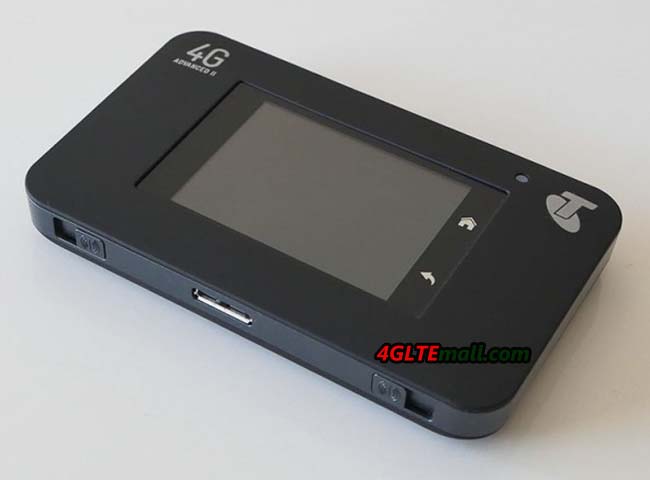
Netgear AC790s LTE hotspot was presented in September 2014 and has since been introduced by Telstra to its product range in Australia. Comparing with other mobile LTE routers, the main difference is the large battery with touchscreen display and support for LTE-Advanced Cat6. In Europe area, the Netgear AC790s is not yet available, and it is doubtful that we will get the device in near future because the successor with LTE CAT9 is already waiting in the wings. Actually, the predecessor of AC790s model is the Netgear AC785s, which was very good. Luckily, we have seen the Netgear AC790s closely at MWC.


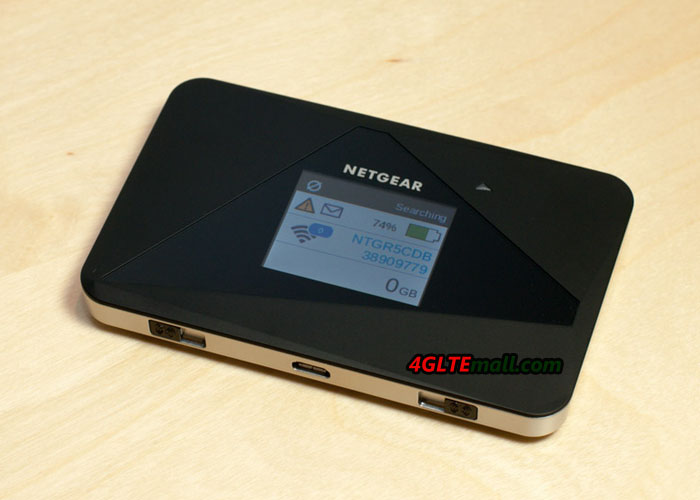
Netgear AC790s, which was exhibited at the exhibition booth of Netgear, was provided with a small branding by Australian operators Telstra. Till now, Telstra is the only provider with whom the Netgear AC790s is available. But the rest of the devices are no branding and with original Netgear, for example the software. The unit is operated by a large colorful touch screen, although a web interface is still available, but not required for operation. The touch screen is not as fast as you would expect from a smartphone, but for a mobile hotspot, it is sufficient in any case completely.


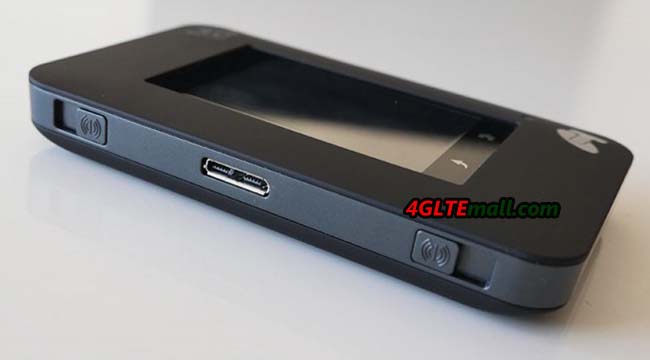
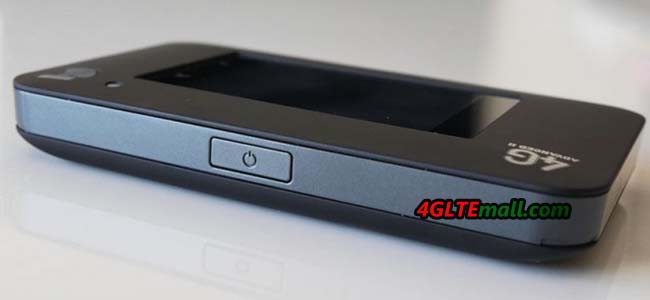
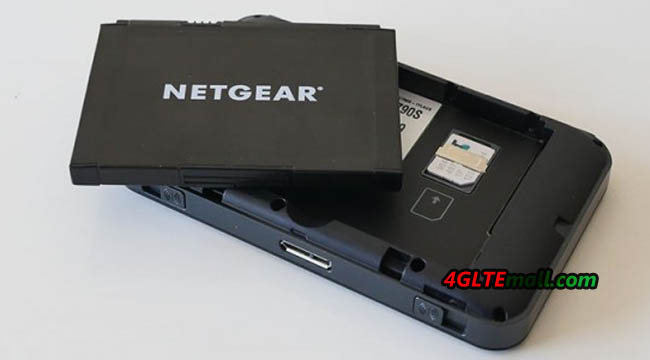
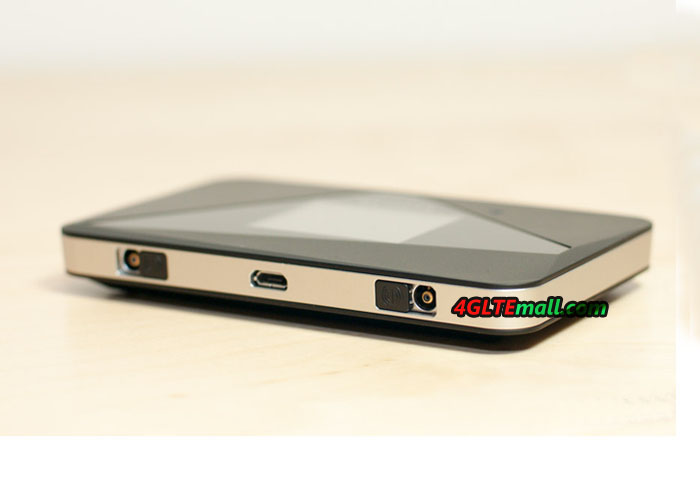
Much more important than the touch screen is the integrated modem in AC790s. This could support LTE (Cat6) with peak download speed up to 300 Mbit/s for the downlink and 50 Mbit/s for uplink. Of course the device is also backward compatible with 3G and 2G along with various data accelerator. The connection to the computer is via WiFi 802.11 ac, ie to 2.4 GHz and 5 GHz. It is possible to enhance the speed and the signal strength with an external antenna(Buy Netgear AC790S antenna from here: http://www.4gltemall.com/4g-antenna-two-ts-9-connector.html ). There are two connectors for the external antenna and they are protected with a sliding mechanism from dust and dirt. On the other side, it’s the power button.


A very interesting accessories for the Netgear AC790s hotspot is available, the DC112A SmartCradle. It is a docking station that not only strengthen the router signal through USB  and thus charging the battery, but also has other functions. Thus, the wireless signal is amplified and there is a Gigabit LAN port on the back of DC112A. In addition, the mobile radio is improved signal over the external antenna connections.