Vodafone R210 Mini LTE Router

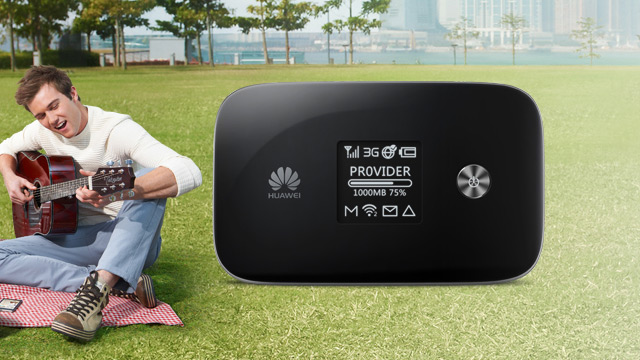
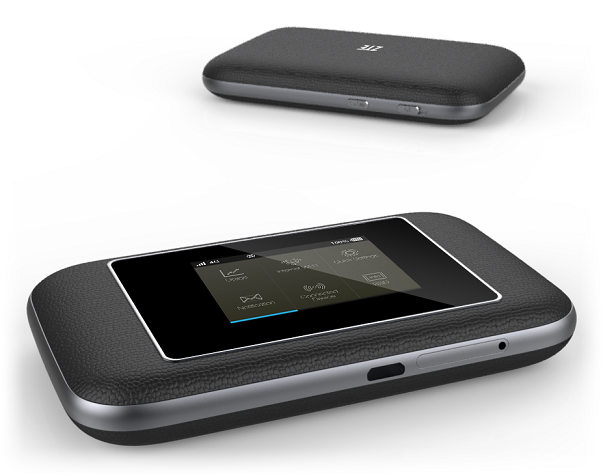
The Mini LTE Hotspot Vodafone R210 Mobile Wi-Fi Router can be seen everywhere stationary or mobile use. You can use the R210 Mini hotspot at home as a DSL alternative for multiple devices. The R210 Mobile Wi-Fi LTE Router has integrated a powerful battery. So you can use the R210 Mini mobile hotspot on the road to access internet through smartphone, laptop or tablet via WLAN. The R210 Pocket router is ideal for business trips or holidays.

Vodafone R210 MiFi Specifications:


* No SIM lock or Netlock (Unlocked)

* Manufacturer: Huawei (identical for the Huawei E589u-12)

* Supported network standards:

– 4G: LTE800, LTE1800, LTE2600 to up to 100 Mbit/s

– 3G: UMTS Broadband, with DC-HSPA+ 900/2100 MHz up to 43.2 Mbit/s

– 2G: GSM: Quadband 850/900/1800/1900 MHz, EDGE support

* Download speed: up to 100 Mbit/s

* Upload speed: up to 50 Mbit/s

* Wi-Fi b/g/n up to 30 Mbit/s with encryption: WEP, WPA, WPA2

* Button for WPS encryption on the mini router

* WLAN supports up to 5 mobile devices

* TFT screen display for the battery charge status, the reception strength and connection technology.

* Antenna connector for external antenna TS-9 (Buy Vodafone R210 Antenna)

* Micro USB connection – only usable as a power supply

* Micro-SD memory card slot: The internal memory is expandable with an SD memory card to 32GB.

* App for iPhone or Android for operating the Vodafone R210 Mobile available

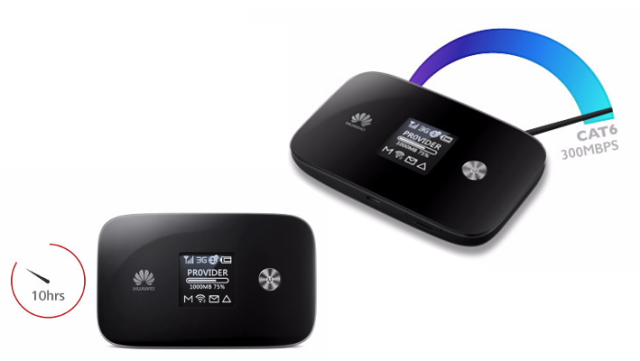
* Battery: 3300mAh permanently installed for up to 4 hours continuous operation

* Housing: Plastic

* Dimensions: H 113 x W 62 x D 13.5 mm

* Weight: 140 grams

* Color: black


The Configuration of Vodafone R210 Mobile WiFi Hotspot is very simple.


Step 1:  Plug the SIM card to R210 and then turn on the mini router. The MiFi Router can operate with SIM cards of all LTE providers in Europe. Usually, the R210 Router would automatically read the operators’ information and get connected with wireless network. After LTE connection is made, user can log in the web management page to setup the WiFi key, SSID and other parameters if necessary. For all other simcards from LTE provider, you just need log in the Web page to create a new connection profile with the APN of the existing LTE provider.


Step 2: Computer, laptop or smartphone can connect to the R210 Mobile via WLAN. Wi-Fi password is on the back of the mini router.


Step 3: Visit website 192.168.1.1 and you can manage the settings of Vodafone R210. Vodafone Mobile Wifi could be monitored in iPhone, iPad or Android by the “Vodafone Mobile Wifi Monitor”. It’s a useful APP with the obtained information on battery status, power and signal strength and consumed data volume.


Conclusion:

The R210 Mobile is easy to use with the APP Vodafone Mobile Wifi monitor. The battery has enough power sufficient to normal daily use. Up to 4 hours working time is enough for outdoor use. The R210 MiFi supports web standards EDGE, UMTS, HSPA+ and LTE. The mini router automatically logs itself always in the fastest network available. With changing in 2G, 3G and 4G reception, we were able to test extensively at a car on the A8 motorway, we have found no problems and no download aborts. The little mini Hotspot is absolutely practical especially on vacation. You can then save expensive fees for the use of WLAN in the hotel. The Vodafone Mini Router R210 is highly recommended. Through WiFi, the maximum connection speed is limited to the LTE network to 30 Mbit/s which is also confirmed in our speed test. This is sufficient for most LTE users.

How to unlock Netgear 341u Aircard

Netgear Aircard 341u is a latest new 4G USB Modem; it follows its predecessors Sierra Aircard 320u and 330u in appearance. But after Netgear acquired the Sierra Wireless Aircards, Netgear didn’t change the body design, the good news is that there is improvement on the application. There is LED screen which will help user read more information about the connection status about the Aircard, which is much more user-friendly than Aircard 330u and 320u.


However, since Netgear 341u is presented to public by US operator Sprint, the Aircard 341u is locked to its network and can’t use other providers’ SIM cards or roam over the world. So if you want to use the Netgear Aircard 341u with other SIM cards, or take the Aircard 341u with you to overseas, it’s necessary to unlock the 341u. But many people don’t know how to unlock it. Today we will give instruction about how to unlock Netgear Aircard 341u, below is the unlocking guide:

  1. Download the unlock tool here: https://www.dc-unlocker.com/downloads/get/HtYMTyib and install it to your PC
  2. Plug the Aircard 341u to your PC and install the driver.
  3. After driver installation, run the DC-unlocker
  4. Login the tool at the right side(if you don’t have account, you need register a new account)


5. In the Dc-unlocker window, Select manufacturer in step 1, Select model in step 2 and press detect in step 3 (check below image for reference)


6. After the DC-unlocker detect the full information about the Aircard 341u, press the unlocking at the right side.


7. After get the unlock code, you can unlock the Aircard 341u easily.


If you want to unlock Netgear 340u or other Sierra Wireless Aircards, you could also use this method. However, you need buy credits to enjoy this service.


Huawei E5186 LTE Cat6 Wireless Gateway Review

From 2014, Huawei bring a new 4G router E5186 to its 4G product range, which is expected to mark a quantum leap in the development for 4G equipment. It’s virtual that all of the new standards are on board and will shape new global standards from the end of 2014. For the first time, LTE-Advanced (CAT6) and VoLTE are supported on the same device, that is Huawei E5186 LTE Wireless Gateway. You can read more about the new flagship below.

Features and characteristics of Huawei E5186

 
Manufacturer and type designation Huawei E5186s-22 (HiSilicon chip)
Download rate Up to 300 Mbit/s
Upload rate Up to 50 Mbits/s
Supported LTE Bands: LTE 2600 MHz / 2100 MHz / 1800 MHz /
900 MHz / 800 MHz (FDD) + LTE 2600 MHz TDD
LTE-Advanced Support yes (first time)
Backward compatible with HSPA/HSPA+/UMTS (900/2100 MHz); GSM
MIMO Support MIMO 2×2
Connector for external antenna yes, 2 SMA connectors (Buy Huawei E5186 Antenna)
Category LTE modem category 6! (CAT6)
Telephone  
With integrated telephone system yes, VOIP SIP Client
Support VoLTE (Voice over LTE) yes
Connection for analog phones yes, 2xRJ11
DECT no
Integrator answering machine
Network | LAN & WLAN  
LAN ports 4 LAN Gigabit ports (RJ45)
WLAN standards WLAN 802.11b/g/n/ac for up to 64 users
5 GHz WLAN support yes
Encoding WEP, WPA, WPA2
USB yes, 1 x USB 2.0
Dimensions / Weight 194 x 177 x 64 mm and 450 grams
Information material  
Manual Not available online
Available On WWW.4GLTEMALL.COM


LTE Advanced and VoLTE


In spite of the appearance of Huawei E5186 looks like its predecessor Huawei B593, the standard is still the new evolution of the LTE technology.  Many European operator such as O2, Vodafone and Telekom, start deploying the further significant faster LTE-Advanced network from this summer. With the LTE-Advanced technology, the data rate of 225-300 Mbps could be achieved. We also concern about “true” LTE telephone which has not been in use. The so-called VoLTE is very convenient when calling significantly increases. Huawei E5186 could also work at the outdoor environment and is therefore ideally equipped for the future.


Technology at a glance


As already indicated, the wireless capabilities of the E5186 are outstanding. LTE is supported on the band 1/3/7/8/20 and 38 on Huawei E5186s-22. But there is Huawei E5186s-61 which supports different LTE frequency bands. In addition to LTE-Advanced  Category 6 ( CAT6 ), the operation over 3G and 2G is also possible. So all mobile phone types are supported by Huawei E5186. The router also dominates the latest wireless standard AC so that internal networks can be established with a maximum data rate of 1300 Mbps. A bottleneck via WLAN is therefore not to be expected in LTE-Advanced mode.

Connections


On the back of Huawei E5186, there are 4 Gigabit LAN ports (RJ45), two RJ-11 jacks for phones and a USB port. In addition, the power port and an on/off switch are at the side of phone jacks. Two external antennas can also be connected as usual, in case the reception conditions are not sufficient.


Telephone


You will probably never find a DECT connection at Huawei. However, the operation over VOIP is possible on E5186. What is new, as already mentioned, the support of Voice over LTE ( VoLTE ). If the provider offers the LTE technology, calls can thus be handled directly by the contract SIM card via mobile phone. The advantage for customers: more stable connections, call setup in under 2 seconds, and perfect voice quality.


The Huawei E5186 has some OEM version at the leading LTE vendors. Vodafone will soon release the B4000 LTE Gateway with Vodafone logo. Probably the Telekom will use the device, but it is not yet known. Here now the E5186 is already available on www.4gltemall.com. If you want it, you could have a check.


Netgear Aircard 340u (AT&T Beam) Features

Even though the 4G LTE was becoming the hot topic from last year in new trend, when we talk about some 4G terminals, the first expression is that it’s too old. Yes, since more and more 4G equipments are presented to public, the first generation 4G devices seems to be out of time and it’s the time for new gadgets.


As the important ISP in USA, AT&T is in the first batch operators who deployed 4G networks and launched to commerce. Some contractor with AT&T may know the wireless datacard Sierra Aircard 313u, but they may not know the new Aircard Netgear 340u, the new generation 4G USB Stick. With the new chipset, performance and optimized function, Netgear 340u could fully replace the Aircard 313u.


That’s why we say Sierra Aircard 313u is old. We are not sure whether Sierra Aircard is end of life, but now it’s the time for Netgear aircard 340u. The Aircard 340U is available for AT&T and named AT&T Beam. Today, we will have a look at what is upgraded on Aircard 340.


Chipset


As the core part of a 4G Aircard, the chipset decides how the aircard works and perform, and stability. The aircard 313u is with Qualcomm chipset MDM9200, the Netgear 340u is based on Qualcomm MDM9215 and chipset. The MDM9215 is the new generation chipset with better efficiency than 313u chipset MDM9200.  MDM9215 is optimized on the power consumption and data processing.


Supported 4G Frequency Bands


To use a 4G Aircard, the first concern is the 4G frequency band that the aircard could works with. It decides where you can use and which operator the aircard could use. The Sierra 313u support AT&T 4G band 4 and 17 (700/AWS MHz). The Netgear 340u supports more bands, including Band 2 / 4 / 5 / 17 (700/850/AWS/1900MHz). It covers even other providers’ 4G bands. So the unlocked Netgear 340u can work with not only AT&T SIM card, but also the operators in other countries such as Canada Roger Wireless.


Screen


On the back of Aircard 313u, there is no LED screen, only the logo of AT&T is printed on the back cover. The upgraded AT&T Beam has LED screen, which will show the 4G signal, used data and operator.


USB


The USB design is rotatable for 180 degree, and the USB end could rotate for 360 degree. They both have this feature, which is very user-friendly design.


Category


Netgear 340U is a LTE category 3 USB modem, which could support peak download speed to 100mbps and upload speed to 50Mbps. With the DC-HSPA+/WCDMA and 2G GSM/EDGE/GPRS backward, Aircard 340U could switch between LTE/UMTS/GSM modes.


External Antenna


There are two external antenna connectors in the Netgear 340U. The two connectors are TS-9 connectors; with external antenna, user can improve the data rates obviously with 2 X 2 MIMO.


In conclusion, Netgear 340U is reliable 4G Aircard, especially for North American market. The unlocked one would help users to travel almost all the countries.


Vodafone USB Sticks for Windows 8

Since Windows 8 is commonly used in many PC and desktops, many users ask which USB Stick could work the latest Windows 8 operation system. New Technology usually brings new problem. Then we need find a new solution for this issue. We list below the Vodafone USB Sticks for Windows 8 for your reference. Simultaneously, we also summarize the compatibility with other Windows systems.


USB Sticks

Windows System

XP
32-bit
Vista
32-bit
Vista
64-bit
7
32-bit
7
64-bit
7
NDIS 6.2
8
32-bit
8
64-bit
8
NDIS 6.2
Novatel Wireless MC950D
Vodafone E172
Vodafone K3520
Vodafone K3520-Z ×
Vodafone K3565 ×
Vodafone K3565-Z
Vodafone K3570-Z
Vodafone K3571-Z
Vodafone K3760
Vodafone K3765
Vodafone K3765-Z
Vodafone K3770
Vodafone K3770-Z
Vodafone K3771
Vodafone K3772
Vodafone K3772-Z
Vodafone K3805-Z
Vodafone K3806
Vodafone K3806-Z
Vodafone K4505
Vodafone K4505-Z
Vodafone K4510
Vodafone K4510-Z
Vodafone K4511
Vodafone K4605
Vodafone K5005
Vodafone K5006-Z
Huawei E220
Huawei E270
Vodafone E272
Option GI0301


Huawei E5786 4G LTE Cat6 MiFi

Many people are using the most popular Huawei E5776 4G Mobile WiFi Hotspot. It’s the world first LTE Category 4 MiFi that supports maximum download speed to 150Mbps. With the 4G LTE is more and more applied in our lives, Huawei is becoming one of the most well-known 4G Pocket router till now.


However, this is not the end. A few months ago, Huawei released a new generation mobile WiFi hotspot: Huawei E5786. This is the world’s first LTE Category 6 MiFi. With upgraded chipset and functions, Huawei E5786 will dominate the Cat6 terminals. Then what’re the main upgraded functions?


Before we introduce the details of Huawei E5786 and E5776, we should introduce some features and difference about LTE Category 6 and 4. The table below shows some main features of them for your reference:


3GPP release

User equipment category

Maximum L1 datarate downlink

Maximum number of DL MIMO layers

Maximum L1 datarate uplink

Release 8 Category 1 10.3 Mbit/s 1 5.2 Mbit/s
Release 8 Category 2 51.0 Mbit/s 2 25.5 Mbit/s
Release 8 Category 3 102.0 Mbit/s 2 51.0 Mbit/s
Release 8 Category 4 150.8 Mbit/s 2 51.0 Mbit/s
Release 8 Category 5 299.6 Mbit/s 4 75.4 Mbit/s
Release 10 Category 6 301.5 Mbit/s 2 or 4 51.0 Mbit/s
Release 10 Category 7 301.5 Mbit/s 2 or 4 102.0 Mbit/s
Release 10 Category 8 2,998.6 Mbit/s 8 1,497.8 Mbit/s


From the table, we can see the LTE Cat6 could fulfill the peak link speed up to 300Mbps, almost the double of the LTE cat5. Now you may know the difference between Huawei E5786 and E5776. Under perfect network environment, Huawei E5786 could achieve the downstream up to 300Mbps.Based on current technology; this wireless connection speed is really amazing! That’s the top selling point of E5786.


So is there other difference between E5786 and E5776? With LED screen showing important information for the mobile WiFi, they both support maximum up to 10 wireless terminals to access internet based on huawei own brand chipset. There is no doubt that Huawei E5786 is with latest, better chipset than E5776, even the best Huawei chipset till now.


The size of E5786 is a little bit thicker than E5776, and they both have external connector. We believe Huawei E5786 will also have the various sub-models like E5776. But we haven’t gotten such information. The battery capacity of them are large enough for almost 6 or more working hours, Huawei E5786 battery is more powerful with better performance after optimization and chipset grade. We will keep update about the Huawei E5786, please keep follow if you are interested in this pocket WiFi.


Vodafone K5006Z VS Vodafone K5005

We had noted that Vodafone K5006Z is already available on the market with tariff for users, somebody may have some memory about the previous model Vodafone K5005. Yes, you are right, they are both LTE Stick for Vodafone 4G networks. But if you want to buy a LTE Stick for Vodafone SIM card, which one to buy? What’s the difference between them? Which one is better? To ask these questions, it proves you are a serious buyer. Many people just buy the 4G sticks with the contract without the corresponding concern. But if you want to buy unlocked LTE Stick, you may concern which one you can benefit more.

In this article, we will see what the difference between the two models is and which one is better. Vodafone K5006Z is available later than K5005, but they are both customized by Vodafone in red and white appearance. Below is the table listing the specifications of Vodafone K5006Z and Vodafone K5005:


Model Number

 Vodafone K5006z

Vodafone K5005

SIM Lock Status

Unlocked, SIM Card Free

Unlocked, SIM Card Free

Manufacturer

ZTE

Huawei

Form type

4G Internet Stick/4G LTE Stick

4G Internet Stick/4G LTE Stick

Chipset/platform

 Qualcomm MDM9200

 Qualcomm MDM9200

Category

LTE Category 3 (3GPP Release 8) USB Modem

TE Category 3 (3GPP Release 8) USB Modem

Network Bands

4G/LTE Frequency Bands Vodafone K5006Z: Band 3/7/20 (800/1800/2600MHz) Vodafone K5005: Band 3/7/20 (800/1800/2600MHz)
3G UMTS/WCDMA Bands UMTS 900/1900/2100Mhz UMTS 900/1900/2100Mhz
2G GPRS/GSM/EDGE GSM 850/900/1800/1900 MHz GSM 850/900/1800/1900 MHz

Data Rate Speed

4G/LTE FDD link Speed Downstream: 100Mbit/s Upstream: 50Mbit/s
4G/TD-LTE link Speed Downstream: N/A Downstream: N/A
3G HSDPA/HSUPA/HSPA+/DC-HSPA+ Link Speed Downstream: 42Mbit/s Downstream: 42Mbit/s

Other Features

MIMO Support YES YES
WiFi Support NO NO
Maximum Users Supported 1 User 1 User
SD Card Slot YES, SD card up to 32GB YES, SD card up to 32GB
USB Type 2.0 2.0
External Antenna Connector 2 (TS-9) 2 (TS-9)
Dimensions 90 x 27 x 18mm 90 x 25 x 15mm
Weight 40g 40g
OS Supported Windows/Linux/Mac OS Windows/Linux/Mac OS


From the table above, we can see that the main difference between the Vodafone K5006 and K5005 is the manufacturer. Vodafone K5006 is manufactured by ZTE, so it’s also called Vodafone K5006Z; Vodafone K5005 is from Huawei. The second difference is dimension, the size of the 4G modems are similar. We have to mention that both of them are with rotatable USB connector, which will save much space for users.

So we can conclude that the two modems are very similar in function and performance based on the same chipset. If you prefer to Huawei or ZTE Brand, you can choose the modem on their brands.

Huawei E398u-15 Orange logo in Special Price

We sell the Huawei E398u-15 in special price now:

HUAWEI E398u-15:

* 4G LTE FDD 800/1800/2600 Mhz
* 3G UMTS 2100 Mhz
* 2G GSM/GPRS 850/900/1800/1900Mhz

Package box:


Features:

* Qualcomm’s MDM9200TM chipset

* 2×2 MiMo, LTE category 3

* Data Speed: Download up to 100 Mbps, Upload up to 50 Mbps at 20MHz bandwidth

* Memory: MicroSD card slot up to 32GB

* HSUPA, HSPA + and dual-carrier HSPA + and Receive Diversity

* GSM with EDGE support

* Display: LED Indicator

* Antenna: Intergrated and 2 X External antenna interface(buy [URL=http://www.4gltemall.com/4g-antenna-two-ts-9-connector.html]Huawei E398 4G Antenna[/URL] )

* GPS Enabled: No

* Dimensions: 90 x 25 x 15mm

* Weight: 40g

* Supported Systems: Windows XP, Windows Vista, Windows 7, Mac OS X 10.5.8 (and later versions)
You could buy from here: http://www.4gltemall.com/huawei-e398-4g-lte-tdd-fdd-100mbps-usb-surfstick.html

Huawei E5786 VS ZTE Flare LTE Cat6 MiFi

Since more and more operators launched theor 4G LTE network, the end users could access the wireless network in high speed for suring. The new technology improves the quaility of our life in almost every aspect, however, when more and more industies apply this technology, the basic 4G network seems not enough for high data requirement. The lucky thing is that thechnology is developing to find better solution in our life: LTE-A technology is bound to provide higher data transmisson.


We had introduced many LTE category 4 or CAT 5 USB stick and WiFi router, they are born to support the wireless speed for 100 or 150 megabytes per scend. But the vendors didn’t stop here. At the beginning of 2014, two LTE category 6 mobile WiFi were presented to public. They are Huawei E5786 and ZTE flare.


Before we introduce the two new terminals, it is necessary to have a review about the LTE categories and their corresponding connection speed that could be achieved. Below table shows the data information for reference:


On the table, we can see the LTE category 6 can provide the support for 300mbit/s downlink speed, which is the double of current CAT5, and three times than CAT3. Huawei E5786 and ZTE Flare are the two new gadget to achieve this fantastic link speed.


So here comes a question, if my ISP provides the LTE Cat6 network, which one is better between the Huawei E5786 and ZTE Flare? To answer this question, we must first know their functions and difference, which will help us to make the right decision. Then what’s the main difference between them?


We can compare below the main features of them:

Model Number

Huawei E5786

ZTE Flare

Category Cat6 Cat6
Chipset HiSilicon Qualcomm Gobi 9×30
Network mode FDD/TDD
DC-HSPA+/HSPA+/HSPA/UMTS
GSM/GPRS/EDGE
FDD/TDD
DC-HSPA+/HSPA+/HSPA/UMTS
GSM/GPRS/EDGE
Maximum Speed (FDD) 300Mbps DL/50Mbps UL 300Mbps DL/50Mbps UL
Maximum Speed (TDD) 224Mbps DL 224Mbps DL
MIMO 2 x 2 MIMO 2 x 2 MIMO
WiFi IEEE 802.11a/b/g/n/ac IEEE 802.11a/b/g/n/ac
Maximum WiFi Connection Users

10

32

External Antenna Connector 2 TS-9 connectors 2 TS-9 connectors
Dimensions 106.0 x 66.0 x 15.9 mm unknown yet


From the table above, the features are very similar except the Chipset and supported WiFi users. Huawei E5786 is based Huawei own brand Hisilicon LTE Cat6 chipset while ZTE Flare is running on Qualcomm latest Gob 9×30 chipset. We can’t conclude which chipset is better, after we get the device, we will test the function. Theoretically, Qualcomm chipset is better than Huawei, which also decides the high cost of ZTE Flare. The second one is Huawei E5786 support maximum 10 WiFi users while ZTE Flare could support 32 wireless terminals via WiFi.


It seems ZTE Flare is more powerful than Huawei E5786, after we get the price quote, use will make a balance between them.


Huawei Ascend P7 – New Huawei Flagship 4G Smartphone Available

Huawei P7 is officially released today, which is the new Huawei’s flagship smartphone in this year with a long-awaited Hisilicon Kirin 910T quad-core processor. With the aluminum alloy frame and whole-body design, the continuation of the ultra-thin concept from Ascend P6, th thickness of Huawei P7 is only 6.5 mm. On May 8 morning, Huawei accept online booking.

Industrial design is an important selling point of Huawei P series, P7 is not an exception. On the back, glass composite added great texture with 6.5 mm slim aluminum frame and all-metal power button, makes Huawei P7 is very eye-catching.

Huawei P7 uses a 5.0-inch screen (1080p resolution) with 445PPI, display fine, accurate color reproduction. With the third generation Corning Gorilla Glass, official data showed that this generation of Corning Glass has improved the structural strength over the previous generation, ability of resistance to scratch improves for three times.

Using the latest Hisilicon processors, Taking pictures is a selling point

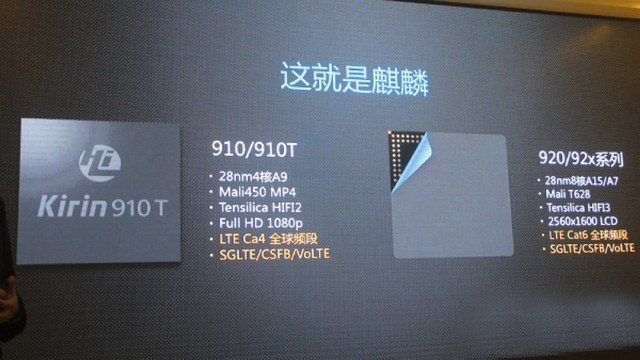
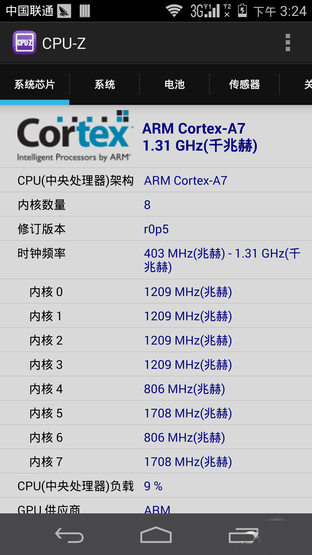
The processor is also an important point for Huawei P7 upgrade that the latest Hisilicon K910T with 1.8HGz frequency is adopted in P7. The processor is an upgraded version of Hisilicon KT910, first appeared on the Huawei Mate 2, the qual-core A9 composition.

In the debut, Huawei highlighted P7 camera features. Huawei P7 uses a combination of rear camera 13 million pixels and front 8 million pixels. Rear camera uses Sony’s latest fourth-generation stack sensor with F2.0 large aperture. This camera improves the application in depth optimization, adding ten skin self-timer, video beauty, 1.2 seconds to capture, real-time filters and other functions.

In addition, Huawei P7 HDR technology is also upgraded than the previous generation, with a more accurate capability of white balance and color reproduction. The upgraded night mode algorithms with video stabilization algorithms are very practical.

Regarding the System, Huawei Ascend P7 is equipped with the latest Huawei Emotion UI 2.3 system, using minimalist design, with emotional UI. In addition, Emotion UI 2.3 has also joined the voice to find contacts, super power saving mode and other functions.

Supports dual 4G with multiple versions

Meanwhile, Huawei P7 is a 4G phone supporting five-mode ten-band, including China’s own 4G TDD system and the international mainstream FDD, in future, there will be several versions available for the global market.

Among them, the model of P7-L05, P7-L07, P7-10, respectively, for the China mobile Special, customized version of China Mobile and overseas generic version, they are for a single Micro-SIM card, supporting memory expansion. The model of P7-L00 and P7-L09 are for China Unicom version and China Telecom version, supporting dual card dual standby, it uses a combination of the main card (Micro-SIM) and vice card (Nano-SIM) , and memory cards are not supported for extension.

Meanwhile, Huawei will launch model P7-L01 for China Unicom dual card version, model P7-L08 for China Telecom dual card version, it is said the latter will cancel the NFC function. For the overseas market, Huawei P7-L16 will be a launched as a special model with single card and 32GB storage version.

Huawei P7 has three colors, white, black and pink, users could choose the preferred colors. We support after the booking, user will get the Huawei P7 4G Smarpthone in one week.


To Buy Huawei Ascend P7 from here: http://www.4gltemall.com/huawei-ascend-p7-4g-lte-smartphone.html