ZTE MF286 4G LTE Cat6 Wireless Router Review

With the development of LTE network technology, more and more network providers are trying to upgrade the network to LTE advanced with carrier aggregation. Then more and more users are demanding for LTE Cat6 equipments so as to achieve possible fast downlink and uplink speed. Finally, ZTE presents its first LTE category 6 wireless router since Huawei had its LTE cat6 router E5186 and E5175 on sale for long time.

ZTE MF286

Built-in battery for Mobile Use

ZTE MF286 looks similar to the traditional wireless home router, but in this new router, ZTE had designed a built-in battery so that users can not only use the MF286 as a stationary router at home, but also take the MF286 router outdoor for mobile use. With the 3000 mAh battery, ZTE MF286 can support a conference call for up to 4 hours or share a 4G network for up to 3 hours. It can’t be taken in a pocket like ZTE MF970 LTE Cat6 MiFi, but it’s useful for multiple devices’ network support.


ZTE MF286

High-speed 4G Connection

Like the Huawei 4G LTE Cat6 routers, ZTE MF286 can achieve peak download speed to 300Mbps and upload speed to 50mbps on LTE networks. The speed is almost the double of the current speed on LTE Cat4. If user downloads a movie of 1GB, it may only take few seconds on this speed. ZTE MF286 Router can achieve this due to the Qualcomm WTR3925 RF transceiver chipset based on the 28 nm process with the Qualcomm MDM9230 modem based on the 20 nm process. The new chipsets perform better and consume less power than its predecessors.


Dual-band WiFi and support for 802.11ac

Compare with the current home routers, ZTE MF286 CPE has almost the highest level to support WiFi 802.11b/g/n/ac and 3 x 3 multiple-input multiple-output (MIMO) technology with three spatial streams for maximum performance. It operates on both 2.4 GHz with great wall-penetration capabilities and 5 GHz with a lower chance of picking up interference. The powerful gadget also supports gigabit wired connections so that it is possible to copy files over a LAN at a speed higher than 80 MB/s.


In the test, ZTE MF286 proves to have good signal coverage; it can cover an office larger than 500 square meters. The signal attenuation is not obvious even at a point far from the device. Internet surfing is smooth, even in a meeting room separated by glass doors.

ZTE MF286

High-Definition VoLTE Call

Conference calls are an indispensible part of business interactions. As a standard feature for high-end wireless routers, ZTE MF286 supports advanced VoLTE voice calls. You can connect it to a telephone or a conference hands-free telephone system to get a much better call quality than regular telephone calls.


With 4 RJ-45 Ethernet ports, there is a USB port which connects a USB disk to share pictures, files or videos among the users on the same WiFi network. As ZTE’s first 4G LTE Cat6 router, the MF286 Router has many selling points which are practical for users. But Huawei E5186 has been on the market almost one year ahead of ZTE MF286, we can’t tell whether the MF286 will gain the trust from customers even though Huawei E5186 CPE doesn’t have the battery.


ZTE MF903 4G Pocket WiFi Review

Following the steps of the competitor Huawei, the Chinese Telecom equipment vendor presents a new 4G Mobile WiFi Hotspot named ZTE MF903, which is very similar to Huawei Mobile Wifi Pro E5770. The Huawei E5770 mobile hotspot was proved to be a powerful portable 4G router with multi-functions. And ZTE MF903 copied almost all the features and comes to be a budget option for users.

ZTE MF903 LED indicators

The appearance of ZTE MF903 is not like E5770, which has a small screen to show full connection status when working. The MF903 has only a few indicators about battery, WiFi, message and signal. The left side of the indicator is ZTE logo and the right side is power button.


If you had read our introduction of Huawei E5770 hotspot, you may know the interfaces/ports are covered by a small tap, under which there are there ports for Ethernet cable, USB in and out. (If you want to know more about Huawei E5770, click here.)This design could protect the ports form dust. But the ports are open to air in ZTE MF903 hotspot.  The lucky thing is the Sim and SD card slots are protected by a cover.  The reset hole is at the side of SD card slot.

ZTE MF903 interfaces

ZTE MF903 is using ZX297520 while Huawei E5770 is based on Huawei Hisilicon chipset. Both of them can provide same functions. They can transfer the 4G wireless network from a SIM card to WiFi signal so that the connected devices via WiFi could access internet. This can make true of when user insert SIM cards to them. But if users connect an Ethernet cable to them, they can also transfer the network from Ethernet to WiFi, after connected with the WiFi, user can also surf freely.  The only difference on this is that Huawei E5770 could support up to 11 users while MF903 support only 8 devices.

ZTE MF903 charge smartphone

The shinning point of the two mobile hotspots is the large battery capacity, which would not only keep themselves long-time working but also charge other electronic devices such as mobile phones, tablets, game terminals etc..

ZTE MF903 SIM and SD card slot

Regarding the technical specifications, ZTE MF903 and Huawei E5770 both support the LTE category 4 technology and could achieve download speed to 150Mbps and upload speed to 50Mbps. Both can work well on TD-LTE and FDD-LTE networks but it depends on the specific model number. And the download and upload speeds are theoretical under perfect environment, in practice, the speed can’t reach these speed due to network congestion or far distance to the cell tower. But they can also work on UMTS network if 4G LTE network is not available. What’s more, they both can be controlled by APP. For ZTE MF903 to use ZTELink while for Huawei E5770 to use Huawei mobile WiFi app. User can also manage the settings through web UI in the browsers.

ZTE MF903 back label

From the appearance and technical features, we can’t tell which one is better. But we think the Huawei E5770 would be at higher price than ZTE MF903 due to the Huawei’s brand reputation and quality trust from customers. We will do a network connection test next to see which one is better in performance.

Netgear AirCard 790 4G Mobile Router Review

Now that most cell phones have features to share the wireless Internet connection, such routes may be convenient if there are multiple users to share a mobile broadband connection.

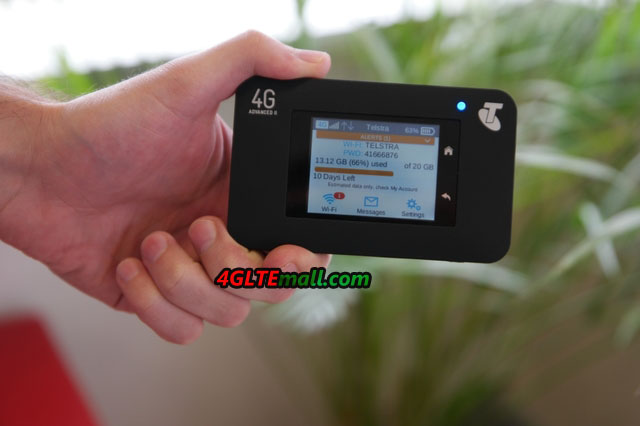
Many wireless routers for mobile broadband are either locked to a specific carrier, or they have quite a few limitations. Netgear new 4G router Aircard 790 is not locked to any carrier, which supports most frequency bands and could be used around the world, and the Netgear 790S is so packed with features that we have not seen in any of other similar routers that are usually offered from operators themselves.

Netgear Aircard AC790S (2)

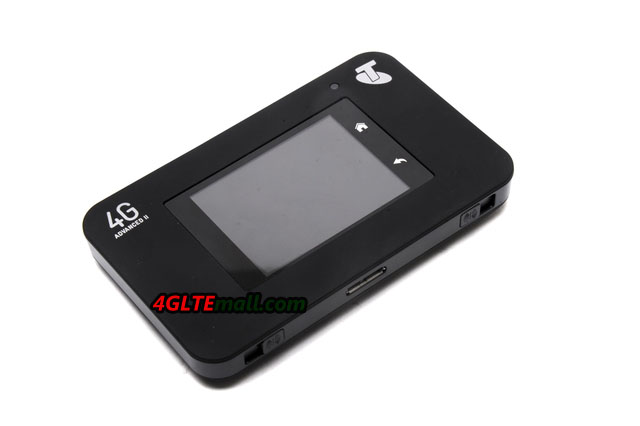
The router AirCard 790 is slightly smaller but thicker than a mobile phone. Here are our first impressions:


Supports 4G in Category 6

Netgear Aircard AC790S (3)

The user interface is easy to use via the touch screen.


Netgear AirCard 790 price is better now than few months ago since the successor Netgear Aircard 810s is available now. Netgear 4G routers are much more advanced than the average router. The Aircard 790 support 4G (LTE) Category 6, thus speeds up to 300/50 Mbps. And when you share mobile network, the WiFi standard is made via dual-band 802.11ac at both 2.4 and 5 GHz simultaneously. Up to 15 devices can connect to the router simultaneously, and you can easily set up a guest network.

Netgear Aircard AC790S (1)


Handsome touchscreen

The Netgear AC790S router is very easy to use. After you’ve installed your SIM card and turned on the router, the network name (SSID) and wifi password will show on the screen. You can easily enter and change settings directly from the touch screen of the router. And enter http: //netgear.aircard in the browser on your PC, you can possibly manage the AC790S Router wirelessly.


The touch screen is incredibly handsome, which allows you to do everything you normally need in a browser user interface, and in a very intuitive way. Via the screen, you also have an overview of how much data you’ve used. You can also see which devices are connected to the router, limiting the number of units, and optionally block unwanted devices.

Netgear Aircard AC790S (5)

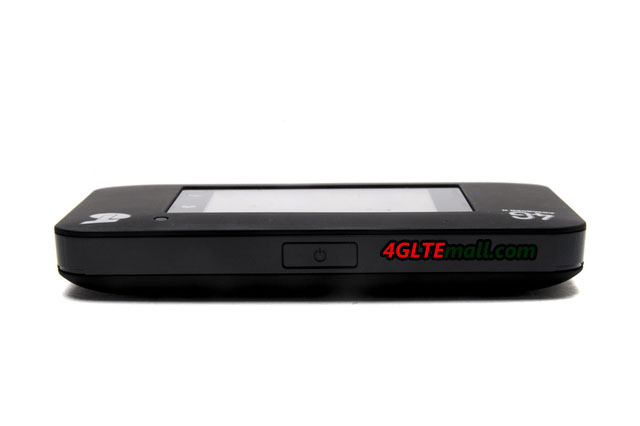
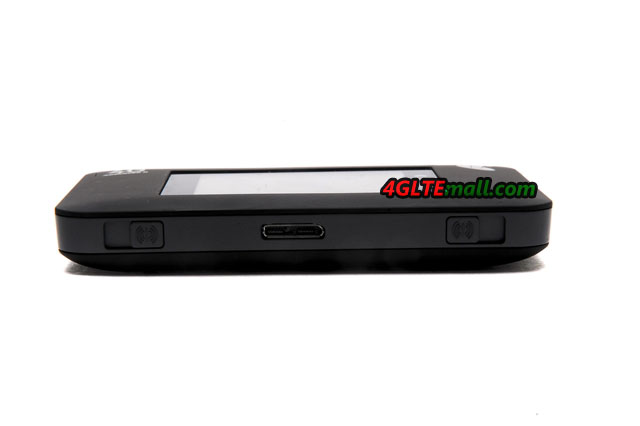
There are two connectors for an external antenna.


Battery life is rated at 11 hours, and you can select the transmitting power of WiFi network so you can save energy if you use the router at a short distance. You can of course use the router by connected with the USB to PC. Otherwise, the router can also be used wireless for your mobile phone.

Aircard 790s-settings-router-port forwarding

We mentioned that the router can be connected to an external antenna. Netgear even sells an antenna to increase antenna efficiency by up to 50 percent. We 4gltemall.com also provides suitable budget external antenna for Netgear Aircard 790s which had been used by many users and proved to be reliable: http://www.4gltemall.com/4g-antenna-two-ts-9-connector.html
Netgear Aircard 790s Network-APN ADD


Conclusion: A super router

In all, we have a very good impression of Netgear AirCard 790. We have used it a little while when commuting by train, and the AC790S router has served impeccable. It does not get much more via the Internet sharing feature in your mobile phone, but with the mobile broadband Netgear 790s, users can do much more than expected. What’s more, it save much power consumption for mobile phone.

Netgear Aircard 810 – World’s Fastest 4G LTE Mobile Hotspot

Netgear has launched a new mobile hotspot AirCard 810 on the market. The device has been shown in January at the Consumer Electronics Show (CES) in Las Vegas. Now it is also available in this Australia for the network provider Telstra and named Telstra WiFi 4G Advanced III, and Netgear 810 is visually similar to its predecessor Netgear AirCard 790. However, the new model Netgear AC810S has some additional features that we will test in more detail.

Netgear aircard 810s front

The most important change is the support for LTE Cat. 11, which means the mobile Wi-Fi hotspot can support mobile data transfers at up to 600 Mbit/s, a speed that the bundling of three 20MHz and distribute a UMTS or LTE-based Internet access to up to 15 devices. Thus, the aircard 810 is currently the fastest mobile hotspot on the market.


In many countries, such high speeds of the mobile network are not yet available. However, the current mainstream providers offer top speeds of 300 or 225 Mbit/s over 4G networks, which achieve higher maximum data rates for mobile Internet access. Now Netgear AirCard 810 seems to be a corresponding future-proof device.

netgear aircard 810 package content

2G Network Support is Missing

However, the aircard 810 is not perfect actually. Although top speeds over LTE are made ​​possible and also in the UMTS networks downstream possible speeds are up to 42 Mbit/s due to DC-HSPA technology, netgear 810s can’t access to the GSM, GPRS and EDGE networks. The 2G access should be at least a basic supply for use in geographic areas, where simply no UMTS or LTE expansion exists. The distribution of an already very slow Internet access via WiFi to multiple other devices is certainly less sensible. The Netgear AC810S router can be but also connect directly via USB to a computer and then used as a wired modem for internet access.

netgear AC810S home

Another interesting innovation compared with the Netgear AirCard 790 is the ability to not only redistribute a mobile Internet access, but also an existing wireless network. The Aircard 810 router can ensure for better reception as a repeater, especially work as a hotel hotspot and similar Internet-access distributed over several devices.


Netgear Aircard 810s sim slot

A big advantage over Aircard 810s mobile hotspots from other manufacturers is the ability to make many settings directly via the touchscreen. Quick SSID or change the password? No problem. After inserting a new SIM, the Internet settings do not have to be entered manually. This could also do directly on the touch screen.

Netgear Aircard 810s Antenna connectors


The Netgear 810 touchscreen dimensions of 112 x 69 x 15.5 millimeter are also one of the main criticisms over its predecessor: The display reflects very strong. It also takes fingerprints on unusually strong, which looks ugly if intensity of use and you do not wipe the screen clean repeatedly.


About the screen, the most important is that not all operating steps for Netgear AirCard 810 are accessible. Those who need access to all settings can use the web frontend via the Internet browser of a connected computer. Here, for example, Wi-Fi hotspots also can be set to be redistributed to the Netgear handheld. Once set, the AirCard 810 automatically uses one of the configured hotspots instead of UMTS or LTE as soon as one of the wireless access is received.

Netgear Aircard 810 web interface (1)

Apps for almost all smartphones and tablets

Another possibility to adjust the configuration of the Netgear aircard 810 router is the Netgear APP. Netgear offers Mobile Apps for Android, iOS and Windows Phone. Network access is naturally only possible if the smartphone or tablet is connected to the mobile hotspot. The Netgear AirCard 810 weighs 132 grams, making it even four grams lighter than its predecessor. Above all, the device is easier to handle and lighter than many current smartphones. The handheld is completely pocket-fit. It is important to remember that cell phone coverage and wireless range suffer if the unit is operated close to the body.


We have tested the Netgear AirCard 810 in mobile networks. The reception was well in both LTE and the UMTS field network. By eliminating the 2G, the Aircard 810 router connection has often still held to UMTS or LTE network in less-served regions, without the need for manual adjustments. In LTE 1800 network, we came up data transfer rates of 120 Mbit/s downstream. This is a good value. But we could not test Carrier aggregation at 1800 and 2600 MHz.


Netgear Aircard 810 web interface (2)

WLAN at 2.4 and 5 GHz

The Netgear AC810S router sends the default wireless frequency range of 2.4 GHz, as an option, 5 GHz is also available. Moreover, it is possible to establish also a guest mode. Compounds can be easily prepared by WPS. The range of the hotspot is considerably higher than that of the Huawei E5372, which we used for comparison. It is important to remember that it is not a very recent model of the Huawei MiFi.

Netgear Aircard 810 web interface (3)

The battery of the Netgear 810s hotspots has a capacity of 2930 mAh. The manufacturer promises eleven hours operating time. We have achieved more than ten hours in practice. Particularly pleasing: Unlike many competitors, aircard 810 allows the battery exchange also. Also interesting is the possibility to use the mobile hotspot as a battery pack, such as a smartphone entrained recharge.

Netgear Aircard 810 web interface (5)


Conclusion:

The Netgear AirCard 810 is not cheap now at www.4gltemall.com. This is a device that has convinced functions during the test even after long hours of continuous operation and thanks to LTE Cat. 11, the technology dominates the near future. The MiFi is well made and is pocket-fit. If required, connect an external antenna.

Netgear Aircard 810 web interface (6)

The pity is the lack of GPRS and EDGE. Another criticism is the supported LTE frequency ranges. Although all common in Europe bands are covered, it lacks some LTE frequencies for the American market, so you may only use 3G network in American areas with the Aircard 810. But in all, the Aircard 810s is a very good mobile router to commend for travelling over the world.


Netgear AirCard 785S 4G Mobile Router Review

If you need the Internet to work or surf on the road, there are many mobile hotspots available now to provide good solution. We’ve put Netgear AirCard 785S to the test in recent weeks. The portable WiFi hotspot for 4G Internet is useful for all our connected devices and keeps working a whole day without any trouble.

Netgear Aircard 785s (1)
Small (11 x 7 x 1.4 cm) and lightweight (125 grams including battery), fits easily in a pocket. The whole body of Aircard 785 is made of high quality plastic and is extremely easy to use as it has only two buttons: ON/OFF to switch on and switch off the router, and a navigation button to scroll through a few simple options that can be activated directly from the device without interfacing through smartphone apps or web panel. There is in fact a small LCD display (3.5 x 3 cm), which focuses on all the key data and allows you to choose between different modes for use with a few clicks.

Netgear Aircard 785s (4)


At the opposite edge to that where we find the two buttons, the microUSB input are located for charging the lithium battery of 2,000 mAh (removable) and two sockets for connecting external antennas, available separately and useful – but not essential as we will demonstrate through our testing – to increase the power and reach of the signal. The back cover is removable and there is the microSIM slot below the cover.

Netgear Aircard 785s (8)

Display

On the LCD screen of Netgear Aircard 785, usage data, WiFi name and the WiFi password are shown. This means that those who are nearby and peers on the screen can potentially find out the password to access and leverage your data plan. Since the information on the screen cannot be hidden in any way, and whereas power on, the screen will remain active for 30 seconds (default timeout is 1 minute), it is perhaps advisable to turn the router while using in public places.

Netgear Aircard 785s (9)

In addition to this information, the Netgear AC785S screen will also show some icons, specifically the classic 5 bars that just like on mobile phones, shows the signal strength; 3G/4G symbol to know at a glance the type of network to which you are supporting; the WiFi symbol with a number overlay that represents the number of connected devices; the two arrows to learn about the data transmission activity in real time; any envelope to indicate the presence of unread messages; and the battery indicator.

Netgear-785s-mobile-Hotspot-Display


In our view, the lower portion of the display, if configured, allows you to monitor your data consumption in practice. If you’re using a monthly subscription, you can select the day when you renew your subscription and know at a glance and in real time the precise GB consumed from day one.

Netgear Aircard 785s (5)

Configuration

Inserted the SIM card into the Aircard 785s, connected the battery and close the cover, it just has to turn on the router by pressing the ON/OFF button for a few seconds. In just around 10 seconds, it will be immediately ready and connected to the Internet. Unlike the successor Netgear Aircard 790, the aircard 785s can’t be operated via screen.

At first, it is advisable to change the default password for your Netgear 785 Mobile WiFi, thus making sure that no other device in the vicinity can connect to the network and use their data subscription. To configure the router, you must first connect to it with a device via WiFi. At that point, you can follow two paths: you can download the application Netgear Aircard App to your smartphone or through any browser (including mobile), go to the address http: //netgear.aircard/.

Netgear Aircard 785s HOTSPOT

Then you log in to the administrator panel. The default password is “password” and, like that of WiFi, it is advisable to change it from the first access so as to prevent connected users to do the settings.


We tried both systems and we preferred access via the web panel, which we thought was immediately simple and straightforward. The application interface, on our iPhone 6 Plus, it is not optimized for this display appears overly large, but it works without problems and offers quick access to all the desired functions.

 Netgear Aircard 785s (2)

Functions and settings of the router

In addition to changing passwords for the Netgear AC785 Aircard, access to the panel can be useful for reading text messages without having to remove the SIM card to insert it into a cell. Experts can also customize every detail, however, in our tests we have found that in fact, the system automatically recognizes the card operator and set the correct parameters automatically.


From the 785s aircard Settings panel, you can select the language, choose the screen brightness and display timeout, enable or disable the LED indicator and decide after how many minutes/hours of downtime the router can automatically turn off WiFi to save battery. You can also export all configurations jack to a file so that, as a result of a possible recovery, you can re-import them with a click without having to again lose time sifting through the various panels. We enclose a photo gallery where you can take a look at all the functions accessible via the web panel.

 Netgear Aircard 785s (10)

Field tests

We used the Netgear 785s router every day for more than a month, and when connect MacBook, two iPhones and an iPad simultaneously, we didn’t ever encounter any problems. The connection to the Aircard 785 was always stable and high performance, even when the router was located on the opposite side of our small apartment.

We have also tried the external antennas, but only with router and no extra accessories, about 15 meters away and with two walls to separate the connected devices, the testing terminals had continued to function without too much trouble. Specifically, the reception of the WiFi signal was obviously weaker, the response in navigation proved slightly slower but still quite functional and useful to allow us to work smoothly.

Netgear Aircard 785s


The optimal working condition on Mac was in the same room without walls to separate them, even at more than 5 meters away. Here, the reception is always optimal, and thanks to 4G connectivity guaranteed by our membership, on many occasions, the speed through Netgear 785 aircard is even faster than the ADSL line of our house.


 Netgear Aircard 785s (3)

Conclusions

The Netgear AirCard 785S provides the most convenient solutions to have a 4G hotspot in your pocket and connect all mobile devices. And it’s the ideal choice for those who must work on the computer while traveling, for those who are on vacation and want to offer Internet to the whole family, but also for those who have a WiFi iPad and do not want or cannot take advantage of the hotspot mode for iPhone to connect to the Internet.


Among the Aircard 785s features, we liked the most is the Guest mode that can be activated directly from the router with a few clicks by the instructions on the screen. In practice, the Guest WiFi can offer temporary access to the Internet for a friend without telling your master password. The Aircad 785s is really recommended for your mobile network partner!

Samsung Presents New Galaxy Note 7 Smartphone

A few days ago, Samsung introduced its flagship smartphone the Galaxy Note 7 for the second half of 2016. Since the predecessor Galaxy Note 5 and Note Edge have been available for only short time, the Note 7 is finally again officially available in many markets. The Galaxy Note 6 will not be seen, Samsung skips these numbers for the same name for the Galaxy A and C series. Technically, users can get the Galaxy Note 7 at modern features, for example, a high-quality camera, an iris scanner, a fast processor and a very large internal memory. The display is rounded off to both sides.

Samsung Galaxy Note 7 (1)

Galaxy Note 7 with edge display

The display size of the Samsung Galaxy Note 7 is just 5.7 inches, and is slightly rounded down at the sides, as you already know it from the Galaxy S6 edge and Galaxy S7 edge ago. The resolution is 2560 x 1440 pixels and is the same to the predecessor models. A version with a flat display does not exist. The body of Galaxy Note 7 consists of both front and rear glass and is protected against dust and splash, and Samsung has made the Note 7 on the certify IP68.

The back camera of the Samsung Galaxy Note 7 triggers with 12 megapixels. This is a rather low resolution comparatively with the Galaxy S7, but in Note 7, the Dual Pixel technology is used, which is particularly sensitive to light and therefore to take good pictures in low light conditions.

Samsung Galaxy Note 7 (2)

Battery and USB Type C

The Samsung Galaxy Note 7 battery is 3,500 mAh strong and not replaceable by the user, because the battery is permanently installed in the smartphone. For recharging and connection to the computer and other devices, a USB Type C port is used for the first time while in previous Samsung device, there was Micro USB. Of course again, a pen for operation and for drawing, can be recessed into the smartphone.

Galaxy Note 7 (1)

Installed iris scanners

It’s the first time for Samsung smartphone to install an iris scanner. A fingerprint sensor is also built, which should be able to easily unlock the Galaxy Note 7. But security should be much better at Iris scanner. Here we should wait the first user’s report about whether the response is really as fast, simple and reliable as Samsung promises.

Samsung Galaxy Note 7 (3)

LTE Advanced cat12

Samsung has the Galaxy Note 7 equipped with a modern chipset, a 64-bit Exynos comes with eight-core processor for use, and the 6 gigabytes RAM are available. The internal memory of 64 gigabytes is available and expandable up to 256GB, which is the largest available microSD currently.


The modem in the Samsung Galaxy Note 7 may support LTE with up to 600 megabits per second in the downlink (LTE Advanced cat12). This is made ​​possible by bundling up to 3 frequency ranges (3CA). In Germany, Vodafone has recently launched LTE CAT9 with 3CA at up to 375 Mbit/s possible. Of course, the modem is also backward compatible with older LTE categories and UMTS & GSM in Samsung Galaxy Note 7. Moreover, voice telephone (VoLTE) is also supported.

Galaxy Note 7 (2)

Available From September

Samsung Galaxy Note 7 will be available soon in Europe and Asia markets. We suppose the retail price is significantly more than that of Samsung Galaxy S7 edge. But the price will be available when it’s presented to public. You will see the price on www.4gltemall.com in near future.


Huawei E5351 3G 42Mbps Mobile WiFi Hotspot Review

We had introduced the Huawei E5151 pocket WiFi years ago, which is a 3G mobile WiFi router supporting download speed to 21Mbps and the most important feature of this pocket WiFi is that the E5151 has a port for LAN/WAN, which could connect with an Ethernet cable to get or share internet connection. At that time, some customers were wondering if there is newer model which could support higher speed connection, i.e. download speed is faster than 21Mbps.

Huawei E5351 E5351s-2

Actually, we had introduced the latest Huawei E5770 mobile WiFi Pro, which has LAN/WAN ports and supports download speed to 150Mbps on LTE Category 4 technology. And the Huawei E5770 has large battery of 5200mAh, which not only keeps itself long time working, but also works like a mobile power bank to charge other electronics such as smartphone or tablets. However, many customers said the price of Huawei E5770 is a little bit high; it’s not a budget pocket router. Really, it’s a high-end partner for wireless connection.

Huawei E5351 E5351s-2

Today, we will introduce another new mobile pocket router. The model number is Huawei E5351. It’s still a 3G mobile router and upgraded from huawei E5151 MiFi. From the appearance, we can see the Huawei E5351 is very similar to Huawei E5151, they both have a port for an Ethernet cable and USB interface. The LED indicators on the front and back logs are almost the same.

Huawei E5351 E5351s-2


The battery capacity of E5351 MiFi is still the same to E5151, only 1500mAh. For most users, it’s not enough for common use. The lucky thing is the battery can be removable, so if there is a spare battery or mobile power bank, it would be OK to use for long time. From this point, we would recommend the Huawei E5770 with large battery; users don’t worry about the power off when working with E5770.

Huawei E5351 E5351s-2

The key features of Huawei E5351 are listed below (same to E5151):

  1. Provide wireless internet connection through WiFi from the Ethernet cable
  2. Provide wireless internet connection through WiFi from the inserted SIM card
  3. Provide internet connection through Ethernet cable from inserted SIM card


The SIM card slot of Huawei E5351 is for a standard 6-pin SIM card, which is the same to E5151. But there is no slot for Micro SD card. The most important features should be the improvement of the wireless data transmission speed. Huawei E5351 could support almost double speed of that of E5151. With 3G DC-HSPA+ technology, Huawei E5351 could achieve peak download speed to 42Mbps while E5151 only support speed to 21Mbps. Like E5151, up to 10 wireless devices could access internet through Huawei E5351.

Huawei E5351 E5351s-2

In all, Huawei E5351 is a powerful mobile pocket router for traveling or business trip. It provides more option for wireless internet connection. But if you don’t need the LAN port, you may try other budget Huawei mobile WiFi hotspots options such as Huawei E587 or E5730s, which has good performance for internet connection.

Huawei E5170 LTE Cat4 Cube Review

Huawei had a series of web cube for wireless networks at home. The wireless cube looks like a nice furniture rather than a wireless gateway. We had introduced the Webcube B153(7.2Mbps), Webcube B183(21Mbps), Huawei E8259 Speed box(42Mbps) before. Now we have a new 4G/LTE Speed box/Cube E5170.

HUAWEI E5170S-22 LTE CPE (6)

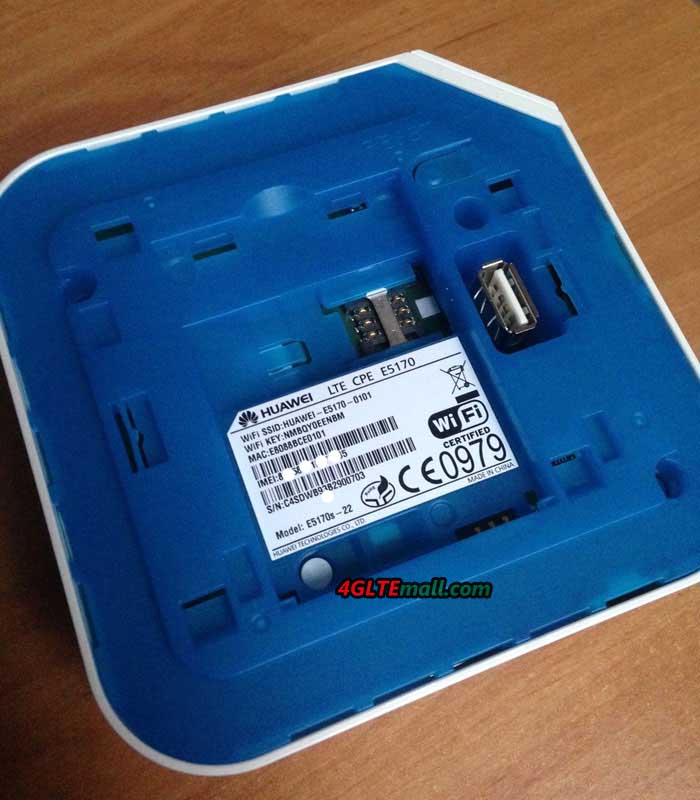
Huawei E5170 is a powerful LTE (4G) router. The device is a combination of fixed and mobile router, supporting a top speed of up to 150 Mbit/s for downloads (on LTE 4G). Huawei e5170 Home Net Box is one of the fastest wireless routers available in the market.

HUAWEI E5170S-22 LTE CPE (3)

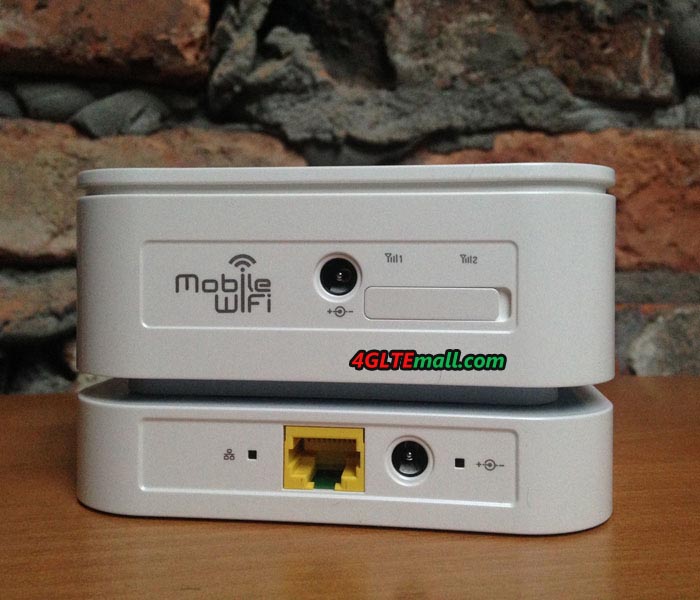
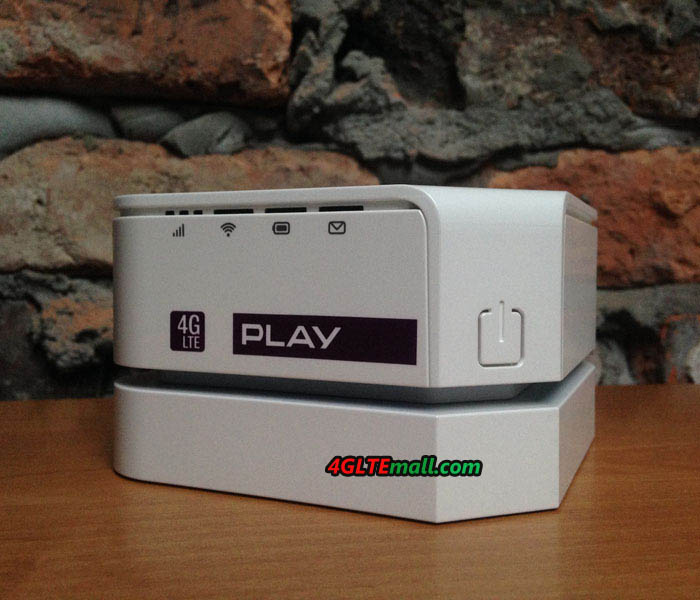
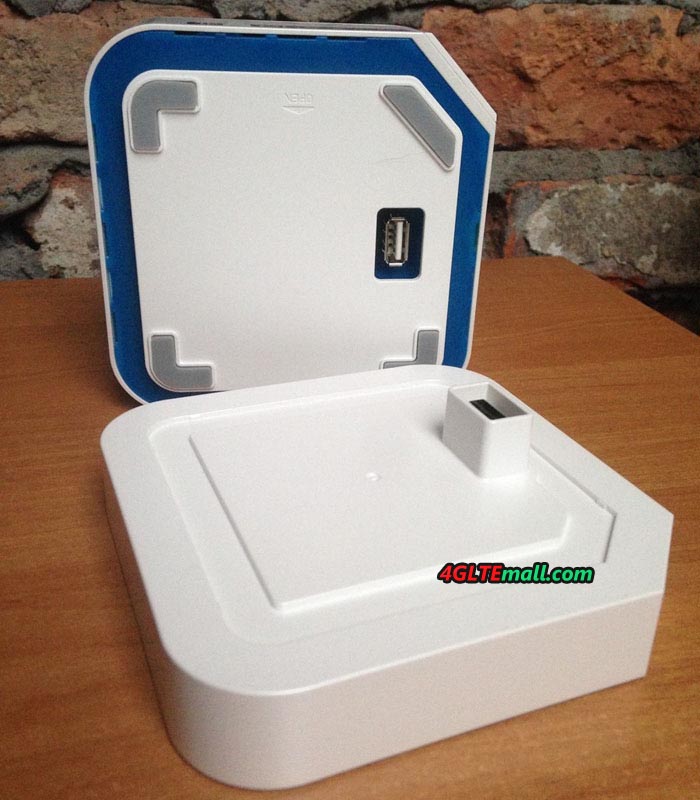
Built with a rechargeable battery and docking station, Huawei E5170 Home Net Box basically consists of two parts: the current router with integrated modem and wireless module for up to 32 wireless devices, as well as a docking station that provides the router with power and also contains an RJ45 Ethernet LAN interface connection.  The special feature is the built-in battery for Huawei E5170, which allows wireless operation for up to 2.5 hours without docking stations, as expected, the E5170 cube could be working like a 4G mobile pocket router.

190182_2235_draft

The configuration is usually through a web interface, so that the browser of any terminals can do the setup. Configuration through the application of Huawei Mobile WiFi is also possible.  Huawei E5170 speed Box integrates a fast LTE modem which his supports GSM, UMTS and LTE cellular standards. In the fourth generation, wireless network could reach up to 150 Mbit/s for downloads and up to 50 Mbit/s for uploads due to the use of LTE Category 4 technology. Using UMTS, the maximum speed for downloads could achieve 42.2Mbit/s provided the network is equipped with DC-HSPA+ technology.

190182_2277_draft

If coverage is poor, Huawei E5170 LTE Cube has two external antenna connectors for LTE or UMTS. The connection would be much more useful for computers, tablets and other devices via Wi-Fi 802.11 b/g/n, and browsing speed could reach up to 300 Mbit/s, unfortunately, neither the 5 GHz band nor fast Gigabit 802.11ac Wi-Fi is supported.

HUAWEI E5170S-22 LTE CPE (2)

Below are the technical specifications for Huawei E5170s-22 LTE Cube:


* Support LTE FDD/TDD/UMTS/GSM networks

– 4G FDD 800/900/1800/2100/2600Mhz
– 3G UMTS/HSPA+ 900/2100 MHz
– 2G 850/900/1800/1900 MHz

* LTE Category 4 wireless gateway

* DL 150Mbps / 50Mbps UL @ 20MHz (FDD)

* 112Mbps DL / UL 10Mpbs @ 20MHz (TDD)

* Wi-Fi 802.11 b/g/n

* Support up to 32 wireless devices

* 2 x Antenna interface

* 1 x RJ-45 interface (> 150Mbps) on cradle

* 1500mAh battery (optional)

* Support IPV6

* Support Windows XP/VISTA/7/8, Mac


Actually, Huawei also release Huawei E5180 Speed cube for LTE networks. But Huawei E5180 has larger dimensions than E5170 and without inserted battery. If you want to know more about E5180, welcome to click here: http://www.4gltemall.com/huawei-e5180-4g-lte-cpe-router.html
Netgear Aircard 810 4G Mobile Hotspot Review

Mobile LTE hotspots are currently very popular and are increasingly replacing LTE sticks: The hotspots offer fast, comfortable internet access and can be used universally with all Wi-Fi enabled devices. The fastest mobile LTE router we has tested is Aircard 790, which have been able to reach around 300 Mbit/s downstream, based on LTE Category 6 technology. Here we have a new 4G mobile Hotspot announced, which offer significantly faster speeds than Netgear AC790S. Netgear has the AirCard 810 now, which is the world’s first hotspot to allow download up to 600 MBit/s.

Netgear aircard 810s front

World’s fastest LTE modem

The Netgear AirCard 810 hotspot has an integrated Qualcomm Snapdragon X12 modem, which supports LTE category 11 with speeds up to 600 Mbit/s downstream and up to 50 Mbit/s upstream. The high data rate is possible by triple channel bonding, up to 60 megahertz radio spectrum, the hotspot simultaneously also use in the downlink. In the test, only 2 x 20 MHz frequency was tested bundling. In the network of Vodafone, the speed could reach around 220 Mbit/s. In any case, the Netgear AirCard 810 is equipped for the future of the mobile Internet.

Package

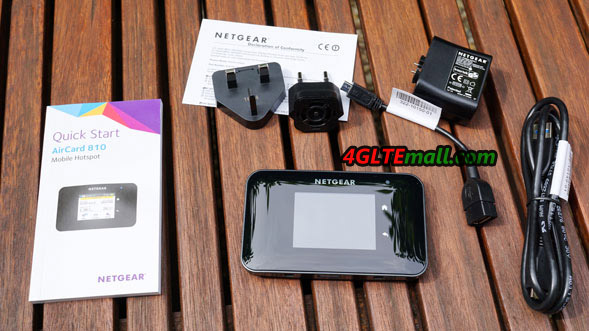
In the package box, there is a small Quick Start Guide, a charger, USB Micro-USB port, the lithium-ion battery and AC adapter. And of course, there is the Netgear Aircard 810 hotspot.

netgear aircard 810 package content


Only UMTS and LTE, no GSM

Although Netgear AirCard 810 Hotspot has a very fast LTE modem, but deactivates the GSM function at the same time. The GSM/2G network for mobile surfing is anyway hardly or not suitable, but some users should miss the data services from GPRS and EDGE. Why Netgear has GSM-disabled is not entirely clear, for most users, the limitation of GSM network is probably due to successful UMTS and LTE network expansion.

Touchscreen operation

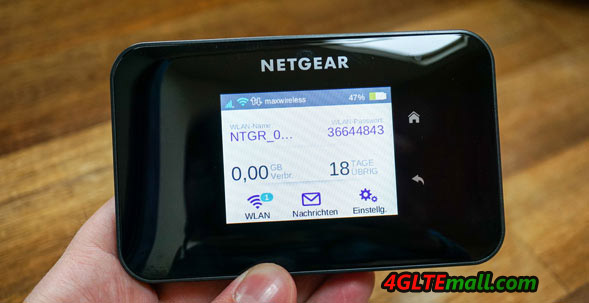
The Netgear AirCard 810 LTE router is equipped with a 2.4-inch touchscreen display, which will show important information for device status and can be also used for configuration like the predecessor Aircard 790. The display reacts quickly and reliably, and the menu system is easy to understand. Most functions can be selected via the display, only very few settings is needed to do via the web interface, which can be opened from any browser.

netgear AC810S home


On the home screen, all the important information such as call duration, data volume and number of wireless users are displayed. On request, the wireless password will be displayed. The display brightness can be adjusted in three stages, as well as the duration of the illumination. Normally the display goes a few seconds after the last touch by itself, to save energy. A bright LED on the front shows the signals and the connection status on the display.

Dual Band WLAN with repeater function

Netgear AirCard 810 can provide an Internet connection for up to 15 devices simultaneously via WLAN. Another device can be connected via USB cable. The maximum LTE speed could be gained when connected computer supports USB 3.0. A suitable cable is supplied with the device; this is also used to recharge the battery simultaneously.

Netgear Aircard 810s sim slot

Netgear 810s uses a wireless modern dual band AC module that can spark both 2.4 GHz and 5 GHz. The maximum speed is fast enough based on WLAN 802.11ac. The wireless transmission power can be controlled in three steps and convinced in the test by a good range. However, External wireless antennas were not connected, so that one is dependent on the integrated antennas in the device. On request, it is open for the user to create a guest Wi-Fi with a separate username and password.

Particularly impressive was the wireless repeater function in the test. This allows Internet access over existing wireless networks instead of cellular. So you can give the Netgear AirCard 810 as the wireless access from home DSL router or the hotel Wi-Fi and soon a known WLAN is within range, it will be used for Internet access. The function is particularly interesting for those users who do not have an unlimited data plan, but must extend the WiFi coverage range.

Netgear Aircard 810s Antenna connectors

Connectors for external LTE antenna

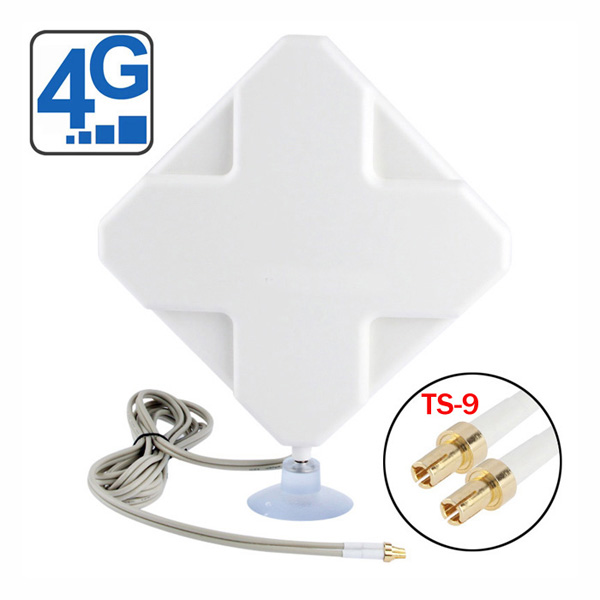
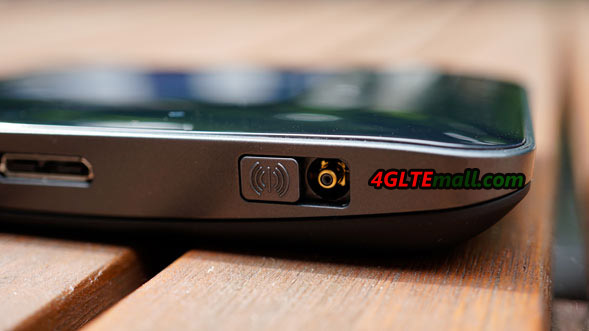
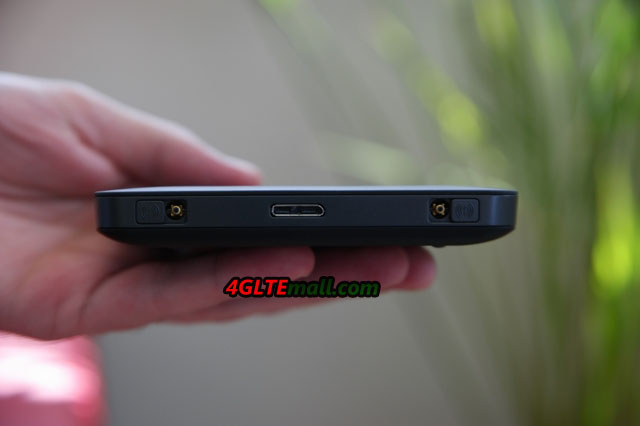
At the side of the Netgear Aircard 810, there are two TS-9 connectors available for external LTE antenna. The ports are each protected with a stable sliding mechanism against dust and dirt. Although the receive and transmit performance of the AirCard 810 is very good even without an external antenna, but particularly in the stationary use in fringe areas, such antenna of great advantage is also necessary at some time. Below is the external antenna for 4G LTE networks to recommend:

http://www.4gltemall.com/4g-antenna-two-ts-9-connector.html
35dbi 4G Antenna with dual TS-9 connector antenna


Powerful battery

The Netgear AirCard 810 battery is 2,970 mAh strong and provides an operating time of about 11 hours in the LTE network. If that is not sufficient, user can easily purchase one or more replacement batteries, because the battery is easily replaceable in seconds, which is a big advantage over many other LTE hotspots with permanently installed batteries. The Netgear AirCard 810 router even allows you to charge other mobile devices with built-in battery and the supplied adapter cable. This “Jump Boost” function allows the rapid reloading of a smartphone.

netgear aircard 810 package box


Since the Netgear Aircard 810s is the latest new with the future-proof technology, the price is not cheap now, but considering the performance offered by the device, the aircard 810 is worth the price. Anyone looking for a top current mobile LTE hotspot with fast WLAN and sophisticated touch-screen operation, should not miss AirCard 810. Alternatively, the similar models Netgear Aircard 790s, Huawei E5786 and Huawei E5787 have cheaper price, but offer “only” 300 MBit/s LTE, which could be considered for lower budget.


Netgear Aircard 790s 4G Mobile Hotspot Review

Netgear has now three different mobile LTE routers for the network providers in Europe, making it become a serious contender for the top dogs Huawei and ZTE. The latest model with the name AirCard 790 dominates LTE Category 6 (CAT6) and can reach speeds of up to 300 MBit/s download. Operation is via a large, color touch screen and the battery is even used for charging other devices. How does the Aircard 790 perform in practice, you will find from 4gltemall.com/blog.


Netgear Aircard AC790S (3)

Appearance

The Netgear AirCard 790 router is supplied in a small cardboard box along with a power adapter and a USB cable. The USB cable can be used to charge the battery and to connect to a computer. In addition, there may be a user manual in different language to guide users how to do the simple settings in Netgear AC790 for internet connection.


The body of the Netgear AirCard 790 is made ​​entirely of plastic in order to achieve the best possible optical outputs and inputs. The surface of the body is matt and feels high-quality, the workmanship is very good. The flaps on the side antenna connectors (TS-9) make a good impression. The back can be easily removed to change the battery and the SIM card. This feature is better than other brand models such as Huawei E5786 and ZTE MF970, whose batteries are built-in, user can’t remove them for change.

Netgear Aircard AC790S (2)

First LTE Cat6 hotspot with touchscreen

Many mobile LTE routers have a small display on the front, which shows the most important information clearly. On AirCard 790 Hotspot, the manufacturer Netgear has gone one step further and has integrated a large touch screen in the unit, the operation can be done via the scrren like on a smartphone. The display is 2.4 inches in size, bright and easy to read.

Thanks to the large icons and clear labels, it’s simple to operate the 790 Aircard for everyone. The functions are quite extensive: There are statistics about data usage and online time, and as needed user can setup the volume limit of its own tariff and be alerted at certain boundaries. Of course there is also the on or off option for data roaming abroad and if necessary, user can link data by entering the APN and password, if the Netgear 790 does not automatically detect.

Netgear Aircard AC790S (5)


Regarding the operation via touch scrren, it is an improvement over devices which can also be controlled via web interface; users can do more deep settings from the web interface.

Aircard 790s-settings-router-port forwarding

LTE Cat. 6 with 300 MBit/s

The Netgear AirCard 790 Router achieved at speeds up to 300 Mbit/s downstream and up to 50 Mbit/s upstream in LTE network in Germany, Austria and Switzerland. This is made ​​possible by the integrated LTE Advanced Cat. 6 modem from Qualcomm, which additionally supports UMTS with DC-HSPA+. GSM and EDGE cannot be reached by Netgear AirCard 790, which is still a bit strange, since all the other hotspots on the market support the 2G network. On the other hand, it did not bother the test because stable and fast surfing anyway are possible only with UMTS and LTE and the network extension by now is quite good.

Netgear Aircard AC790S (1)

In the test, we use the SIM cards from Vodafone and Telekom, which were released in each case for the fastest speed. The Netgear AirCard 790 Router reaching speeds of just over 200 Mbit/s in download and up to 44 Mbit/s upstream. But the usual data rates were between 50 and 120 Mbit/s. The latency times were between 20 and 40 milliseconds (depending on the test server).


Netgear Aircard 790s Network-APN ADD

Dual Band Wireless AC

Up to 15 devices could connect with Netgear AC790 router via wireless internet; the maximum unit number can also be set lower in the settings. Thus, the high LTE speeds can also be used at the connected devices, and the latest WLAN AC standard available. This delivers speeds up to 1200 Mbit/s in the frequency ranges of 2.4 GHz and 5 GHz. On request it is also possible to open a guest network, which is then provided with its own name and its own password and is separate from the main Wi-Fi. A wireless extender or wireless repeater is installed in some Huawei LTE hotspots such as similar model E5786, but this function is not available in Netgear AirCard 790, which is one of the few weaknesses compared to the competition.

Netgear Aircard AC790S (4)

Connectors for external antenna

If reception is poor and slow speeds, it may be useful to an external LTE antenna to connect to the Netgear AirCard 790 hotspot. These are two sides of TS-9 connectors are available, which are protected by a flap against dust. An LTE antenna was tested with the Aircard 790 and the speeds is even double in rural areas sometimes, for example, in caravans or campers, an external antenna may be necessary to connect stable and quickly. Below is the tested 4G/3G antenna and easy to take with the device:

4G LTE Indoor Antenna (2 x TS-9 Connectors) for Huawei/ZTE 4G LTE Modems/dongles/mobile hotspots

You can buy the antenna above from here: http://www.4gltemall.com/4g-antenna-two-ts-9-connector.html


Strong Battery with Power Bank Function

The battery in the Netgear AirCard 790 router is about 3,000 mAh strong and can be easily exchanged by the user, which is a positive exception compared to similar models. The operating time is lasting approximately 10 to 11 hours, taking into account factors such as reception level, frequency of cell change and number of connected devices, which can significantly affect battery life. A special feature is the so-called Power Bank Function: With the supplied USB cable, other devices such as Smartphones can be charged via the Netgear AirCard 790 Battery. This is ideal, for example, when the phone battery is empty, you would like to make a call and needs only to reload short.
Network Preferences-network mode


Conclusion

In our opinion, the Netgear AirCard 790 LTE Hotspot currently is one of the best mobile routers in 2016. The device offers all important functions, has a fast LTE Advanced Cat. 6 Modem and can be operated comfortably via touch screen. The battery life is very good and can connect, if required, an external LTE antenna to improve the speed. With around 280 USD (as of April 2016), you will definitely get a future-proof device. Here now, there is unlocked Aircard AC790S available on www.4gltemall.com. With the unlocked aircard 790S, you can use any network providers’ SIM without any limit. So it’s a good partner to take for overseas travelling or business.