Netgear Aircard AC785S 4G Mobile Hotspot Review

After acquisition of Sierra Wireless, Netgear has expanded the range of wireless products such as wireless aircards. Now many new products come available in Europe and Australia. Now we get the new mobile pocket router from Netgear, model number is Aircard 785s hotspot.

Netgear Aircard 785s Appearance

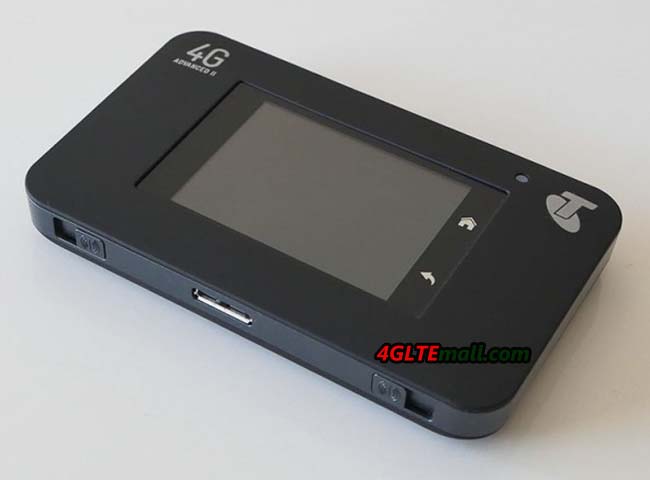
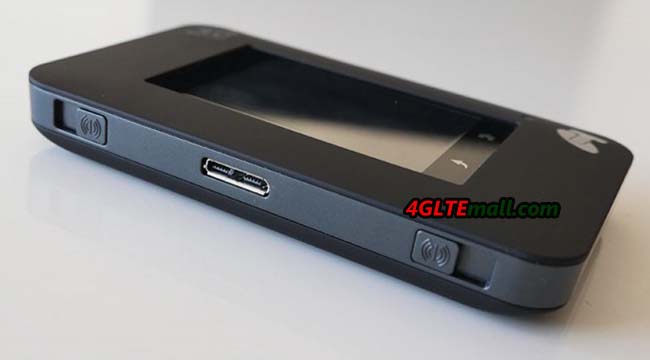
The Aircard 785s comes in a small box. With the AC785S, there is a battery with a capacity of 2000mAh and A USB cable for charging power with output of 1A at 5V. Both the front and the back are decorated with triangular elements. This feature not only looks good, but also raises it from other boring designed models from competitors.  On the back, there is only “Netgear” logo on it. At the bottom side, there are two external antenna connectors. They are TS-9 type and covered by small cap. Between the two antenna connectors, one micro USB interface is used for power charge. The battery for the Netgear AC785s is removable and the Micro SIM card is covered by battery. The stick at the side of SIM card slot lists the model number Aircard 785s, IMEI number and MAC ID for the AC785S.


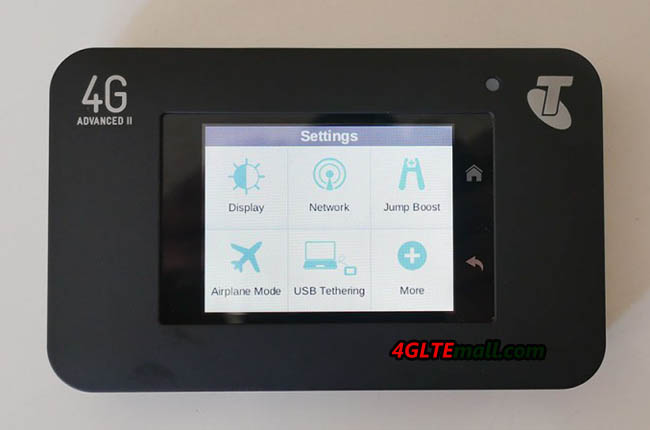
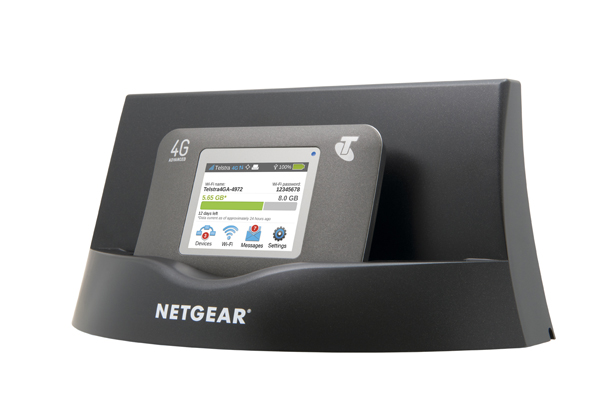
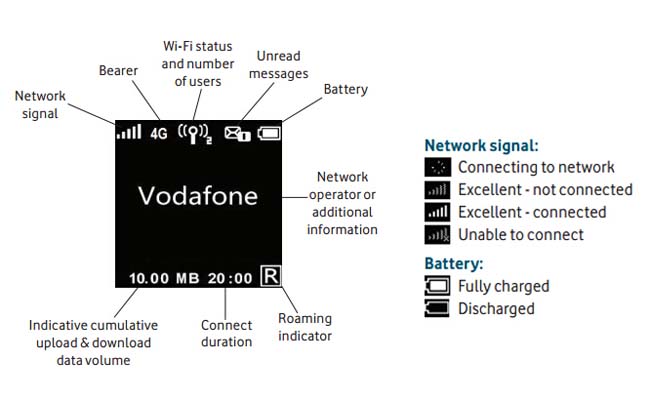
The power button is on the top side of the body, and the microSD card slot is beside the power button. Once you have inserted the MicroSIM and its battery, and closed the door on the back, you can start the device using the power button on the top.  The color display on the front provides all the key information such as network operator, SSID and wifi code, battery status, data used and signal strength etc.
Aircard AC785S Technical Features

To setup the Aircard 785s, no other devices are required. All essential settings can be done directly on the display and the buttons on the top side. Up to 15 devices can be simultaneously connected via Wi-Fi with the AC785s. The wireless password is displayed on the screen. If you want to make additional settings on the device or want to see information, Netgear has developed a very good app for Android and iOS; almost all possible settings can be made with the APP. You can also access to the router via a web interface in the PC browser.
 

Netgear AC785S could support LTE, UMTS and GSM networks. With the LTE Category 4 technology, Aircard 785s could reach peak download speed to 150Mbps and upload speed to 50mbps. It can work well on the LTE-FDD Frequency bands around 800/850/900/1800/2100/2600MHz and TD-LTE band 2600MHz. This feature makes the AC785S could roam all over the world, but it’s not suitable for North America. On the UMTS network, the data speed could reach up to 42Mbps and upload speed to 5.76Mbps.


Netgear AC785S External Antenna

If you want the Netgear 785s works better in rural areas with weak signal, the external antenna may be necessary. You need buy 4G Antenna with two Ts-9 connectors. The antenna is now available on 4gltemall.com . The antenna could support MIMO technology which improves the data transfer rates.


Vodafone R226 LTE Cat6 Mobile WiFi Hotspot

We are not sure whether LTE Category 6 technology is already applied in Vodafone 4G LTE networks, but we are glad to find that the latest 4G LTE Category 6 mobile hotspot is available for Vodafone plan. The model number is Vodafone R226.

The Vodafone R226 is upgraded from the predecessor Vodafone R215, which is with LTE Category 4 technology. The R215 could reach peak download speed to 150Mbps and upload speed to 50Mbps. R226 hotspot is much more powerful than R215. The downlink speed of R226 could reach 300Mbps and uplink speed to 50Mbps. The link speed is double of the speed on R215.


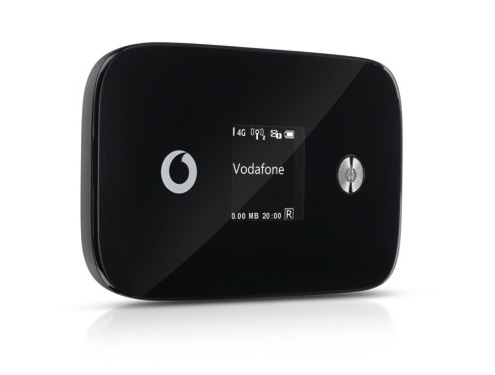
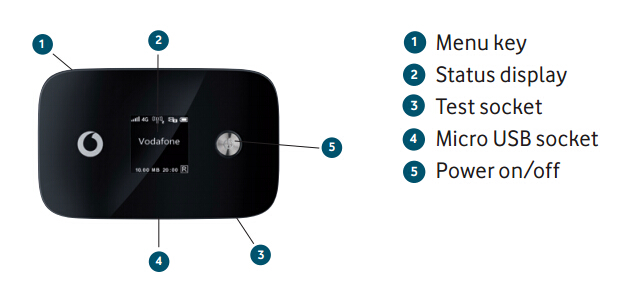
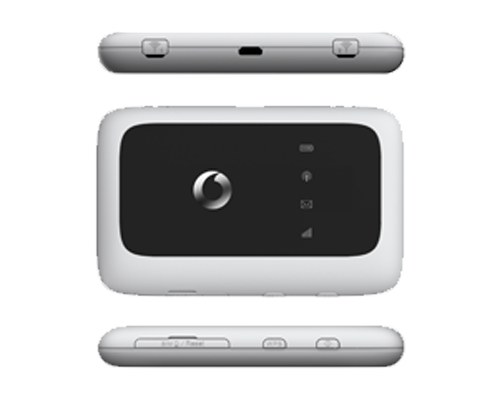
The appearance of R226 is somewhat like R215, the power button and logo are both besides the LCD screen. They both have two external antenna connectors. The antenna connectors of R226 are covered by a cap while the two antenna connectors of R215 are at the bottom side, but separately. The connectors are for LTE Mimo antenna.


Vodafone R226 has much larger power capacity than R215; the capacity is 3000mAh, which could support up to 10 continuous working time. What’s more, the R226 could provide the power charge to other electronics such as smartphones, Pads etc… Just like R215, R226 could also help up to 10 wireless devices to access internet. They provide the wireless network in the 2.4GHz and 5GHz bands. They both could be managed by Vodafone Mobile Wi-Fi smartphone app.

Vodafone R226

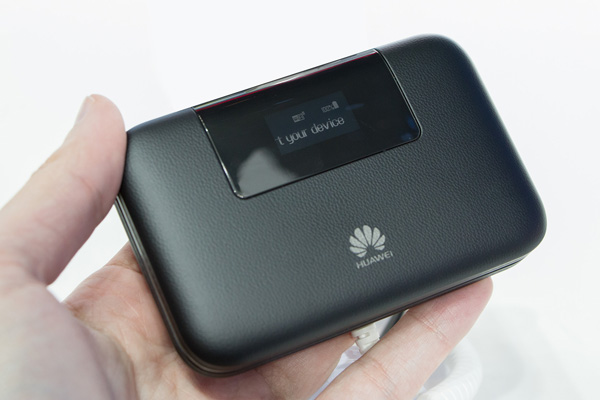
As we know, Vodafone R215 comes from the factory model Huawei E5372. This time, Vodafone R226 also comes from Huawei, the factory model is the latest and hottest Huawei E5786 mobile hotspot.  Vodafone customized the logo and firmware, then it becomes R226.


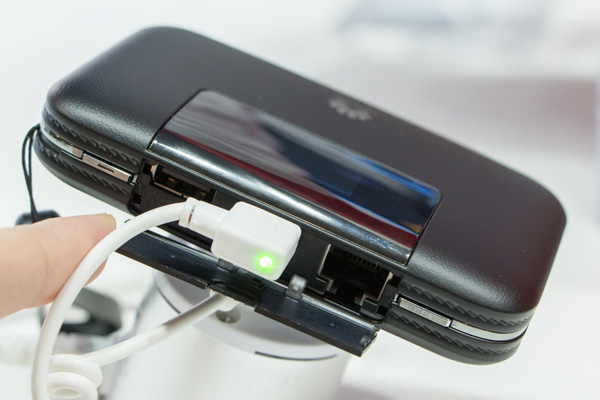
On one side, there is a Micro USB connector, user can recharge the Vodafone R226 battery, but the battery of R226 is unremovable, so users have to recharge it after it power off. The Micro-SIM and Micro SD card are also at the side of Vodafone R226.


Vodafone R226 is the first LTE category 6 mobile WiFi hotspot. In this year, Vodafone already released the first LTE Category 6 wireless router named B4000. As we know, the peak download speed on Vodafone 4G network could reach 225Mbps now. But we suppose Vodafone will upgrade the network in 2015 spring. The R226 will show its best performance at due time.


Huawei Prime E5878 4G Mobile WiFi Review

Huawei is always the leaders for wireless terminals. And the most popular and well-known products are Huawei E5 pocket WiFi. Around the end of 2014, we get to know a new mobile WiFi hotspot named Huawei Prime E5878(also named Huawei E5878).

Huawei E5878 Image

This new 4GLTE pocket WiFi was already available for UK network operator EE. The model is Huawei E5878s-32. When we first look at the Huawei Prime, we thought it’s a slim mobile phone because it’s really very thin that looks like a small size iPhone. After we read the specifications, we know this is a new wireless hotspot.


Different from other Huawei Mobile WiFi, Huawei Prime E5878 has better craftsmanship, which makes very attractive. The slim size makes it perfect to take outdoors and in pockets. There is a LED screen which will show the connected network operator, WiFi SSID and password, battery status, connected user numbers, online login address and the used data statistics.

HUAWEI Prime E5878 Screen


We cannot find the port for external antenna in the Huawei E5878. This feature ensures the thickness of this smart hotspot. But we feel worried if users connect it in rural areas. Currently, most users prefer to connect an external antenna to the mobile hotspot so as to have better signal and stable data transmission.

Huawei E5878 SIM Slot

What amazing is we found the design of Huawei Prime is special than its predecessors. The SIM card is in Nano size which has to be put in a SIM slot and insert to the body. This feature just learnt from Apple iPhone. We think this is good because it can stabilize the performance when connecting wireless network.


The battery in the Huawei Prime is rechargeable but unremoveable. It’s a pity that the battery capacity is only 1900mAh, which can support only 4-5 working hours. Most users want the 4G hotspots to have large capacity so that their mobile phones or Pads can get better battery support.


Now the shop 4GLTEMALL.COM can supply unlocked Huawei Prime E5878, if you want to change your data plan or roam to other countries in Europe, Huawei E5878 would be a good option because the unlocked on could work with Vodafone, Orange, Tenelor, Testra and other network operators in Asia and Middle East.


Netgear Aircard 762s 4G Mobile Hotspot

After we had introduced the Vodafone R215 4G Mobile Hotspot, Netgear brings another very similar LTE router on the German market. Visually, both devices are very similar, but in terms of the features and the price-performance ratio, there are different. Below you will find all the key data and information.


Features and characteristics of Netgear Aircard 762S
Manufacturer and Model Number Netgear 762S AirCard
Download rate Up to 100 MBit/s
Upload rate Up to 50 MBit/s
Supported LTE Bands: LTE on 800, 1800, 2100 und 2600 MHz
Backward compatible Standards HSPA+, HSUPA, UMTS on 850, 900 und 2100 MHzEDGE, GPRS (2G) 850/900/1800/1900MHz
MIMO Support: Yes, 2×2 MIMO
Connector for external antenna Yes, two TS-9 socket(Buy Netgear Aircard 762s Antenna )
Category: LTE Modem to Category 3 (CAT3)
Network | LAN & WLAN
LAN Ports No, only wireless
WLAN Standards WLAN 802.11b/g/n
5 GHz WLAN support no
Encoding WEP, WPA/WPA2
USB 1x USB 2.0
integrated battery unknown – running time approximately 6 hours
Dimensions (H | B | T) and weight 97.5 x 57 x 15.2 mm and 100 Gramm
Information material
Manual unfortunately not yet available online
Datasheet PDF Download from netgear wireless
Available at: Since November 2013


Also, the Netgear AC762S is designed for mobile use. When traveling, you can get all the family members with few handles access to the Internet. Here, only a SIM card with high speed contract must be inserted in the device. Another application would be to use in the mobile office. Employees or customers can optionally access via WLAN grant. The integrated Hotspot allows for up to 10 devices at the same time.


The integrated modem supports LTE 4G tariffs of up to 100 Mbits per second. While this is perfectly adequate, but Vodafone R215 (or Huawei E5372) offers even LTE Category 4 (up to 150 Mbps) in direct comparison. AC762S supports the 4G bands on 800/1800/2100 and 2600 MHz. In addition, the AC762S backwards compatible with 3G (HSPA, HSPA+ and DC-HSPA+) and 2G. Unfortunately, WLAN with the latest AC standard is not supported. Instead, the common minimum configuration for 802.11 to b/g and n at 2.4 GHz offered. On the bottom there are two TS-9 ports for connecting an external antenna and a USB 2.0 connector. In the router, MicroSD up to 32 GB of memory can be inserted.


LCD-Display

The LCD display on the front, provides an overview of all important data for connection such as the reception strength, the wireless standard currently in use, the power consumed in the session volume and the online time. Furthermore, the user can read the battery level and define the basic settings in the menu.


Easy installation

Like huawei R215, the installation and commissioning of AC762s router is a breeze. After the SIM card is inserted and the power switch is pressed, it can almost go. A software that is not necessary to install, as is common with most surf sticks. All configurations can be done easily via the browser. As an option, WPS-compatible devices can bring into your own network with a push of a button. Another similar feature for Vodafone R215 is that Netgear offers an app for Android or iOS, where use also read all the key data and settings can be made.


Since Netgear AC762S is a SIM free device, the router works with all European mobile providers. The R215 is in less price for around 30 € currently and offers better performance. To read more about Vodafone R215, you can check here about the review.


Vodafone K5150 4G LTE Cat4 USB Stick Review

The Vodafone K5150 LTE-Stick is available since August 2013, and allows for download speeds up to 150 megabits per second over the LTE mobile network. For this, the surf stick uses the Category 4 LTE technology, which was introduced LTE2600 in Vodafone network at the same time with the modem in the summer of 2013. You will learn more details on the new high-end Vodafone stick in the following overview.

LTE features and characteristics of  Vodafone K5150
Manufacturer and factory model Huawei E3276
Download rate to 150 Mbit/s
Upload rate to 50 Mbit/s
Supported LTE bands LTE800, LTE1800, LTE 2600
Backward compatible with: DC-HSPA+, UMTS, GSM frequencies (850, 900, 1800 and 1900 MHz)
MIMO Support: MIMO 2×2
Connector for external antenna yes; 2 antenna sockets, type TS-9 available (Buy Vodafone K5150 Antenna)
Chipset: HiSilicon Balong 710
LTE category: LTE modem, the category 4 (CAT4)
Others
Dimensions 33.4 x 95.5 x 14.0 mm (35 grams)
USB standard USB 2.0
Memory card expansion yes; MicroSD up to 32 GB
Compatible Operating Systems Windows XP, Windows Vista, Windows 7 & 8, Mac OS (10.4 or higher)

The design of the K5150 is in red and white combination of the Vodafone colors, so both the hardware and software are branded for Vodafone. A sim or netlock does not exist, so there is no problem for operation with cards from other operators compatible.


Technical Specifications

The USB port on the Vodafone K5150 is protected by a red plastic cap and cannot be folded or recessed into the modem. So if there is limited space around your PC, it would be sometimes quite annoying to plug the modem. The brother model Vodafone K5007 features a rotatable USB, which is more user-friendly. Technically, the K5150 is part of the upper class: LTE with up to 150 Mbit/s downstream and 50 Mbit/s in upload, provided that the mobile network and the tariff also allow such high speeds.


The usable frequency ranges of 800, 1800, 2100 and 2600 megahertz cover all previously used in Germany LTE frequencies. And the modem is also usable abroad. Of course, 2G GPRS/EDGE and 3G UMTS are supported, so you can even use the internet where there is no LTE network available. In the UMTS network, data accelerator DC-HSPA+ is used to produce up to 42.2 Mbit/s download and to 5.76 Mbit/s upload. The usable frequency bands are limited here to 900/2100 MHz.

Connections and extensions


On the side of the Vodafone K5150, Two ports for an external antenna are available, and there is a slot for MicroSD type memory cards, using which one can use the modem as a storage medium. Up to 32 GB can be upgraded. The software supports all major operating systems like Windows XP, Windows 7, and 8 as well as Mac OS X and provides a good overview of the important information such as the data usage and the reception strength.


Availability

The stick is available from Vodafone Germany. There is unlocked Vodafone K5150 available on 4gltemall.com without any contract. Without contract, users can use K5150 with almost all the 4G operators in Europe. It’s a good device to take when you travel around. The Vodafone K5007 stick, which are similar to the technical data here, but additionally feature a swiveling USB port.


Vodafone B4000 LTE-Advanced Router Available in Portugal

Portugal is the first country where the new Vodafone B4000 LTE-Advanced Router is available. Since mid-June you can purchase your new router there, either without contract or with a mobile phone contract. And we can see there are many shops selling unlocked Vodafone B4000 without any contract. If you don’t want to be tied with the network operators, you can consider this unlocked one. The Vodafone B4000 router is manufactured by Huawei and there carries the model name of Huawei E5186. It is the world’s first LTE router for LTE-Advanced (LTE category 6), depending on the tariff and network, up to 300 megabits per second in the downlink can be achieved.


The Vodafone B4000 LTE-Advanced Router will be available over the summer in Germany with Vodafone, we could look at the device 2014 at the CeBIT already precisely. The factory model Huawei E5186 is already available on the market without operators’ logo and customization, it would be great for those who don’t need the operators’ contract. User can buy Huawei E5186 as alternative.


LTE with up to 300 MBit/s downlink
It is the first time the carrier aggregation technology can be bundled support on LTE Category 6, with the various frequency bands. So you can reach up to 300 megabits per second in the downlink in a first stage with 2 × 2 MIMO antenna technology, uploads of up to 50 Mbit/s are as previously possible. The downlink of a doubling of speed compared to LTE Category 4 speed cannot automatically be used from any vendor supporting LTE Category 6: it is expected in Germany “only” 225 Mbit/s to apply on Vodafone, while Vodafone Portugal support up to 300 MBit/s.


WLAN ac and Gigabit Ethernet
The Vodafone B4000 or the Huawei E5186 installed the new WLAN ac for the first time in a cellular router as standard. Assuming a corresponding terminal to LTE category 6 may as well use full wireless speed. But not only the radio interface has been optimized, and the Ethernet ports on the back of Vodafone B4000 are much faster than in previous devices Vodafone B2000 and Vodafone B3000. They now offer speeds of up to 1 Gbit/s.
Vodafone has already demonstrated LTE-Advanced in live operation at the CeBIT 2014. Press representatives could see speeds well in excess of 200 Mbit/s. according to a statement, Vodafone plans from March, the introduction of LTE-Advanced category 6 for the summer of 2014. with a start to the IFA technology, trade show in early September is considered highly probable in Berlin. Here many new products, services and technologies were launched in previous years.

Huawei E3272 4G USB Stick Review

After Huawei E3276, Huawei offers a new model called E3272 for its LTE Stick series. Of course, the model supports LTE Category 4 (up to 150 Mbps) and this is the key feature for this new model. We show more details of E3272 below and reveal whether the acquisition of the mobile travel companion is worthy.

LTE features and characteristics of Huawei E3272

Manufacturer and model number Huawei E3272
Download rate Up to 150 MBit/s
Upload rate Up to 50 MBit/s
Supported LTE bands LTE800; LTE900; LTE1800; LTE2100; LTE 2600
( Band 1/3/7/8/20)
Backward compatible with: DC-HSPA+, UMTS, GSM-Frequency (850, 900, 1800 and 1900 MHz)
MIMO Support: MIMO 2×2
Connector for external antenna yes; 2 antenna connectors type CRC-9 available
LTE Category: LTE Modem to Category 4 (CAT4)
Chipset HiSilicon Balong 710 (V7R1)
Others
Dimensions (LxWxH) 93.3 mm x 30 mm x 13,3 mm; 35 Gramm
USB-Standard USB 2.0
Memory card expansion yes; With 32 GB MicroSD
Compatible Operating Systems Windows XP, Windows Vista, Windows 7+8, Mac OS (above 10.4)


Huawei unveiled the device for more than one year; it is easy to find shop online for Huawei E3272. Now it’s already available for many European operators.


From the appearance, we can see huawei E3272 is not similar to E3276, which has a rotatable USB, while E3272 is a compact USB. Users should not be blinded by the lower model number after the “E”. For Huawei means, confusingly, higher is not always new. User might think that the technology department rolls this out for the marketing department.

The most important is that we can benefit from Huawei sticks. Huawei E3272 supports the frequencies 800, 900, 1800, 2100 and 2600 MHz – hence the E3272 could work with all major providers in Europe areas. With unlocked Huawei E3272, user can travel to Middle East and Asia. As already indicated, the LTE modem is compatible with LTE Category 4, which can be achieved download speeds of up to 150 Mbps and upload speed up to 50 Mbps. In addition, the Huawei E3272 is backward with all relevant previous mobile radio standards (3G/2G). If located not at LTE coverage area, your device automatically switches to the next best technology, such as UMTS or HSDPA.


A key difference for E3272 and E3276 is the built-chipset. Here Huawei E3272 relies on a HiSilicon Balong 710 (V7R1). Also new is a “HiLink” mentioned technology, which we introduce the following short.


“HiLink” hides an innovation from Huawei, which aims to accelerate the start-up and thus to connect to the Internet enormously. After plugging in, as promised by the manufacturer, Configuration shall be unnecessary and it is online only 15 seconds. 15 seconds is for driver auto installation, setup, and connection! This is a small revolution in fact. Our editorial team has already taken several tests with various sticks, such as ZTE, in the past. Some devices need only  install the software for up to 15 minutes, followed by complex configuration and excruciatingly long load times if necessary. Now it is finally turned to the Web Interface. This means installing extra software is no longer necessary – the operation easily handled via the browser, so as the Huawei E3272. However, “HiLink” is not a novelty from the E3272. Various predecessors already had the feature.


One criticism, however, is still there. While many other models of Huawei have a swiveling USB port, which proved to be user-friendly, but Huawei E3272 is unfortunately missing this feature. When used in conjunction with a laptop, user has to connect the E3272 via USB extension cable.


The E3272 is a rock solid LTE stick, which is technically on the amount of time. Those who does not need a Wi-Fi hotspot, can safely access via E3272. The relatively low price convinced. Significant innovations and improvements are attractive.


ZTE MF93E 4G LTE Mobile Hotspot Review

Following Huawei E5776, the candidates ZTE has a new 4G mobile hotspot now with LTE support and colorful screen on offer – ZTE MF93E. We have all the key data summarized for you and show you where advantages and disadvantages are similar to Huawei models and whether the purchase worthwhile.


LTE features and characteristics of ZTE MF93E
Manufacturer and model number ZTE MF93E
Download rate up to 100 MBit/s
Upload rate up to 50 MBit/s
Supported LTE bands LTE 1.8, 2.6 GHz (FDD) & 2.3, 2.6 GHz (TDD)
Backward compatible with: DC-HSPA+ / HSPA+ / UMTS / EDGE / GSM / GPRS
Support LTE-Advanced no
MIMO Support: MIMO 2×2
Connector for external antenna yes; 2 antenna sockets, type TS-9 available (buy ZTE MF93E antenna)
LTE Category: LTE Modem to Category 3 (CAT3)
Chipset Qualcomm MDM9215
Others
Dimensions (LxWxH) 107 mm x 61 mm x 16 mm and 105 Gramm
USB-Standard USB 2.0
Memory card expansion yes; With 32 GB MicroSD
Battery capacity 2800 mAh,  10 hours
Compatible Operating Systems Windows XP, Windows Vista, Windows 7+8, Mac OS (above 10.4)
Release March 2014
Availability on www.4gltemall.com
Handbuch PDF unfortunately not yet available online


ZTE MF93E is a so-called “mobile hotspot” router. This type of device looks like space-saving mobile phone in pocket size, but they would provide just wireless network with router function. So users can go outside not just with one terminal, actually , in this case, up to 10 wireless devices could be taken if there is ZTE MF93E in hand.


Technical data


The ZTE MF93E supports LTE category 3 at 1800 & 2600 MHz (FDD mode), and 2300 & 2600 in the TDD modulation mode. The latter, however, is largely prevalent in Asia. The LTE band 800 MHz is not covered, which means some insignificant shortcoming in certain area and countries. LTE Category 3 allowed data rates of up to 100 Mbps for downstream and 50 Mbps for upstream. In addition, however, the router can also access major 3G and 2G standards to the Internet, such as UMTS, HSPA+, EDGE or GSM.


The WLAN module is working on 802.11b/g/n, so that internal networking data rates of up to 150 Mbps can be achieved. This is not necessarily “often state the art”, but at least functional. After all, this is not self-evident; the operation in the dual band of 2.4 GHz and 5 GHz is possible. In addition, there are two TS-9 ports located on the bottom for connecting an external antenna to the receiving optimization. ZTE MF93E has a battery of quite handsome capacity of 2800 mAh, which should be sufficient for 9-10 hours operating time. Of course, the user can also operate on AC power, provided a power source is present.


Display

On the front, ZTE MF93E has built a color information display. This is partly for control and also displays any relevant connection status, such as the radio standard used or surfing data volume during the online session.


There is no doubt that ZTE MF93E is a very visually attractive device. Since the release time is too long ago in the first quarter of 2014, there are no technically new similar models for competition. The MF93E is most likely comparable with Huawei E589, which has similar specifications, but not all.


In conclusion, ZTE MF93E satisfies the LTE category 3, and supports the maximum speed to 100Mbps, which is good enough for normal use under good network condition. Also the battery is good enough with 3000 mAh capacity. But if you want LTE category 4 mobile WiFi, the best alternative would be the Huawei E5372, which is already offering LTE Category 4 and connection speed reach up to 150mbps. Whether you think ZTE MF93E is suitable for you or not, you must make your own decision if you a real good 4G pocket MiFi.


Huawei E5372 4G LTE MiFi

Huawei E5372 was supposed to be the best LTE MiFi Router since 2013. Because E5372 MiFi is characterized by the support of almost all currently popular mobile radio standards, and has excellent mobility characteristics, thus Huawei E5372 is ideally suited for travel. We have found the following the most important features of E5372, along with the test report.

Features and characteristics of Huawei E5372

Manufacturer and model number Huawei E5372
Download rate Up to 150 MBit/s
Upload rate bis Up to 50 MBit/s
Supported LTE Bands: LTE Band 800, 900, 1800, 2100 and 2600 MHz
Backup compatible Standards HSPA+, HSUPA, UMTS 850, 900 and 2100 MHz;EDGE, GPRS (2G) 850/900/1800/1900MHz
MIMO Support: Yes, 2×2
Connector for external antenna Yes, two TS-9 connector (Buy Huawei E5372 Antenna)
Category: LTE Modem to Category 4 (CAT4)
Network | LAN & WLAN
LAN Ports No, only wireless
WLAN Standards WLAN 802.11b/g/n
5 GHz WLAN support Yes
Encoding WEP, WPA/WPA2
USB 1x USB 2.0
Integrated battery about 1750mAh (duration about 5-6 hours)
Dimensions (H | B | T) and weight 99 x 62 x 14.4 mm and 130 Gramm
Information material
Test Report Huawei E5372 Test Report
Review Huawei E5372 Review (of identical R215)
Available at: On www.4gltemall.com


Technology


On Huawei E5372, there is virtually nothing to be desired. It has not only mastered LTE in the popular category 3 but also supports the closest modern variant CAT4. This means that download rates can be reach as far as 100 Mbit/s, even 150 Mbit/s. The E5372 Router can be used virtually with all LTE providers in European countries, as the bands are supported at 800,900, 1800, 2100 and 2600 MHz. It’s a pity that Huawei E5372 can’t be used with 4G networks in United States. But the device offers backward compatibility to all relevant 3G and 2G standards. So the 3G DC-HSDPA+ is supported. Under poor reception conditions, an external antenna can be connected. On the bottom there are two slots for the type TS-9 antenna.

In the Wi-Fi range, up to 10 users can be connected via hotspot on the Huawei E5372. Configuration is done via a menu in the web browser. The installation of special software is therefore not necessary. The integrated battery is characterized by a capacity of 1780 mAh, which should be enough for an operating time of 6 hours according to the manufacturer. If user operates the router using the USB cable to the laptop or PC, the power supply is continuous.


And user can also control the device via app. For Apple devices, a special free version called “Mobile WiFi App” is available. Important information, such as signal strength, connection time and data volume consumed, displayed in a small front panel.


Huawei E5786 4G LTE Cat6 Mobile Hotspot Review

Huawei E5786 will be the first CAT6 router in the world, at least it is till now. In the summer of 2014, the model could come on the market. Let’s have a look which key data of the Mobile Hotspot will provide and whether the acquisition could be worthwhile.

LTE features and characteristics of Huawei E5786

Manufacturer and model number Huawei E5786 Mobile Wi-Fi
Download rate Up to 300 MBit/s
Upload rate Up to 50 MBit/s
Supported LTE Bands 800, 1800, 2100, 2600 MHz
Backwards compatible with LTE CAT 3&4, DC-HSPA+, HSPA+, HSDPA, UMTS, EDGE, GPRS, GSM
Support LTE-Advanced Yes
MIMO Support: MIMO 2×2
Connector for external antenna yes; 2 antenna sockets, type TS-9 (Buy Huawei E5786 Antenna)
LTE Category LTE Modem to Category 6 (CAT6)
Chipset Hisilicon | HPM Coretx A9 processor
WLAN Standards 802.11 a/b/g/n/ac
WLAN hotspot Function yes – WiFi connection for up to 10 devices
Others
Dimensions (WxHxD) 106 x 66 x 15.9 mm and 155 Gramm
USB-Standard USB 2.0
Memory card expansion Yes; With 32 GB MicroSD
Compatible Operating Systems Windows XP, Windows Vista, Windows 7+8, Mac OS (ab 10.4)
Release Summer or fall 2014
User manual Not yet available


Who will be first?


In February 2014 at the Mobile World Congress, the Chinese manufacturer Huawei announced the world’s first Mifi router for LTE-Advanced, model number is E5786. Whether it is also the first mobile router available with support for LTE CAT6, is still open. The rival ZTE has a similar device, the “ZTE Flare“in the pipeline. This seems has higher quality than the counterpart of Huawei. To seem more details between them, click here.


LTE-Advanced Router


As already indicated, the E5786 is the first LTE-Advanced router for Category 6 (CAT6 supported). The current LTE networks in Europe meet Category 3 and 4 (CAT 3/4), after the release 8 In the summer, may operators are trying to upgrade the network to the next generation, which promises 300 Mbits/s in the download. In practice, the speed is still in doubt under the current level. However, these data rates will initially be available only in select cities and probably rarely achieved in practice. Definitely, it would need new devices supporting CAT6 to receive LTE-Advanced. Huawei and ZTE will provide all possibility at the first devices.


Mobile CAT6 WLAN Router


The mini router E5786 supports LTE on nearly all common bands, for example, 800, 1800, 2100 and 2600 MHz. Of course, Huawei E5786 dominated Carrier aggregation and thus can achieve up to 300 Mbit/s down and 50 Mbps upload rate. Huawei E5786 can also support earlier LTE-categories, as well as 3G and 2G wireless standards. The display is unfortunately still not monochrome and colored, which are already offered by ZTE flare. In mobile communications, smart Huawei relies on Hisilicon with a HPM Cortex 9 processor. On the other hand, ZTE flare is with a modern block Qualcomm Gobi 9 × 30 Chipset in ultrathin 20nm technology. It is quite possible that here ZTE flare will have more follower.


Users must login to set up the E5786 Wi-Fi hotspot, where up to 10 other devices could be connected. And over all common WLAN standards (802.11 a / b / g / n / ac) are supported. Data are exchanged internally with up to 300 MBit/s via WLAN AC. The operation is running in dual band either on 2.4 or 5 GHz.


There are some negative features, such as the battery is not replaceable. The capacity is 3000 mAh, practically high standard. This capacity to create 10 hours of online work is possible or 500 hours standby. The power could be the “Power Reserve” for other devices (such as smartphones) in an emergency.


As usual, Huawei E5786 operates via the browser, you can integrate smartphones into the network in the shortest time, which greatly simplifies the setup. In addition, Huawei offered special app can monitor and configure the wireless network. The interface also provides information such as the used traffic and provides the wireless data rate. What’s more, the connectors for external antennas and a micro-SD slot, can also be found as usual.