1 & 1 LTE Mobile Stick – ZTE MF823

Since summer of 2014, 1&1 also has its tariffs for mobile surfing via LTE. The basis for this is a more compatible LTE surf stick. The model number is ZTE MF823. This can be ordered as an option to new contracts. We show the features and specifications about 1 & 1 LTE Stick.

LTE Feature and Specifications of the 1 & 1 LTE sticks

Manufacturer and model

ZTE MF823

Download rate

Up to 100 MBit/s

Upload rate

Up to 50 MBit/s

Compatible LTE Bands

LTE 800, 900, 1800 and 2600 MHz

Backward compatible with:

DC-HSPA+, UMTS, EDGE, GPRS

MIMO Support:

MIMO 2×2

Connector for external antenna

Yes; 2 aerial socket type TS-9 available(Buy ZTE MF823 Antenna)

LTE Category:

LTE modem category 3 (3GPP Release 8)

Chipset

Qualcomm

Others

Dimensions

90 mm x 28.4 mm x 13 mm

USB standard

USB 2.0

Memory card expansion

Yes; MicroSD up to 32 GB

Compatible Operating Systems

Windows XP, Windows Vista, Windows 7, Mac OS (from 10.4)

Availability

www.4gltemall.com


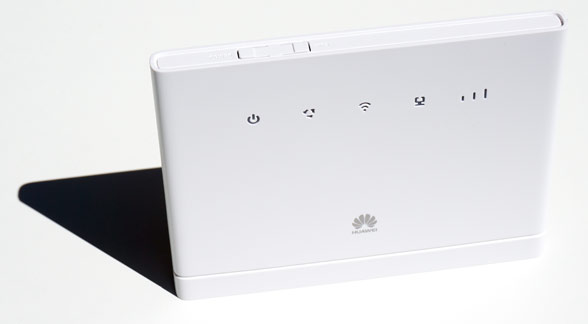
While Telekom and Vodafone mostly rely on products from Huawei, ZTE cooperates with 1 & 1. Behind the 1 & 1 LTE stick, it hides the model number ZTE MF823. In addition, 1 & 1 offers a mobile 4G Router (MF910) at flat rates in connection with his laptop. The LTE Stick is with a non-branded, white version with ZTE logo.


Technical characteristics

1 & 1 LTE-Stick is a solid, typical middle class model. It supports LTE category 3 hardware, so that the downstream hypothetically to 100 Mbit/s could be achieved. For Notebook Flats that was good enough, as the rates offer only up to 50 MBit anyway. The device can communicate at 800, 900, 1800 and 2600 MHz by 4G. Since 1 & 1 only runs on 1.8 GHz, the MF823 stick could also work with other network partners such as Vodafone, O2, E-Plus etc.. But you must unlocked the 1&1 LTE stick. If there is no LTE reception locally, the drive switches to 3G or 2G standards, so that nevertheless could be surfed. If the signal is not good, over 2 sockets (TS-9) also can connect an antenna for improved reception.


Operation and Installation

The installation is quite simple. Like many modern sticks, the 1 & 1 LTE stick also comes now without installing an extra software. The operation and configuration takes place, easily accessible via the browser. After first plugging it starts once a setup. This installs the necessary drivers, as well as an icon on the desktop “4G Hostless Modem” applies. After a short time, it further launches a browser window with the ZTE logo. Until this process is completed, it passed no more than 30 seconds.


Conclusion

A for the 1 & 1 LTE offers quite suitable and uncomplicated stick for a small price. Simply plug in and start surfing – so it should be a good partner to surf internet. But if you prefer the original factory model, you could check the ZTE MF823 directly from www.4gltemall.com .


Speedbox mini II Router – Huawei E5786

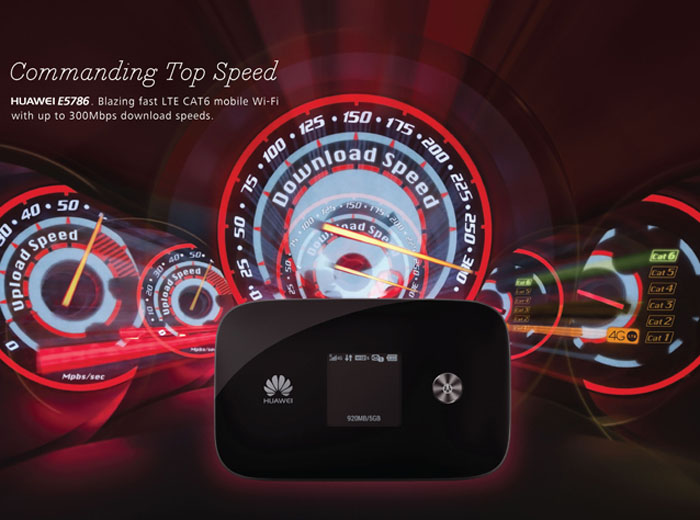
The Speedbox LTE mini II is a new portable router for Germany Telekom, which has great improvement from its predecessor especially at speed. Because the new router is based on LTE CAT6. This compact device can be used both for home use, as well as for the road. Here are the technical data at a glance.


Features and Specifications of the Speedbox Mini II

Manufacturer and model

Huawei E5786 Mobile Wi-Fi
Download rate Up to 300 MBit/s
Upload rate Up to 50 MBit/s
Compatible LTE Bands 800/850/900/1800/2100/2600MHz
backward compatible with LTE CAT 3 & 4, DC-HSPA+, HSPA+, HSDPA, UMTS, EDGE, GPRS, GSM
Support of LTE-Advanced Yes
MIMO Support: MIMO 2×2
Connector for external antenna Yes; 2 aerial socket type TS-9 available(Buy Speedbox Mini II Antenna)
LTE Category LTE modem of Category 6 (CAT6)
Chipset Hisilicon | HPM Coretx A9 processor
Wi-Fi standards 802.11 a/b/g/n/ac

Wireless Internet Hotspot

yes – for up to 10 devices
Others
battery 3000 mAh (up to 10h surfing time)
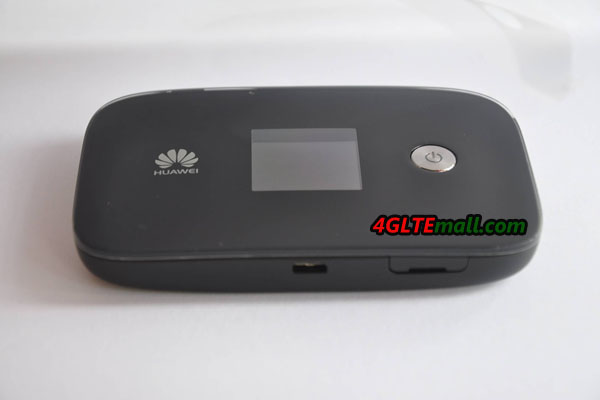
Dimensions (WxHxD) 106 x 66 x 15.9 mm at 145 grams
USB standard USB 2.0
Memory card expansion Yes; MicroSD up to 32 GB

Compatible Operating Systems

Windows XP SP3, Windows Vista, Windows 7 & 8, Mac OS (from 10.7)
available at www.4gltemall.com


In January 2013, Speedbox LTE mini came out. Again, a model was used as the previous model, which is based on a device from Huawei. The model number is Huawei E5786.

Highlights of Speedbox LTE mini II

Instead of LTE category 4 with the frequency bands 800/900/1800/2100/2600 MHz, the Speedbox LTE mini II is now with Category 6 and supports more bands with additional 4G at 850 MHz. Thanks to LTE CAT6, a maximum download rate of up to 300 Mbit/s is possible, which is twice the first Speedbox LTE mini. In addition to the normal Speedbox II, this is the first LTE-Advanced router available in Germany. The particularly fast standard 802.11ac allows here a data transfer of up to 433 Mbit/s, while the module sends on 2.4 GHz and 5.0 GHz.


The capacity of the battery was 3,000 mAh available. The dimensions remained almost the same as E5786, only the weight more slightly to 5 grams. The Speedbox Mini LTE is powered by a new chipset from Huawei HiSilicon, which comes along in 28-nanometer architecture Cortex-A9 architecture and allows the use of LTE CAT6. Furthermore, if the high-speed internet is not available,  you can also rely on HSPA (+) with up to 43.2 Mbit/s, and EDGE and GPRS are also supported.


Wireless Internet Hotspot


The small dimensions make the Mini-Router an ideal travel partner. At the same time, the device has a hotspot feature that allows up to 10 other terminals to access the Internet. It’s perfect to use it in apartments without power, or in the car etc.


Availability


The Speedbox LTE mini II can be ordered at Germany Telekom since mid-September 2014. At the Telekom, it will not only provides the network operator logo on the surface, a software-branding is also available. Thus for example, the wireless repeater function of the E5786 has been disabled.  If you know the difference between the Speedbox LTE Mini II with E5786, you many prefer the unbranded Huawei E5786 with full functions activated. Without any SIM lock, you can take the pocket WiFi anywhere!


TP-Link M7350 4G LTE Mobile Hotspot

The Chinese network specialist TP-Link presented a new model M7350 as new mobile hotspot with wireless support for up to 15 devices in the program. The router adopts LTE Cat4 and shows all the necessary information on its display. The TP-link M7350 is portable enough to take on the road to provide fast Internet reception.

Features and Specifications of TP-Link M7350

Manufacturer and Model:

TP-Link M7350

Chipset:

Qualcomm MDM9225

LTE Category:

CAT4

Download rate:

Up to 150 Mbit/s

Upload rate:

Up to 50 Mbit/s

Supported LTE bands:

800 MHz / 1800 MHz / 2600 MHz

Backward compatible with:

DC-HSPA+ / UMTS / GSM

Support of LTE-Advanced:

no

MIMO Support:

no

External antenna connector:

no

Telephone

With integrated telephone system:

no

Connector for ISDN telephones:

no

Connection for analog telephones:

no

DECT:

no

integrator answering machine:

no

Network | LAN & WLAN

LAN Ports:

no

WLAN Standards:

Wi-Fi 802.11a/b/g/n

5 GHz WLAN support:

Yes

Encryption:

WPA-PSK / WPA2-PSK

Wireless Internet Hotspot function:

Yes, for up to 15 devices

Others

Battery Capacity:

2,550 mAh, exchangeable

Dimensions:

106 x 66 x 16 mm

USB:

MicroUSB

Memory card expansion:

Yes, Micro SD up to 32GB

Release:

September 2014

available at:

www.4gltemall.com


Technical Features

With the TP-Link M7350, the user can dial in LTE networks of category 4 and thus achieves download speeds of up to 150 Mbit/s and 50 Mbit/s upstream. What’s more, the router is of course backwards compatible with 2G and 3G networks with a maximum of 42.2mbit/s with DC-HSPA+ and then HSDPA 7.2 Mbit/s. This also fits any SIM card because it contains even a card adapter for Micro-SIM and one for nano-SIM cards with the delivery of the router, in addition to micro-USB cable and power sup ply,.

TP-link M7350 Battery

Up to 15 devices can be connected

It’s a pity  that the TP-link M7350 has not the connection ports for external antennas to improve reception quality. In WLAN, the M7350 supports the 802.11 a/b/g/n on 5 GHz and 2.4GHz, and the faster WLAN ac with up to 300 Mbit/s download speed. Up to 15 devices could be connected to surf via the mobile hotspot on the Internet.

Informative display

Around just 11 x 7 centimeters of the mobile hotspot, it is pleasantly easy to handle and the screen shows sufficient information on its 1.4 inch TFT LCD display about the data volume, the Wi-Fi state, the number of connected devices, the network type (4G/3G/2G), the signal strength, the Internet connection status, incoming messages as well as the battery state of charge.

Access via the device or PC

Using the menu button of the TP-Link M7350, the user can change the network or also switched roaming rapidly and off on the road and have a look at the wireless password. Advanced access to all functions of the router could be done via the web interface of the device from the PC. An app to control does not exist unfortunately. Supported operating systems include Windows from XP, Mac OS, Android and iOS.

Practical SD card slot

The equipment of the M7350 also has a Micro-SD card reader, the card takes up to 32 GB capacity. Access to the card is done via a corresponding Explorer via iOS or Android, so you can share photos or music from the SD card on all connected devices.

TP-link M7350

Replaceable battery

The TP-Link M7350 battery provides decent 2550 mAh and is fortunately removable. According to the manufacturer, the battery will last through up to 10 hours surfing the LTE network. Charging the battery can be done via the included Micro-USB cable either on the PC or an adapter on the socket.


Availability

The mobile router TP-Link M7350 is available in black in various online stores such as www.4gltemall.com for free trade.


Conclusion

The new router from TP-Link M7350 scores with LTE Cat4, replaceable battery and SD card slot. If you need a pocket router with a connection for an external antenna as well as the operation via a smartphone app, TP-Link M7350 may not be a good option. You could choose other brand such as Huawei E5786 or Netear 782s. But except that, the TP-link is a good 4G router.


Netgear AirCard 790S 4G LTE Cat6 Mobile Hotspot

Netgear has introduced its newest member of the AirCard 790s to the router family. The Netgear AirCard 790S is the first mobile hotspot in Aircard 7X0s who supports the LTE Cat6 with up to 300 Mbit/s in the download. Actually, Netgear 790S is not the first LTE cat6 mobile hotspot because Huawei had presented the Huawei E5786, which is the first one.

Telstra WiFi 4G Advanced II screen


Technical Features


The AirCard 790s is equipped with a 2.4-inch, color LCD touch screen. The screen displays the network icon, signal strength, the network name, the wireless status, battery status or data usage. And the touch icons takes you to the Settings and other menu items. The router can also be configured on the PC or via an app on your smartphone or tablet and use. The AirCard app is available for iOS, Android and Kindle. Here you can retrieve all possible information.

Telstra WiFi 4G Advanced II antenna ports

LTE-Advanced with 300 Mbit/s


The AirCard 790S Netgear supports LTE Category 6, backward with both 2G and 3G networks, including DC-HSPA+. If you live in an area covered with LTE-A field and has a micro-SIM card with an appropriate data plan, using Carrier Aggregation, two 20 MHz bands are combined into a 40-MHz band in downlink, so as to allow download speeds of up to 300 Mbit/s. Carrier aggregation of 2 x LTE2600 is supported as well as the pooling of 2.600 and 1.800 MHz.

Telstra WiFi 4G Advanced II back logo

Additionally, the AirCard 790S also widespread in the US 700 MHz band used for LTE-A: The router is thus prepared. In upload, up to 50 Mbit/s are possible with the hotspot. If the wireless coverage at home or on the go too weak, user can connect two external antennas for 3G/4G to the router.


Features and characteristics of the AirCard 790S
Manufacturer and Model Number Netgear AirCard 790S
Chipset Qualcomm MDM9230
LTE Category CAT6
Download rate 300 Mbps
Upload rate 50 Mbps
Supported LTE Bands: 700 MHz / 1800 MHz / 2600 MHz
Backwards compatible with LTE CAT4 / DC-HSPA + / UMTS / GSM
Support from LTE-Advanced Yes
MIMO Support: 2×2
Connection for external antenna: Dual TS-9 for 4G / 3G
Telephone
With integrated telephone system No
Connection for ISDN phones: No
Connection for analogue phones: No
DECT: No
integrator answering machine: No
Network | LAN & WLAN
LAN ports: No
WLAN standards: WLAN 802.11 b/g/n/ac
5 GHz WLAN support: Yes
encryption: WPS, WEP, WPA, WPA2
WLAN hotspot function: yes, for up to 15 devices
Others
Battery pack: 2,930 mAh, changeable
Dimension: 110 x 68 x 15 mm
USB: Micro-USB 3.0
Memory card expansion: No
release: Nov-15
Price: about 229.00USD
available at: www.4gltemall.com
Documents download
Datasheet » Netgear AC790S Datasheet
Read review » Netgear Aircard 790s Review
Manual as PDF » Netgear Aircard 790s manual(PDF)

Supply 15 devices with fast Wi-Fi

The Netgear 790S supports the standard Wi-Fi ac on 2.4 and 5 GHz. As a hotspot, the router can support up to 15 devices with wireless Internet while other competing models supports maximum devices to 10 units. The network can be encrypted with WPA2, which is set by WPS. If you connect the router via USB 3.0 to a computer, it can be charged at the same time and provide the PC with high speed internet.

Telstra WiFi 4G Advanced II Aircard 790s battery

Strong and Replaceable Battery

Netgear has his latest AirCard model a strong power source: The battery has capacity of 2,930 mAh, which should be enough for up to 10 hours in operation and 350 hours in standby according to the manufacturer. The router can be charged via the included Micro-USB cable, the 790S also can be used as a charging station for a smartphone itself. The battery is fortunately interchangeable; Netgear offers optional at an even stronger battery with up to 16 hours of run time.


Availability

The AirCard 790S Netgear is available on www.4gltemall.com . And it’s the unlocked version, which means it can work well in North American, Asia and European countries.


Conclusion

The AirCard 790S Mobile Hotspot Netgear has a high-speed router at the start, which is not only fast, but also future-proof. LTE Cat6 and WLAN ac plus support for the 700 MHz band and supply of 15 devices with Wi-Fi, users do not have to provide a lot of competitors. What’s more, the 790S is quite handy and provides an informative color touch display. It’s a real practical and cool 4G pocket router!


Huawei Honor 7 4G LTE Dual SIM Smartphone Review

Last Friday Huawei has presented the latest smartphone for the European market in London: Huawei Honor 7. The equipment is with fingerprint sensor, metal enclosure, Full HD display and octa-core processor for a very good level. The unit also dual SIM capable and supports all relevant for LTE frequency ranges in Europe, making it once again apart from the competition. I could look at me the Honor 7 spot at the launch event and would like to describe to you my first experience with the device in this article.

Honor 7 in detail 
The Honor 7 is available in the colors white and gray. It will soon be available in the dealers,  but you will not get the phone from the network provider. The operating system is still quite current, the Android 5.0 3.1 surface comes together with Huawei EMUI used. In the first test, the software was smooth and quick, the games run smoothly on the honor 7 based on huawei HiSilicon Kirin 935 octa-core processor.

Honor 7 itself is with dimensions of 143.2 x 71.9 x 8.5 mm, this one has a pretty big 5.2-inch display with full HD resolution, which can display multimedia content well and ideal for photos and videos. The body material is made of metal, the screen is covered with Gorilla Glass. This affects the Honor 7 very valuable and can keep up the build quality better than much more expensive smartphones.


The Honor 7 provide the open version without SIM lock, and it is currently available on www.4gltemall.com . With a budget price, you can get a very well equipped smartphone that offers some features that are otherwise only known from the luxury class. One example is the integrated  sensor on the back, which can be used quickly and reliably to unlock the device. The cameras are very good for the price you wanted, they offer 20-megapixel (rear) and 8 Megapixel (Front cam). The internal memory is 16 gigabytes in size, an extension via microSD card is possible. The memory is 3 GB in size, multitasking is therefore likely to be without any problems and with many apps simultaneously.

Dual SIM with LTE
An absolute unique feature is the dual SIM function with LTE and simultaneous use of both SIM cards, which is not common in Europe. The first SIM card in GSM, UMTS and LTE network can be used during the second SIM card registered in the 2G network and at any time can be achieved. Many other devices you had to actively switch between the two SIM cards.

We has tested Huawei Honor 6 last year, this one should be the best seller in Huawei honor series smartphones. It performed well per the users’ feedback. Now the newer model honor 7 is available. We will see how Honor 7 will perform, but we are sure the honor 7 would be a new star!


Huawei E5770 Mobile WiFi Pro Review

Huawei new 4G Mobile WiFi hotspots always give great surprise to us. The new 4G pocket router Huawei E5770 Mobile WiFi Pro fills a gap in the extensive range of Huawei router: the unit combines a powerful LTE modem with a RJ-45 LAN port and a strong 5.200 mAh battery. In March 2015, the LTE mobile router was on the occasion of the Mobile World Congress presented in Barcelona, now the device is also available in many countries. With a small display on the front and a WiFi Extender function, the Huawei E5770 could register into existing wireless networks in order to use these as Internet access.

Appearance

The Huawei E5770 Mobile WiFi Pro comes in a turquoise cardboard box. In the package, there is a PSU with USB port, a microUSB charging cable and a Quick Start Guide and safety information. At first glance, the Huawei E5770 looks quite large with 200 grams, at least in comparison with other mobile LTE hotspots such as the Huawei E5377. This is mainly due to the exceptionally strong battery that is not replaceable by the way. The Huawei E5770 is manufactured in black or white and completely made of plastic. The following are the technical data in the overview:


Model Huawei E5770s-320
Product type LTE Mobile Hotspot with Ethernet port
Category LTE Cat.4
Chipset Hisilicon LTE Cat4 chipset
Data rates DL 150Mbps/UL 50Mbps
Supported 4G LTE frequency bands * LTE Band 1/3/5/7/8/20/38
WLAN 802.11 b/g/n, Single-band 2.4GHz
Max support users 11 users
MIMO N/A
Connector for external antenna No connector
Buy Antenna N/A
App management Huawei Hilink APP
SIM type Standard 6-Pin SIM
Battery Non-removable, 5200mAh
Dimensions 106.0 × 68.4 × 22.5 mm
Ethernet Port On port for WAN/LAN port(RJ-45)
Datasheet download Huawei E5770s-320 Datasheet
User Manual Huawei E5770 Manual
Other features Power bank
Firmware download Huawei E5770 Firmware
Drivers Huawei E5770 Driver
Price 229.00USD


Operation & Software

The operation of the Huawei E5770 is very simple. The SIM card must be plugged like an optional memory card under the removable rear panel. There you can find the activated WLAN password, and the address for the Web Interface and the password required for this. The SIM card is inserted together with the MicroSD card on the back. The operation and configuration via the web interface is quick and easily, both on desktop computers and on Tablet touchscreen. On the start screen, the consumed data volume and online time is displayed, on request you can have a look at detailed statistics or tariff limits deposit. It is also possible to receive and send SMS. Navigate to the tab “Settings”; you can set your machine accurately, about the wireless connection or the RJ45 Ethernet connection.

WLAN and Ethernet

The Huawei E5770 Mobile WiFi Pro offers three ways to access the Internet. First of course there’s the classic access via the mobile network so that up to 150 MBit/s accessible via LTE Cat4. Then you can also use the RJ45 Ethernet port as Internet access, which offers network connection at home, office or hotel. The third way to access the Internet is the so-called Wi-Fi Extender: the Huawei E5770 thus uses an existing wireless network to access internet.


All three types of access have worked well and without any problems in the test. Particularly interesting is the WiFi Extender function, because then it is also possible to connect multiple devices to a wireless network. As soon as the wireless network, the Huawei E5770 automatically switches from LTE to Wi-Fi access. Huawei E5770 could support up to 11 devices simultaneously. In LTE network, the Huawei E5770 Mobile WiFi Pro Router provides a good reception and many supported frequency ranges, so that it can also be used abroad in many countries. Huawei E5770 would support LTE Advanced Cat4 and the LTE modem Cat4 could achieve 140Mbit/s in the test. It’s a pity that it can’t support LTE CAT6, also disappointed that Huawei mobile WiFi Pro doesn’t have connections for an external antenna.

Battery and More

With the amazing 5,200 mAh strong battery, the Huawei E5770 Mobile WiFi may be used up to 20 hours per operating as a mobile LTE hotspot. The full-size USB port allows charging other devices such as smartphones or tablets. Through the output of 5V / 2A, the charging goes very quickly. The battery capacity is proudly advertised. But the battery can’t be removed. Finally, a little word to the display on the front of the Huawei E5770: this is definitely smaller than many other mobile wireless hotspots of Huawei, but it does the job properly and provides all important information such as data usage and battery status clearly. With a short press on the power button, you can see the wireless password in screen.

Conclusion: A perfect solution for Travel

The Huawei E5770 is a good mobile LTE router with two great unique features: it is the first device of its kind with RJ-45 LAN port and simultaneous support for LTE and it is one of the few devices, which simultaneously can also be used as a power bank for charging other devices. Overall, the router can convince definitely, besides the classic functions of the wireless Extender function should be emphasized. But there are three drawbacks: the missing of 5GHz WLAN and connections for an external antenna, and the feature of LTE Cat6 with 300 Mbit/s is not supported. Even though, the Huawei E5770 Mobile WiFi Pro is still a wonderful pocket WiFi router!

If you want the LTE cat6 mobile wifi, huawei E5786 may help you.

Huawei Mate S New 4G Smartphone Available

As a part of the IFA exhibition in Berlin, Huawei has unveiled a new smartphone today: Huawei Mate S. With its 5.5 inch display, Huawei CEO Richard Yu put it in direct competition with Apple iPhone 6 Plus. Compared to the successful competitor iPhone, it seems Huawei has much better do. The Mate S is called the flagship of flagship. The display is able to take screenshots with the knuckles and the fingerprint sensor on the back now supports gestures such as scrolling through picture galleries. The Mate S will soon be available on the market in September.


The Huawei Mate S was one of the first smartphones Huawei installed a display with AMOLED technology, in which the colors should be again better than with an IPS display. The resolution is 1920 x 1080 pixels, which is very well and should allow a good battery runtime with the 2,700 mAh battery. The display is slightly curved toward the sides, as you would already know from many other smartphones such as the HTC One XL or the Samsung Galaxy S6.  Huawei Mate S has a full metal body, like its predecessor Huawei mate 7. And the fingerprint reader may is reinstalled on the back. The camera of Huawei Mate S is also very good. The main camera is 13 mega pixels and front camera is 8 Mega pixels. It can meet most of the requirements in our life.


The operating system of the Huawei Mate S is in Android 5.1.1, the user interface is the already known EMUI from older Huawei smartphones. Thus, the device runs smoothly and even the most demanding applications can be started, Huawei has installed a current chipset: the HiSilicon Kirin 935. The integrated chipset processor has 8 cores with a clock speed of up to 2.2 GHz per core, with a maximum of 4 cores simultaneously active. The memory is 3 gigabytes. In addition to the processor and the modem in the chipset is integrated, this can support all current wireless standards to LTE Advanced category 6, thus speeds up to 300 Mbit/s in the downlink and 50 Mbit/s in the uplink are possible.

As a shinning feature, the Huawei Mate S introduced a new technology named “Force Touch”, which should be also available in iPhone 6S. Huawei Mate S presented the function before iPhone 6S. This function is help the smartphone to give response different application per the strength of the user touch the screen. This feature make the phone more smart and user-friendly. We will experience more in near future and show our test on this new phone.

Netgear AirCard AC785 LTE Mobile Hotspot

At the IFA in Berlin, Netgear has introduced the new AC785 LTE mobile hotspot (“MiFi Router”). The device looks very similar to its brother models, such as Netgear Aircard 782s and 781s, which can reach up to 150 MBit/s in downlink based on the LTE Category 4 technology. It has a long battery life of up to 10 hours and the ability to connect up to 15 devices via WLAN.


The Modem in the Netgear AC785 supports all major wireless standards, ranging from 2G over 3G to LTE. In the LTE network, the frequency bands are supported on 800/850/900/1800/2100/2600 MHz, the UMTS network can use in the region around 850 and 2100 megahertz. But in Europe, UMTS900 band is commonly used, which is not supported by the AC785 unfortunately.

The maximum speed in the LTE network is 150 Mbit/s for downlink and 50 Mbit/s in the uplink (LTE Cat4). In the UMTS network, up to 42.2Mbit/s in the downlink are possible with the data accelerator DC-HSPA+. Netgear AirCard 785 module operates wireless 802.11n in both the 2.4 GHz and 5 GHz band. A maximum of 15 devices can connect wirelessly with the AC785.


The Netgear AC785 has a color screen on the front, which displays important information such as the consumption data, battery status, operator name, the reception quality or the online time. And user can see the SSID and WiFi password on the screen. The exact capacity of the battery is not known, but according to Netgear, online time can last around about 10 hours in the LTE network.


The control of the Netgear AC785 takes place either in any browser or via a smartphone app. The AirCard app is available for Android or iOS. Netgear also offers to the docking station DC113A for the AC785 LTE mobile hotspot. This accessory allows not only the comfortable recharge the AC785 hotspot battery, but also offers a Gigabit LAN port to connect wired devices. Furthermore, there are two TS-9 connectors for external antennas available at the dock, so you can operate as a full-fledged DSL replacement with an external antenna to the AC785.


The Netgear Aircard AC785s will be available in European countries according to the manufacturer in September 2014. The docking station DC113A will be available during the fourth quarter. And we also get to know the new LTE Category 6 Netgear 790s will be also available. The new mobile hotspots are really interesting.

Huawei E5577C 4G Mobile Hotspot Review

We had the news about Huawei E5577 for a long time, and we are lucky to get one unit to test last week. The model number is Huawei E5577C. The E5577C is a very small and lightweight LTE MiFi Hotspot, and it looks like the Huawei E5377. The Huawei E5577C provides speeds of up to 150 Mbit/s in the downlink and 50 Mbit/s in the uplink, and it has a replaceable battery of 1500 mAh and has a display on the front to show connection information. The system can be operated via the browser or via an app on your smartphone or tablet.

Appearance
The Huawei E5577C comes in a small white cardboard box and is available in black or white. The battery is not loaded in the device but is separately together with a very short USB charging cable in the package. A power adapter for charging your battery is not supplied, in my opinion, it is also unnecessary because the USB cable can connect to the power adapter for your smartphones or tablets.

The Huawei E5577C is with dimensions of 96.8 x 58 x 13.5 millimeters and weighs 85 grams, which is a very compact and lightweight. This makes the device ideal fits naturally into your pocket, purse or backpack. All parts packed are good and the battery cover can be easily removed for inserting the battery, SIM card, and memory card.

Features Data
Manufacturer & Model: Huawei E5577C
Technologies: LTE (4G), UMTS (3G) GSM (2G)
Frequencies: * LTE FDD: 800/850/900/1800/2100/2600 MHz* UMTS: 850/900/1900/2100  Mhz* GSM: 850/900/1800/1900Mhz
Maximum speed: * LTE: 150 Mbit/s down, 50Mbit/s up* UMTS: 42.2 Mbit/s down, 5.76 Mbit/s up (when using DC-HSPA+)* GSM: 384 kbit/s (when using EDGE )
WIFI 802.11b/g/n to 300 Mbit/s, 2 × 2 MIMO, both the 2.4 GHz and 5 GHz, repeater mode
Software testing: Firmware Version: 21.200.05.00.00
Other: * MicroSD slot up to 32 GB

* 2x External antenna connector type TS-9  (Buy Huawei E5577 external antenna)

* Display 128 × 128 pixels

* Removable Battery 1500 mAh


Operation & Software
The configuration of the Huawei E5577C is very simple. Normally, everything is already done with the first launch and the router E5577C configures itself depending on the inserted SIM card. The wireless connection is encrypted from the factory, the password can be found in the battery bay or on the display. Unfortunately, it cannot hide from the display. Some functions, such as the choice of the wireless frequency band can be set directly on the E5577C using the menu button, the power button and the display. For other settings, you need to use the HiLink app for Android or iOS operating systems, or access to the web interface. To do this, you need just simply calls the browser’s address 192.168.8.1.

In the web interface, there are detailed statistics on the internet, you can send and receive SMS and you can share files and folders on the network when inserted MicroSD memory card. There is also a menu item to update the firmware. In the settings menu, there are several configuration options available for WLAN and network. Overall, the web interface of the E5577C is quite extensive and easy to operate!

Network Technology
Huawei E5577C supports LTE by category 4 with up to 150 MBit/s in the downlink and 50 Mbit/s in the uplink. Actually, LTE Cat4 is not the latest new technology. Here now there is LTE Category 6 mobile hotspot Huawei E5786 available. But new technology means user need pay more money to enjoy it. For most users, the LTE Cat4 modem in E5577C will provide sufficient speeds and in testing, it can achieve top speeds of up to 140 Mbit/s. In the UMTS network the data accelerator DC-HSPA+ is of course supported, so here theoretically up to 42.2 Mbit/s can be achieved in the downlink. In practice, you should reach the speed of no more than 32 Mbit/s.

Unfortunately, there is no way for the Huawei E5577C set to a specific network technology. The only option is the use of LTE-on and to turn off. Compared to several other mobile hotspots, this is a big disadvantage.

WLAN and battery
The Huawei E5577 supplies up to 10 devices simultaneously via WLAN with an Internet connection. Extra one unit can also be connected via USB, so the router can also be used on computers without a WLAN. The E5577C will support both 2.4 GHz wireless and the area around 5 GHz. However, the latest wireless standard AC is not integrated with Huawei E5577C. An interesting feature is a wireless repeater, referred to as Huawei WiFi Extender or WiFi Offload. Thus, the E5577C use an existing Internet connection via WLAN as access.

The battery can provide up to 6 hours operating time per the manufacturer instructions. If necessary, the battery can always be replaced, a great advantage to other mobile hotspots with a fixed battery.


Conclusion: Huawei E5577C
Overall, Huawei E5577C is a good mobile LTE hotspot. The equipment is light and the dimensions are pockets compatible. However, as a new 4g mobile hotspot, the price may be a little high as expected. If you want better power support, you can get a spare battery backup. Here now, there are Huawei E5377, E5377T, E5878 available from the same manufacturer.


If you want to know more Huawei Mobile WiFi hotspots, click here: https://www.4gltemall.com/4g-wireless-router/huawei-4g-lte-wifi-router.html


Alcatel One Touch Link Y858 Review

Following the leader Huawei, many vendors are trying to supply their new devices supporting LTE Category 4. Here now we get a new a small, mobile hotspot with LTE: Alcatel One Touch Link Y858. The Y858 has a fast LTE modem for speeds of up to 150 Mbit/s and up to 15 devices can access internet via Y858 simultaneously. The Alcatel Y858 has improved much on the performance and we will see what the difference between it and its predecessor Alcatel Y850 are.

Alcatel Link Y858 Specifications
It’s necessary to list the specifications of Alcatel Y858 in a compact table:

Features Data
Manufacturer & Model: Alcatel One Touch Link LTE (Model Number: Y858)
Technologies: LTE (4G), UMTS (3G) GSM (2G)
Frequencies: * LTE: 800/900/1800/2100/2600* UMTS: 900/1800/2100* GSM: 850/900/1800/1900
Maximum speed: LTE: 150 Mbit/s download, 50Mbit/s upload* UMTS: 42.2 Mbit/s down, 5.76 Mbit/s up (when using DC-HSPA+)* GSM: 238 kbit/s (when using EDGE )
WIFI: 802.11b/g/n (2.4GHz), support up to 15 users simultaneously
Dimensions: 89 x 62 x 11.5 mm
Others: MicroSD slot up to 32 GB | Changeable battery 1800 mAh | MicroSIM


Appearance
The Alcatel One Touch Link Y858 comes in a small cardboard box, along with a power adapter to charge the battery, a USB cable and a rechargeable battery. The unit is designed quite compact and light, making a good first impression. There are four LED indicators on the front for displaying power, WiFi, SMS and battery. But we can’t find the connections for an external antenna.

The power button is placed together with the WPS button on the top. This solution seems little happy, the Chinese manufacturer TCT Mobile had power and WPS button performed better separated. Other keys do not exist. The battery compartment can be easily opened, there also the MicroSIM card and a MicroSD card slots. The two slots for the cards are designed exemplary: the cards are inserted and locked with a metal slide. So the use of Nano sim cards with adapter is safe.


Although the Alcatel One Touch Link looks rather unspectacular from the outside, the software has it all: the Web interface is accessed through the address 192.168.1.1 and comes with a design. There are some “cards”, which are particularly useful in the operation via a touchscreen. Based on the good design, users do not suffer from the functions: all the usual configuration options which you could expect from a mobile hotspot are available. This includes, for example, the ability to set the device to a particular network technology such as LTE. In addition to the web interface, there is yet another way to serve: the Alcatel One Touch Link App. It is available for iOS and Android devices and works reliably.

Network Technology
The Alcatel One Touch Link supports all the latest mobile technologies, from GSM via UMTS to LTE. The maximum speed is 150 Mbit/s provided via LTE category 4, according to an extensive network and an appropriate tariff. In the test, the peak download speed could reach 52 Mbit/s in the downlink and 21 Mbit/s in the uplink, the latencies were between 20 and 40 milliseconds in LTE. On UMTS up to 42.2 Mbit/s are possible with a telecom card in the downlink and 4.2 Mbit/s in the uplink measured. In stationary use the Internet was very stable, but in mobile use, however, we noticed that the reception in the UMTS network is not optimal in particular.


The wireless range is fine, but no better than other mobile wireless hotspots. The speed was in the test often significantly below 120 Mbit/s, at least according to the display in Windows connection manager and the MacBook. The problem is that with such a slow wireless connection, you cannot exploit the maximum LTE speed of 150 Mbit/s initially. Here a WLAN module that supports 802.11ac would have made sense.

The battery lasted approximately 6 hours at permanent use in the test; this is a very good value, if you consider the capacity of only 1800 mAh, perhaps due to the low energy consumption on the waiver of a display on the router.


Conclusion
The Alcatel One Touch Link LTE Y858 operates reliably and quickly on any cellular network, and has a good, replaceable battery, especially the software that the Web Interface has an innovative design and yet offers all the important settings which is easy to operate even on smartphone and tablet. Overall, the Alcatel One Touch Link Y858 is a good device, and it’s enough for common use for network connection.