1 & 1 Mobile WLAN LTE Stick- ZTE MF79

1 & 1 has a new LTE-Stick on sale, it’s based on the model ZTE MF79 and it provides wireless networks for laptops and tablets, regardless of an Internet or public WLAN. The Mobile Wireless LTE Stick ZTE MF79 can provide as a hotspot for up to ten devices.

LTE features and specifications of ZTE MF79
Manufacturer and type designation ZTE MF79
LTE Category: CAT4
Download rate up to 150 MBit/s
Upload rate up Up to 50 MBit/s
Supported LTE bands 700 MHz/1800 MHz/2600 MHz
Backward compatible with: UMTS / GSM
MIMO Support: Yes
Connector for external antenna no
Hot spot function via WLAN Yes, for up to 10 devices
Chipset not known
Others
Dimensions 101 x 30.5 x 13.5 mm
USB standard USB 2.0
Memory card expansion Yes; MicroSD up to 32 GB
Compatible Operating Systems WindXP, Vista, Win 7, Win 8, Win 10, Mac OS (from 10.4)

Technical specifications


If the 1 & 1 stick connected via USB to a PC, laptop or even a TV, it can provide these with Internet and Wi-Fi. The wireless LAN 802.11 b/g/n supports at 2.4GHz. Whether the 5-GHz band can be used, is unclear. The ZTE MF79, which replaces its predecessor MF70, could work on LTE network – providing matching mini-SIM and an LTE tariff. With LTE CAT4 technology, the theoretical download speeds of up to 150 Mbit/s are possible; in the upload it can take up to 50 Mbit/s. However, the offer of 1 & 1 are initially limited to up to 50 Mbps.


WiFi Hotspot for 10 devices

If there is no LTE network available, it goes seamlessly with 3G or 2G speed. To write and receive SMS is possible. As a mobile Wi-Fi hotspot, 1 & 1 stick can also provide up to ten devices such as smartphones, tablets, laptops or other Wi-Fi-enabled devices in parallel with wireless internet. The connection between stick and terminal is established automatically via Wi-Fi, an installation is not necessary. Of course, all of the latest encryption including WPA/WPA2 and TKIP/AES are possible in order to ensure reliable data transmission.


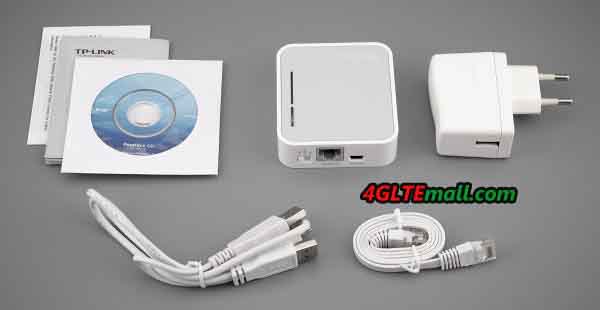
The 1 & 1 stick should of course make good traveling services primarily. Therefore, a USB cigarette lighter adapter is included in delivery for the drive. So the MF79 can be recharged while driving and provide for all occupants mobile internet via WLAN. The LTE-Stick can be also charged on a laptop or home PC with the included USB cable. Of course with the USB power adapter, the fast charging via outlet is possible.

Second function as a USB stick

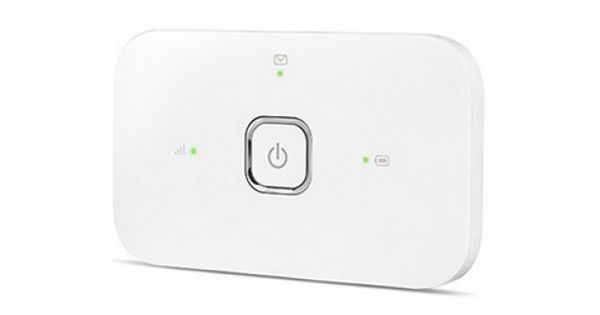
The ZTE MF79 is about eleven centimeters long and weighs 32 grams. On the front two LEDs are installed that indicate the connection with either the WLAN or the cellular network. The 1 & 1 stick can also be easily used as a USB storage device: It has a Micro SD slot, which accommodates memory cards up to 32 gigabytes.


Availability

The ZTE MF79 Mobile WLAN stick LTE is now available on www.4gltemall.com in good price. No SIM lock, no contract required. You can use the LTE stick with any network providers in Europe and Asia. And there is similar models such as Huawei E8278 and Alcatel W800, if you like other brand, you can try them.


Telekom Speedstick V LTE Stick Review

The German network carrier Telekom offers the Speed Stick V now, it’s the 5th version of the stick-series. The new model is distinguished by a number of improvements. This is much anticipated – it is a worthy successor of the Speed Stick III. We will show what the device can do and what advantages it offers compared to earlier versions.


LTE features and Specifications of the Speed Stick V LTE

Manufacturer and Model

Huawei E3372s-153

Download rate

Up to 150 MBit/s

Upload rate

Up to 50 MBit/s

Compatible LTE Bands

LTE800, LTE900, LTE1800, LTE2100, LTE 2600

Backward compatible with:

DC-HSPA+, UMTS, GSM frequencies (850, 900, 1800 and 1900 MHz)

MIMO Support:

MIMO 2×2

Connector for external antenna

Yes; 2 aerial socket type CRC-9 available(Buy Huawei E3372 Antenna)

LTE Category:

LTE Category 4 (CAT4)

Chipset

HiSilicon

Others

Dimensions (LxWxH)

88 x 28 x 11.5 mm with 24 grams

USB standard

USB 2.0

Memory card expansion

Yes; MicroSD up to 32 GB

Compatible Operating Systems

Windows XP, Windows Vista, Windows 7, Windows 8.x, Mac OS (from 10.7)

Available at

www.4gltemall.com


Successor of the Speed Stick III

The Speedstick V should be named Speedstick IV, but we found it missed and IV and directly to V. Perhaps there is a model between the Speedstick V and III. In any case, the Speed Stick IV has not been a really big hit. The Speed Stick III was the best model in the range – this status is now taking over the 5. And it will no longer be available.


First impression

First, it is noticeable that Huawei continues to focus on the size of the sticks. The Speed Stick V is 4 millimeters smaller than Version III and with only 24 grams of even 25 percent lighter. And also the height has been reduced by the same length. Unfortunately, Huawei also rationalized the articulated steering away. Actually, this is often helpful when using the laptop, so we rather see it as a deterioration. Solving space issues then creates only the use of an extension cord. In terms of design, optics and processing’s are unfortunately some drawbacks that affect not only the noble silver edge and slightly curvy concept of its predecessor. Here Huawei has unfortunately saved considerably on material. In this price range you must not ask for anything more. We hope that these savings will no established line at Huawei. But what ultimately counts are the intrinsic values.


Technical Data

Under the Telekom logo hides the Huawei model this time with the serial identifier E3372, specifically E3372s-153. Again the LTE stick is not compatible with the category 6 (CAT6). In other words, he has mastered yet a LTE-Advanced. The Hisilicon chip allows for connections up to 150 Mbps download rate on category 4 (CAT4). That’s not so tragic, because it is expected with the launch of the new Super-LTE network eventually only in a few months. Why the Telekom is not equal to CAT6 is nevertheless remains questionable because the life cycle of the stick back for sure should be far more than 1 year. Thus it can be assumed that there will be an extra Surfstick for LTE-Advanced. Another positive feature relates to the network compatibility. The Speed Stick V supports LTE on the frequencies 800, 900, 1800, 2100 and 2600 MHz. In the event that no 4G is available, it is switched to GPRS, EDGE, UMTS or HSPA. This is always done automatically and is based on the next best available alternative locally. In this regard, so there are no changes to the Speed Stick III.


As usual, it is possible the Surfstick also be used as storage medium, if a microSD is implemented in the slot provided for it. The card may be up to 32 GB in size. The customer can switch an external antenna for reception optimization. There are 2 CRC 9 ports ready on the side.  Here on the standard format (2FF) will continue to set. So if you have a micro SIM, requires an adapter. There is no SIM Netlock as usual.


Availability

The Speedstick V is now available on www.4gltemall.com without any contract. In our opinion, it’s on of the best stick now on the market.


ZTE MF283 4G LTE Router Review

The Chinese manufacturer ZTE has launched with the a new LTE router MF283 on the market, which supports LTE Category 4 and allows speeds of up to 150 MBit/s in the downlink and up to 50 Mbit/s in the uplink. Terminals could be connected with ZTE MF283 either through wired LAN interfaces or wirelessly via WLAN. The router not only provides a fast Internet connection, you can also make calls over the device thanks to Voice over IP, provided that the provider allows. In Austria, the router is marketed as “Webgate 3“.

Features and Specifications of ZTE MF283

Manufacturer and Model

ZTE MF283

Download rate

up to 150 MBit/s

Upload rate

up to 50 MBit/s

Supported LTE bands:

800 MHz/1800 MHz/2600 MHz

LTE-Advanced Support

no

Backward compatible with:

UMTS; GSM; HSPA+

MIMO Support:

MIMO 2×2

Connector for external antenna

yes, 2 SMA sockets(Buy ZTE MF283 Antenna)

Category:

LTE category 4 (CAT4)

Telephone

With integrated PABX

Yes

VoLTE Support (Voice over LTE)

Yes

Operating Internet (VOIP)

Yes

Connection for analog phones

Yes, 2xRJ11

Connection for ISDN

no

DECT

no

integrator with Voice Mail

no

HD voice possible

no

Network | LAN & WLAN

LAN Ports

4 LAN (RJ45), 100 Mbit/s

Wi-Fi standards

WLAN 802.11b/g/n for up to 32 devices

5 GHz Wi-Fi support

no

Coding

WEP, WPA, WPA2

WLAN guest access installable

no

Others

USB

yes, 1 x USB 2.0

Dimensions / Weight

195 mm * 150 mm * 55 mm

IPv6 Support

Yes

NAS capability

no

Power consumption ca.

unknown

used as a Media Server

no

Available at

www.4gltemall.com


Fast Internet over LTE


The ZTE MF283 dominated all three mobile technologies currently used in Germany: GSM, UMTS and LTE. In the UMTS network the data accelerator DC-HSPA+ is supported, so depending on your plan and network utilization up to 42.2 Mbit/s in the downlink and 5.76 Mbit/s can be achieved in the uplink. It is fast when LTE can be used. Based on LTE Category 4, speeds of up to 150 MBit/s in the downlink and 50 Mbit/s in the uplink are possible.


The Internet connection is optionally provided via one of the four LAN ports on the back of the ZTE MF283 or wirelessly via WLAN. However, the LAN ports operate with a maximum of 100 Mbit/s, so that the full LTE speed can not be exploited. The Wi-Fi 802.11b/g/n is in the 2.4 GHz frequency band, on other hand, speeds of up to 300 megabits per second are possible, according to ZTE, depending on how far you walk to the terminal from the router.

Integrated Phone function


On the back of the ZTE MF283, there are two RJ-11 ports for analog phones, and a DECT interface for connecting wireless phones. The telephone is not made directly on the SIM card, but via VoIP directly via the Internet connection. A corresponding VoIP tariff is of course a prerequisite for using the telephone function.


Other interfaces

In addition to the four LAN ports and two RJ-11 phone connectors, a USB port can be found on the back of the ZTE MF283. Normally, the USB port is storage devices or printers. On the back you will find two connections for an external antenna. This feature works in areas with weak signals as connection quality and speed can be optimized.


Availability

The ZTE MF283 is in white color with the Austrian network operator “3” in the form of “3Webgate 3”.  If you prefer the unlocked ZTE MF283, you can check the site www.4gltemall.com for more details.


1 & 1 LTE Mobile Stick – ZTE MF823

Since summer of 2014, 1&1 also has its tariffs for mobile surfing via LTE. The basis for this is a more compatible LTE surf stick. The model number is ZTE MF823. This can be ordered as an option to new contracts. We show the features and specifications about 1 & 1 LTE Stick.

LTE Feature and Specifications of the 1 & 1 LTE sticks

Manufacturer and model

ZTE MF823

Download rate

Up to 100 MBit/s

Upload rate

Up to 50 MBit/s

Compatible LTE Bands

LTE 800, 900, 1800 and 2600 MHz

Backward compatible with:

DC-HSPA+, UMTS, EDGE, GPRS

MIMO Support:

MIMO 2×2

Connector for external antenna

Yes; 2 aerial socket type TS-9 available(Buy ZTE MF823 Antenna)

LTE Category:

LTE modem category 3 (3GPP Release 8)

Chipset

Qualcomm

Others

Dimensions

90 mm x 28.4 mm x 13 mm

USB standard

USB 2.0

Memory card expansion

Yes; MicroSD up to 32 GB

Compatible Operating Systems

Windows XP, Windows Vista, Windows 7, Mac OS (from 10.4)

Availability

www.4gltemall.com


While Telekom and Vodafone mostly rely on products from Huawei, ZTE cooperates with 1 & 1. Behind the 1 & 1 LTE stick, it hides the model number ZTE MF823. In addition, 1 & 1 offers a mobile 4G Router (MF910) at flat rates in connection with his laptop. The LTE Stick is with a non-branded, white version with ZTE logo.


Technical characteristics

1 & 1 LTE-Stick is a solid, typical middle class model. It supports LTE category 3 hardware, so that the downstream hypothetically to 100 Mbit/s could be achieved. For Notebook Flats that was good enough, as the rates offer only up to 50 MBit anyway. The device can communicate at 800, 900, 1800 and 2600 MHz by 4G. Since 1 & 1 only runs on 1.8 GHz, the MF823 stick could also work with other network partners such as Vodafone, O2, E-Plus etc.. But you must unlocked the 1&1 LTE stick. If there is no LTE reception locally, the drive switches to 3G or 2G standards, so that nevertheless could be surfed. If the signal is not good, over 2 sockets (TS-9) also can connect an antenna for improved reception.


Operation and Installation

The installation is quite simple. Like many modern sticks, the 1 & 1 LTE stick also comes now without installing an extra software. The operation and configuration takes place, easily accessible via the browser. After first plugging it starts once a setup. This installs the necessary drivers, as well as an icon on the desktop “4G Hostless Modem” applies. After a short time, it further launches a browser window with the ZTE logo. Until this process is completed, it passed no more than 30 seconds.


Conclusion

A for the 1 & 1 LTE offers quite suitable and uncomplicated stick for a small price. Simply plug in and start surfing – so it should be a good partner to surf internet. But if you prefer the original factory model, you could check the ZTE MF823 directly from www.4gltemall.com .


Speedbox mini II Router – Huawei E5786

The Speedbox LTE mini II is a new portable router for Germany Telekom, which has great improvement from its predecessor especially at speed. Because the new router is based on LTE CAT6. This compact device can be used both for home use, as well as for the road. Here are the technical data at a glance.


Features and Specifications of the Speedbox Mini II

Manufacturer and model

Huawei E5786 Mobile Wi-Fi
Download rate Up to 300 MBit/s
Upload rate Up to 50 MBit/s
Compatible LTE Bands 800/850/900/1800/2100/2600MHz
backward compatible with LTE CAT 3 & 4, DC-HSPA+, HSPA+, HSDPA, UMTS, EDGE, GPRS, GSM
Support of LTE-Advanced Yes
MIMO Support: MIMO 2×2
Connector for external antenna Yes; 2 aerial socket type TS-9 available(Buy Speedbox Mini II Antenna)
LTE Category LTE modem of Category 6 (CAT6)
Chipset Hisilicon | HPM Coretx A9 processor
Wi-Fi standards 802.11 a/b/g/n/ac

Wireless Internet Hotspot

yes – for up to 10 devices
Others
battery 3000 mAh (up to 10h surfing time)
Dimensions (WxHxD) 106 x 66 x 15.9 mm at 145 grams
USB standard USB 2.0
Memory card expansion Yes; MicroSD up to 32 GB

Compatible Operating Systems

Windows XP SP3, Windows Vista, Windows 7 & 8, Mac OS (from 10.7)
available at www.4gltemall.com


In January 2013, Speedbox LTE mini came out. Again, a model was used as the previous model, which is based on a device from Huawei. The model number is Huawei E5786.

Highlights of Speedbox LTE mini II

Instead of LTE category 4 with the frequency bands 800/900/1800/2100/2600 MHz, the Speedbox LTE mini II is now with Category 6 and supports more bands with additional 4G at 850 MHz. Thanks to LTE CAT6, a maximum download rate of up to 300 Mbit/s is possible, which is twice the first Speedbox LTE mini. In addition to the normal Speedbox II, this is the first LTE-Advanced router available in Germany. The particularly fast standard 802.11ac allows here a data transfer of up to 433 Mbit/s, while the module sends on 2.4 GHz and 5.0 GHz.


The capacity of the battery was 3,000 mAh available. The dimensions remained almost the same as E5786, only the weight more slightly to 5 grams. The Speedbox Mini LTE is powered by a new chipset from Huawei HiSilicon, which comes along in 28-nanometer architecture Cortex-A9 architecture and allows the use of LTE CAT6. Furthermore, if the high-speed internet is not available,  you can also rely on HSPA (+) with up to 43.2 Mbit/s, and EDGE and GPRS are also supported.


Wireless Internet Hotspot


The small dimensions make the Mini-Router an ideal travel partner. At the same time, the device has a hotspot feature that allows up to 10 other terminals to access the Internet. It’s perfect to use it in apartments without power, or in the car etc.


Availability


The Speedbox LTE mini II can be ordered at Germany Telekom since mid-September 2014. At the Telekom, it will not only provides the network operator logo on the surface, a software-branding is also available. Thus for example, the wireless repeater function of the E5786 has been disabled.  If you know the difference between the Speedbox LTE Mini II with E5786, you many prefer the unbranded Huawei E5786 with full functions activated. Without any SIM lock, you can take the pocket WiFi anywhere!


Telekom Speedbox III LTE Router – Huawei E5186

The Speedbox LTE III is a new wireless router for Telekom, which could support for LTE Advanced. The device is intended for home use and provides the terminals via WLAN or LAN with high-speed internet. Based on LTE CAT6 technology, a speed of up to 300 Mbit/s is possible. There is an overview of the technical data of the Speedbox LTE III.


Features and Specifications of Speedbox III
Manufacturer and type designation Huawei E5186s-22a (HiSilicon chip)
Download rate up to 300 MBit/s
Upload rate up to 50 Mbit/s
Supported LTE bands: LTE 2600 MHz / 2100 MHz / 1800 MHz /
900 MHz / 800 MHz (FDD) LTE + 2600 MHz TDD
LTE-Advanced Support Yes
Backward compatible with: HSPA, HSPA+; UMTS (900/2100 MHz); GSM
MIMO Support: MIMO 2×2
Connector for external antenna yes, 2 SMA sockets(Buy 4G antenna for Speedbox LTE III)
Category: LTE modem category 6 (CAT6)
Telephone
With integrated PABX no
Network | LAN & WLAN
LAN Ports 4 LAN Gigabit ports (RJ45)
Wi-Fi standards WLAN 802.11b/g/n/ac for up to 64 users
5 GHz Wi-Fi support Yes
Coding WEP, WPA, WPA2
USB no
Dimensions / Weight 190 x 200 x 32 mm at about 518 g


First impression


Coming from the original Huawei model E5186 LTE CPE, the Telekom presented the series as usual in noble black. On the back there are only 4 gigabit ports. The front informs with four LEDs information about “Power”, “Mode”, “wifi” and signal. A configuration of the router can be done directly through the browser. The right flank of the router has a WPS and Wi-Fi button, and a reset button. The SIM card slot is on the top right place.


Anyone looking for a new, high-performance wireless router, gets an attractive solution with the new device Speedbox III LTE from Germany Telekom. The Speedbox LTE III supports LTE Advanced with up to 300 Mbit/s download speed (50 Mbit/s upload speed) and the latest WLAN standard by 802.11ac. This transmits at 2.4 GHz and 5.0 GHz. With the LTE frequency bands 800/900/1800/2100 MHz and 2600MHz, a wide range is covered. The external antenna connector is actually hiding at the back behind a small cover to find. The box can bring the network for up to 64 Wi-Fi enabled devices.


The Speedbox LTE III is technically based on the Huawei E5186 4G Router, however, still there are some differences between them. The E5186 LTE CPE also called E5186s-22a indicates the modification. The original E5186 has two RJ11 connectors and a USB port of the standard 2.0 interface. The software (firmware) is different and you will find a logo of the network operator on the front. In addition, the front lacks the “Voice” Info-LED.


Telephone

The DECT or analog telephone is not supported. If you want the function, probably you should choose the Vodafone B4000 or Huawei E5186 original model. And VOIP will not be a problem.  The send and receive short messages (SMS) via the Speedbox LTE III is actually possible.


Availability

Since September 2014, the Speedbox LTE III is available on the Germany Telekom, and now the unlocked Speedbox LTE III is also available on www.4gltemall.com . And the price is certainly reasonable for the first CAT6 router. The package includes a power adapter, an RJ45 LAN cable and a Quick Start Guide. If you want to change your 3G Router to 4G, the Speedbox LTE III should be a good option. If you want to get the full functions of the 4G Router, huawei original E5186 should be better to choose.


TP-Link M7350 4G LTE Mobile Hotspot

The Chinese network specialist TP-Link presented a new model M7350 as new mobile hotspot with wireless support for up to 15 devices in the program. The router adopts LTE Cat4 and shows all the necessary information on its display. The TP-link M7350 is portable enough to take on the road to provide fast Internet reception.

Features and Specifications of TP-Link M7350

Manufacturer and Model:

TP-Link M7350

Chipset:

Qualcomm MDM9225

LTE Category:

CAT4

Download rate:

Up to 150 Mbit/s

Upload rate:

Up to 50 Mbit/s

Supported LTE bands:

800 MHz / 1800 MHz / 2600 MHz

Backward compatible with:

DC-HSPA+ / UMTS / GSM

Support of LTE-Advanced:

no

MIMO Support:

no

External antenna connector:

no

Telephone

With integrated telephone system:

no

Connector for ISDN telephones:

no

Connection for analog telephones:

no

DECT:

no

integrator answering machine:

no

Network | LAN & WLAN

LAN Ports:

no

WLAN Standards:

Wi-Fi 802.11a/b/g/n

5 GHz WLAN support:

Yes

Encryption:

WPA-PSK / WPA2-PSK

Wireless Internet Hotspot function:

Yes, for up to 15 devices

Others

Battery Capacity:

2,550 mAh, exchangeable

Dimensions:

106 x 66 x 16 mm

USB:

MicroUSB

Memory card expansion:

Yes, Micro SD up to 32GB

Release:

September 2014

available at:

www.4gltemall.com


Technical Features

With the TP-Link M7350, the user can dial in LTE networks of category 4 and thus achieves download speeds of up to 150 Mbit/s and 50 Mbit/s upstream. What’s more, the router is of course backwards compatible with 2G and 3G networks with a maximum of 42.2mbit/s with DC-HSPA+ and then HSDPA 7.2 Mbit/s. This also fits any SIM card because it contains even a card adapter for Micro-SIM and one for nano-SIM cards with the delivery of the router, in addition to micro-USB cable and power sup ply,.

TP-link M7350 Battery

Up to 15 devices can be connected

It’s a pity  that the TP-link M7350 has not the connection ports for external antennas to improve reception quality. In WLAN, the M7350 supports the 802.11 a/b/g/n on 5 GHz and 2.4GHz, and the faster WLAN ac with up to 300 Mbit/s download speed. Up to 15 devices could be connected to surf via the mobile hotspot on the Internet.

Informative display

Around just 11 x 7 centimeters of the mobile hotspot, it is pleasantly easy to handle and the screen shows sufficient information on its 1.4 inch TFT LCD display about the data volume, the Wi-Fi state, the number of connected devices, the network type (4G/3G/2G), the signal strength, the Internet connection status, incoming messages as well as the battery state of charge.

Access via the device or PC

Using the menu button of the TP-Link M7350, the user can change the network or also switched roaming rapidly and off on the road and have a look at the wireless password. Advanced access to all functions of the router could be done via the web interface of the device from the PC. An app to control does not exist unfortunately. Supported operating systems include Windows from XP, Mac OS, Android and iOS.

Practical SD card slot

The equipment of the M7350 also has a Micro-SD card reader, the card takes up to 32 GB capacity. Access to the card is done via a corresponding Explorer via iOS or Android, so you can share photos or music from the SD card on all connected devices.

TP-link M7350

Replaceable battery

The TP-Link M7350 battery provides decent 2550 mAh and is fortunately removable. According to the manufacturer, the battery will last through up to 10 hours surfing the LTE network. Charging the battery can be done via the included Micro-USB cable either on the PC or an adapter on the socket.


Availability

The mobile router TP-Link M7350 is available in black in various online stores such as www.4gltemall.com for free trade.


Conclusion

The new router from TP-Link M7350 scores with LTE Cat4, replaceable battery and SD card slot. If you need a pocket router with a connection for an external antenna as well as the operation via a smartphone app, TP-Link M7350 may not be a good option. You could choose other brand such as Huawei E5786 or Netear 782s. But except that, the TP-link is a good 4G router.


Netgear AirCard 790S 4G LTE Cat6 Mobile Hotspot

Netgear has introduced its newest member of the AirCard 790s to the router family. The Netgear AirCard 790S is the first mobile hotspot in Aircard 7X0s who supports the LTE Cat6 with up to 300 Mbit/s in the download. Actually, Netgear 790S is not the first LTE cat6 mobile hotspot because Huawei had presented the Huawei E5786, which is the first one.

Telstra WiFi 4G Advanced II screen


Technical Features


The AirCard 790s is equipped with a 2.4-inch, color LCD touch screen. The screen displays the network icon, signal strength, the network name, the wireless status, battery status or data usage. And the touch icons takes you to the Settings and other menu items. The router can also be configured on the PC or via an app on your smartphone or tablet and use. The AirCard app is available for iOS, Android and Kindle. Here you can retrieve all possible information.

Telstra WiFi 4G Advanced II antenna ports

LTE-Advanced with 300 Mbit/s


The AirCard 790S Netgear supports LTE Category 6, backward with both 2G and 3G networks, including DC-HSPA+. If you live in an area covered with LTE-A field and has a micro-SIM card with an appropriate data plan, using Carrier Aggregation, two 20 MHz bands are combined into a 40-MHz band in downlink, so as to allow download speeds of up to 300 Mbit/s. Carrier aggregation of 2 x LTE2600 is supported as well as the pooling of 2.600 and 1.800 MHz.

Telstra WiFi 4G Advanced II back logo

Additionally, the AirCard 790S also widespread in the US 700 MHz band used for LTE-A: The router is thus prepared. In upload, up to 50 Mbit/s are possible with the hotspot. If the wireless coverage at home or on the go too weak, user can connect two external antennas for 3G/4G to the router.


Features and characteristics of the AirCard 790S
Manufacturer and Model Number Netgear AirCard 790S
Chipset Qualcomm MDM9230
LTE Category CAT6
Download rate 300 Mbps
Upload rate 50 Mbps
Supported LTE Bands: 700 MHz / 1800 MHz / 2600 MHz
Backwards compatible with LTE CAT4 / DC-HSPA + / UMTS / GSM
Support from LTE-Advanced Yes
MIMO Support: 2×2
Connection for external antenna: Dual TS-9 for 4G / 3G
Telephone
With integrated telephone system No
Connection for ISDN phones: No
Connection for analogue phones: No
DECT: No
integrator answering machine: No
Network | LAN & WLAN
LAN ports: No
WLAN standards: WLAN 802.11 b/g/n/ac
5 GHz WLAN support: Yes
encryption: WPS, WEP, WPA, WPA2
WLAN hotspot function: yes, for up to 15 devices
Others
Battery pack: 2,930 mAh, changeable
Dimension: 110 x 68 x 15 mm
USB: Micro-USB 3.0
Memory card expansion: No
release: Nov-15
Price: about 229.00USD
available at: www.4gltemall.com
Documents download
Datasheet » Netgear AC790S Datasheet
Read review » Netgear Aircard 790s Review
Manual as PDF » Netgear Aircard 790s manual(PDF)

Supply 15 devices with fast Wi-Fi

The Netgear 790S supports the standard Wi-Fi ac on 2.4 and 5 GHz. As a hotspot, the router can support up to 15 devices with wireless Internet while other competing models supports maximum devices to 10 units. The network can be encrypted with WPA2, which is set by WPS. If you connect the router via USB 3.0 to a computer, it can be charged at the same time and provide the PC with high speed internet.

Telstra WiFi 4G Advanced II Aircard 790s battery

Strong and Replaceable Battery

Netgear has his latest AirCard model a strong power source: The battery has capacity of 2,930 mAh, which should be enough for up to 10 hours in operation and 350 hours in standby according to the manufacturer. The router can be charged via the included Micro-USB cable, the 790S also can be used as a charging station for a smartphone itself. The battery is fortunately interchangeable; Netgear offers optional at an even stronger battery with up to 16 hours of run time.


Availability

The AirCard 790S Netgear is available on www.4gltemall.com . And it’s the unlocked version, which means it can work well in North American, Asia and European countries.


Conclusion

The AirCard 790S Mobile Hotspot Netgear has a high-speed router at the start, which is not only fast, but also future-proof. LTE Cat6 and WLAN ac plus support for the 700 MHz band and supply of 15 devices with Wi-Fi, users do not have to provide a lot of competitors. What’s more, the 790S is quite handy and provides an informative color touch display. It’s a real practical and cool 4G pocket router!


Huawei Honor 7 4G LTE Dual SIM Smartphone Review

Last Friday Huawei has presented the latest smartphone for the European market in London: Huawei Honor 7. The equipment is with fingerprint sensor, metal enclosure, Full HD display and octa-core processor for a very good level. The unit also dual SIM capable and supports all relevant for LTE frequency ranges in Europe, making it once again apart from the competition. I could look at me the Honor 7 spot at the launch event and would like to describe to you my first experience with the device in this article.

Honor 7 in detail 
The Honor 7 is available in the colors white and gray. It will soon be available in the dealers,  but you will not get the phone from the network provider. The operating system is still quite current, the Android 5.0 3.1 surface comes together with Huawei EMUI used. In the first test, the software was smooth and quick, the games run smoothly on the honor 7 based on huawei HiSilicon Kirin 935 octa-core processor.

Honor 7 itself is with dimensions of 143.2 x 71.9 x 8.5 mm, this one has a pretty big 5.2-inch display with full HD resolution, which can display multimedia content well and ideal for photos and videos. The body material is made of metal, the screen is covered with Gorilla Glass. This affects the Honor 7 very valuable and can keep up the build quality better than much more expensive smartphones.


The Honor 7 provide the open version without SIM lock, and it is currently available on www.4gltemall.com . With a budget price, you can get a very well equipped smartphone that offers some features that are otherwise only known from the luxury class. One example is the integrated  sensor on the back, which can be used quickly and reliably to unlock the device. The cameras are very good for the price you wanted, they offer 20-megapixel (rear) and 8 Megapixel (Front cam). The internal memory is 16 gigabytes in size, an extension via microSD card is possible. The memory is 3 GB in size, multitasking is therefore likely to be without any problems and with many apps simultaneously.

Dual SIM with LTE
An absolute unique feature is the dual SIM function with LTE and simultaneous use of both SIM cards, which is not common in Europe. The first SIM card in GSM, UMTS and LTE network can be used during the second SIM card registered in the 2G network and at any time can be achieved. Many other devices you had to actively switch between the two SIM cards.

We has tested Huawei Honor 6 last year, this one should be the best seller in Huawei honor series smartphones. It performed well per the users’ feedback. Now the newer model honor 7 is available. We will see how Honor 7 will perform, but we are sure the honor 7 would be a new star!


Difference Between Huawei E5770 and E5730s

In the market of network equipment, Huawei is always one of the most influential companies. We can see the clear demonstration of how the world is evolving on vendor network equipment on two mobile routers: First one is the snow white Huawei E5730 and the other one Huawei Mobile WiFi Pro E5770 showed at the MWC 2015 in Barcelona. Somebody may ask what’s the difference them. The list below shows some basic difference between them:

Model

Huawei E5730s

Huawei E5770

Type 3G Mobile Hotspot 4G LTE Mobile Hotspot
Network DC-HSPA+/UMTS/HSPA TDD-LTE/FDD-LTE/DC-HSPA+/UMTS/HSPA
Data Rate DL 42Mbps/UL 5.76Mbps DL 150Mbps/UL 50Mbps
WLAN 802.11 b/g/n 2.4 GHz 802.11 b/g/n 2.4 GHz
Battery 5200mAh 5200mAh
Dimensions 99.0mm×66.3mm×22.5mm 106.0 mm × 68.4 mm × 22.5 mm


It’s no doubt that the RJ 45 port on the Huawei E5770 and E5730 is the top shinning feature. It provides much more possibility of network solution for user. Secondly, the large power capacity is also practical function for most users. As a mobile hotspot, they have the backup functions which can make users have great experience. Actually, they are similar and different at the same time: the power output and input ports and Ethernet port are both at the side. The ports on Huawei Mobile WiFi Pro E5770 are covered by a cap, so users have to open the cap and see all the ports. The Huawei E5730 is in white while the E5770 has two colors: white and black.

The boy difference is also obvious: Huawei E5730 has only one power button on the front, while Huawei E5770 has LED screen on the front. On the display, user can see the battery status, network status, SSID and password, connected WiFi users. The battery capacity of 5200mAh is printed on the back of Huawei E5770, but at the body side of E5730.

Huawei E5770 is a little bit thinner than E5730. The batteries in the two devices are both non-removable. But the back cover could be opened and the SIM card slot is there. Huawei E5770 has one SD card slot, but E5730 has no SD card slot. And there is stick besides the SIM card slot. It shows the model number, IMEI number, S/N number, SSID, WiFi password and QR-code to download Huawei Mobile WiFi APP.

The most attractive and important feature for them is the supported networks. Upgraded from Huawei E5730, Huawei E5770 could support peak download speed to 150mbps based on LTE Category 4 chipset. The upload speed could reach 50mbps. E5730 can’t reach the speed but as a 3G mobile hotspot, it’s almost one of the best 3G routers based on its specifications. When Huawei E5730 was on sales, somebody is asking: when can i buy the 4G version of Huawei E5730 with RJ45 port? Now Huawei Mobile WiFi Pro E5770 is available. This the version for 4G pocket router with RJ45. So if you like it, it’s time to get one.